Add navigation pane to the toolbar

I'm using RDM Mac 2026.3.0.5, I have RDM configured to have the user interface configured to Use overlapping navigation, I like it this way as it means the screen real estate is maximised for RDP use.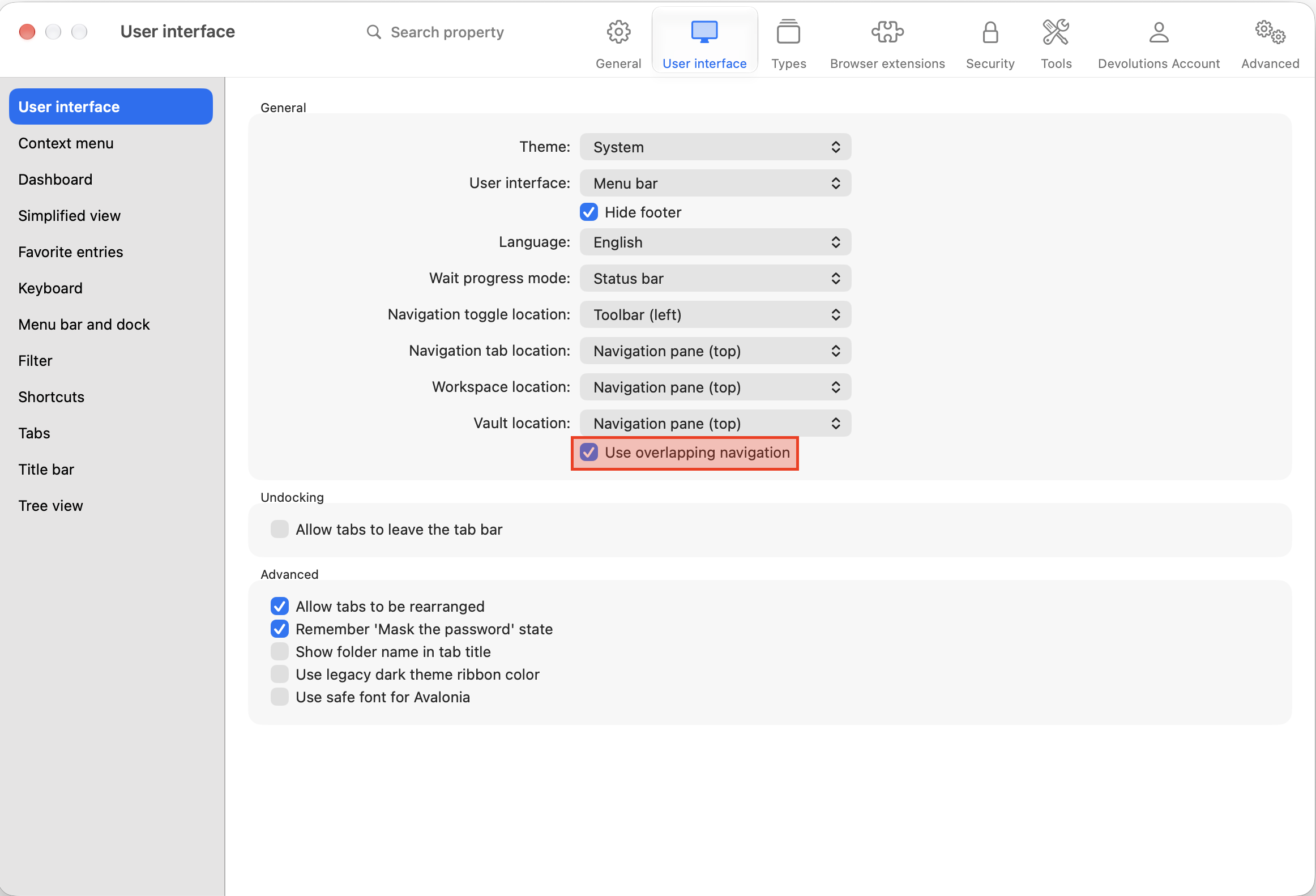
For the lack of a better word, the main difficulty I have with this is that if you are in an RDP session and need to open another in order to get the navigation pane to display you have to take focus out of the remote session and press Cmd+N, I accomplish this by clicking the RDM menu and pressing this keyboard shortcut.
With this latest build of RDM introducing a toolbar on the main window makes it an ideal place to put a button or shortcut to the navigation pane. Is this possible or could this be added?
For reference, in the screenshot below I am connected to my Windows desktop that I need to use for a VPN connection that has no Mac equivalent. On the Windows RDM you can have the navigation pane off to the left for quick and easy access to it. The highlighted red block is the new toolbar on RDM Mac where I'm asking/proposing this could be - better yet, if this was done on the new toolbar in RDM Windows then it would mean the UI/UX would be more closely aligned between the two.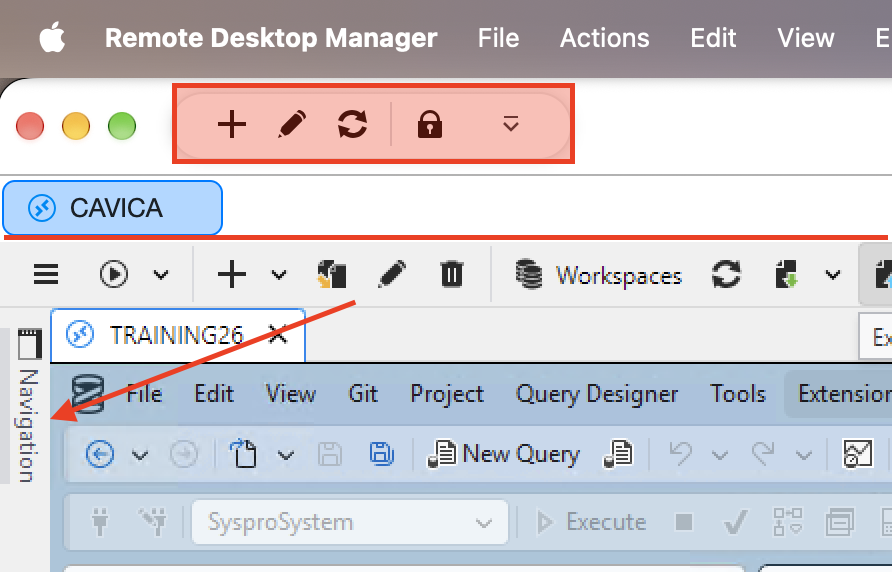
cb108cff-dfed-4e26-941d-9b639f28126b.png
c1847958-526f-4080-a692-6c7792113079.png
Recommended Answer
Hi,
In the next major update of RDM Mac, coming in December, you will be able to pin the navigation pane, just like in RDM Windows, with the same behaviour.
I am sorry that this functionality cannot be delivered sooner. It is part of a major rework of the main window to align it more closely with RDM Windows.
Best regards,
Jesse Galarneau
All Comments (2)
Hi,
In the next major update of RDM Mac, coming in December, you will be able to pin the navigation pane, just like in RDM Windows, with the same behaviour.
I am sorry that this functionality cannot be delivered sooner. It is part of a major rework of the main window to align it more closely with RDM Windows.
Best regards,
Jesse Galarneau
Thanks Jesse, appreciate the feedback. Looking forward to these changes as they start to align better/more with the Windows equivalent.