2026.3.8.0 - Bugs report

Hi,
I'm currently testing the 2026.3.8.0 version, and encountered those bugs :
- Display was flickering sometimes during my tests : In a web session connecting to Azure, display was flickering at MFA prompt when mouse was put over an option of the MFA Window.
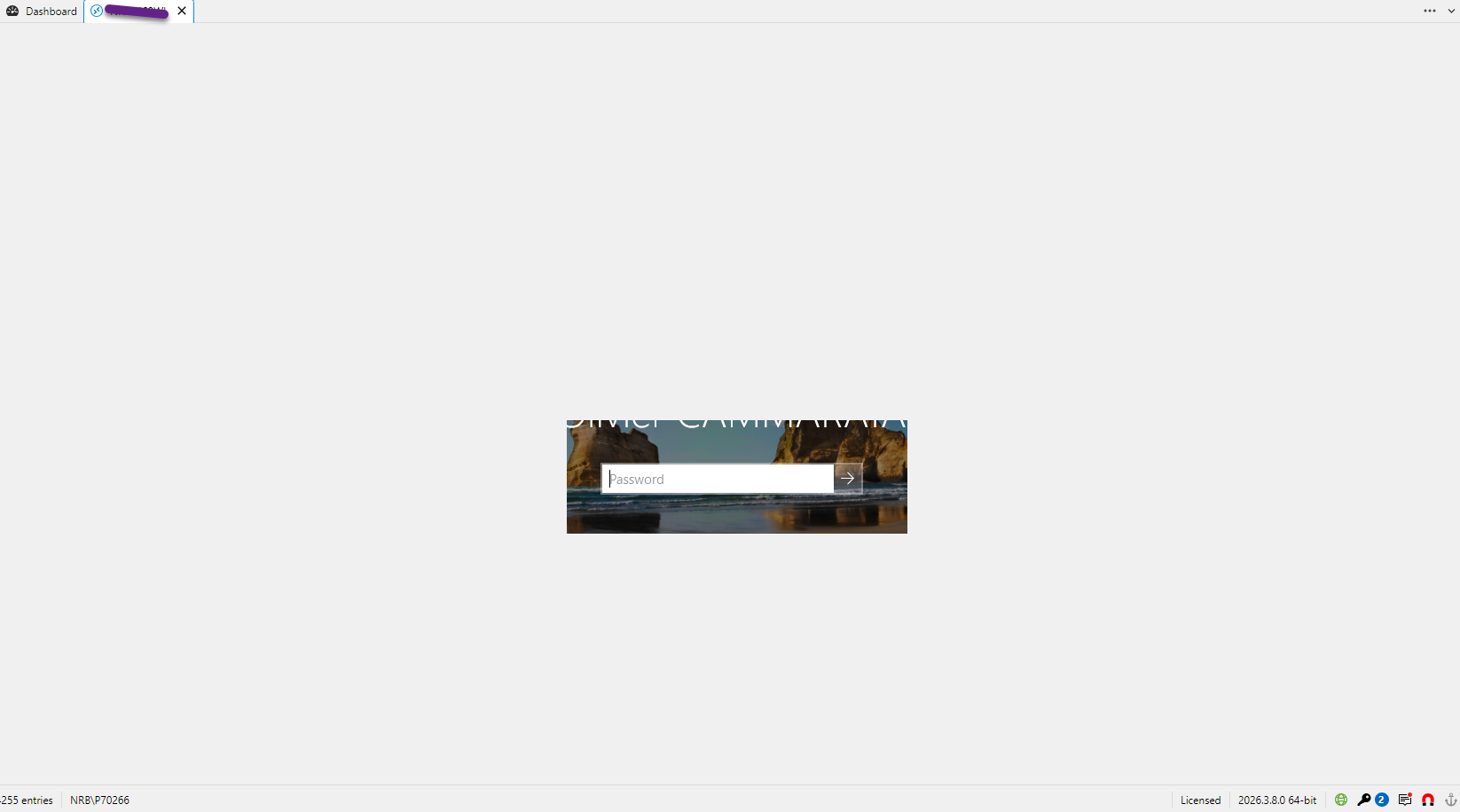
I Also encountered display refresh problems on opened RDP sessions (some abnormal squares appearing here and there, or only displaying part of the screen - see below)
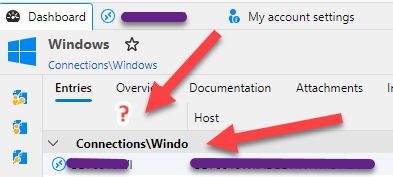
- Column chooser display Connections group only on 1st column (when you fit it, group is not displayed entirely (see fig below)
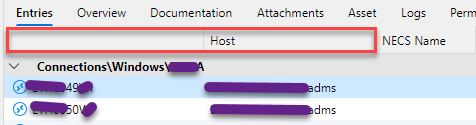
- Column chooser does not display "Name" in title (see fig below) :
- Column chooser does not seem to allow anymore to only display "Name" column without displaying the "Host" column, which was not the case in RDM 2026.1.x
Not exhaustive list. If I find others, I'll post again.
0754be9c-9bed-417b-93af-7f4721ce0cdf.png
062e2f2d-5089-4e29-8b39-6bf746adf116.png
All Comments (5)
Hello,
RDM 2026.3.9.0 has been released yesterday. Could you give it a try?
You can download it here https://devolutions.net/download-center/?product=rdm
Best regards,
Jeff Dagenais
I'm on 2026.3.9.0 and am still experiencing the same issue.
Hello,
Which issue(s) do you still encounter? I am seeing 4 issues in your first post, so I am a little bit confuzed.
Sorry about that.
Best regards,
Jeff Dagenais
Hi,
So, I gave a try on 2026.3.9 which didn't solve any of the 4 issues I reported (Column display, display bugs).
Now I'm on 2026.3.10, and cannot yet reply for display bugs (just installed) but can already statut on column chooser, where issue remains :
- By default, the first column is the "Name" of sessions, but header is still missing and group names are still not fully shown as in 2026.1.x
This release : 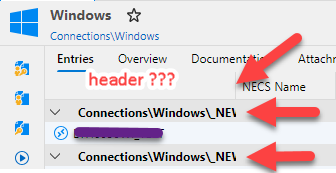
2026.1.14 : 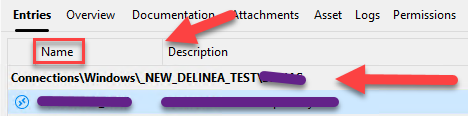
- Then, if you select to add the "Host" column to display, it becomes the fisrt coulmn and replaces the "Name" column (instead of showing both). After this, if you deseclect "Host" column from display, it removes "Host", but do not show back the "Name" column (which is not proponed in the "column chooser" list)==> Both column are no more shown at all). In all cases, the header of the 1st column - which is now no more Name or host column - is still empty.
In this example, 1st column is now corresponding to "NECS Name' after having selected then sdeselected the "Host" column :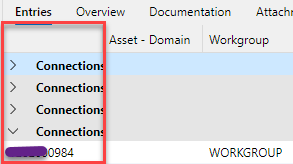
- If I close RDM 2026.3.x and reopen, it displays the Name and Host by default now (even after a "reset layout" :
So, to summarize :
- Would like the 1st column header displayed
- Would like the group names fully displayed, even when streching the 1st column (like in 2026.1.x)
- Would like to be able to chose to display Name only, Host only or both easily (like in 2026.1.x)
Thx.
63de23ae-2ef8-4e8b-89ef-45a17827e56e.png
18b57eae-e5be-453c-8f1c-20d991a1634e.png
fe644a52-8eeb-4ea5-9420-ea8d7f1084d0.png
7d8e567f-9d50-41f9-830a-8f1268120a68.png
Hello @oliviercammarata,
Thank you for following up and for the screenshots.
The missing first column header is a known issue, and a fix is in progress.
To view the full group names, right-click the column header and select Best Fit, or drag the column to make it wider.
I am also reporting your feedback that group names should use the entire row, as they did in 2026.1.
We reproduced the Name and Host issue in the Column Chooser, and I am reporting it to our development team.
Until this is fixed, selecting another folder and coming back will restore the columns.
Best regards,
Alexis Beauparlant