Copy Username and Password" button not working after update to 2026.3.5.0
Copy Username and Password" button not working after update to 2026.3.5.0

Hi everyone,
I'm reaching out regarding an issue with the "Copy Username and Password" button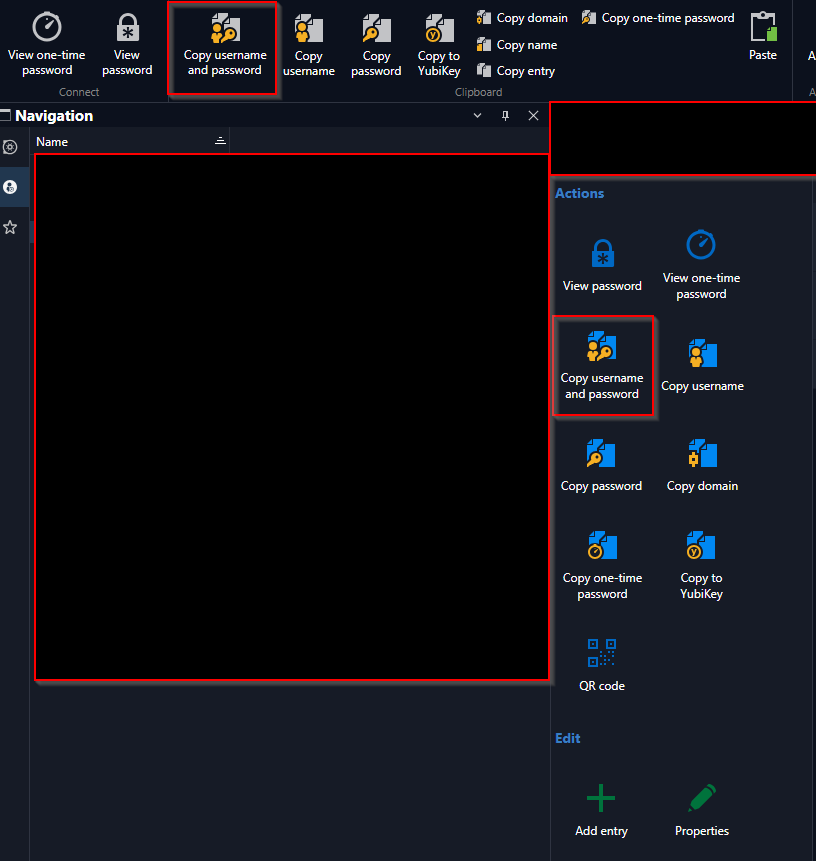
We've had this problem for quite some time now (roughly 1 year).
Yesterday we updated to version 2026.3.5.0 (64-bit), which according to the changelog includes the copy fix – unfortunately without success on our end.
For some of our users, the issue was already resolved with version 2026.2.18.0, but for many others it wasn't.
I tried troubleshooting it myself: in the "Devolutions" folder (under %localappdata%), I renamed the RDM folder to "RemoteDesktopManager_bak" and restarted RDM. Right after that, the copy button worked briefly, but after about 2 hours the issue came back.
Current status: since the update, it works for a few more users, but for the majority it still doesn't work.
Thank you for your feedback.
Best regards,
Micha
d560157b-8467-4247-80b6-43c7b7f94d2f.png
All Comments (20)
Hello,
Thank you for reporting the issue. I was unable to reproduce it on my end, so I would like to gather a little more information.
- Do the separate Copy Username and Copy Password actions work correctly when the combined Copy Username and Password action does not?
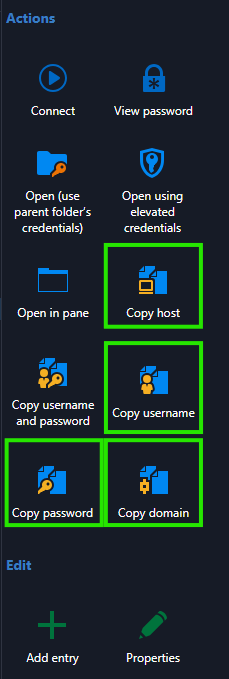
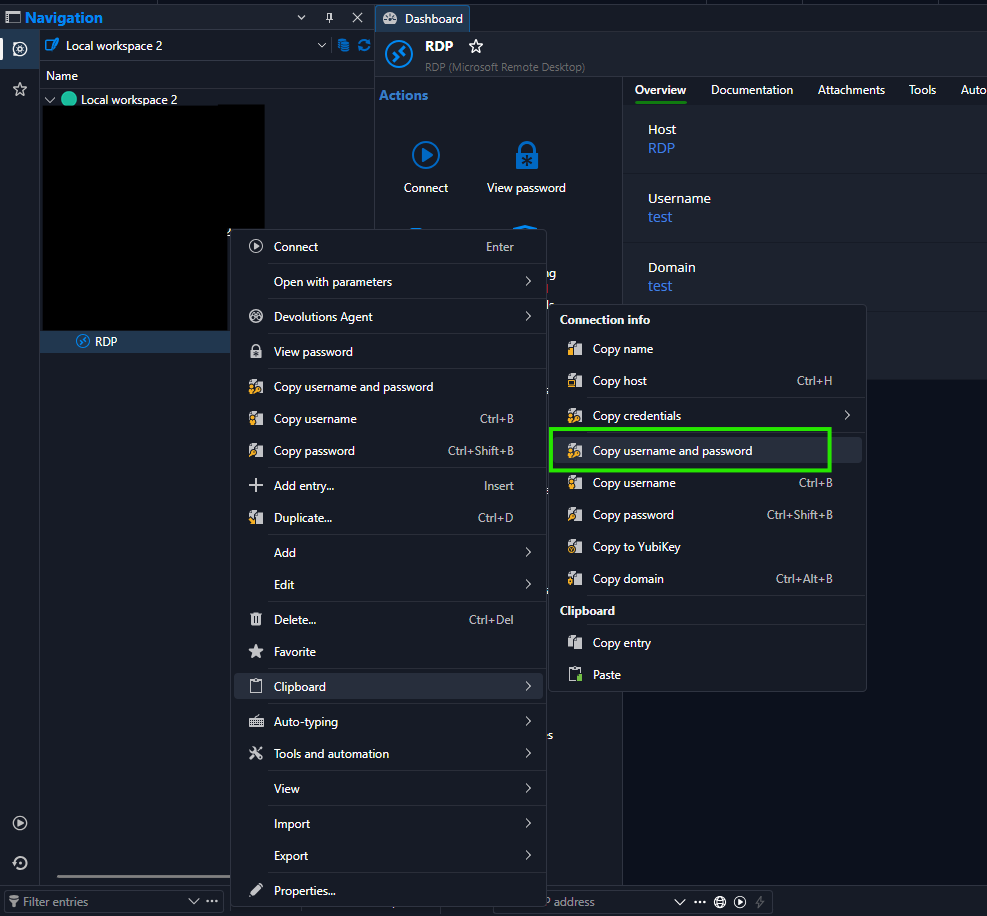
- When the issue occurs, does Copy Username and Password work when launched from the session’s context/menu options rather than the toolbar/button?
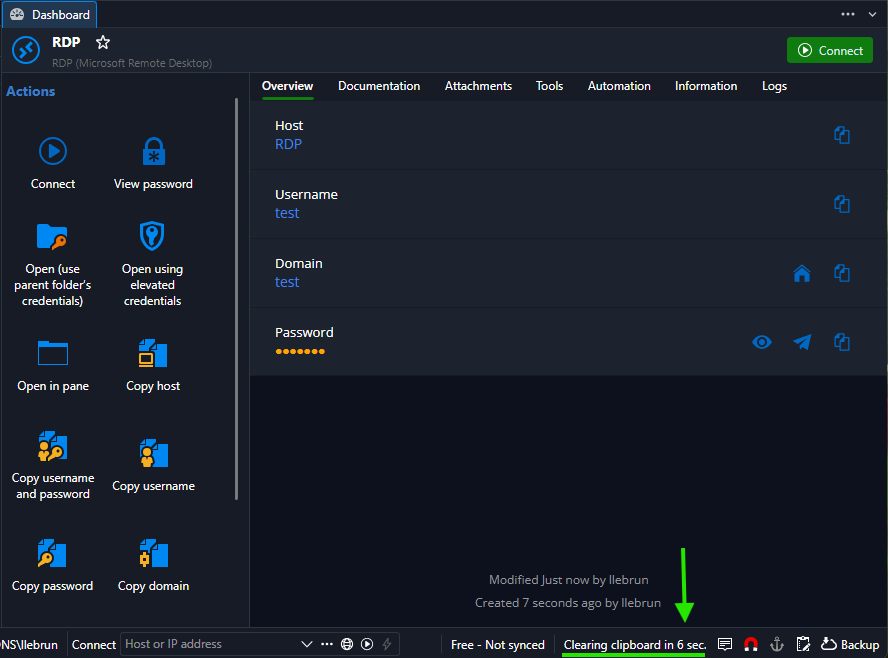
- Could you also verify the configured clipboard-clearing delay? RDM can clear copied credentials from the clipboard after a configurable interval to avoid leaving sensitive information there. Is it possible that the copied content is cleared before pasting it?
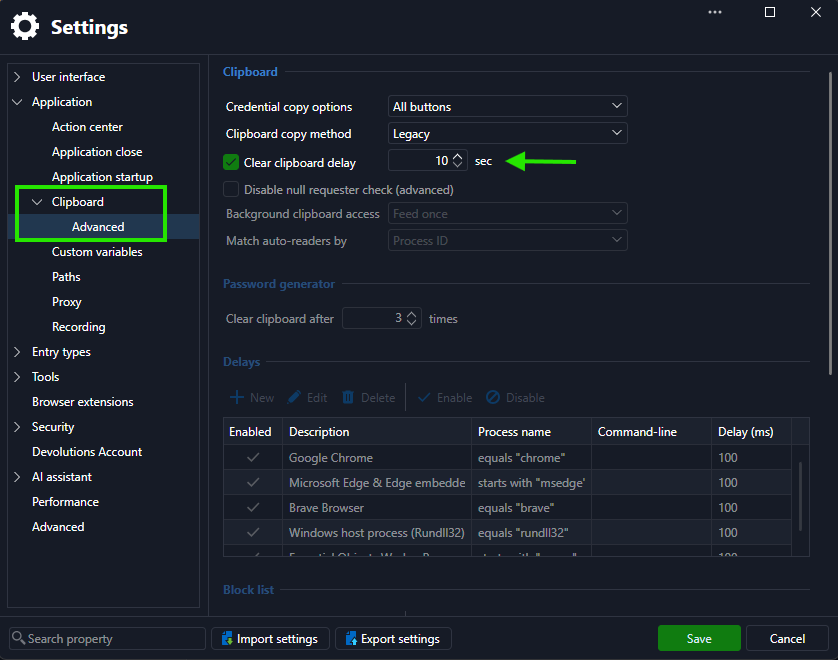
Since the behavior differs between users and can temporarily resolve after resetting the local RDM folder, these details will help us narrow down the cause.
Best Regards,
Léon Le Brun
cde71575-3f8f-4e46-8046-edf892e8f19b.png
5ab2a846-3b47-4727-a977-d38855964fce.png
0cc07e53-0af3-4c6c-8b4d-e18f8c1925bc.png
13da4d93-2d44-47f8-b4b5-1b4226a0552b.png
Hello Léon,
Thank you for your reply. Here are the answers to your questions:
Do the separate Copy Username and Copy Password actions work correctly when the combined Copy Username and Password action does not?
Yes, that's correct. I can copy the username and the password separately without any issues. Only the combined "Copy Username and Password" action does not work.
When the issue occurs, does Copy Username and Password work when launched from the session's context menu rather than the toolbar/button?
No, it doesn't work there either. It fails both from the toolbar and from the context menu.
Could you also verify the configured clipboard-clearing delay?
I checked this as well. You can see my settings in the attached screenshot. I also applied the settings you suggested and tested again, but unfortunately without success.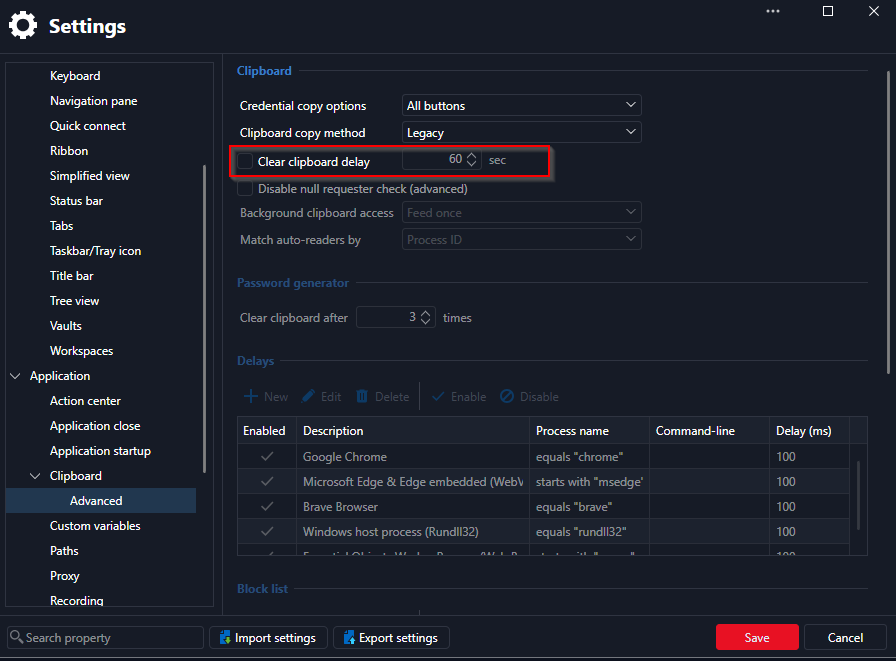
Since it works for some users and not for others, I assume it is a local issue on the affected laptops.
Best regards,
Micha
b82f95d4-14df-4829-86d0-5a469fffdc6d.png
Hello,
Thank you for the clarifications. I have created a ticket for our development team to investigate this issue. We will keep you updated on any progress.
Best Regards,
Léon Le Brun
Hello,
Perfect, Thank you for your Information.
Best Regards
Micha
Hello,
I'm having the same problem.
RDM 2026.3.9.0 64-bit (JIT), Windows 10.0.26200, .NET 10.0.12. “Copy Username and Password” pastes the username on the first paste, but the clipboard is empty before the password can be pasted. The same happens from the context menu.
Copy Username and Copy Password work separately.
The combined action worked for me in 2026.2.x
Best Regards
Hello,
Thank you for the additional details
A ticket is already open with our development team for this issue.
Once a fix ships in an upcoming release, we will follow up here so you can retest.
Best regards,
Samuel Dery
Hi,
I am install version 2026.3.10.0 and its work like a charm :)
Best Regards
Hello,
Thank you for your feedback. I am now closing this case.
If you would like to open a new case with us, please send an email to service@devolutions.net
Want to get even more out of your Devolutions products? Explore our free Masterclasses and unlock advanced workflows at your own pace.
Best regards,
Samuel Dery
Hello,
we are having this issue since we upgraded from v2026.2 to v2026.3.
Now we're on v2026.3.13.0 and the issue is still present.
Daniele Capuano
Hi,
The problem has returned for me as well after the update to version v2026.3.13.0
Best Regards
Hello,
Thank you for the follow-up and for confirming the version. I have reached out to our development team about the issue returning in 2026.3.13.0, and I will update this thread once I have more information.
In the meantime, since 2026.3.10.0 was reported working earlier in this thread, you can roll back to that version as a temporary workaround.
Best regards,
Samuel Dery
Used to work in 2026.2 but has not worked for me in 2026.3. May have missed the magical 2026.3.10 fix but as others reported broken in 2026.3.13
Hello,
Thank you for your patience.
A fix is planned for Remote Desktop Manager 2026.3.14.0.
Once that version is available, could you update and let us know if the issue is resolved? I'm afraid I do not have an ETA for the release of this version at this time,
Best regards,
Samuel Dery
Hello,
I upgraded RDM to v2026.3.15.0 and the 'copy username and password' button now works.
However, now it pastes the username twice. The password is not copied.
Is anyone experiencing the same issue?
Daniele Capuano
Hi,
I’ve updated to version v2026.3.15.0 and it’s working fine. I tested it by copying the username and password and pasting them twice into Notepad.
Everything is fine.
Best regards
Hi,
I’ve updated to version v2026.3.15.0 and it’s working fine. I tested it by copying the username and password and pasting them twice into Notepad.
Everything is fine.
Best regards
@Maciej
In my case, pasting into Notepad or other apps worked even with previous versions.
I could not paste into RDM internal web sessions.
Now it only pastes the username multiple times until the clipboard timer expires.
Yes, you're right. Pasting into Notepad works, but when I try pasting into an RDP session, only the username gets pasted.
However, I suspect this might be due to an external problem - such as a security filter, VPN, EDR solution, or perhaps specific settings, for instance, those related to the RDP protocol in my case.
I can confirm: Pasting username and password into a text file works fine, but pasting it into a actual password field does not work, it pastes only the username.
Hello,
Thank you for the follow-up and for testing 2026.3.15.0.
So far, I have not been able to reproduce the username being pasted into both fields, so the difference is likely in the configuration. Could you share the following for one failing attempt?
- Does it fail when pasting inside an RDP session opened in RDM, and if so, is the session embedded or undocked?
- Does it happen with a specific website only, or with every website you test? If it is specific, please share the URL or application name and the browser and version used.
- Whether Windows clipboard history, a clipboard manager, or a security tool that monitors the clipboard is running on the machine
Let me know,
Best regards,
Samuel Dery
I have the problem too. With 2026.3.15.0 it now works sometimes and sometimes you just get the username, no password after pasting username. It works correctly less than a quarter of the time. Doing username and password individually works. 2026.2 was fine. This is in a Website session. RDP sessions seem to work fine. I tested multiple different web sessions.
> a clipboard manager, or a security tool that monitors the clipboard is running on the machine
Negative.