new PIN CODE option preventing login

I have been using RDM for years now and it has always been set to password in which I get prompted at launch.
Yesterday included I used and was prompted for password and was successful.
Today Launching I get prompted for a PIN CODE. I did not set a pin code nor did I even go into setting to change authentication method yesterday or today. I restarted laptop and same. 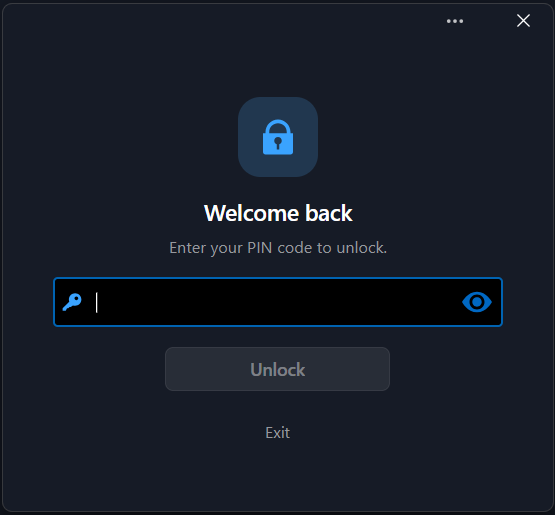
I do see a devolution agent update and remote desktop manager was installed yesterday (that I did not update, i have it set to prompt):
 Current version of RDM showing on splash screen at launch (before pin code prompt):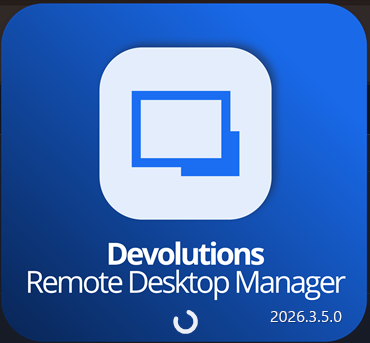
How can I switch it back to password from the back end?
EDIT: checked %LocalAppData%\Devolutions\RemoteDesktopManager.cfg and it says:
<ApplicationPasswordMode>LocalPassword</ApplicationPasswordMode>
bd3a7f38-1348-4123-973a-0a5b1a0efbd3.png
0423b6ab-076e-43da-9b7d-96d3c155edb2.png
fcb21216-2690-4e06-b2ef-d05c342fc69f.png
7a7740ef-5d17-485f-82a1-d5a01a71f41a.png
Recommended Answer
Hello,
Could you please try entering your password as the PIN code? We have just renamed the application password to PIN code to align with Windows, but it's exactly the same and it's not just numbers. Sorry for the confusion.
Regards
David Hervieux
All Comments (4)
Hello,
Could you please try entering your password as the PIN code? We have just renamed the application password to PIN code to align with Windows, but it's exactly the same and it's not just numbers. Sorry for the confusion.
Regards
David Hervieux
UPDATE: for anyone else in the boat... my localpassword still works even though its prompting for pin.
cosmetic bug
Hello,
Could you please try entering your password as the PIN code? We have just renamed the application password to PIN code to align with Windows, but it's exactly the same and it's not just numbers. Sorry for the confusion.
Regards
@David Hervieux
that works except my windows uses a password, not a pin
It would also appear the setting was set to PIN and local password option is gone (even though the cfg file said LocalPassword):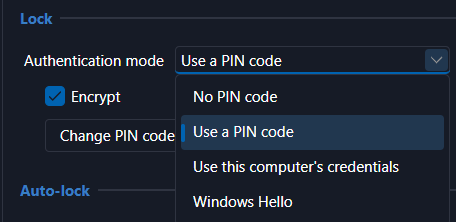
aedc2602-300c-444b-8933-a4d3852b06c9.png