2026.3.4

What has happened with windows sizes in RDP?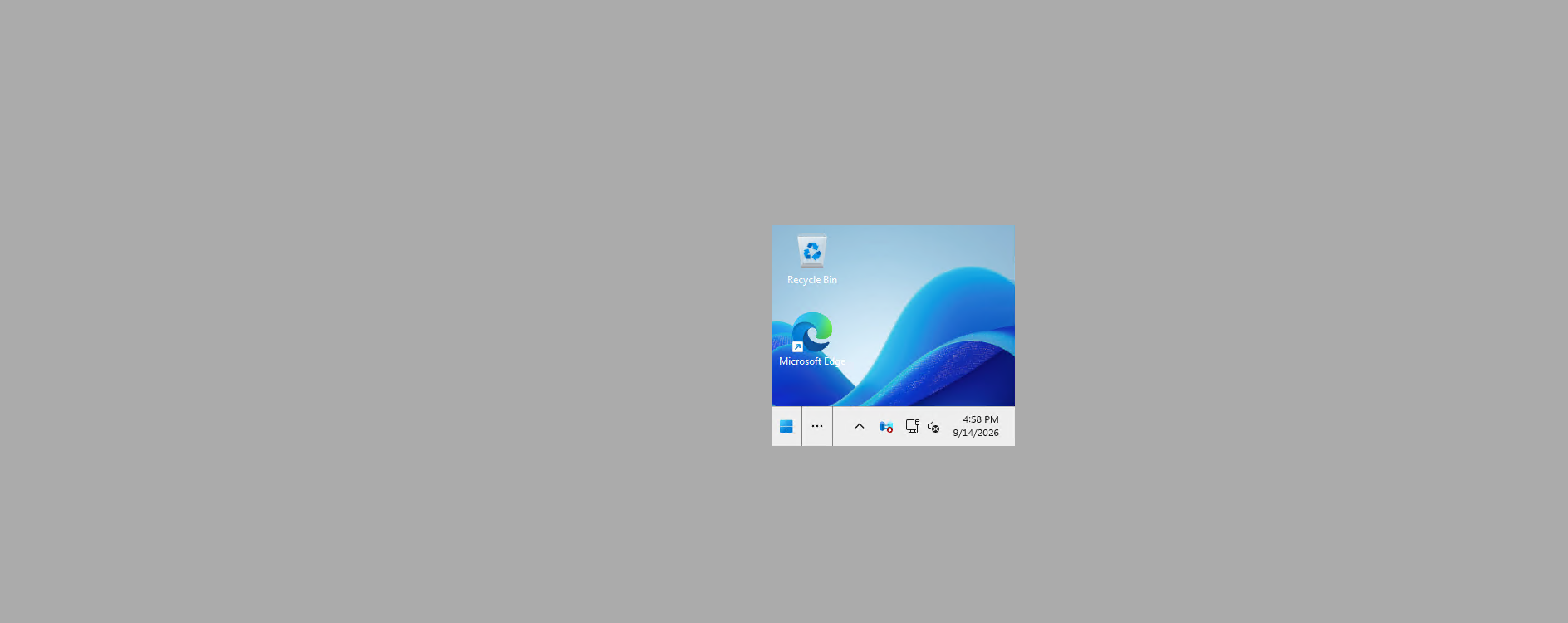
Had to change everyone to: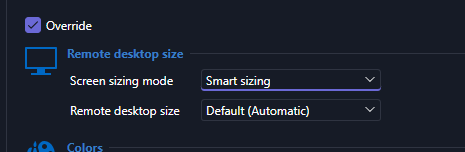
5016f6b0-d071-4eab-85a7-1d9fac387397.png
07483894-50d6-4d75-b753-878ab4d69f5d.png
All Comments (11)
Hello,
Can you confirm whether you're opening your RDP entry from the favorites? We were able to reproduce this issue but only that way. We're working to fix this as soon as we can.
Regards,
Hubert Mireault
I don't use favorites.
I connected to one this morning after making a bulk update and now it too was doing with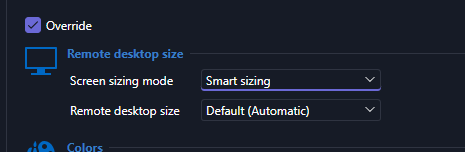
Then i changed it back and it works fine. IDK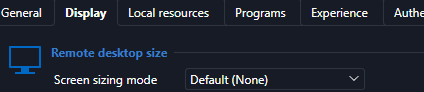
26a5cf5e-44f5-47d6-bf39-6ec5d60b087b.png
8f9b6689-3f12-4c67-ac34-9d70231bc214.png
Correction, this option is still needed. Very weird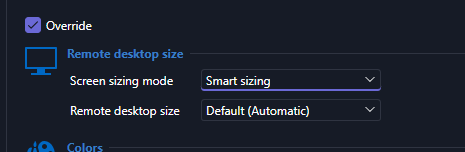
78c98d1e-0afc-4df9-8dbf-9040047e5ba5.png
There is still a video issue, with this setting is start with the small box and then blows up. This shouldn't be the case.
Thank you for the additional information, I will forward this to our developer working on this right now. This is marked as high priority.
Regards,
Hubert Mireault
Hello,
The development team is currently working to resolve this issue. The issue will be resolved in the next release.
In the meantime, we found a workaround. In RDM, go into File > Settings > Entry Types > Sessions > Remote Desktop (RDP). In Display, change "Screen sizing mode" to "Dynamic Resolution".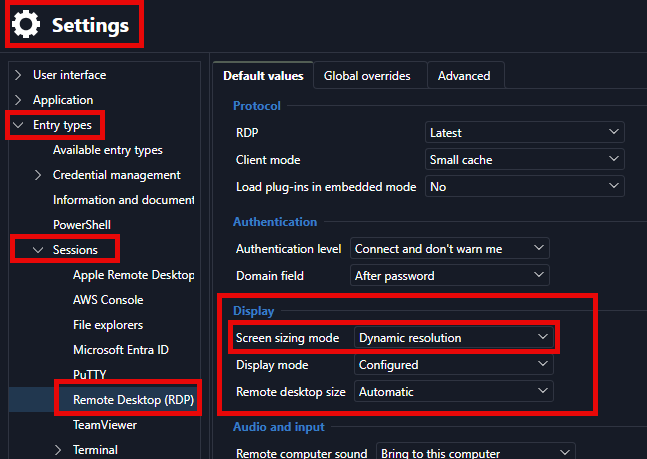
I’ll also make sure you’re notified by email when a new version with the fix is available.
If you have any other questions, please feel free to contact us.
Best regards,
Alexis Beauparlant
Alexis Beauparlant
96780d4a-773d-4a72-a551-5a7f27f0046d.png
Same problem here, I am speechless right now. How can you put something like that out for production?! Sorting priority on folders is also not working anymore.
Hello,
We found a simpler workaround.Instead of double-clicking an RDP entry, select it and then click on "Open session" in the ribbon.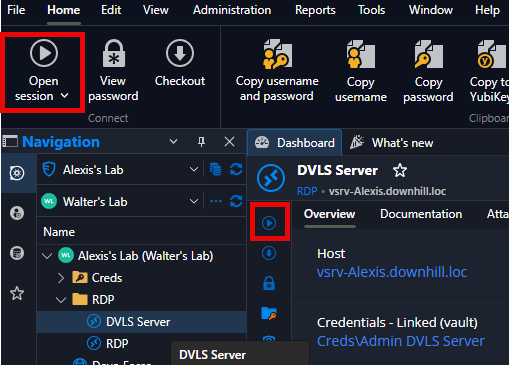
If you have any other questions, please feel free to contact us.
Best regards,
Alexis Beauparlant
c777c131-a6b5-4d45-9b28-24696a4e4cf5.png
Hello,
The development team is currently working to resolve this issue. The issue will be resolved in the next release.
In the meantime, we found a workaround. In RDM, go into File > Settings > Entry Types > Sessions > Remote Desktop (RDP). In Display, change "Screen sizing mode" to "Dynamic Resolution".
I’ll also make sure you’re notified by email when a new version with the fix is available.
If you have any other questions, please feel free to contact us.
Best regards,
Alexis Beauparlant
@Alexis Beauparlant
This seemed to do the trick. Mine was set to none.
Hello,
For the issue where RDP opens in a small size, a new version containing a fix has been released. Please update to version 2026.3.8.0 or later.
Regards,
Hubert Mireault
Hello,
Thank you for being so patient!
I'm pleased to inform you that a new version of RDM (2026.3.8.0) has been released, featuring the fix for your issue.
Latest Version: Download RDM
Please let us know if this works or if you encounter any issues.
Best regards,
Maxim Robert