Connecting to Ubuntu 26.04 LTS over RDP instantly fails

I'm attempting to connect to an Ubuntu 26.04 LTS server. It uses Microsoft's RD protocol. I can connect to it using Microsoft's RD Client for Windows (though it refuses to remember username/password - which is how I came across this software) without any issues.
When I attempt to connect using RDM though, it looks like it starts to come up but then it instantly closes the window and goes back to the info screen in RDM.
All Comments (6)
Hello
To try and unblock you quickly, I'll suggest something that might be the problem: in the RDP session settings in RDM, on the Advanced tab, try to check "Use redirection server" in the "Connection Broker" section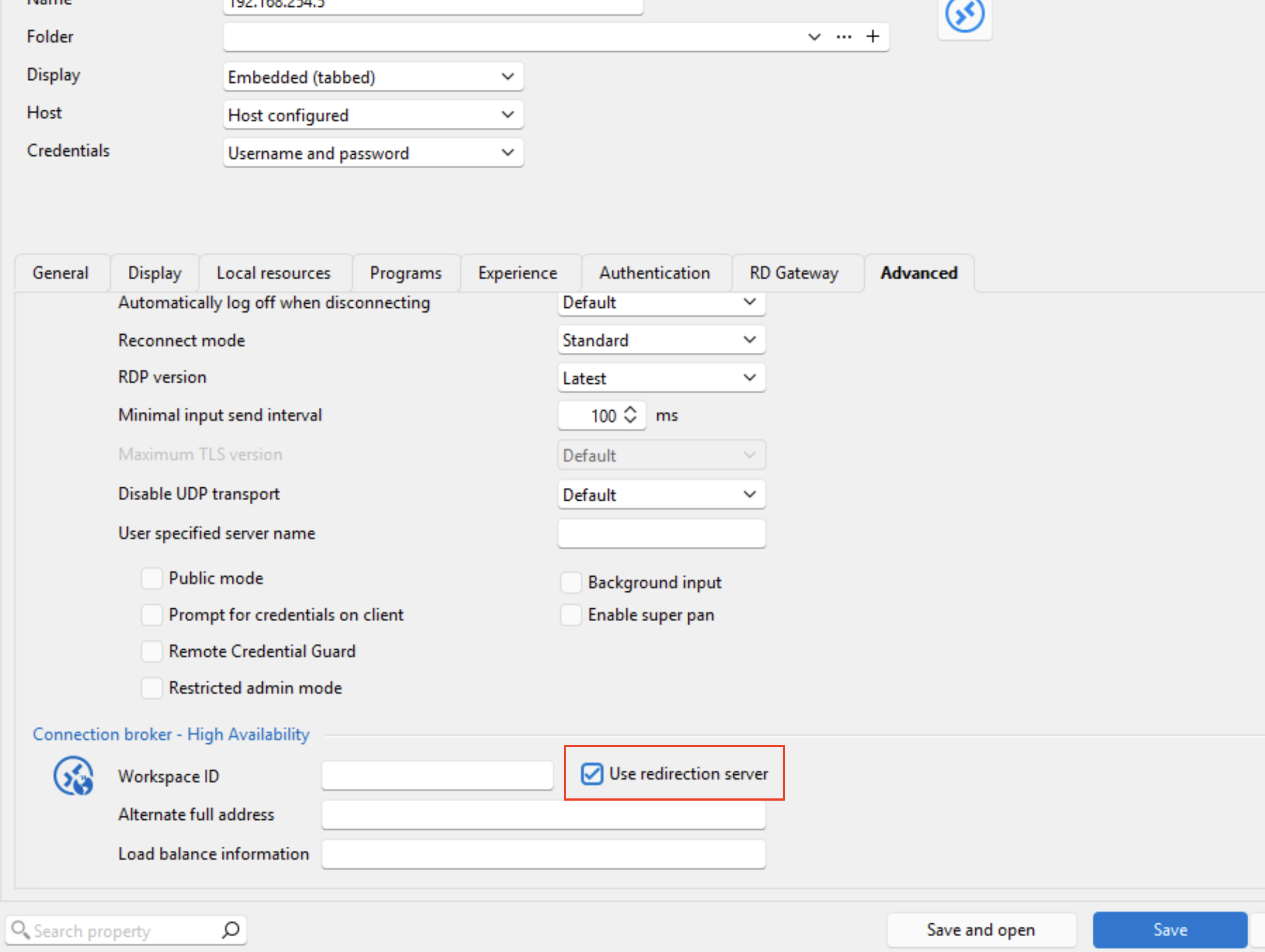
Please let me know if that helps, something isn't clear, or you have other questions.
Kind regards,
Richard Markievicz
Screenshot 2026-09-12 at 21.44.58.png
Awesome, that worked! The window it connected to is a little small (that's probably an understatement, lol) - so I'll fiddle around from here and see if I can figure out how to make it fullscreen/resolution (I've just started using it, so don't know my way around well yet).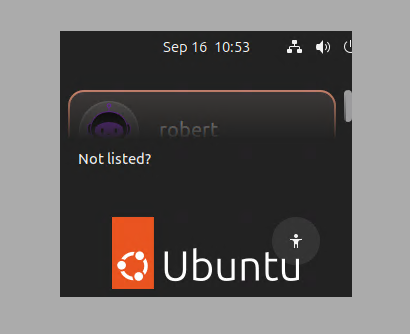
Thanks again!
c8744bd5-a15b-4af0-956f-53e5d4e4760b.png
Hello
Excellent, I'm glad that worked.
What version of RDM do you have? 2026.3 was just released, and we completely rewrote most of the UI in a new framework. I've seen some other posts and tickets of uses having issues with RDP screen size in certain cases.
If you're still on 2026.2 and can't improve it by tweaking the display settings in the RDP session, please let me know.
Thanks and kind regards,
Richard Markievicz
Thanks! I actually saw an update notification popped when I opened it today (I WFH monday and tuesday, so just getting back to this now that I'm back in office) so I'm on 2026.3.5.0 64-bit (PreJIT).
I found this screen which fixed it so that it goes full screen and uses the full resolution with these settings, but I can't seem to find a way to make it use all three of my monitors - is that possible to do?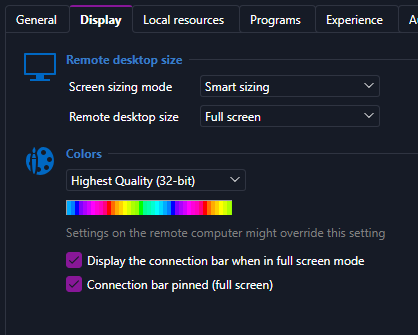
ef28adde-b85c-4fc9-a80e-a26e92a84dbf.png
Hello
It's not possible to use multiple monitors with the embedded or undocked modes. If you change your connection to "External" (i.e. it will launch in mstsc, not inside RDM), the "Display" tab you're looking at will show the extra options to enable multi mon.
Why? The embedded RDP control from Microsoft does support this, but historically it was very hard for us to integrate into RDM where conceptually there's not a way to have a session span multiple "tabs" (if that makes sense). You would end up with all monitors in a single tab which is unwieldy. As I mentioned above, RDM 2026.3 cuts the cord from our old UI framework and it may well be that this is something we can achieve now. If it's important to your workflow, it would be worthy of a feature request I expect. But for now, "External" mode is the only way to achieve this.
Please let me know if something isn't clear or you have other questions
Kind regards,
Richard Markievicz
Oh, I see - thanks again. External is totally fine for my needs - I see the multi-monitor settings now that I've switched that. Awesome. I really appreciate it!!