Vault-level read-only permission for viewing configured group permissions
Vault-level read-only permission for viewing configured group permissions
3 votes

Currently, the "Configured permissions" tab on an entry or folder is only visible to users who have the "Edit permissions" right. Users without this right can only see their own effective rights under "My permissions." We would like to request a separate permission e.g. "View permissions" that would let a user or user group view the Configured permissions list.
Use case: We want to give certain groups (vault admin groups) visibility into how access is currently configured (for auditing and documentation purposes) without giving them the ability to change any permission settings, which should remain restricted to administrators. Aim here is to give creater visibility to the current permission sets to vault admins directly.
This would follow the same pattern already used elsewhere in RDM, where View and Edit are separate, independently assignable rights (e.g. View vs. Edit on entries).
All Comments (6)
Hello,
In 2026.3 we've reworked how admin permissions are handled so they can be more granular in Devolutions Server. I'll check with the team whether it's possible there.
Could you let me know what workspace you're currently using? Is it SQL Server, Devolutions Server, or Devolutions Cloud?
Regards,
Hubert Mireault
Hello,
In 2026.3 we've reworked how admin permissions are handled so they can be more granular in Devolutions Server. I'll check with the team whether it's possible there.
Could you let me know what workspace you're currently using? Is it SQL Server, Devolutions Server, or Devolutions Cloud?
Regards,
@Hubert Mireault
Hello,
this would be great feature to have. We are using Devolutions Server
BR,
Jussi Saranpää
Hello,
Good news then, in 2026.3, permissions are changed to work by roles. There's a role called "auditor" that you can configure on users that will give them read-only access to users, licenses, groups, reports, etc. This means your user doesn't need to have access to a specific vault to be able to see reports on permissions.
Here's an example where I set my non-admin user to only the auditor role: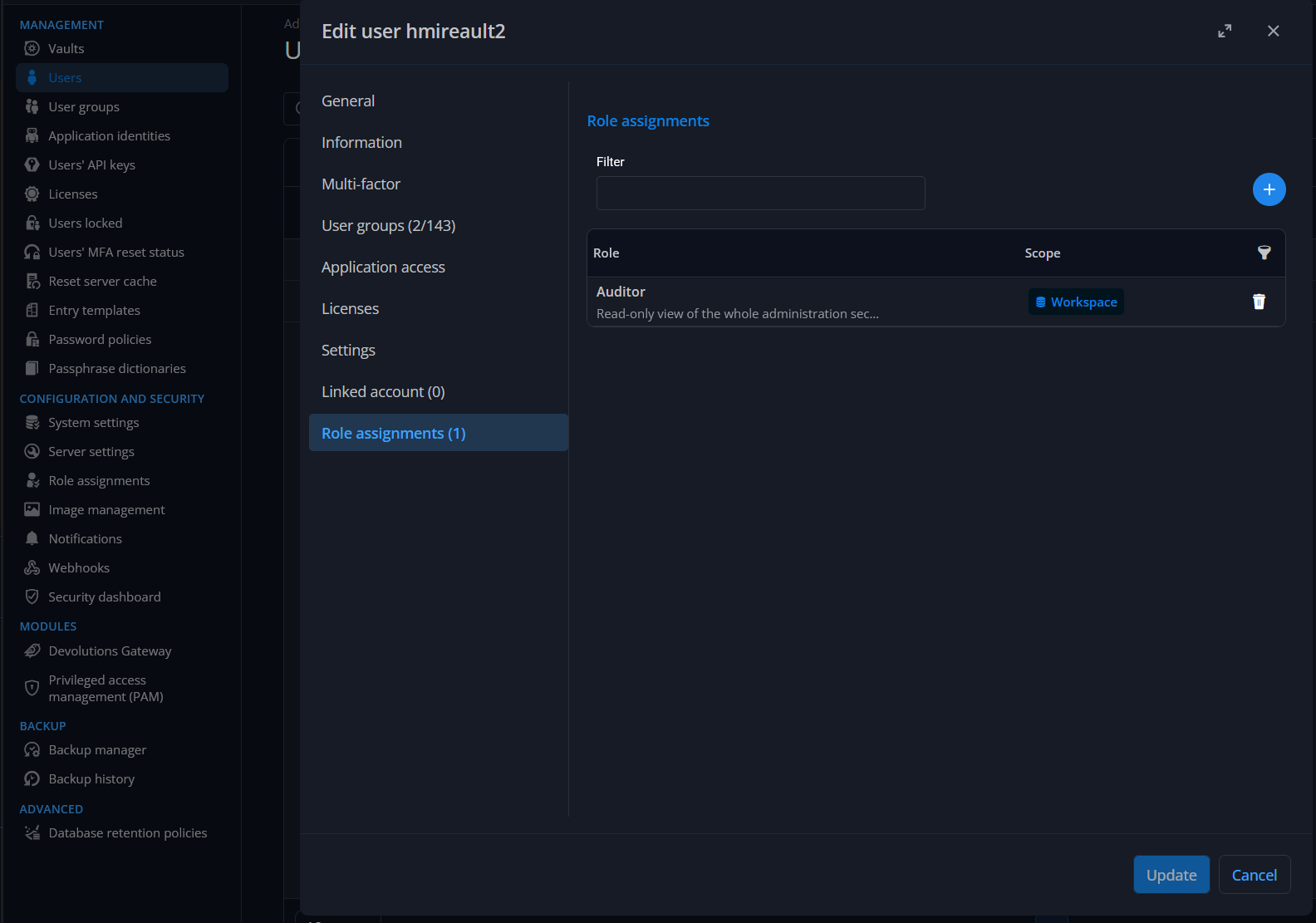 When I log into my user, since they have no other role assigned, they will not have any vaults available to them, but they will be able to check out multiple reports, including ones on role assignments for example: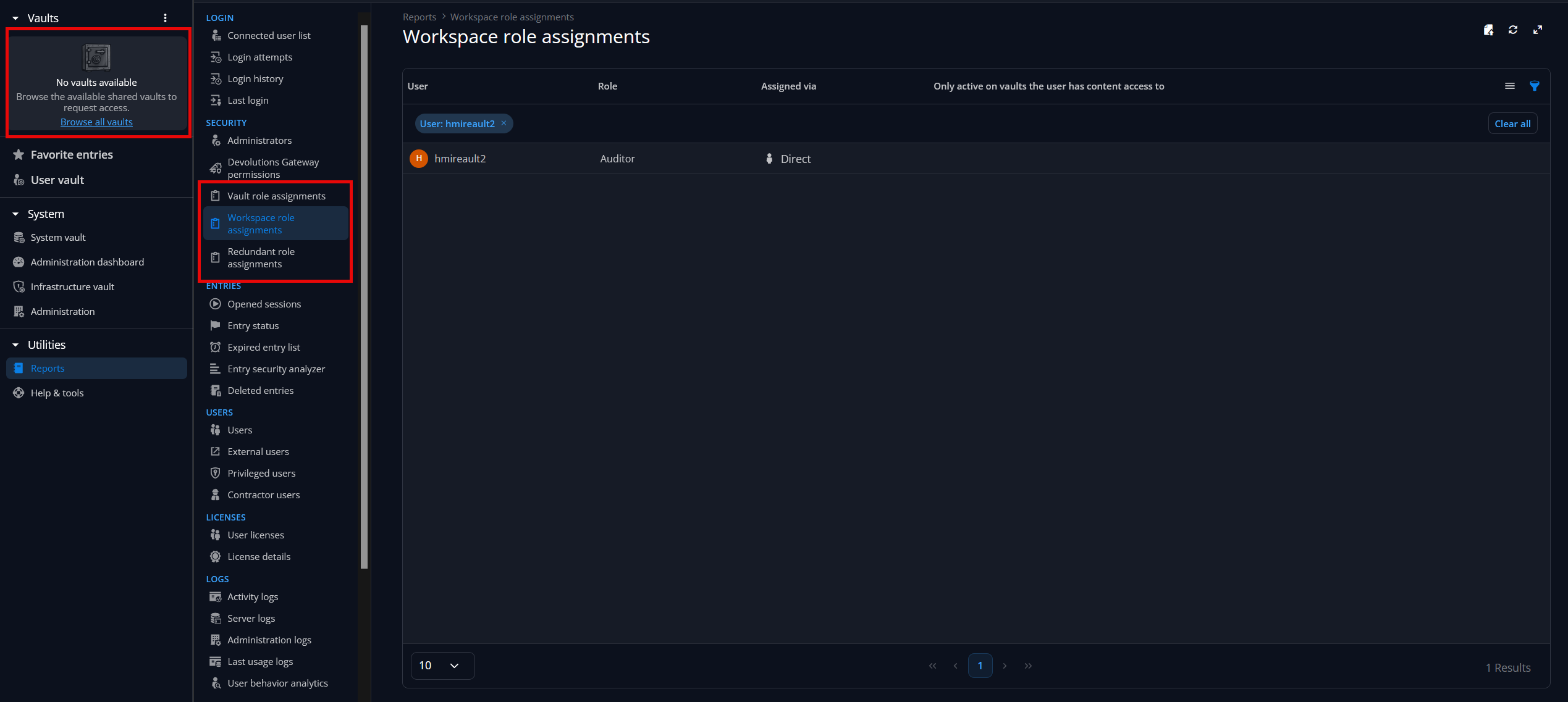
I would be interested to know if you could check out the existing reports in RDM and DVLS and let me know whether the specific type of report / view you'd like already exists or doesn't. If we don't have the proper report for the information you'd like to easily visualize, I think this is where we could focus this feature request.
Regards,
Hubert Mireault
efa364de-3727-43da-bfeb-854add3fe29b.png
fdf03b35-9eb3-4a62-9230-903aa5ff43da.png
Hello,
for now we are using client version 2026.1.23.0. Those reports are not available on this version. We are looking for a view that mirrors configured permission tabs for vault admins. For every vault we have vault admin group. For now only permission view users get is this: 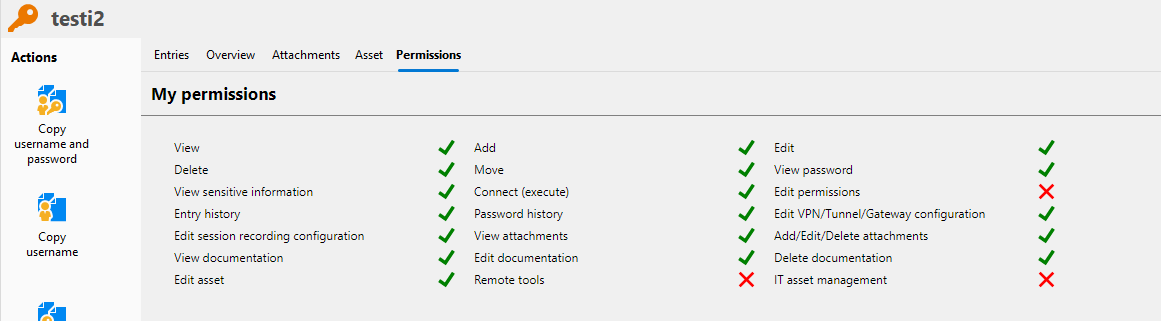
Now, If I enable edit permissions from vault permissions I get to see the actual group permissions per entry/folder: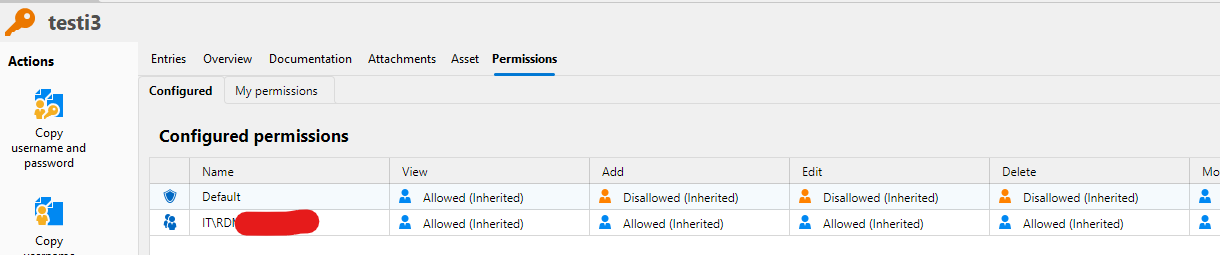
Edit permissions however is giving too much rights, since it also allows the user to modify the permissions, not just view them.
To confirm: would the new role-based Auditor permission in 2026.3 give our vault admin groups this same per-entry/per-folder breakdown (i.e. the "Configured permissions" view showing which groups have View/Add/Edit/Delete on each entry), without also granting them the ability to edit those permissions? Or is the Auditor role's reporting limited to broader, system-wide views (role/group assignments) rather than this entry-level detail?
BR,
Jussi Saranpää
f2684e6f-4d88-4916-a885-ea69374f640e.png
11c6c917-1aae-4d44-85e5-a2fd2c9a32e6.png
Hello,
The point you mention about not wanting to give the "edit permissions" right is exactly what we're trying to solve with this change in 2026.3.
The primary focus was about having the ability to have a user that manages vaults/users/audits/etc, while not giving them access to that vault and its sensitive information. For example, your IT admin could be able to manage vaults and assign users to them, but not view the contents of these vaults. Or in your case, you could grant the auditor role to a user without giving them the permission to view the entries in that vault.
As for your question:
To confirm: would the new role-based Auditor permission in 2026.3 give our vault admin groups this same per-entry/per-folder breakdown (i.e. the "Configured permissions" view showing which groups have View/Add/Edit/Delete on each entry), without also granting them the ability to edit those permissions? Or is the Auditor role's reporting limited to broader, system-wide views (role/group assignments) rather than this entry-level detail?
The auditor role can be set on either the workspace or vault level. If you set it at the workspace level, it will give you access to the reports I've shown in my previous screen capture. These captures were done on the web client of DVLS, and the reason why I asked if it would be possible for you to check them out is to know whether we should bring these reports in RDM as well.
As for specifically the "Permissions" tab's "Configured" section, in 2026.3 this is still based on the "edit permission" right, but it would make sense to change this to be based on the auditor role.
If making this change would be perfect for you then it doesn't seem very complicated for us to implement, as we've already have most things in place starting with 2026.3.
Let me know what you think.
Regards,
Hubert Mireault
Hello,
this sounds promising. To confirm our requirements: the Auditor role should be assignable at the vault level, it should not grant access to the vault’s entries or their sensitive content, and the Configured permissions view should be strictly read-only. Reports in RDM would be a useful addition, but the read-only Configured permissions view is our priority. Different groups should also be assignable as Auditors independently for different vaults.
BR,
Jussi Saranpää