Green Mark on "Disallowed (inherited)"?

Hi everyone... the whole permissions settings in RDM is driving me crazy... lol
I have a folder in which I added some credential entries and gave "Edit Permissions" access to a specific group:
FOLDER PERMISSION: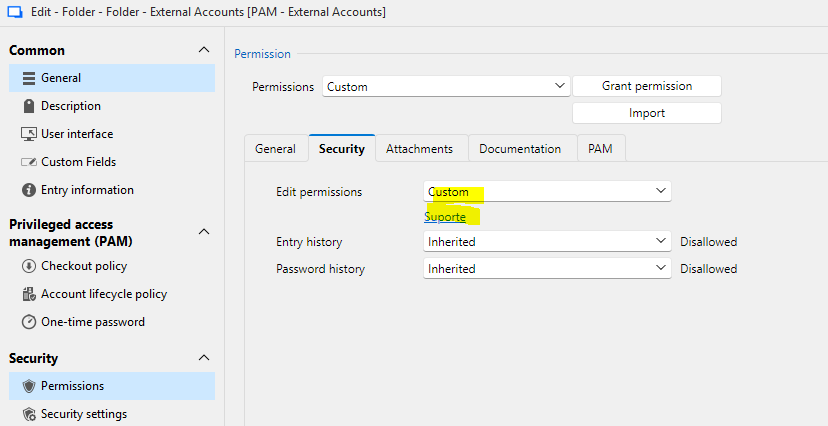
ENTRY PERMISSION: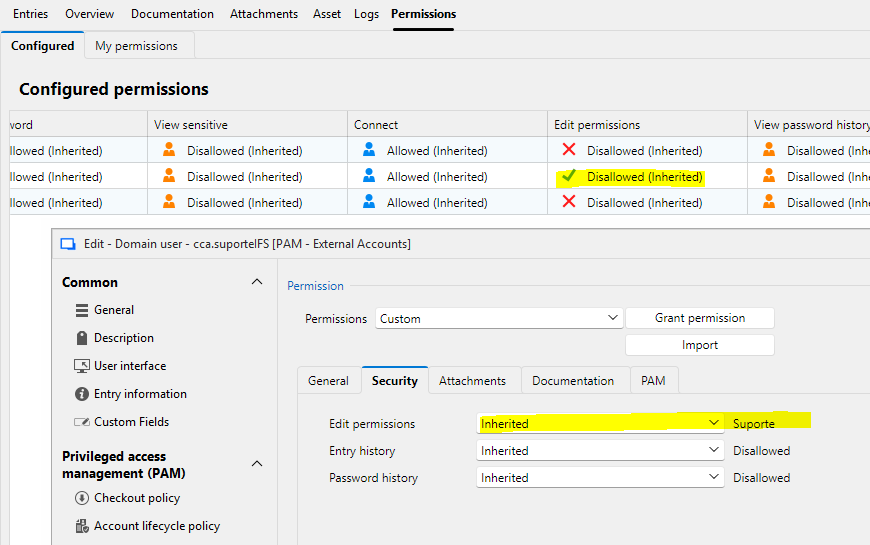
NOTE: Those prints are from RDM logged with an Administrator user.
Why is it "Disallowed (Inherited)" when I view the entry's permissions panel (in the back in the previous image)?
When logged with an account member of 'Suporte' group, the entry permissions are: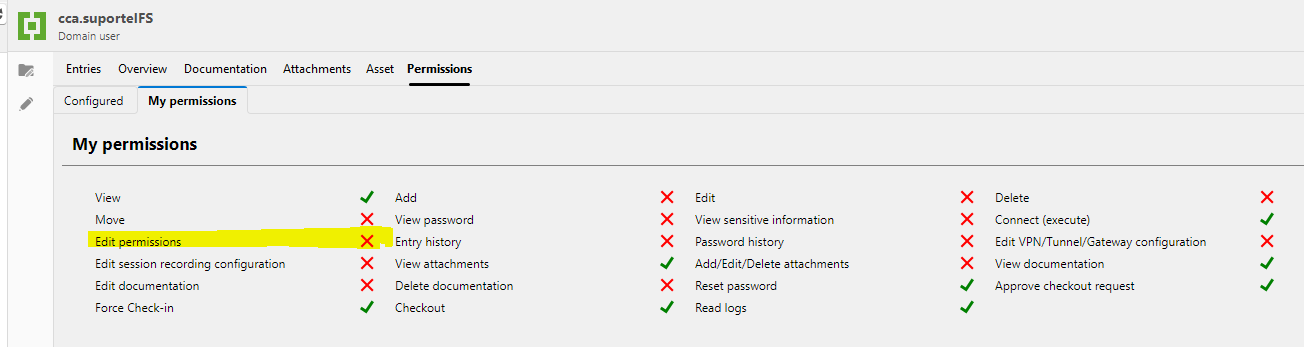
Can anyone pleeeeeeease HELP ME? :P
Regards,
Elaine Berenguer
04c0820e-4d88-441d-bc68-2690bfd15c06.png
777eb712-bd90-4ffd-811f-367ea8076c2d.png
3d1ab408-c95d-437b-ad02-aa87585a305f.png
All Comments (3)
Hi Elaine,
Thanks for the detailed screenshots.
So the folder has Edit permissions set to Custom with Suporte listed there, and the entry inside it has Edit permissions set to Inherited, showing Suporte too, but it still comes back as Disallowed for that group on the entry itself. That's not what I'd expect to see, so before I dig further I want to make sure I understand your setup correctly.
Can you tell me which RDM platform and version you're running (Windows, Mac, or Linux), and which workspace type this vault is on (DVLS, SQL, or Cloud)? It'd also help to know if "External Accounts" sits directly under the vault root or is nested inside another folder that might have its own permission override. And on the folder's Custom grid for Edit permissions, could you double check that Suporte is actually set to Allowed there and not just listed? If you get a chance to try a fresh sync or restart of RDM and see if the same thing happens, that'd be useful too.
Once I have that, I'll take a closer look with our developer team if needed.
Best regards,
Eduard Sepulveda Lopez
Hi Eduard!
Sorry for the delay in getting back to you... Between your post and me accessing RDM again to get the informations you've asked, I updated RDM to 2026.2.18 (we're running it in Windows Server 2025) and now the informations available in Permissions tab are accurate again: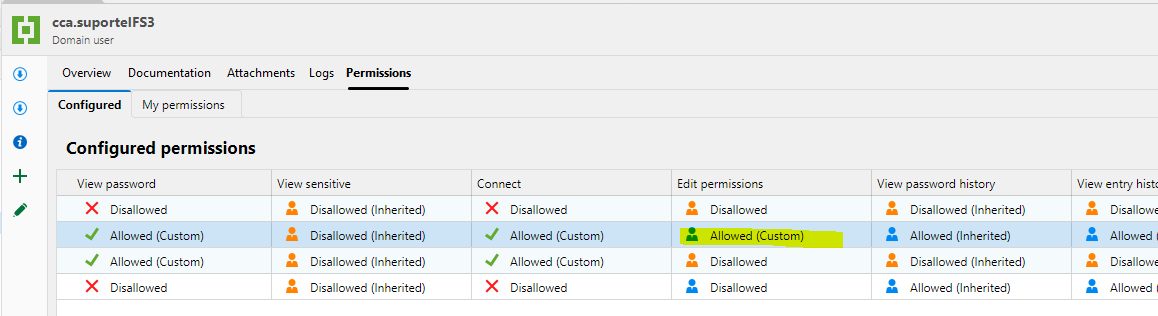
Anyways, Support Team is still unable to edit the entry... Am I missing something?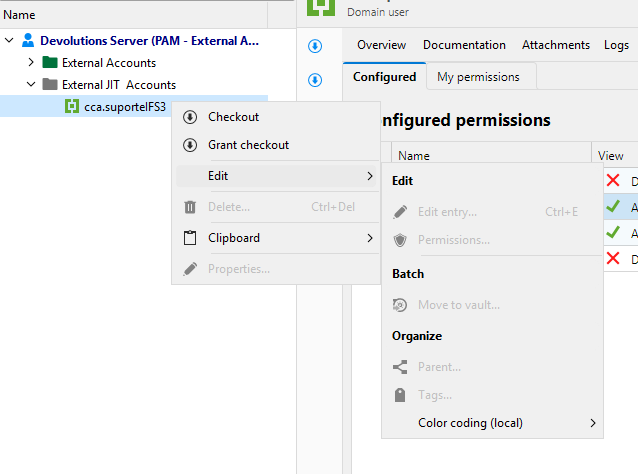
The permission summary for Support Team to this entry is: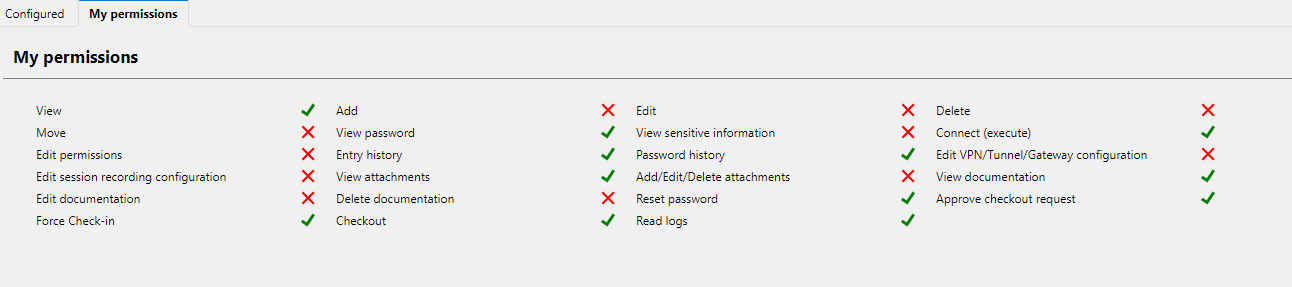
But Edit permission is granted by inheritance: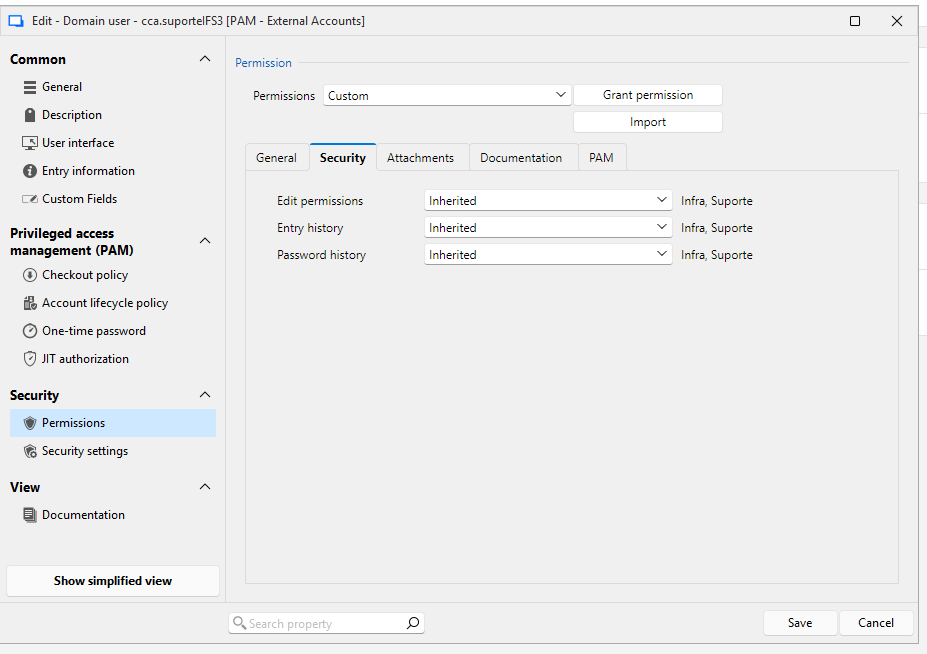
Regarding your other questions: It's a DVLS workspace. 'External JIT accounts' folder sits under Vault Root, yes. And the Edit Permission is configured correctly at the folder level, as you can see below: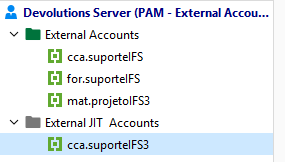
Thanks in advance... :)
Regards,
Elaine Berenguer
5cbd6f9b-ec09-4612-a092-b6eb53543316.png
2d968f6d-ecae-4637-96af-1e5864ade95b.png
6d6062ed-e406-457b-baeb-f4ee37d4c3ad.png
b51779b7-3157-4b9d-be56-4723f5141250.png
182009c9-1c5e-4563-8c54-e07441e8ee91.png
Hi Elaine,
Glad the upgrade sorted out the display issue, that part was cosmetic and 2026.2.18 fixed it.
For the editing problem, I think I've got it, and it's an easy one to miss.
"Edit permissions" and "Edit" are two different permissions. The one you granted lets the group change who has access to the entry. It doesn't let them modify the entry itself.
The Edit permission you want is on the General tab of that same Permissions screen, not the Security tab. Security only holds Edit permissions, Entry history and Password history, which is why those were the only three you saw. General is where View, Edit, Delete, Move, View password, View sensitive information and Connect live.
Same thing in your Configured permissions grid, it's scrolled to the right in your screenshot. Scroll it back left and you'll find View, Add, Edit, Delete, Move sitting before the View password column.
Your own screenshots actually confirm the diagnosis nicely: Password history, Entry history, View sensitive information and Checkout all come back allowed for that user, which tells us inheritance from the folder is working correctly and the account is picking up its group membership. Edit is the one right that was never granted.
So on the External JIT Accounts folder, go to Properties – Security – Permissions – General tab, set Edit to Custom and add Suporte. The entry will inherit it. Heads up that the folder's dialog looks a bit different from the entry's, folders show an extra Add permission and a few more options and that's expected.
If that still doesn't do it, the next thing I'd check is the user type and vault access level for those accounts in Devolutions Server, since a read-only user type blocks editing before entry permissions are even evaluated. But try the Edit permission first.
Best regards,
Eduard Sepulveda Lopez