Display the Entry Name in the Edit Window
1 vote

Hi,
When opening an entry for editing via right-click → Properties or right-click → Edit, the large heading inside the edit window currently displays only:
Edit - [Entry Type]
The entry name is already displayed in the window title bar, where it appears as:
Edit - [Entry Type] - [Entry Name]
I think that it would be clearer and more consistent to also include the entry name in the large, bold heading inside the window.
This would make it immediately clear which entry is being modified, especially since the large heading is much more prominent and easier to identify at a glance than the window title bar.
Thanks!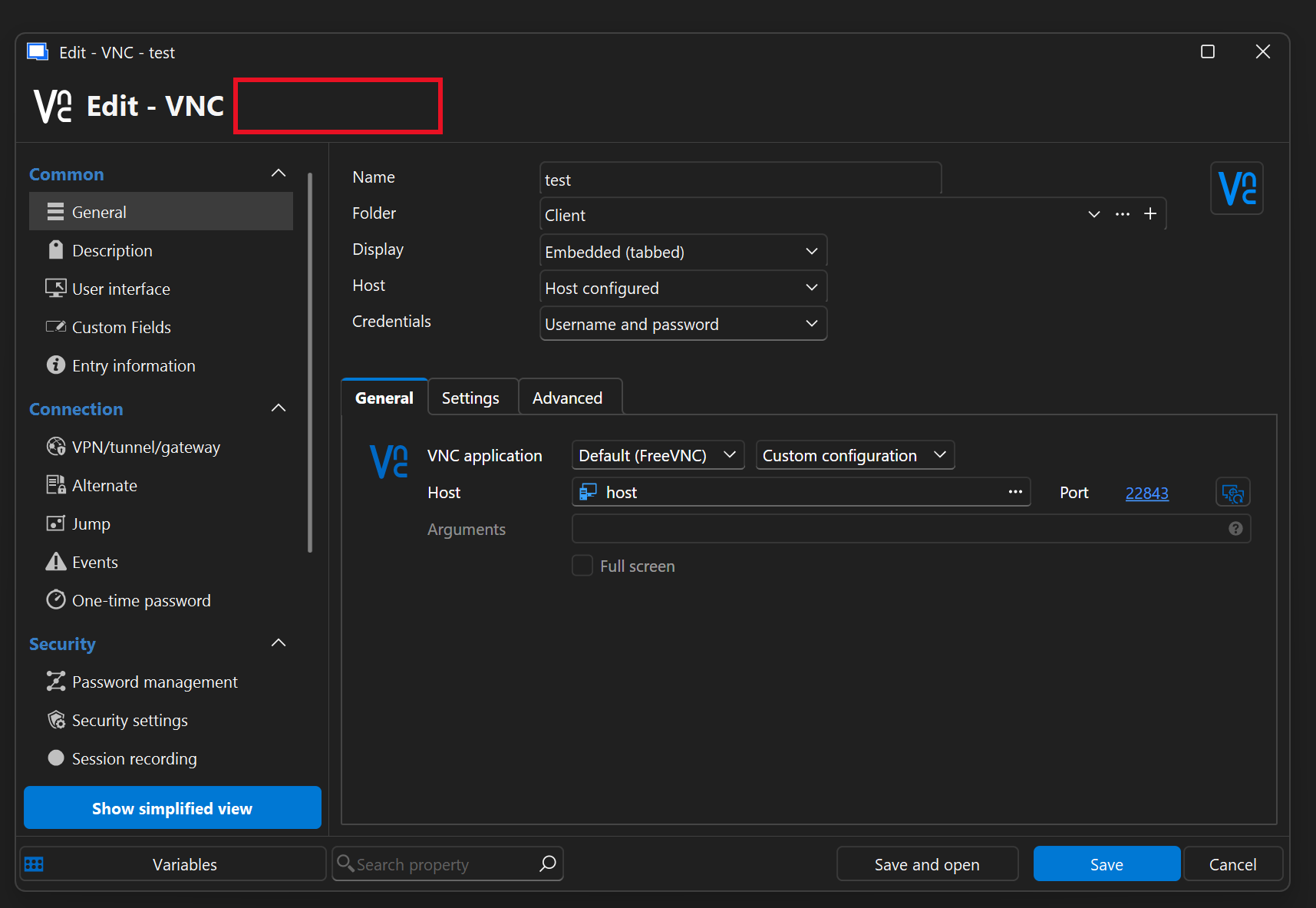
ca9e2fca-8230-41bb-abb1-4190436ea1e7.png
All Comments (1)
Hello,
This should already be available in our next major release, 2026.3, which is currently in beta.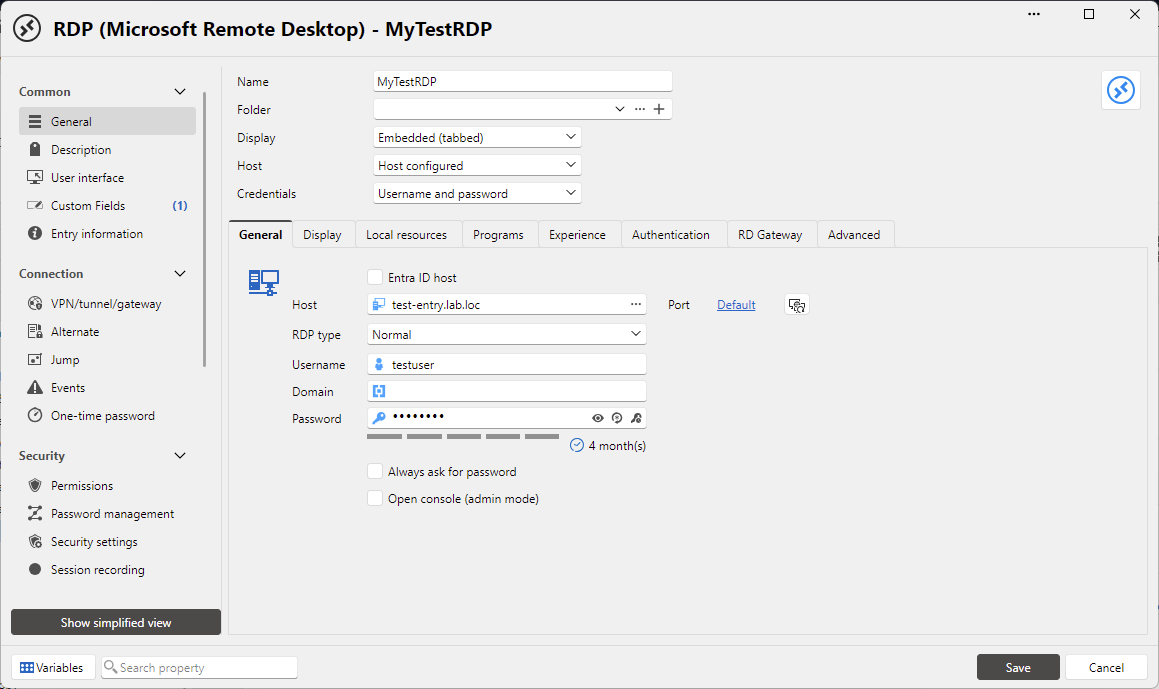
Our UI was reworked in a major way, so if you have any additional feedback please let us know.
Regards,
Hubert Mireault
b34faee8-3ae7-48a3-8e94-6d765e4f5f53.png