SSH Shell terminal receives a spurious F1 when the VM window regains keyboard focus
SSH Shell terminal receives a spurious F1 when the VM window regains keyboard focus

Ok, this is a very specific one, but maybe someone has the same problem:
Environment
- Remote Desktop Manager 2026.2.17.0 (Windows), Devolutions.TerminalControl.dll 2026.6.10
- Windows 11 ARM guest under Parallels Desktop 26.4.1, macOS 26.5.2 host
- Entry type: SSH Shell, connecting to an Ubuntu server
Every time the Windows VM regains keyboard focus from the Mac, the open SSH Shell session receives a spurious F1 keypress. In Midnight Commander this pops up the Help screen on every switch.
What I measured
- Running cat -v in the SSH session prints ^[OP (SS3 P = F1) each time the VM regains focus. So a real F1 is being sent by the terminal, not a stray Escape (^[), not a mouse report (^[[<...M), not a focus event (^[[I).
- It is not a guest-wide key injection by Parallels. With Notepad focused instead of RDM, switching focus produces nothing at all -- and pressing F1 in Notepad manually does open its help page, so an injected F1 would have been visible.
- It is not plain window activation either. Alt+Tab between RDM and another Windows application inside the VM never reproduces it.
- It happens in both Coherence mode and full-screen VM mode.
- The entry has no custom key mappings and no macros apart from a single after-connect command. Function keys mode is "Common". Nothing in the entry can send an F1.
So it only occurs at the point where the VM window takes back the keyboard from the host, and only in the Devolutions terminal control -- other Windows apps in the same guest see nothing.
Chat says: Possibly related to 2026.2.11.0, "Fixed SSH Shell issue where selecting the tab did not properly focus the terminal". But I don't think this is it because I have this problem for quite a while.,I'm quite sure before this version..
All Comments (4)
Hello,
Thanks for the detailed testing with cat -v, Notepad, and Alt+Tab. It helped us narrow this down quickly.
This does not appear to be related to the SSH Shell focus fix in 2026.2.11.0. We’ve seen the same behavior with another customer using RDM in a Parallels VM.
The issue comes from Parallels sending a Num Lock event when the VM regains focus. Our terminal reacts to this event, which is why you see the F1 escape sequence (^[OP), while PuTTY and MobaXterm remain silent.
As a workaround, you can disable the Num Lock key mapping in the Parallels VM keyboard settings. This prevents the event from being sent to the VM.
Could you give that a try and let us know if it resolves the issue?
Best regards,
Carl Marien
ok, which setting exactly do you mean? This does nothing: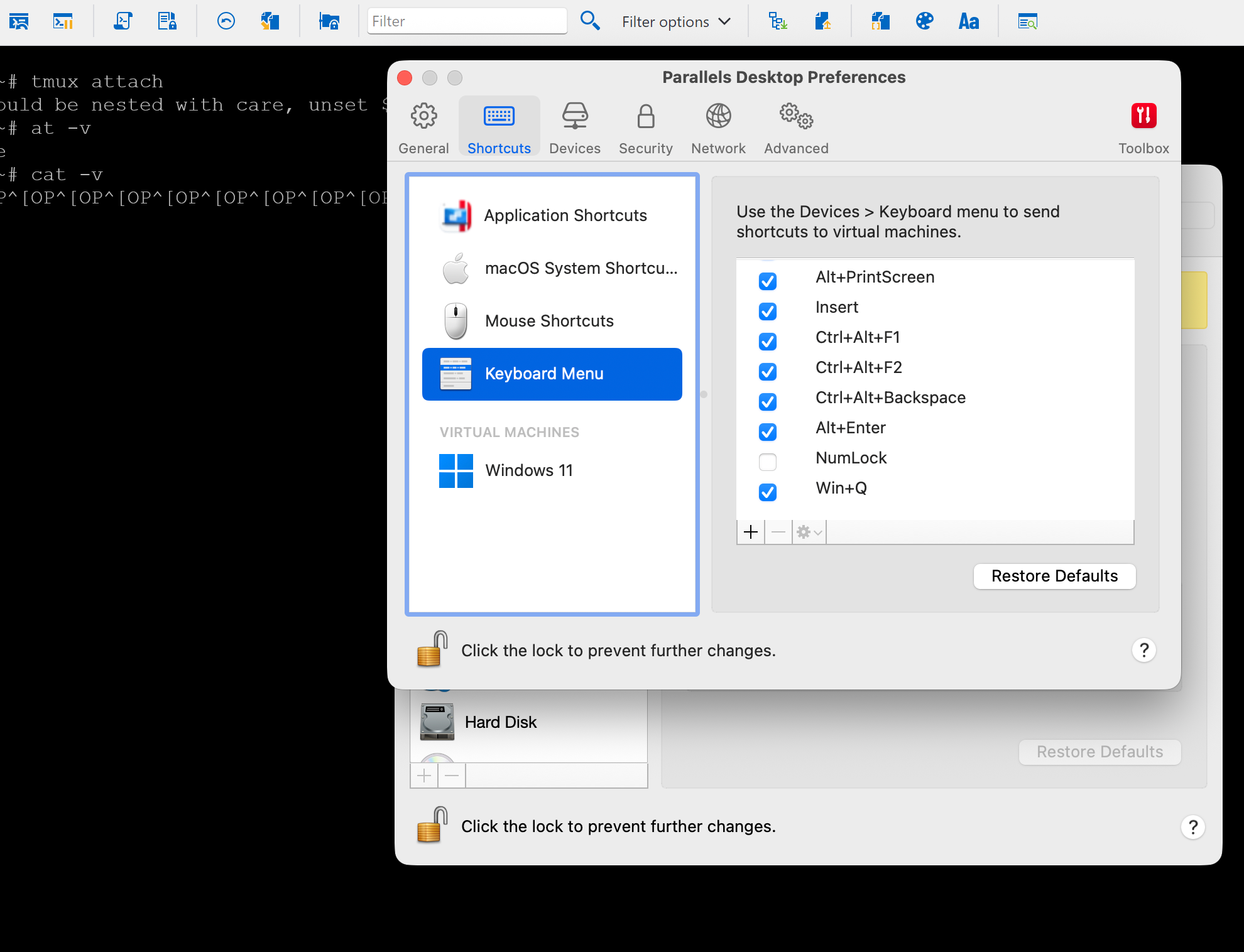 and if you mean to map NUMLOCK to "nothing" I have trouble pressing NUMLOCK to fill the "from" field here: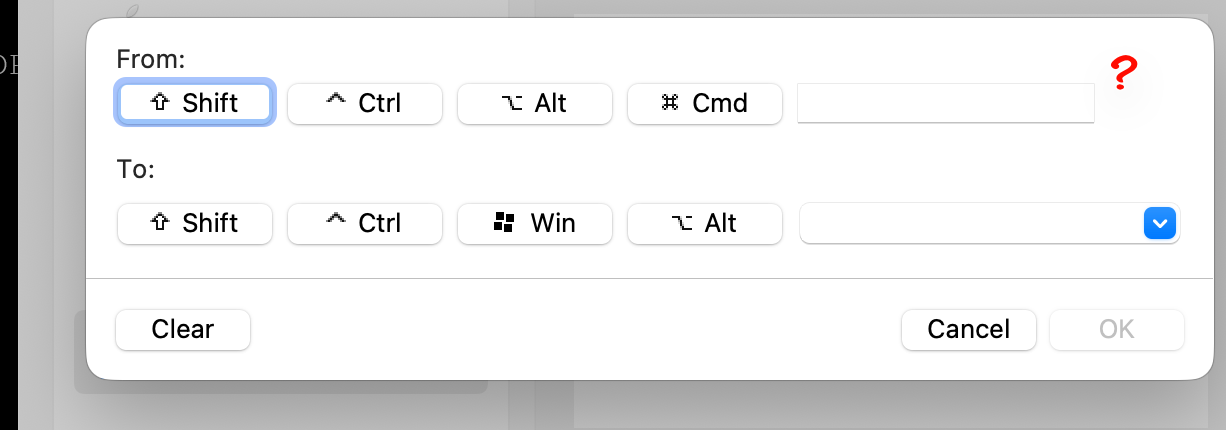
because as you can see, there is no NUMLOCK entry by default..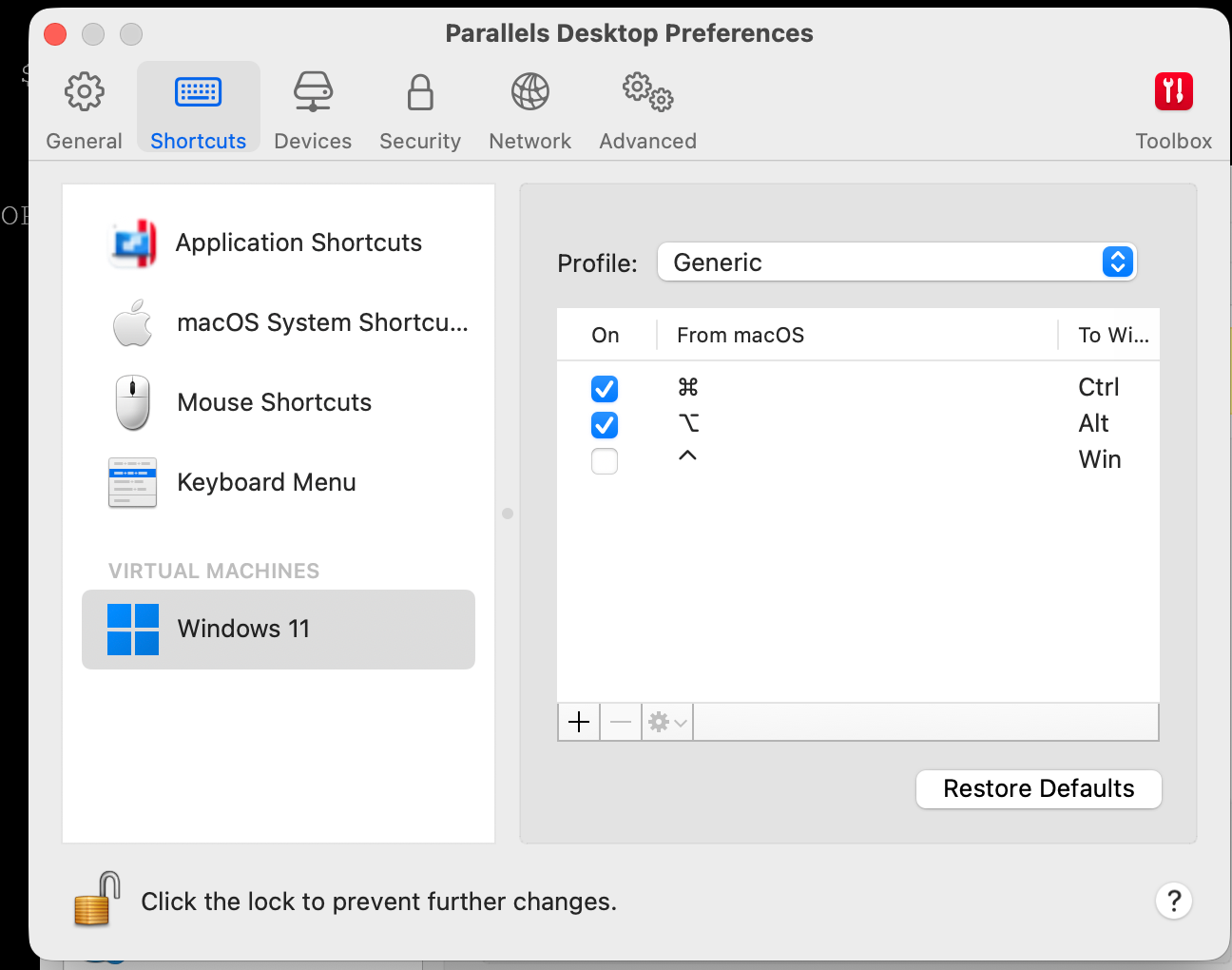
d56f6e94-dbbf-487e-9cd9-7e9cdf911688.png
e11dfe5d-478c-4a08-9ce9-6418c17f4fcc.png
28008b52-326f-4f4b-be78-60c457c63178.png
ok, the allmighty claude had an idea which actually worked. In its own words:
Workaround for anyone hitting this in a Parallels VM — disable the Num Lock key inside Windows
itself, at the keyboard class driver level, so the event Parallels sends on focus never reaches
the terminal. In an elevated PowerShell in the guest:
 $k = "HKLM:\SYSTEM\CurrentControlSet\Control\Keyboard Layout"
 $bytes = [byte[]]@(0,0,0,0, 0,0,0,0, 2,0,0,0, 0,0,0x45,0, 0,0,0,0)
 New-ItemProperty -Path $k -Name "Scancode Map" -PropertyType Binary -Value $bytes -Force
Then reboot Windows — the map is read by the keyboard class driver at boot, so nothing changes
until it restarts.
Scancode 0x45 is Num Lock and 0x0000 means "no key", so the key is simply gone. On a Mac keyboard
without a numeric keypad there is no Num Lock key to lose in the first place.
To undo:
Remove-ItemProperty -Path "HKLM:\SYSTEM\CurrentControlSet\Control\Keyboard Layout" -Name "Scancode Map"
and reboot again. There is normally no such value, so removing it restores stock behaviour.
This is a guest-side workaround, not a fix. The underlying issue is still that the terminal
reacts to a Num Lock event, which PuTTY and MobaXterm in the same VM do not.
Hello,
Thank you for sharing the workaround and confirming that it works.
I’ve asked our development team to review it and investigate the underlying terminal behavior. We’ll keep you updated if we receive any additional information.
Best regards,
Carl Marien