Hypervisor Host connect since 2026.2

Hello,
prior 2026.2 the connection Button was available on the Hyper-V Dashboard. (picture 2)
since 2026.2 connecting to the HV Host u need now connect to HV Dashboard and then u have connection Button for the Host.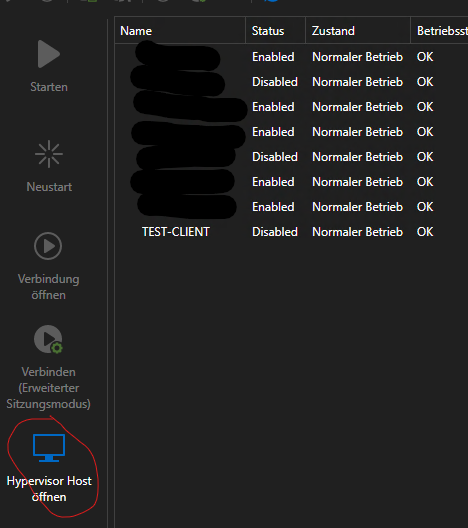
Is there a way to add him back .
wbr Alex
Screenshot 2026-08-14 111936.png
Screenshot 2026-08-14 111638.png
All Comments (5)
Hi alexanderjakob,
Thanks for the report, and for the screenshots, that helps a lot.
You're right that the flow changed: it looks like the direct connect action that used to sit on the Hyper-V Dashboard entry itself now requires opening the Hyper-V Dashboard first, then connecting to the host from inside it. Before I bring this to our developer team, could you share a couple of details so we look into the right place:
- The exact RDM version/build you're on now, and the last version where the direct connect button was still there (for example 2026.1.x.x vs 2026.2.x.x)?
- Which workspace type this entry belongs to: DVLS, SQL Server, Cloud, or a local data source?
Once I have that, I'll check with the team whether this is expected behavior from a recent interface update or something worth revisiting.
Best regards,
Eduard Sepulveda Lopez
Hello,
sorry for the late answer, i was on Vacation and after i forgot over work.
RDM Version: it changed as far as i can tell with 2026.2 (all 2026.1 versions are the "old" way)
Workspace: local Data Source
wbr Alex
Hi alexanderjakob,
Thanks for the details. Good news, you can get the button back yourself. Since 2026.2 the Actions panel on the dashboard is customizable:
- Select your Hyper-V Dashboard entry.
- Right-click the Actions panel and choose Customize actions… (you can also reach it from File > Settings > User interface > Dashboard).
- Pick the Hyper-V dashboard type, then tick the action to open the hypervisor host.
- Click OK, then click somewhere else and back on the entry so the panel refreshes.
The host connection should then be available directly in Actions again, like in 2026.1.
If you don't see Customize actions…, please let me know your exact RDM build.
Let me know if that works for you.
Best regards,
Eduard Sepulveda Lopez
Hello,
sorry need a Hand here.
i cannot find Hyper-V dashboard type. under Sesions there is also no action for the Hypervisor Host.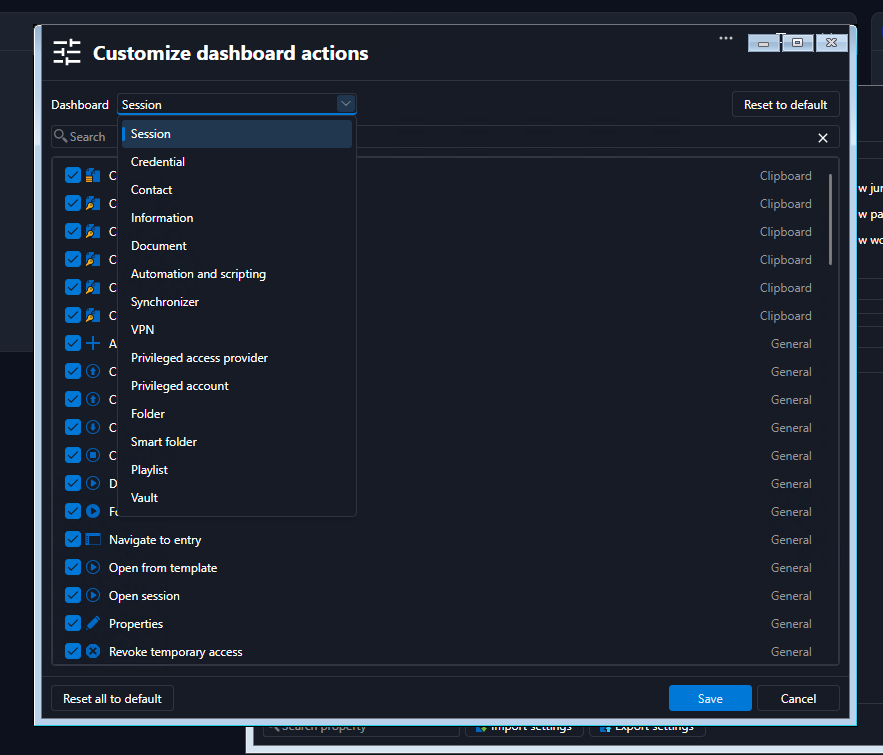
Remote Desktop Manager 2026.3.13.0 64-bit (JIT)
Runtime: .NET 10.0.9
Platform: Microsoft Windows 10.0.17763
Workspace: Lokale Datenquelle
Allocated memory: 600 MB
wbr Alex
4f21e71f-b7de-4e34-84bd-0163154023c6.png
Hi alexanderjakob,
Sorry, my previous steps sent you to the wrong place. That button isn't managed in Customize dashboard actions anymore. Since 2026.2 it's one of the "open" options, and only the pinned ones show up in the dashboard's Actions panel. "Open hypervisor host" isn't pinned by default, which is why it disappeared.
To bring it back:
- Right-click your Hyper-V Dashboard entry and go to Mit Parametern öffnen > Anpassen… (Open with parameters > Customize…).
- Click Erweitert (Advanced) on the left, then click the pin next to Hypervisor Host öffnen (it shows when you hover over the row).
- Click Fertig (Done).
The button should be back in the Actions panel of the entry, like in 2026.1. If it doesn't show right away, click another entry and then come back. It will also be listed directly under Mit Parametern öffnen in the right-click menu.
If you'd rather not pin it, Mit Parametern öffnen > Öffnen (mehr)… lets you pick it whenever you need it.
Let me know how it goes.
Best regards,
Eduard Sepulveda Lopez