Microsoft Sql Server management studio (SSMS) Extension
Microsoft Sql Server management studio (SSMS) Extension
1 vote

Hi,
The current SSMS integration does not work for our use case.
With recent versions of SSMS, the existing implementation no longer supports passing passwords via the SSMS executable. In addition, there is no option to configure connection settings such as Encrypt Connection or Trust Server Certificate.
According to Microsoft's documentation, passing a password as a command-line parameter is no longer supported:
SQL Server Management Studio Utility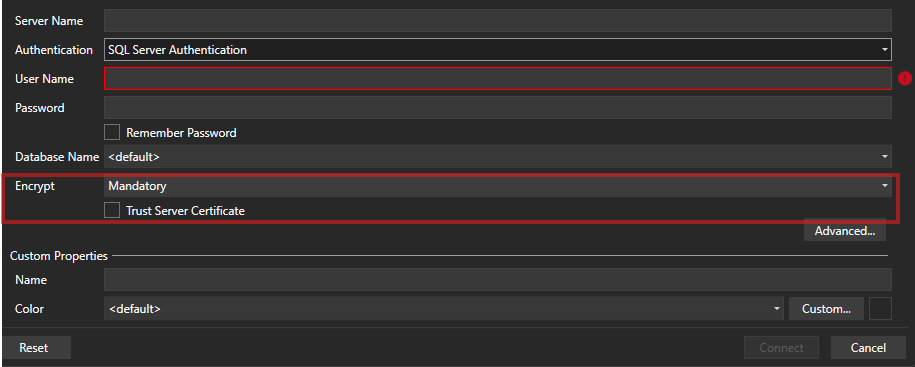
As an alternative, I would suggest developing an SSMS extension that integrates Devolutions directly into SSMS. This would allow users to launch and manage connections from within SSMS itself, while maintaining compatibility with the latest connection and authentication requirements.
Kind regards,
08387b47-a984-4a93-9247-814d0b065fec.png
All Comments (3)
Hello,
From a quick search, we could add the certificate trust and encryption settings for the command line as they seem to be supported ("-C" and "-N" parameters). Unfortunately though it's still not possible for us to pass the password. Let me know regardless if this is something that would improve your workflow and we could add it.
Additionally, depending on your needs, we also have a "Microsoft SQL Server" entry that's our own console to connect to an SQL Server database and run queries. We have more control over what we can do with this, so it's also possible for us to improve this console with the features you need.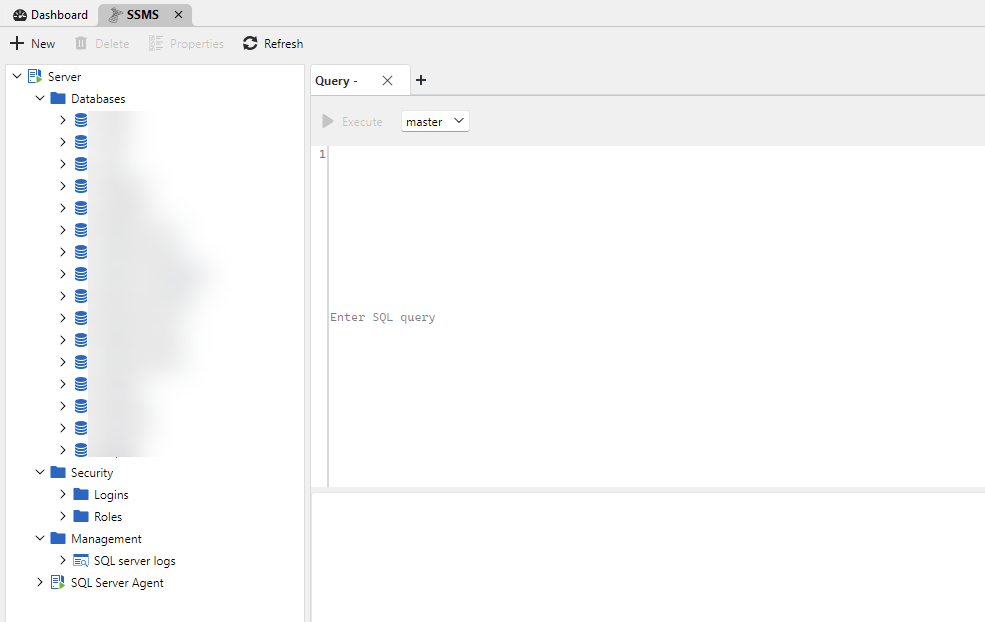
As far as integrating RDM as an extension in SSMS itself, we would have to investigate what it would take to do so. From what I could find, it's not "officially" supported in SSMS, but extensions will load. We'll keep an eye out for additional feedback on this, to help us decide whether it should be something we consider as a future development.
Regards,
Hubert Mireault
f2513253-d943-4505-84e4-911f9c85f5ed.png
Hello
We use SSMS instead of another tool because alle the features that can be used on a SQL server database are available in SSMS. We are also using it because we have a few extensions RedGate Sql Prompt and SSMS Tools Pack.
We are also testing with Copilot AI in SSMS.
This are al features that are not available in the embeded console in RDM.
SSMS 22 is now also a Visual Studio 2026 wrapper, so I guess that it is easier than before to make extensions on SSMS. RedGate, SSMS tools does it, ...
There are a lot of user that use SSMS and need a password manager so I think that this can be an opportunity for you to have a native extension in SSMS.
Thank you for the information. We'll note it in our possible future improvements and monitor this thread for additional feedback.
Regards,
Hubert Mireault