Connection dialog problem...

Hi, when RDM (on A13 Tablet) connects to my laptop, the login dialog shows text in the labels and fields as black rectangles -see attached image.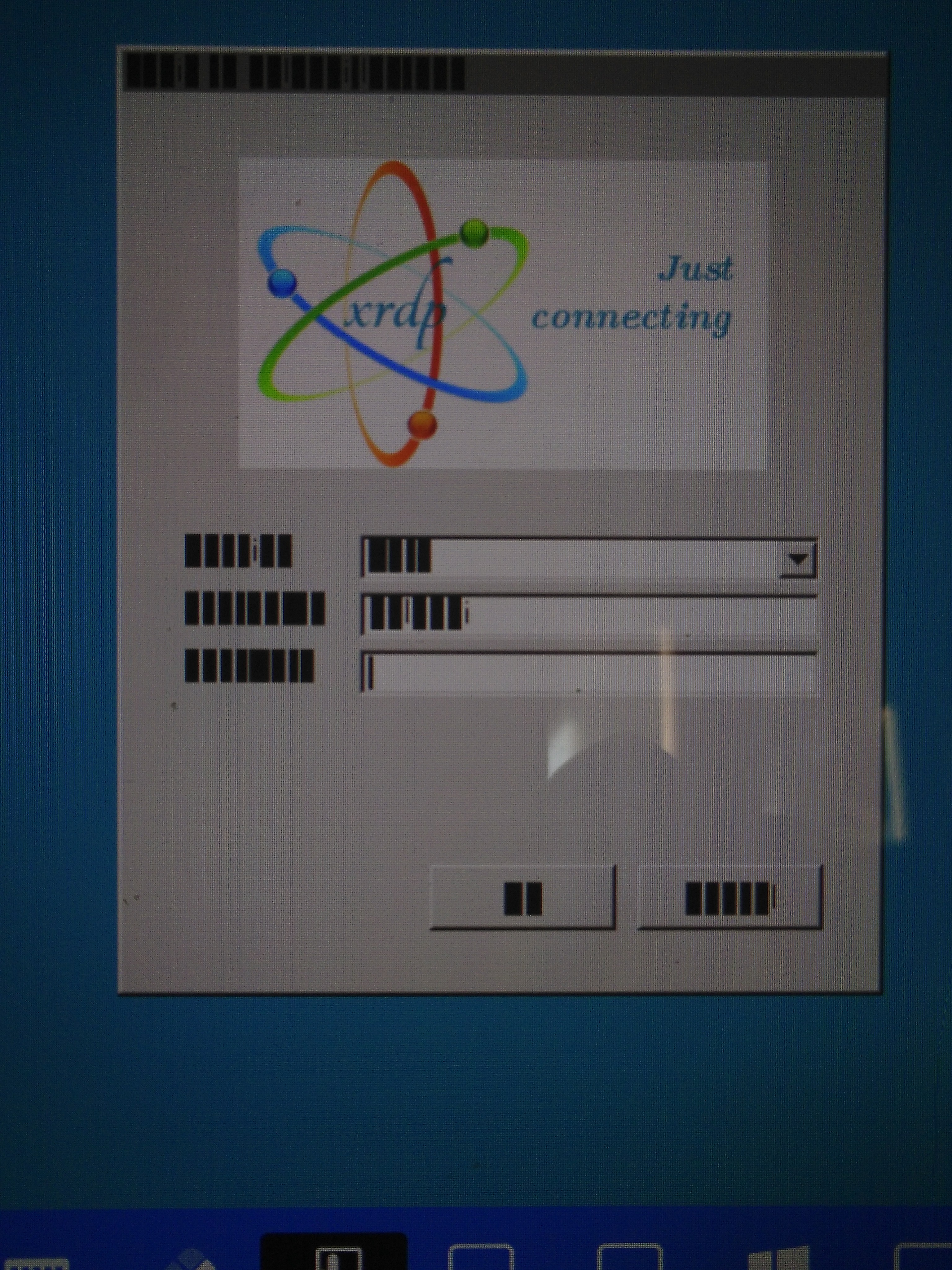
What do I need to do to get readable text in the dialog?
All help gratefully received.
C.
IMG_20260801_183943.jpg
All Comments (3)
Hello,
Thank you for reporting this issue.
We are currently investigating it, and we found the following thread, which appears to closely match the behavior you're experiencing: https://github.com/FreeRDP/FreeRDP/issues/3863
According to that discussion, enabling SoftwareGDI appears to resolve the issue. At the moment, however, RDM does not expose an option to enable this setting.
We'll be running some tests today to determine whether we can add support for this option in RDM.
In the meantime, you could also try disabling "Persistent Bitmap Caching", as it may help. You can find this option in the RDP entry settings. Click "Show all properties", then go to the "Experience" tab and uncheck "Persistent Bitmap Caching".
Best Regards,
Frederick Simard
Hi, unchecking the 'Persistent Bitmap Caching' has fixed this rendering problem.
Thanks for researching this for us.
Regards,
C.
Hello,
I'm glad to hear that it worked!
After validating the configuration, it turns out that Software GDI was not related to the issue. The actual fix was disabling the Persistent Bitmap Caching option.
If you encounter any other issues in the future, you can also try enabling the Optimize for XRDP option, which is available below the Host field.
Best Regards,
Frederick Simard