Forward and Back Navigation Buttons/Shortcuts
1 vote

Hello,
Just wondering if the idea has ever been raised to add forward/back buttons or shortcuts in RDM? For example, in the quick access toolbar perhaps (near quick connect/refresh button/etc.). And/or make a shortcut, like Alt+LeftArrow/Alt+RightArrow does in many other apps (like browsers for example, or File Explorer).
I think this could be very helpful when working between a bunch of tabs/sessions - I know we have tab groups and other ways to manage them, which are all great. But just a simple forward and back function I think would be useful, at least for my workflow. Not sure if others might find this useful as well but I figured I'd float the idea at least.
Best regards,
David Willis
All Comments (4)
Hello David,
On 2026.2, there should be a back/forward button available at the top of the application (and the same buttons in the View part of the ribbon):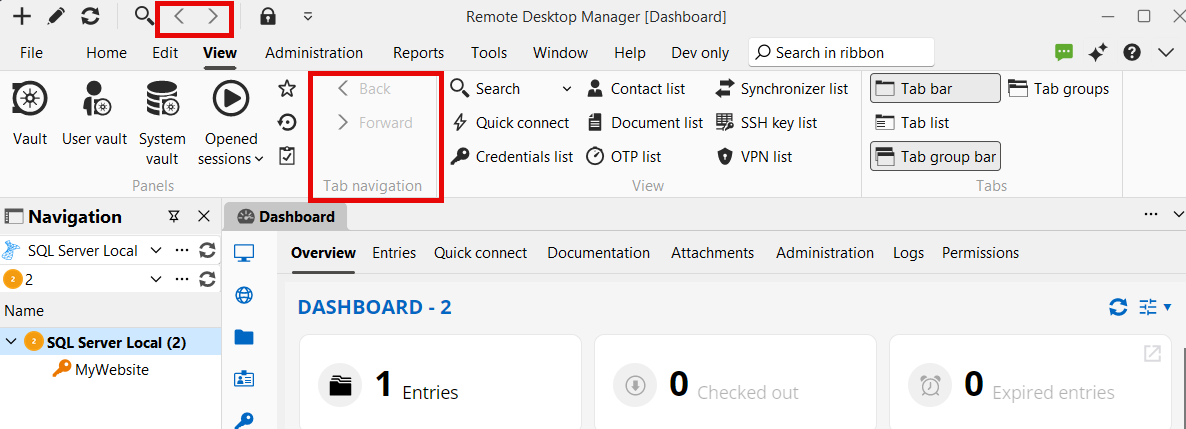
If you go in File>Settings, these buttons can be assigned shortcuts as well: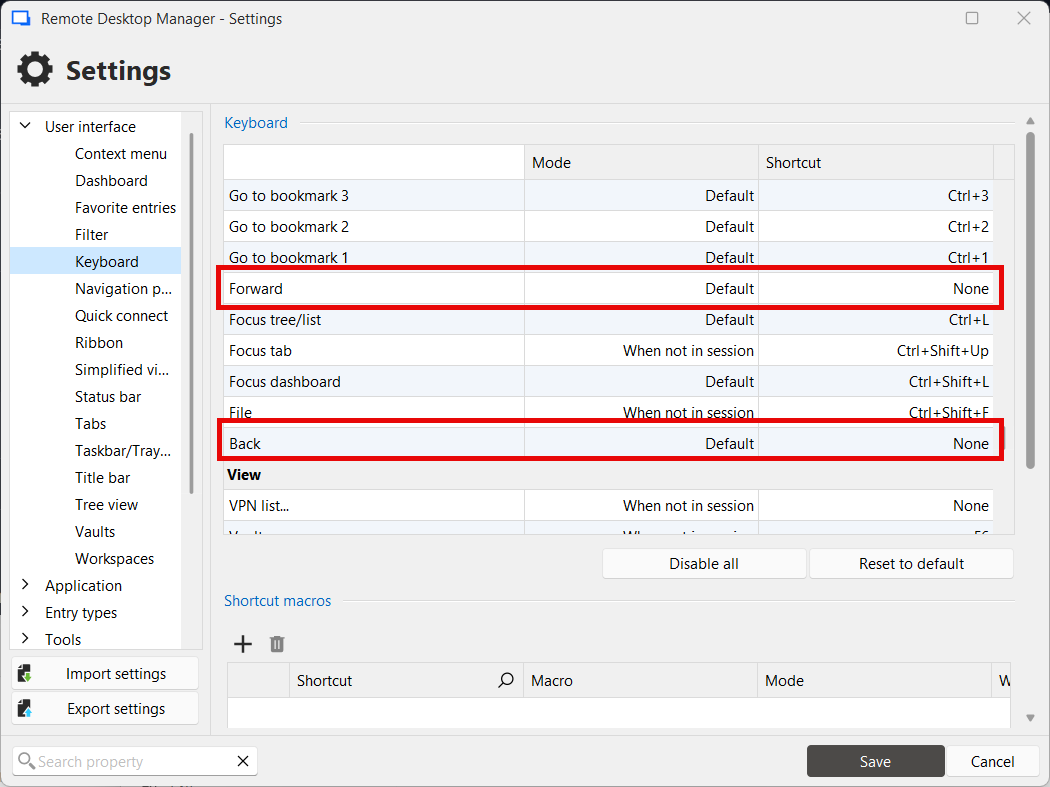
Can you try these buttons out and see if they answer your needs?
Regards,
Hubert Mireault
0bf5f7d0-b684-4394-8854-5614fdfd4789.png
57d5cf90-b021-4874-acea-e09593d4ab15.png
Oh ok, great! That looks like exactly what I was looking for - is that a new feature? Because I'm still on v2026.1 and I looked in the quick access options, didn't see any option to add forward/back and I also don't see it in my View ribbon. I will upgrade to the latest and try it out.
Edit - these are the options I currently have in my quick access on v2026.1.24: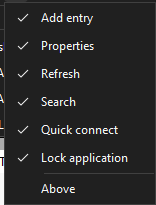
Best regards,
David Willis
7e7a076e-856f-4760-985f-d6b4fb9f5ada.png
Yes, this is new from 2026.2. Whenever you get a chance to try it out, let us know if the feature works as you'd expect or if there would still be some things to improve with it. Looking forward to your feedback!
Regards,
Hubert Mireault
Hi Hubert,
Just wanted to follow up - so I'm on v2026.2.19 now, and I do see the forward and back buttons in the View ribbon: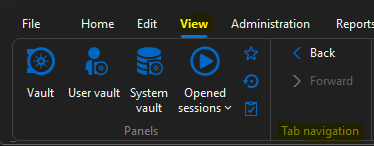
However, I still don't see any option to add them to the quick access/quick launch bar: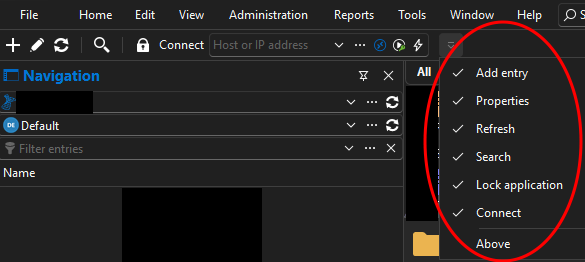
Is there some setting I need to enable to add this?
Best regards,
David Willis
4c2f7575-40c1-4351-8961-c50272c73d26.png
49656a3e-5cf9-406e-9874-fa6186712860.png