Unable to execute the application

Where I work the only way I can open the command line is to "Run as" using my admin account which is different to the one I used to login to windows with.
I was trying to setup an entry in RDM so I wouldn't have to constantly enter my credentials each time and when I try and run it I get the below error message 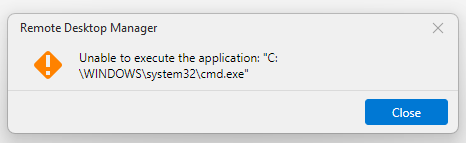
94a1ac7c-737c-49df-b6c2-f75e8d6d2bc3.png
All Comments (3)
Hello,
RDM launches applications using the same Windows security context that RDM itself is running under. If you're signed into Windows with your standard user account and launch RDM normally, any application started from RDM will also use that account.
In your environment, since Command Prompt can only be opened by using Run as with your administrator account, you'll need to launch Remote Desktop Manager using that same administrator account. Once RDM is running under the admin account, it will use those credentials when launching the Command Prompt, eliminating the need to enter your administrator credentials each time.
Best regards,
Carl Marien
If I need to run the whole application under my administrator account, what is the point of you having the "Run as" tab or Credentials section in the settings?
Doesn't really make much sense 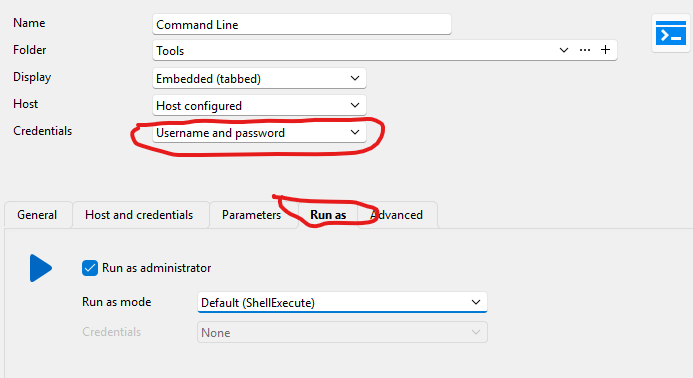
b485fe60-e4f7-4d9f-8562-26d84dd3e469.png
Hello,
To clarify the two options:
- Running RDM itself under your administrator account means every entry launched from RDM automatically uses those admin credentials — no prompt at all.
- The "Run as administrator" checkbox on the entry does something different: it triggers Windows' own elevation prompt each time you run it, so you can type your admin credentials there — but Windows won't let that be remembered or stored. You'd still be entering them manually every time.
So if the goal is to stop re-entering credentials, running RDM as the admin account is the way to get that today.
Best regards,
Carl Marien