Multiple browser login tabs opened with Entra ID authentication
Multiple browser login tabs opened with Entra ID authentication

Hi,
First off, I have been off work for months, so I don't know when this problem was introduced. It was somewhere between February and now.
We use an Azure SQL server with Active Direcoty Interactive (with MFA support). Works great. However, now when I start RDM, it opens up 7 tabs in my browser to login, where it normally is just 1. I believe I can just login with the first browser-tab to get RDM going, but I just click though them all just to be sure. After I have done this, everything works as expected.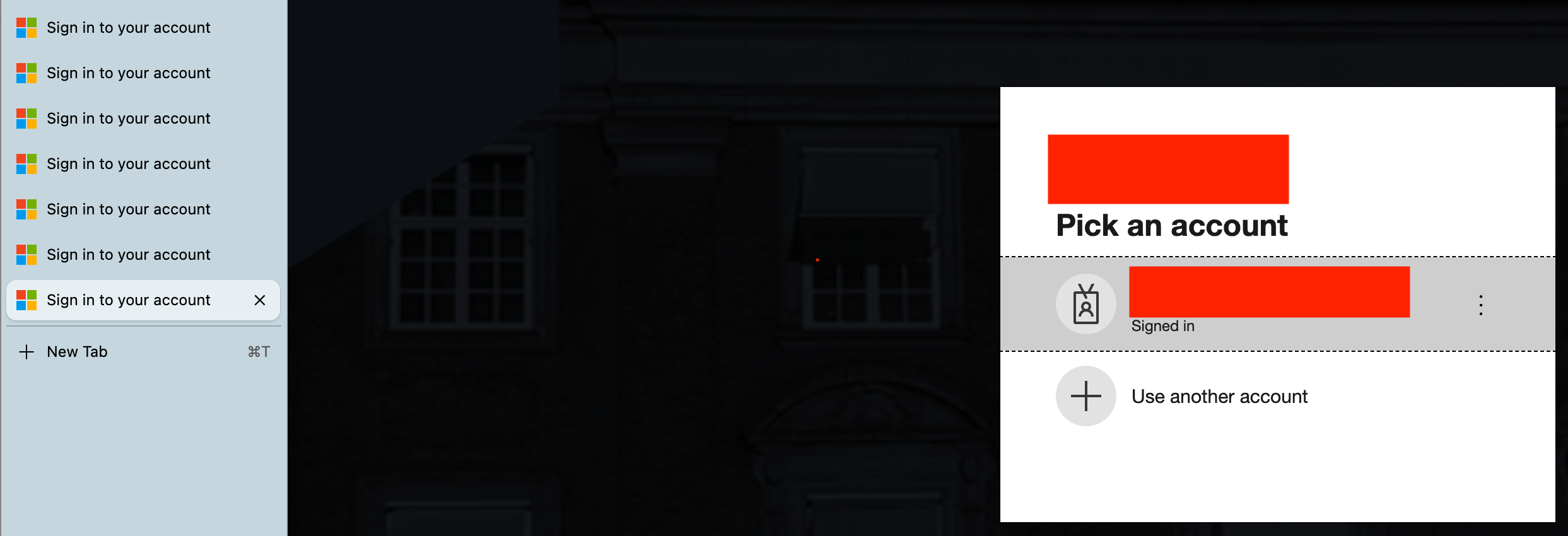
I previously had version 2025.3.9.2 installed (no issues)
Now I'm on 2026.2.4.1
MacOS 2026.5.2 and 2026.6 has the problem (have not tested with other versions)
66569596-c76e-4907-9130-7438c4e19f95.png
Recommended Answer
Hello,
Thank you for being so patient!
I'm pleased to inform you that a new version of RDM Mac (2026.2.5.1) has been released, featuring the fix for your issue.
Latest Version: Download RDM
Please let us know if this works or if you encounter any issues.
Best regards,
Maxim Robert
All Comments (9)
I have just noticed that I have 7 Vaults - can it be that it tries to login to all of them with the 7 different browser tabs?
Hello,
Thank you for reaching out regarding this matter.
I attempted to reproduce the issue on my end but was unable to do so. We are currently using RDMM version 2026.2.4.4. Could you please test this version and let me know if it resolves the behavior you're experiencing?
If the issue persists, could you also try the following steps as a test?
- Make sure RDM is completely closed, as the following steps will not work if it is still running.
- Open Finder.
- Click Go in the menu bar.
- Select Go to Folder...
- Paste the following path:
- ~/Library/Application Support
- Open the com.devolutions.remotedesktopmanager folder.
- Locate the RemoteDesktopManager.cfg file.
- Rename the file to something else (for example, RemoteDesktopManager.old).
- Launch RDM again.
- Configure and connect to your data source.
Once you're connected, use RDM as you normally would and try to reproduce the issue.
- If the issue does not occur, you can continue using RDM with the new configuration. If you need your previous local settings, you can temporarily restore the original configuration file, export the desired settings, and then import them into the newly created RemoteDesktopManager.cfg file.
- If the issue still occurs, simply rename RemoteDesktopManager.old back to RemoteDesktopManager.cfg and let me know the results.
I look forward to your reply.
Best regards,
Jacob Lafrenière
Also, thank you for mentioning that you have seven vaults configured. Based on my understanding, the number of vaults should not affect the number of tabs opening in your browser. I appreciate the information nonetheless, and I'll continue testing on my side to see if I can identify anything that might explain the behavior.
Jacob Lafrenière
Hi Jacob,
Thank you for the suggestions, however, it seems that everything is now worse after updating to 2026.2.4.4 as I'm not able to connect to the database at all (or maybe just a little bit). It seems that it tries to connect but most often it does not open the browser page and the times where it does, RDM ends up with my vault being empty and claiming that I have no license. At the same time it could still show that I had two vaults to choose from (out of my normal 7). I have tested my RDM user on a Windows version of RDM and the vault is not empty and I stille got a licence.
I tried renaming the .cfg file and re-lunched RDM - same behaviour.
I've also run into this error: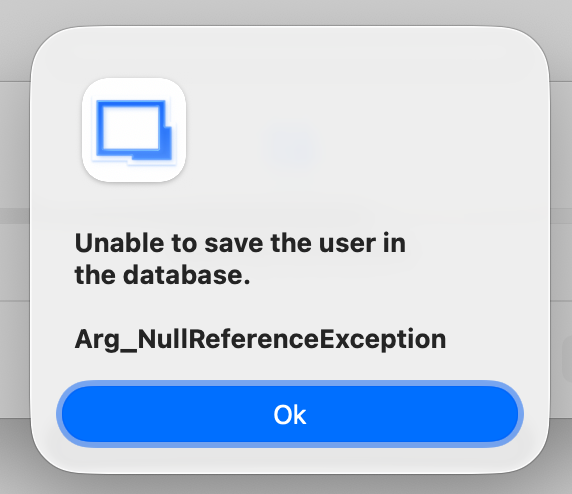
Should I try to uninstall RDM and do a manual cleanup of things? What do I need to delete to clear out RDM totally?
ff69c822-f6ad-41b9-a68b-1ac94da2a308.png
Found this one: Uninstall | Devolutions RDM | Product guides & technical reference
Will try and report back how it works after reinstalling RDM.
Uninstalling and removing the com.devolutions....-folder seems to have solved the issues. Only one login browser tab and vaults and license is loaded again.
However, I still get this one randomly - I have already sent in a couple of reports of it the last couple of days. Haven't created any topics here in the support forums.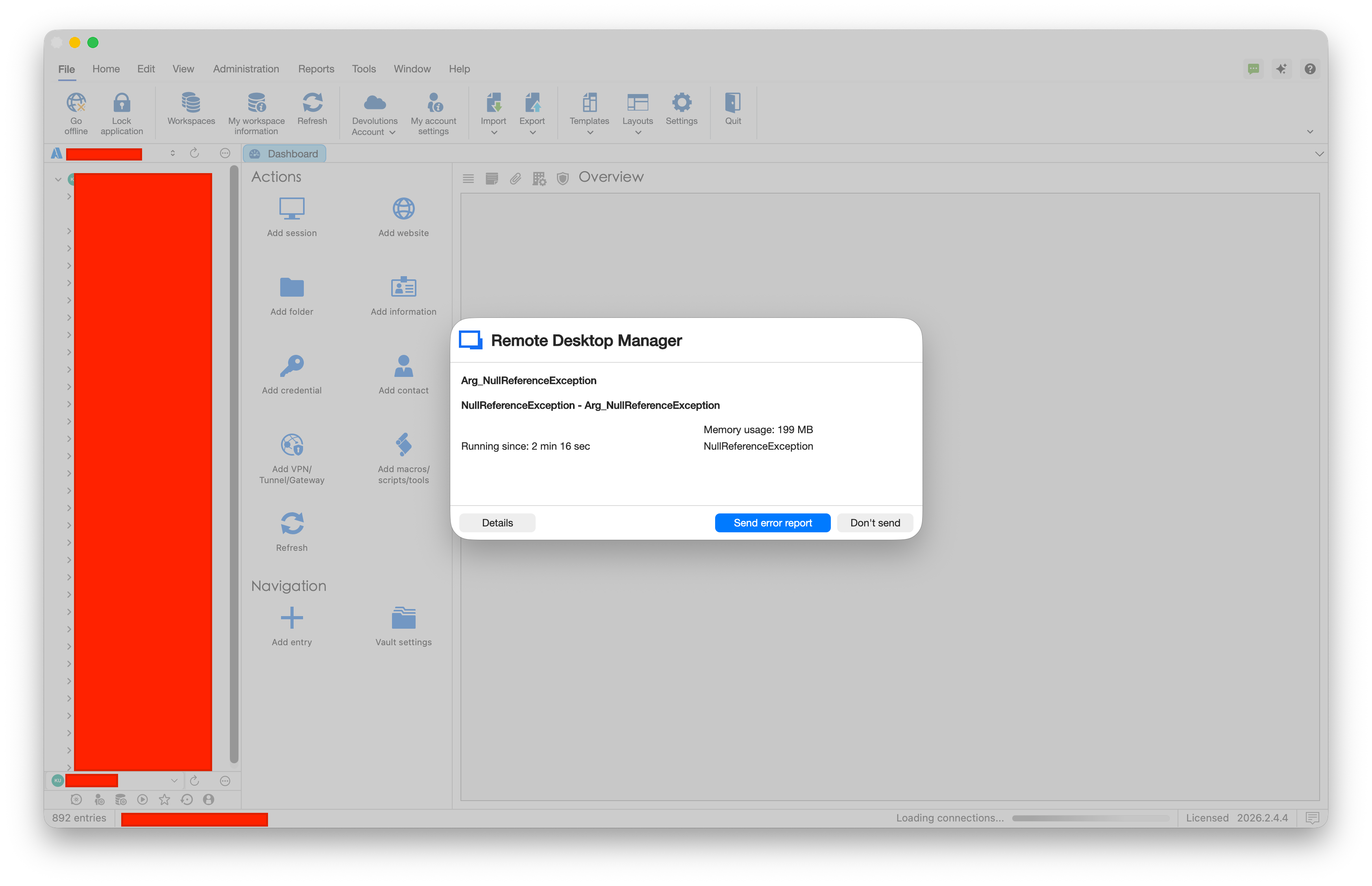 I had just lunched RDM, logged in via browser and everything seemed fine, when suddenly it did that.
Note that it still has a "Loading connections" status. After sending another report, RDM seems to be working, but I have been getting the errors frequently over the day.
fded2356-2080-4ba8-818f-669eb5ad18d5.png
Hello,
I can confirm we have received your error logs and we are looking into it. We will let you know when we have updates. If this prevents you from working, you can downgrade your RDM version until it is fixed. Sorry for the inconveniences.
Best regards,
Maxim Buisson
Hello,
Thank you for being so patient!
I'm pleased to inform you that a new version of RDM Mac (2026.2.5.1) has been released, featuring the fix for your issue.
Latest Version: Download RDM
Please let us know if this works or if you encounter any issues.
Best regards,
Maxim Robert
Hi Maxim,
It seems to have fixed the issue, thanks!