Unable to save the entry - Edit - User specific settings

When I create an entry in RDM (workspace Devolutions Server) select a template and create an entry. There is no problem.
RDM
When I select the entry (in RDM) en click on User-specific settings select the Override credentials checkbox and select the credential from mij Linked (user vault).
Then hit the Save button and a error occurs: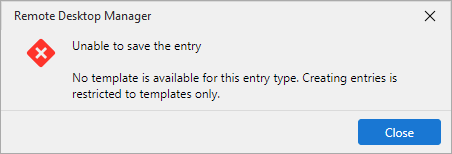
Unable to save the entry
No template is available for this entry type. Creating entries is restricted to templates only.
DVLS
When I do the same action in DVLS no problem, no error..
RDM version: 2026.2.14.0
DVLS version: 2026.2.12.0
8702eacc-1c41-4eaf-bddb-1f7a31e5f336.png
All Comments (2)
Hello,
Thank you for reaching out regarding this matter.
I was able to reproduce the behavior you described, and I believe it is unintended. I have reported it as a bug to our development team, who will investigate the issue and work on a fix as soon as possible.
At this time, the best workaround is to modify the affected entries through the Devolutions Server web interface until a permanent fix is available.
Thank you for your patience and understanding.
Best regards,
Jacob Lafrenière
Hello Jacob,
Thank you for your response. I'm glad you were able to reproduce the issue. We look forward to a fix.
I have also discovered another issue. When using the Workspace Extension in Chrome, it is not possible to save new entries to RDM or Devolutions Server (DVLS). It is possible that these two issues are related.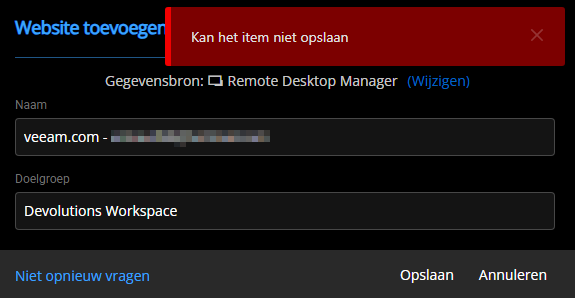
Best regards,
Arnoud Lugtenburg
2d0c9f11-90d8-473d-9b0a-ac5d8dd358ce.png