Unexpected folder creation from Bitwarden Synchronization process
Unexpected folder creation from Bitwarden Synchronization process

Issue: Bitwarden folders are interspersed within a synced collection.
Here is an example to illustrate the unexpected behavior. Here is my test Bitwarden vault and collection structure: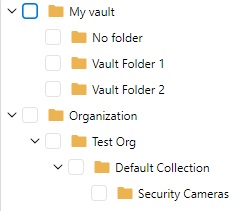
There is one entry in "Vault Folder 1" which is "Security Camera 1". There is also one entry in "Vault Folder 2" which is "Security Camera 2". There is a "Security Camera 3" which is not in any vault folder. All three security cameras are members of the collection "Security Cameras" which is nested underneath the "Default Collection".
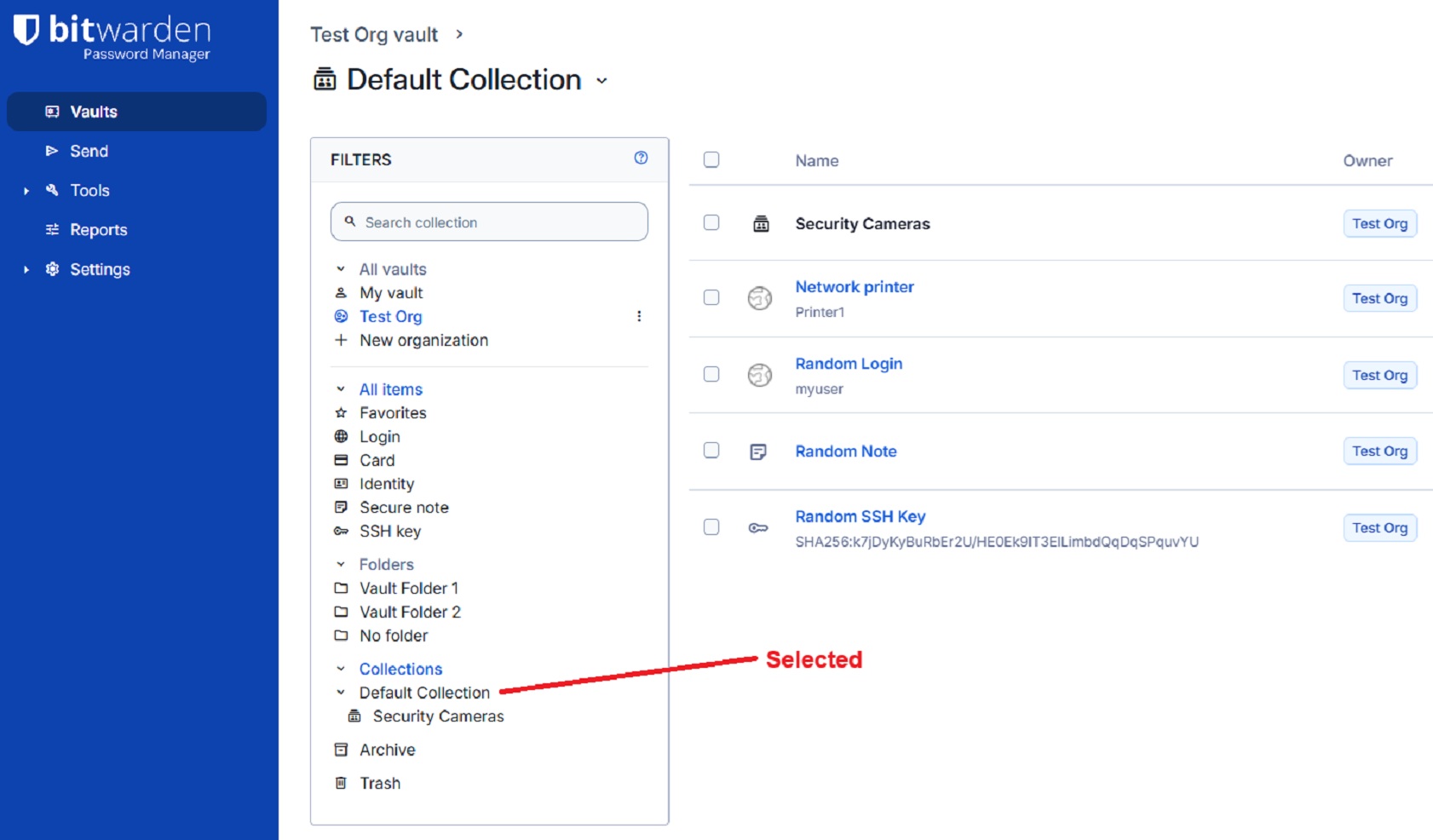
Other Bitwarden items exist under "Default Collection", but I do not want them to sync with my RDM vault.
Here is a screen shot of my Bitwarden test vault with the Default Collection selected.
Here is a screen shot of my Bitwarden test vault this time with the Security Camera collection selected.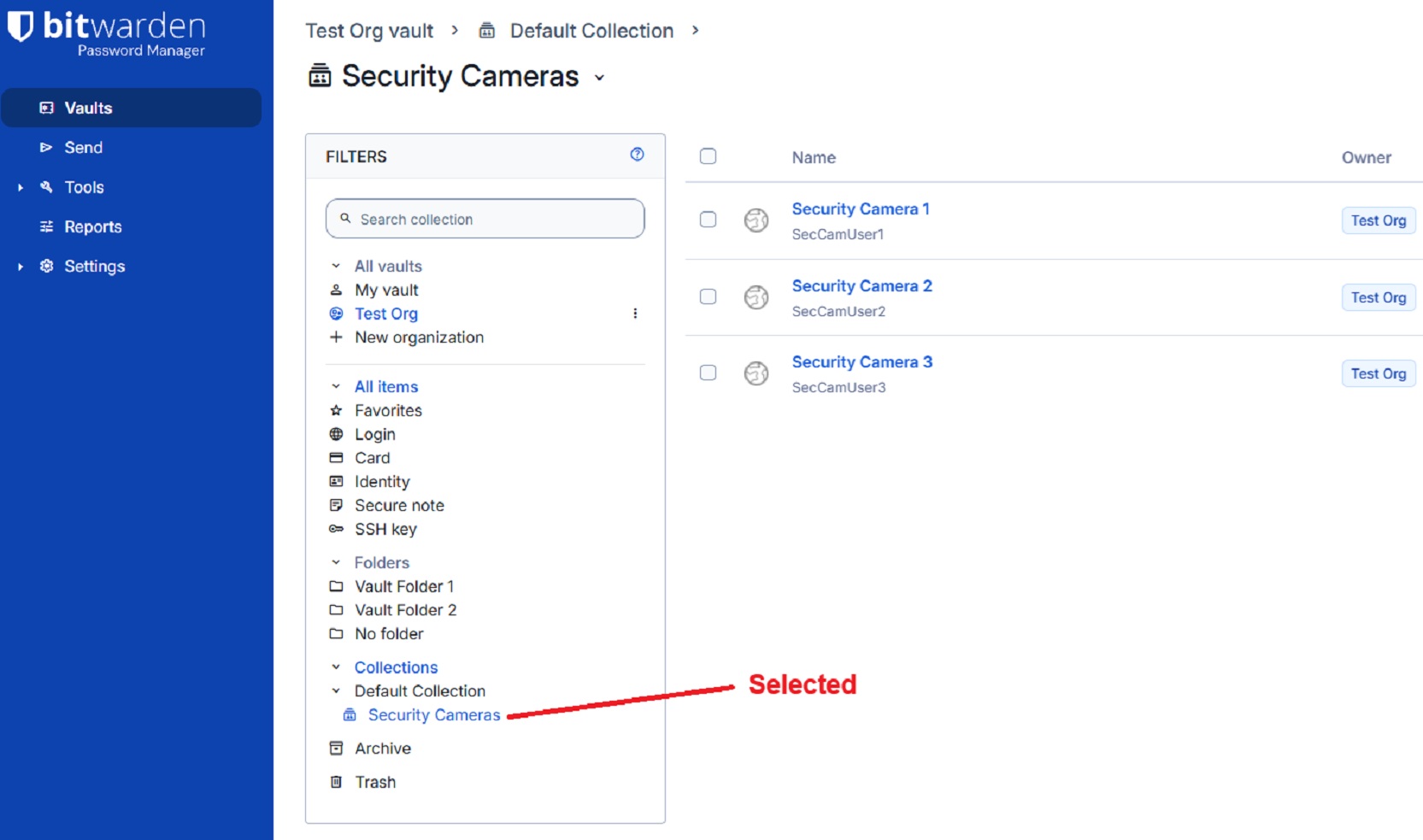
On the general tab of the Bitwarden Synchronizer I select a specific destination folder. On the filter tab of the Bitwarden Synchronizer, I select the "Security Cameras" collection like the image below. The setting "Synchronize automatically" is unchecked. Note that "Default Collection" has been touched to change it from being a blue check mark to just being an open blue box to prevent entries other than those under "Security Cameras" from being synced.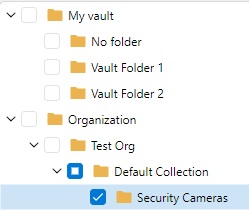 The filter is saved.
When I click the Synchronize button this is the sync result.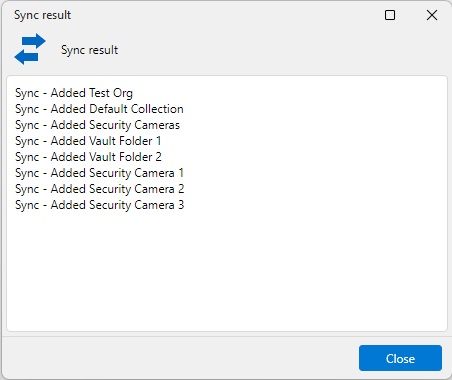
I was not expecting "Vault Folder 1" or "Vault Folder 2" to be in the above list. Below is the resulting hierarchy in my RDM vault.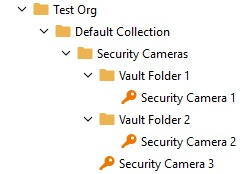
Bitwarden folders and collections are separate things. I was not expecting to see Bitwarden folders interspersed within the "Security Cameras" collection. Especially since I did not select any vault folders on the filters tab.
The expected result was that I would see only the three security camera credential objects directly under the "Security Cameras" folder. No vault folders would be created.
I am using RDM version 2026.2.14.0 64-bit (JIT).
RDM-sync-issue_example-bitwarden-structure.jpg
RDM-sync-issue_example-bitwarden-default-collection.jpg
RDM-sync-issue_example-bitwarden-security-camera-collection.jpg
RDM-sync-issue_example-filter-tab-selections.jpg
RDM-sync-issue_example-sync-result-dialog.jpg
RDM-sync-issue_example-sync-result-RDM-vault-hierarchy.jpg
All Comments (2)
Bump.
Hello,
Thank you for reaching out regarding this matter, and thank you for providing such a detailed report.
I'll need to set up a similar environment on my end to reproduce the issue. Once I've been able to replicate it, I'll report the behavior to our development team for further investigation.
Could you please confirm the workspace type you're using in Remote Desktop Manager (RDM), along with its version? This information will help me accurately reproduce your setup.
I look forward to your reply.
Best regards,
Jacob Lafrenière