Passwords not shown in Password Depot Integration

Hello,
we´re currently experiencing issues with the password depot integration in RDM.
When entering the database in the password entry, we can´t select an entry, just the folder structure is shown.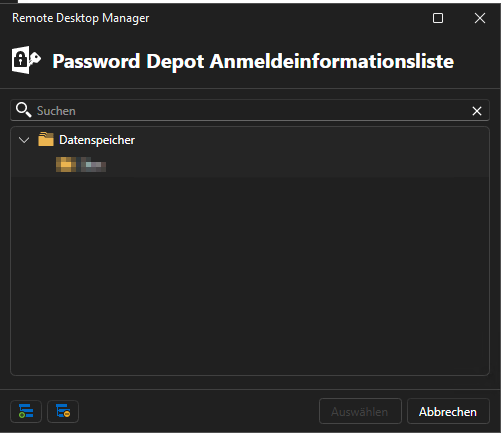
As i see the folder structure I expect that this isn't an issue with the connection form RDM to the password depot server.
There haven't been any changes on our side, and the entries created do still work.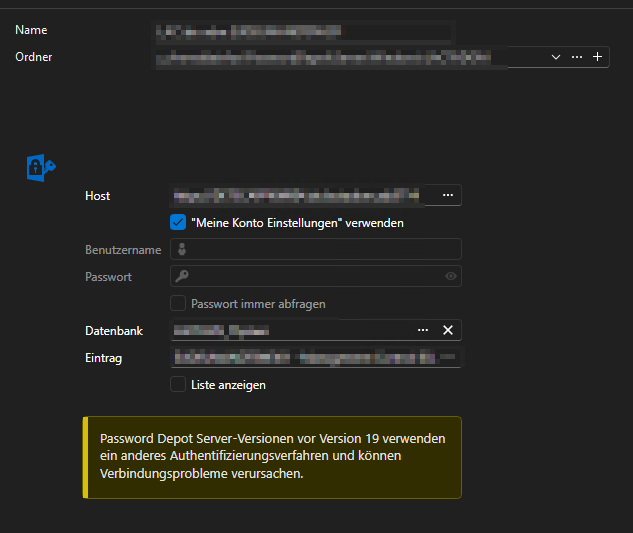
Can you confirm the issue?
Thanks!
b63006d7-4c5b-4e54-ad37-8b59b61b0646.png
a05290b6-cd80-4abb-b4f2-325ed7d791cf.png
All Comments (12)
Hello Christoph,
Thank you for contacting us on that matter.
Could you please provide us with the RDM version and the workspace you are currently using?
https://docs.devolutions.net/rdm/workspaces/workspace-types
Thank you for your collaboration.
Best regards,
Alexis Geller Peiro
Hello Alexis,
RDM Version: 2026.2.14.0 (64-Bit)
Workspace: Microsoft SQL Server
Thanks and BR!
Christoph
Hello Christoph,
Thank you for the additional details.
I tested this scenario on my end with the latest RDM version, 2026.2.16.0, using the Password Depot integration, and I was not able to reproduce the behavior you're describing. The only difference I noticed between our setups is that I have the username and password entered directly in the entry, whereas you mentioned using "My Account Settings" for the credentials.
Could you please do the following:
- Update RDM to version 2026.2.16.0.
- Let us know if the issue still occurs after updating.
- If it does persist, could you try recreating the entry and entering the username and password directly in the entry instead of using "My Account Settings"?
We look forward to your feedback.
Best regards,
Alexis Geller Peiro
Hello Alexis,
unfortunately still the same problem: I also tried adding the Username manually, but it doesn´t work either:
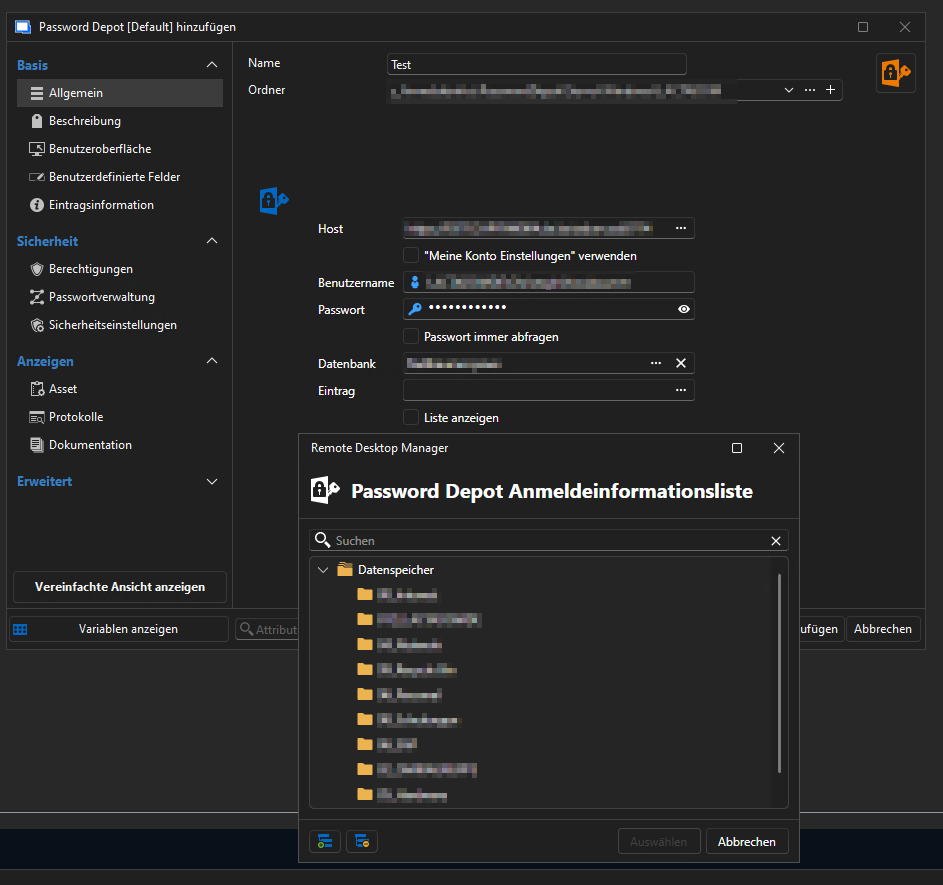 Any other ideas, how this can happen?
Thanks and BR!
Christoph
7cf9e6a4-bb32-49a6-9ded-2e0e348255b5.png
d1bdea64-f95e-4177-b408-d86c08084611.png
Hello Christoph,
Thank you for the update, and sorry to hear the issue persists even after updating and entering the username manually.
Looking into this further, the other difference I now see is that on my end, the credentials are directly under the root folder, and those entries are indeed selectable.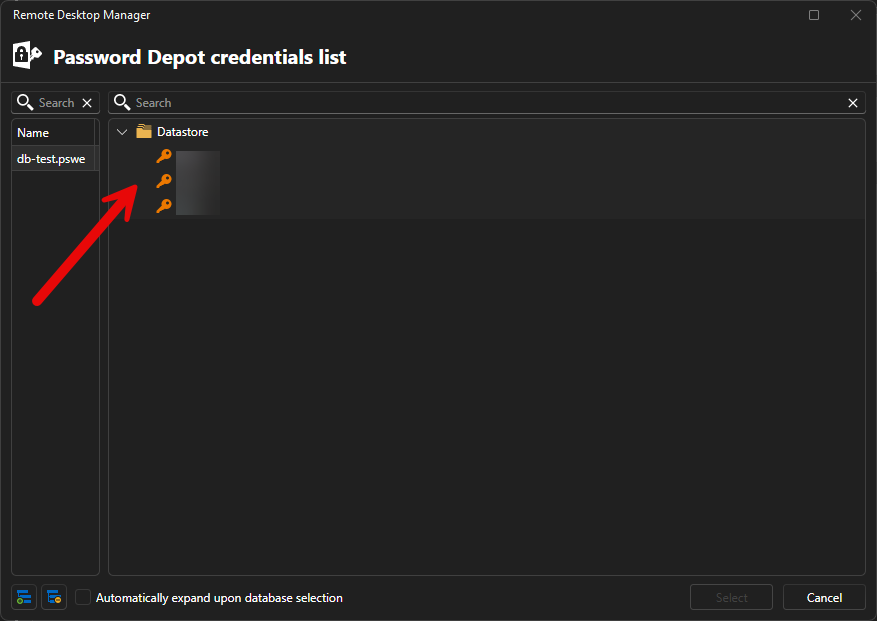
Could you please try creating a credential directly under the root folder, without placing it inside any subfolder within the root, and let us know if that entry can be selected?
This will help us determine whether the issue is related to the folder structure/depth rather than the entry itself.
Looking forward to your feedback.
Best regards,
Alexis Geller Peiro
07b3001e-a7ca-4e97-a7a2-7f805f653fdf.png
Hello Alexis,
the password are indeed shown if they´re not located in a subfolder: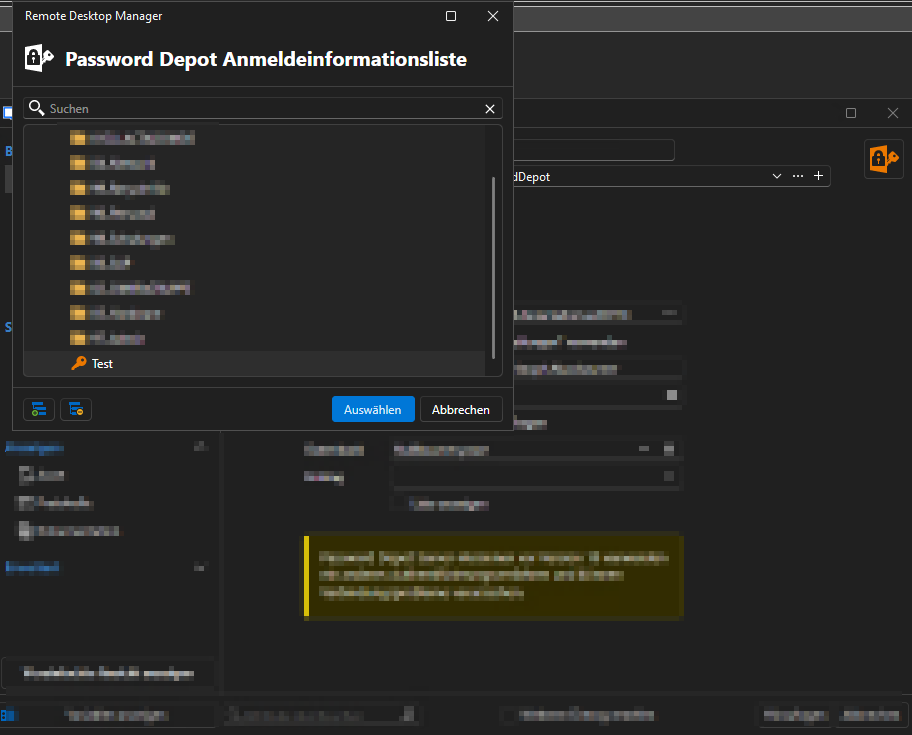 Is this a password depot related issue or on RDM side?
Thanks an BR
Christoph
a8b653bc-a351-4373-beed-6e33c0d79f24.png
Hello Christoph,
Thank you for testing this and confirming the behavior.
We have identified a bug related to how entries located in subfolders are displayed in the list, and our team is already working on a fix for it.
In the meantime, could you also let us know which Password Depot server version you are using? This will help us match the same environment on our end for further testing.
Thank you for your patience and collaboration.
Best regards,
Alexis Geller Peiro
Hello Alexis,
current password depot server version is 19.2.1.
Thanks for the checking!
BR Christoph
Hello Christoph,
Thank you for the additional information.
To answer your earlier question: the issue was on the RDM side, not with Password Depot. Entries located in subfolders were not being displayed correctly, which is why only entries at the root level appeared.
This has now been fixed, and the fix should be included in the upcoming version, which should be 2026.2.18.
Thank you for your patience and for the information you provided while we investigated the issue.
Best regards,
David Godin
Hello David,
quick as always :)
Thank you for checking and fixing!
BR Christoph
Hello,
Thank you for being so patient!
I'm pleased to inform you that a new version of RDM (2026.2.18.0) has been released, featuring the fix for your issue.
Latest Version: Download RDM
Please let us know if this works or if you encounter any issues.
Best regards,
Maxim Robert
Hello Maxim,
fix is working as expected.
Thanks for the help!
BR Christoph