pasting commands missing characters

When i pasted this into the session:
show version | i uptime|System image|Model Number
show switch
show ip interface brief | i Vlan|Gig
show run | sec aaa
show run | sec tacacs
show run | sec radius
show run | sec username
show run | sec line con
show run | sec line vty
show access-lists
show ip ssh
show crypto key mypubkey rsa
show aaa servers
show tacacs
show users
show logging | i AAA|TACACS|RADIUS
When it got to this command "show run | sec aaa" it removed the s. This has happened in version 12 and 13.
Here is the output of the issue:
TwentyFiveGigE1/0/39 unassigned YES unset up up
TwentyFiveGigE1/0/40 unassigned YES unset up up
DISTR02_48Y4C#how run | sec aaa
^
% Invalid input detected at '^' marker.
All Comments (9)
I just had this happen in broadcast. I typed sh run aaa and one of the sessions didn't include the s
Hi G-rant001,
Thanks for the detailed write-up and the exact output showing the missing character. This matches the dropped-character behavior you reported earlier, and it is already logged with our development team. The report remains open and is being tracked.
We tested the matching input paths using RDM 2026.2.12.0. We pasted 150 commands by right-click and broadcast a manually typed command to two SSH sessions. All commands arrived intact in our tests. This does not rule out the reported problem, but it means we have not reproduced it under our current lab conditions.
You mentioned versions 12 and 13. Could you send us:
- The complete version and build type shown under Help > About for each affected installation.
- Confirmation that the latest paste occurrence also used Notepad++ and right-click Paste.
- Approximately how many sessions were included when the Broadcast occurrence happened.
As an experiment, you could also try right-clicking in the terminal and selecting Type Clipboard instead of the normal paste. This helped with a different clipboard issue, but we have not confirmed that it prevents this specific character-loss behavior.
We will keep you updated as the investigation progresses.
Best regards,
Michel Audi
I am using notepad++ 8.9.6.4. The ammount varies, on network equipment I usually don't go over about 50 lines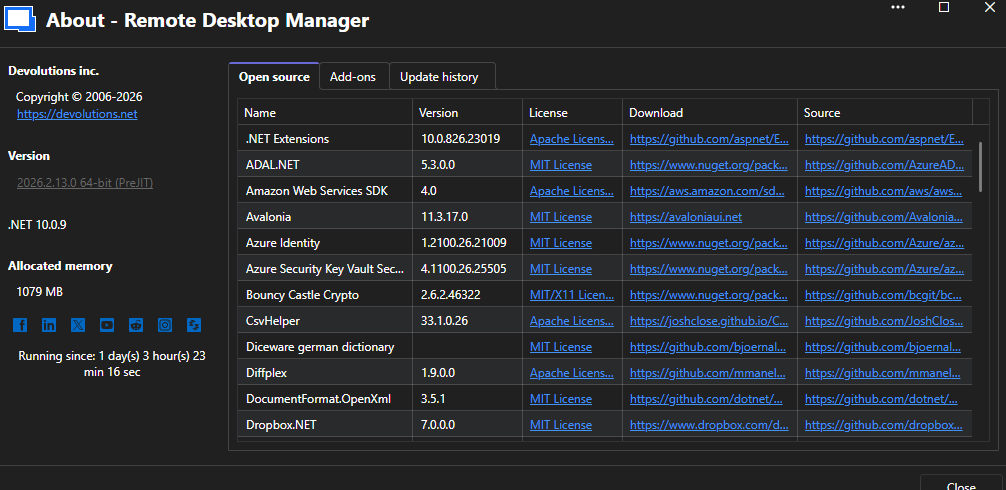
49183457-b71f-4ad5-b554-824ac1781844.png
Hi,
Thanks for the screenshot and details — this is still being actively investigated on our end, and we're keeping it linked to your earlier post since it looks like the same issue.
A couple of quick follow-ups: for the broadcast case, roughly how many SSH sessions were open at the time? Also curious if Type Clipboard made any difference for you.
Thanks again!
I only had maybe 4 sessions opened. If I understand correctly, i have always used type clipboard, I only right click in the screen as this has been the case my entire career. If that is not what you are talking about, let me know.
Hello,
Thank you for the additional information.
Could you try one more test for us?
In your SSH entry, go to:
Credentials → General → Advanced
There is an option called Separate the paste in line groups.
- Enable this option.
- Set the line group size to 10 or 5.
- Save the entry.
- Try pasting the same command list again and let us know if you still see any missing characters.
This setting causes the pasted commands to be sent in smaller batches instead of all at once, so we're interested to see whether it has any effect on the dropped-character behavior you're experiencing.
Please let us know the results, even if the issue still occurs, as it will help us narrow down the cause.
Best regards,
Carl Marien
does this add 5 enter commands between each command?
Hello,
Not exactly.
The Separate the paste in line groups option does not insert additional Enter key presses between commands. Instead, it sends the pasted content in smaller batches.
For example, if you set the line group size to 5, RDM will send the first 5 commands, wait briefly, and then send the next 5 commands, and so on until the entire paste has been transmitted.
We're interested to see whether sending the commands in smaller batches has any effect on the missing-character behavior you've been experiencing.
Please let us know the results when you've had a chance to test it.
Best regards,
Carl Marien
Sweet, love this option. I will update you with my results!