RDP via RD gateway with Entra MFA doesn't connect to RDP server after gw login
RDP via RD gateway with Entra MFA doesn't connect to RDP server after gw login
1 vote

My company uses an Entra MFA protected RD gateway.
You have to login at the gateway with domain\user and password and accept the login via Microsoft Authenticator.
On Windows, you're then forwarded to the RDP host and the desktop appears. On Linux, RDM is stuck with a blank session tab after the authentication.
[updated]
At the moment my problem is, that I have no clue where the setup process of the RDP connection stops. I need some information how to trace the setup of a RDP connection in RDM. The Application logs don't give any useful information.
Could anyone point out the way to troubleshoot RDP via RD gateway in RDM ?
Starting RDM in bash gives useful output, I'll provide it in the following posts.
My "feeling" is, RDM atm. cannot handle the connection setup via RD gateway, when an Entra MFA is needed. RDM seems not to proceed after the second factor has been prooven. I'd like to bring some evidence for that, but don't know how to setup the right logging / debugging.
I'm using Fedora 43 (Kernel 7.0.13) on Gnome 49.7 with wayland. RDM is on version 2026.2.0.7.
Best regards
Markus
All Comments (10)
Attached please find the cli-output when the RDP session is started.
In the log I found the message: "RDGatewaydoesnotsupportHTTPtransport", so I set the gateway transport to RPC with no change in behavior.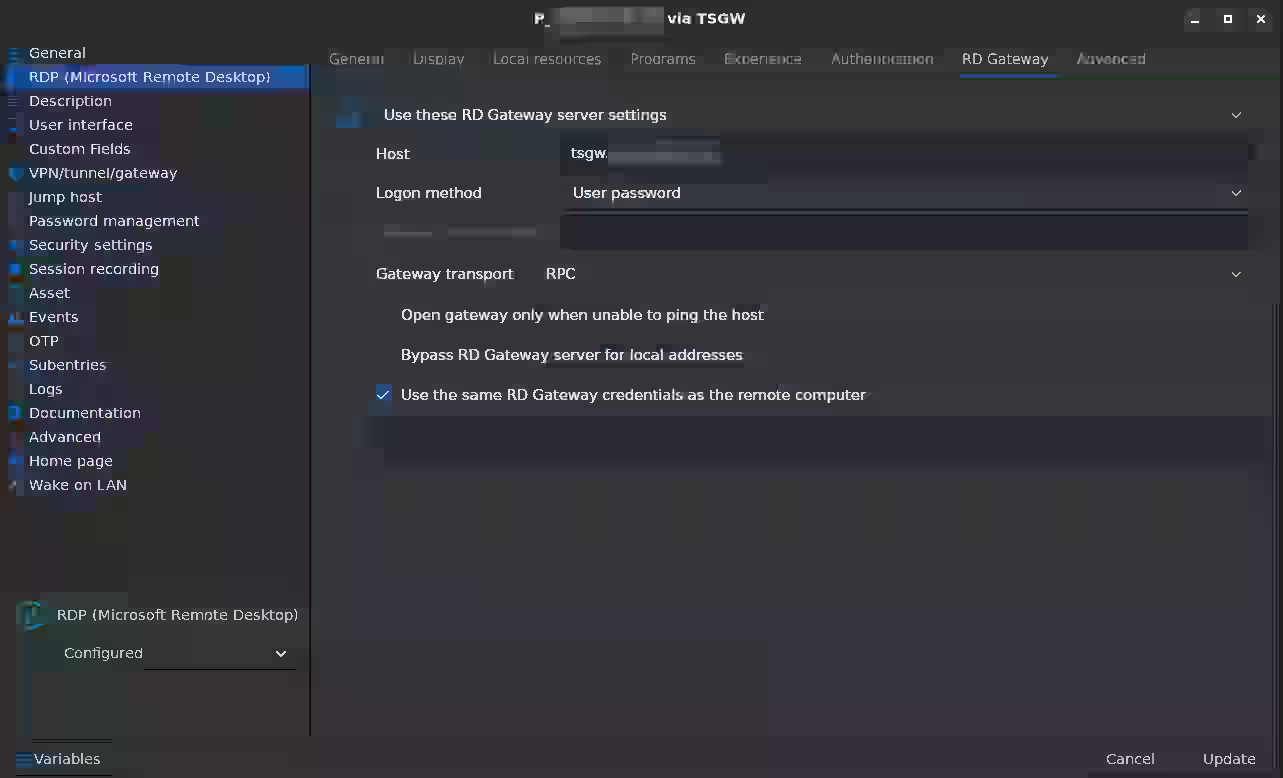
08b445f3-fca7-4319-b9a9-41a46ee375f5.png
rdm_rdp-via-rdgw-MFA_20260701.txt
Thank you for providing the logs.
From what I can see, the gateway authentication itself appears to succeed.
The failure seems to occur afterward, when the client attempts to establish the redirected RDP connection.
Could you also test the same connection using the latest xfreerdp3 directly from the same Linux machine? That would help determine whether this is specific to RDM or an upstream FreeRDP issue. It would also be useful to know:
- whether the issue reproduces with a non-MFA account (if available for testing),
- the RD Gateway server version,
Based on the logs so far, the issue appears to occur after successful gateway authentication during the redirected RDP connection rather than during the Entra MFA process itself.
Best regard
Carl Marien
After discussing this internally, it appears that what you're encountering is currently a limitation of RDM on Linux rather than a configuration issue on your side.
While FreeRDP has introduced support for Microsoft Entra ID / Azure AD authentication through Microsoft's MSAL libraries, that functionality has not yet been integrated into RDM Linux. As a result, scenarios involving an RD Gateway protected by Entra MFA are not fully supported at this time.
Based on your logs, the gateway authentication itself appears to complete successfully, but the connection does not progress to the final RDP session establishment. This is consistent with the current limitation.
We'll treat this as a feature request for Linux support rather than a bug in your configuration. In the meantime, using a native FreeRDP 3 client (if it supports your environment) or the Windows version of RDM are the available workarounds.
Thank you for taking the time to provide the logs they helped us narrow this down.
Carl Marien
Thank you for providing the logs.
From what I can see, the gateway authentication itself appears to succeed.
The failure seems to occur afterward, when the client attempts to establish the redirected RDP connection.
Could you also test the same connection using the latest xfreerdp3 directly from the same Linux machine? That would help determine whether this is specific to RDM or an upstream FreeRDP issue. It would also be useful to know:
- whether the issue reproduces with a non-MFA account (if available for testing),
- the RD Gateway server version,
Based on the logs so far, the issue appears to occur after successful gateway authentication during the redirected RDP connection rather than during the Entra MFA process itself.
Best regard
@Carl Marien
Hi,
despite this has been changed to a feature request (which I appreciate), I tested the RDP connection through the gateway with Entra MFA successfully via pure freerdp.
Best regards
Markus
Hi,
I tested tested this with RDM 2026.3.1.1 unfortunately with no success.
The connections auth properties look like this: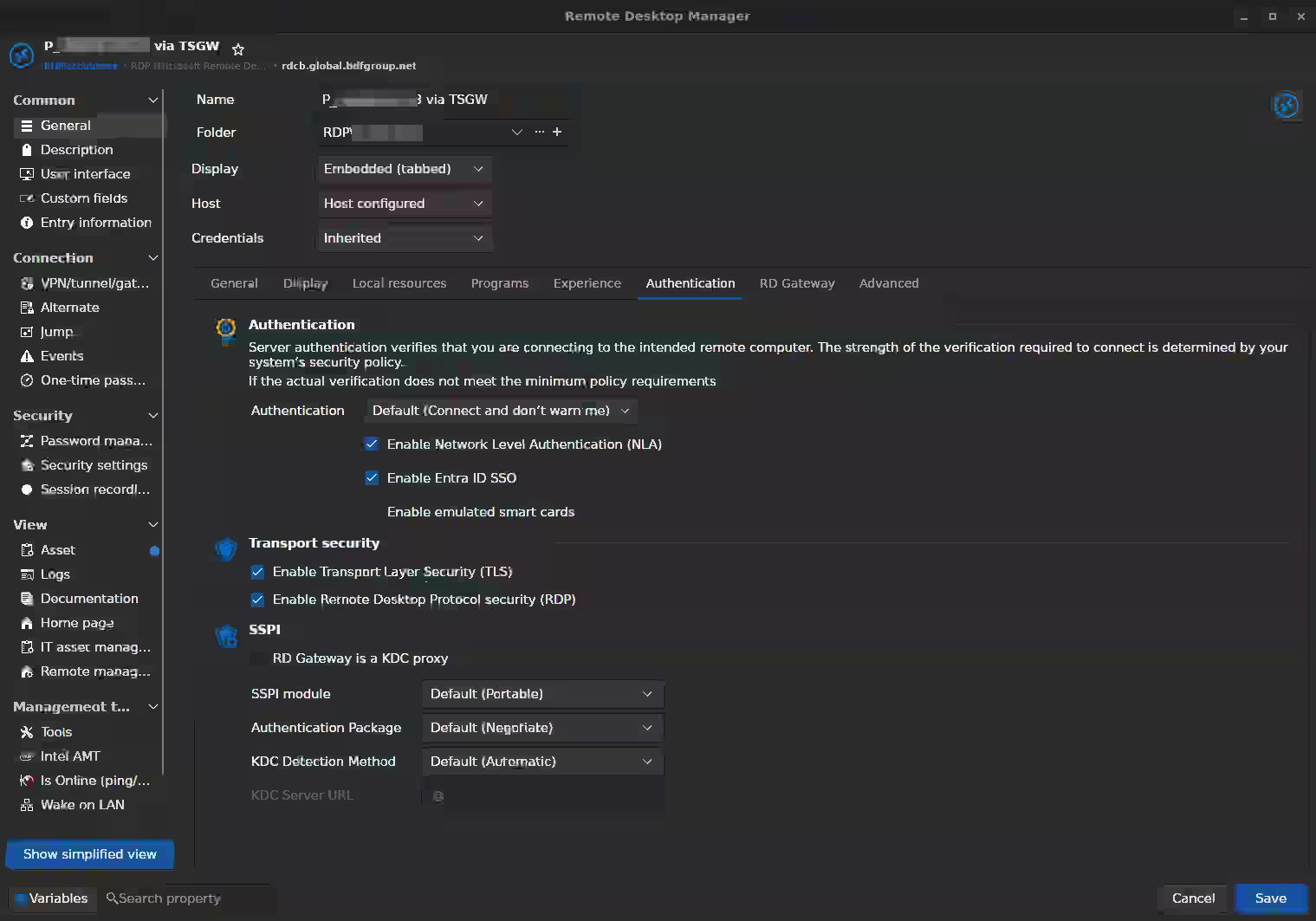 The log attached documents two connection attempts: The first one with SSPI module set to "Default (Portable)", the second one with set to "System".
Both attempts triggered the Entra MFA, but there doesn't come up a RDP connection. 
Is that now a bug ?
Thanks,
Markus
31487cf7-b9d3-4d8f-bf13-30c7eb3bc08b.png
e0793bb1-5d49-4a65-8a80-7e5c9aa2f051.png
Hi Markus
The fact that it works in xfreerdp doesn't necessarily prove a bug, because we don't build our freerdp integration the same way as the official binaries. But, you're right that if this works in xfreerdp it can also work in RDM, and it does look like a bug rather than a feature request.
Can I just confirm something? Because there are different workflows here, and Carl wrote that it's not supported, but I think there was a misunderstanding on your environment. Do I understand correctly that you connect via Gateway, then you get the MFA prompt inside the RDP session itself (i.e. not a web view or some other popup); and once you pass MFA your RDP session is "redirected" to the destination host?
The logs you already provided are helpful and they seem to reflect what I said, but I want to be sure. Although you seem to pass MFA and then the server sends the redirection, FreeRDP tries to reconnect from scratch which will not work.
If you don't mind: you've already seen that some useful information is printed to the console. I'd like you to raise the level of what's logged.
- Close RDM
- In your terminal, set the environment variable WLOG_LEVEL to "DEBUG"
export WLOG_LEVEL="DEBUG"
- Launch RDM from the same terminal (
/path/to/remotedesktopmanageror justremotedesktopmanagerif it's in your PATH)- Debug output can be quite large, consider redirecting stdout and stderr to a file
- Leave the Gateway transport at "Auto" or "Default" (in your log it automatically falls back to RPC once it can't talk HTTP)
- Try the connection again
- Send me the full output. Please send it to me by PM.
And also, please tell me if something isn't clear or you have further questions
Kind regards,
Richard Markievicz
Hi Richard,
Can I just confirm something? Because there are different workflows here, and Carl wrote that it's not supported, but I think there was a misunderstanding on your environment. Do I understand correctly that you connect via Gateway, then you get the MFA prompt inside the RDP session itself (i.e. not a web view or some other popup); and once you pass MFA your RDP session is "redirected" to the destination host?
Not exactly. I connect via gateway and get a MFA request in Microsoft Authenticator on my mobile phone, not in the RDP Session itself and yes, when I approve the MFA on my mobile, the RDP session should get forwarded to the destination host from the gateway.
Please allow me some time to grab the additional logs...
Best regards
Markus
Hi Markus
Thanks for sending the logs.
Here's what I see: the Gateway genuinely doesn't support HTTP, so it fails over gracefully to RPC. That's fine. The authorization step runs and there's a gap of ~14 seconds which is presumably you approving the MFA push. Authentication then succeeds against the broker, and the broker redirects us to the destination server. Then the redirection shuts down the transport and reconnects from scratch, RPC binding happens again and we get another authorization request but the Gateway never answers it. After that we're hung; either it's waiting on another MFA approval or one was never sent (maybe because it's so soon after the previous one).
Did you get a second MFA push on your phone? If you get a second push and approve it, does the connection work? I'm guessing not because I feel like you would've written that in your original problem report.
Regardless, I have to assume that two MFA requests are not normal in this case. I would say that this looks like a bug in freerdp, but you did say it works with xfreerdp3. If you don't mind, can you do the connection again in xfreerdp3 with the WLOG_LEVEL=DEBUG environment variable set there, and send me the (redacted) output? It would be immensely helpful to compare what RDM is doing with the working case.
Please, let me know if something isn't clear
Kind regards,
Richard Markievicz
Hi Richard,
I don't get a second MFA request, neither when using RDM nor xfreerdp3, but in xfreerdp3 it works. I'll provide you with debug logs from a xfreerdp3 session as soon as possible.
Best regards,
Markus
Hi Markus
Thanks for your PM. I'm replying here for visibility. I note that you'll be out-of-office for a while, so this message should be waiting for you whenever you're back.
The wlfreerdp log shows the exact same double gateway logon as RDM, and from your message it sounds like in this case you do get a second MFA prompt, which is surprising on the face of it. So there are two things here: first, why does wlfreerdp work and why does RDM not? And, why do you get a double prompt which I guess is not the behaviour you see with Microsoft's client.
For the first, what we see is with RDM the second authentication request went out 1.1 seconds after the first approval. I guess that is just too soon and the MFA extension or Entra ignores a second push request for the same user so soon after the first. That's my guess, the logs don't prove it. With wlfreerdp, the second authentication request went out ~16 seconds after the first. That's the key difference and if I had to guess, wlfreerdp is stalling in NLA trying Kerberos (it's trying to find a KDC for <domain>), and that gap is long enough for the second MFA to work. What would be the interesting test here is you were to retry your wlfreerdp command, adding /auth-pkg-list:!kerberos to the command. If it then hangs like RDM does, it confirms the timing issue.
I'm sorry that I don't have a corresponding setup on my side to validate that myself.
For the second point, you wrote
On Windows, you're then forwarded to the RDP host and the desktop appears
I assume in this case you only get one MFA prompt? The implication (and again I can't test it myself or prove it without a packet capture) is that mstsc is reusing the same Gateway tunnel for the initial connection and the redirect. FreeRDP doesn't do that: on a redirect, the whole connection (Gateway tunnel included) is torn down and established, meaning a second Gateway authorization and a second MFA prompt. In principle FreeRDP could retain the tunnel through the redirect, I'm not sure how tricky that would be. Once you can confirm or refute the things I've written above, we'll need to figure out the best way to fix this for you. But certainly a fix is possible once we've answered all the questions.
Please, let me know if something isn't clear or you have further questions
Kind regards,
Richard Markievicz