forticlient vpn sso

hi
is this feature available to use in rdm? i could not find a button or a switch for it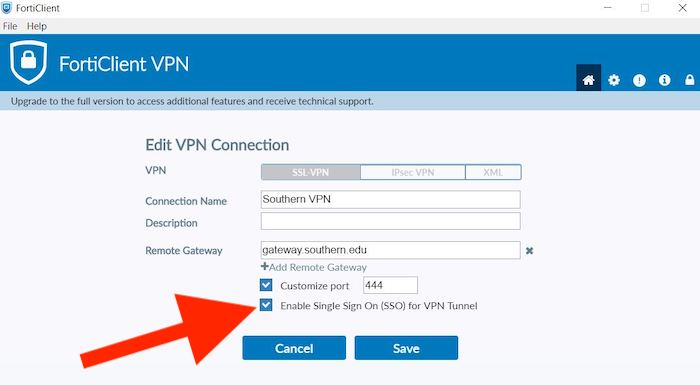
451850ad-d34c-42b3-a2d8-69080ce2dc1d.png
All Comments (3)
Hello,
Could you clarify what you're trying to achieve with FortiClient VPN SSO in Remote Desktop Manager?
The screenshot alone isn't enough for us to determine which SSO feature you're referring to. For example, are you looking to:
- Launch FortiClient and authenticate using SSO (such as Microsoft Entra ID/Azure AD)?
- Automatically complete the SSO authentication process?
- Import or manage FortiClient VPN connections from RDM?
- Something else?
If you could describe your expected workflow or the specific FortiClient option you're referring to, we'll be happy to check whether it's currently supported in RDM.
Hello,
Carl Marien
thanks.
for starters, jut launching the connection with sso enabled is good. to save manual configuration of the entry in forticlient.
and yes, if possible, to further automate it, also fill the sso upon login such as entra (in my case)
Hello,
Thanks for the details.
The FortiClient VPN/SSL entry in RDM is a wrapper around the Fortinet command-line tools (FortiClientTools). It exposes only the parameters those tools accept server, port, user, password/certificate so there is no dedicated SSO/SAML switch in the entry itself. This is why you don't see a button or toggle for it.
If having a real SSO option built into the FortiClient VPN entry would help you, I'd encourage you to file it on our feature-request forum so the product team can gauge demand: https://forum.devolutions.net/forums/feature-requests
Best regards.
Carl Marien