Network Scanner

If you put the cursor to the right of 10.152.0 and back space twice it adds the 0 back. I would suggest stop auto filing these fields. Very annoying.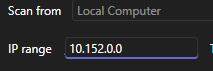
d4cc078a-ed41-4cbf-bb38-fdb9bb39de69.png
All Comments (5)
i am trying to scan 10.152.44.0/23 and it then it starts scanning 10.152.50.x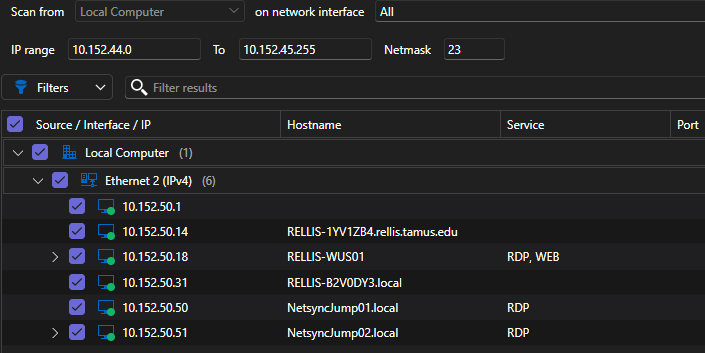
f2169e83-9bf1-49e2-bb81-3f3eba704f0a.png
If you put the cursor to the right of 10.152.0 and back space twice it adds the 0 back. I would suggest stop auto filing these fields. Very annoying.
@G-rant001
Thanks for the bug report, I agree that does make it difficult to use, I have logged that issue and I will fix it shortly.
Paul
i am trying to scan 10.152.44.0/23 and it then it starts scanning 10.152.50.x
@G-rant001
If you see in your screenshot on the "on network interface" it is selected to "All" which means it will scan all interfaces and all ranges, not sure why the start & end addresses are not disabled and greyed out, but they should be in this case. Normally you can only select a range if a single interface is selected. Can you try playing around with the selected interfaces and see if the range fields get disabled? It sounds like there may be a bug with disabling of these fields.
Thanks,
Paul
If in uncheck all, i can't run a scan. This tool is amazing and can't wait to add it to my work flow.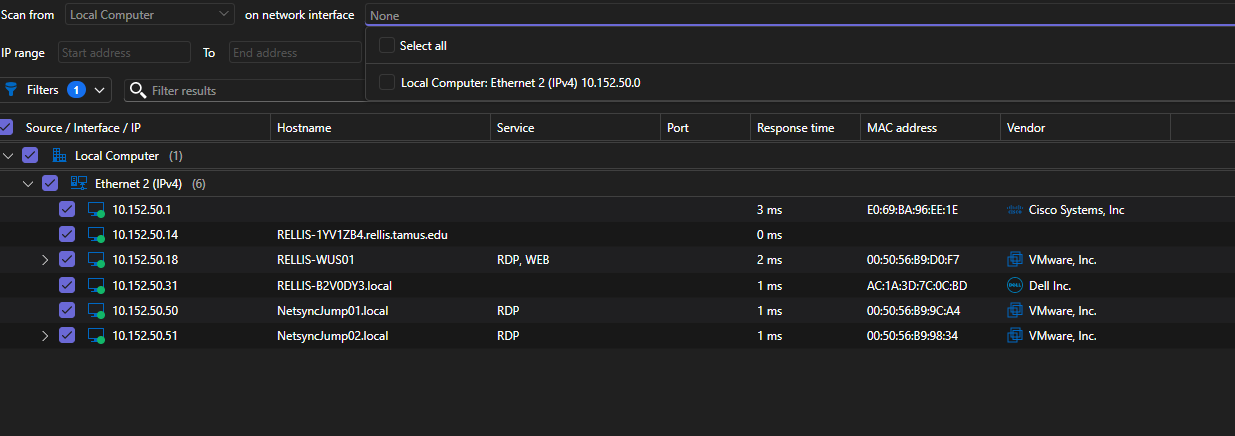
b343b7a1-d5ec-42db-a934-b5db0852af79.png
If in uncheck all, i can't run a scan. This tool is amazing and can't wait to add it to my work flow.
@G-rant001
Ah that makes sense, thanks for the clarification. You only have 1 network interface so in this case the "Select all" or Single doesn't really make sense. I can make it so that if you only have a single interface only allows you to select that 1 interface, should make it easy to diagnose issues.
