Cannot Double-Click to Open Saved Connections Due to CyberArk Dashboard Error
Cannot Double-Click to Open Saved Connections Due to CyberArk Dashboard Error

With the latest 2026.2.1.5 RDM for MacOS, I cannot open any of my saved connections when I double click on them. When I double click on them, I receive a message stating "The action needs an open CyberArk dashboard with an account selected." I have never configured CyberArk on my RDM settings and I checked in all the obvious places and CyberArk isn't enabled, both within the RDM settings and also the individual connection settings.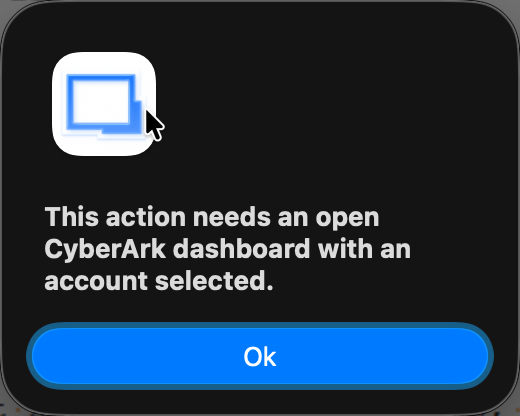
I am still able to open connections if I left-click to select the session and press the "Enter" key and also through the search shortcut of the application (Shift + CMD + \). This is why I think it's a bug and not a newly implemented feature change since I can still open it through the other two methods.
2026-06-19_08-43-07.png
All Comments (3)
Hi,
Seems like you have "Connect using the dashboard on double click" set either in RDM's global settings
or in the entry's advanced settings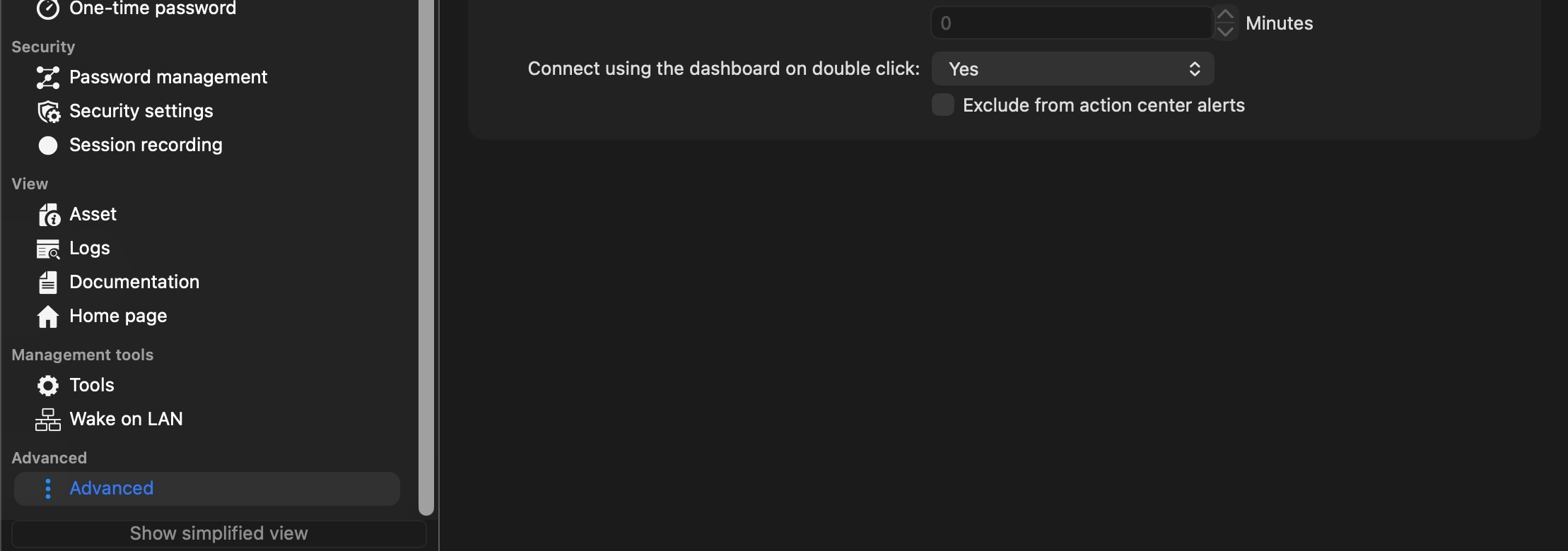
If you are not using the CyberArk integration, RDM's global settings should be set to false and entry's advanced settings should be either default or false.
Let me know if this helps.
Regards
Jonathan Lafontaine
a5de23ae-cdde-4bb9-90da-353f4449eb36.png
7f737c9e-055c-4023-88bb-70912a78ccfc.png
Awesome! That was it! Although I dont' think I enabled that.
Was that default for "Connect using the dashboard on double click" changed to yes in the recent update? I didnt' have to change this prior to the current version. It's possible I accidentally did it, but I think that's very unlikely.
Default should be false for both. Why it wasn't in your case is a good question.
It's possible the setting was turned on a long time ago but prior versions of RDM, when trying to use the dashboard but none were open, would simply silently fail to modify the RDP entry to use the dashboard and continue as is. For people who don't use the CyberArk integration, RDM would appear to work normally. For people relying on the integration, that would lead to unhelpful error message. As you noticed, we now warn and prevent the session from running.
Jonathan Lafontaine