Folder view in Scrips is empty

The folder view for scrips does not show folders.
I can create sub-folders in the ui and they get correcly created on disk, but will not show up in the folder explorer.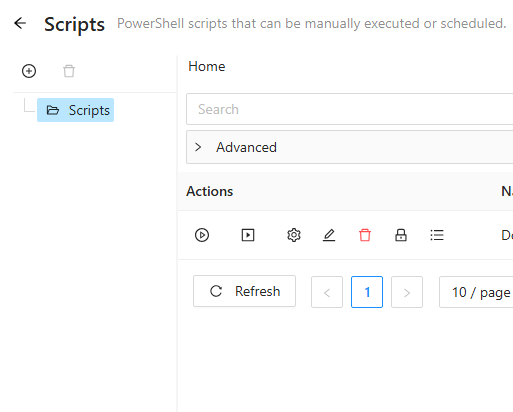
I m on Version 2026.2.0
Not quite sure if I do something wrong, or there is an issue somewhere...
34b4d159-c8fa-4e5e-ae3d-c5e174a238bd.png
All Comments (7)
@tools-sebi
Thank you for making this post. I was able to reproduce what you encountered on PSU 2026.2.0 and then raised a bug report here.
Please, keep an eye 👀 on that thread for updates around this.
@tools-sebi
Thank you for making this post. I was able to reproduce what you encountered on PSU 2026.2.0 and then raised a bug report here.
Please, keep an eye 👀 on that thread for updates around this.
@DataTraveler
I was wrong on this. The actual issue was much smaller in scope. When the selected folder or the folder opened directly from the URL, is a parent with child folders but no direct scripts, the table says `No Data` while the tree node remains collapsed.
I sent an update to the support team to clarify that this is not really a bug but more of a potential display tweak. Perhaps this was more suitable as a feature request.
Well, for me there are no nodes at all. Only root "Scripts" is shown.
but on disk there are folders with Scripts: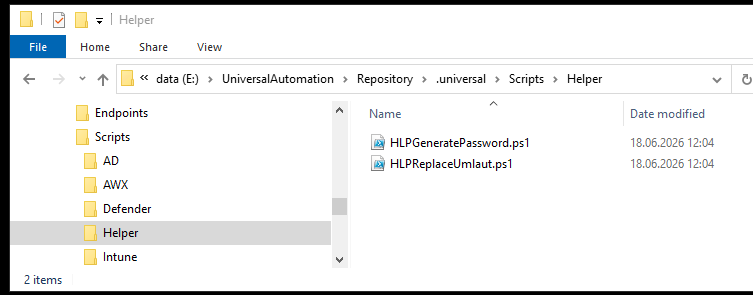 Creating more folders via UI works, but those aren't shown as well.
As well as when creating Scrips, the folder dropdown remains empty: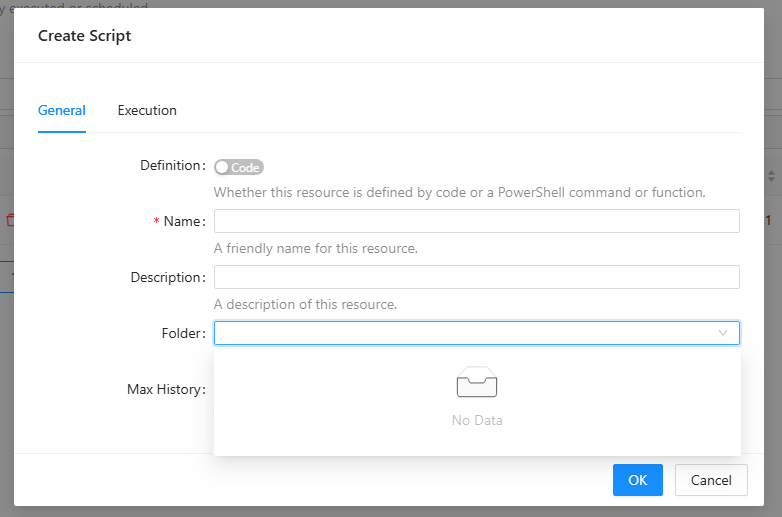
c6dde5cc-4758-451d-8772-8cc5b6a6ea4c.png
e7ea9088-49b7-48b6-9bf5-a9dfc49ef151.png
Culprit is a setting: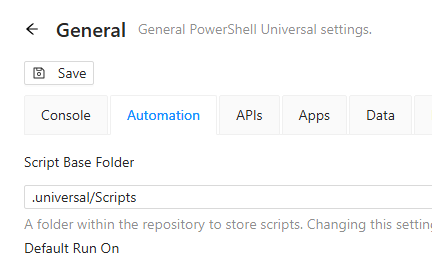 When the Script Base Folder in Automation is set, the Folder Explorer will not pick up and display subfolders.
8d8fcef7-3493-4f83-bc1a-28edd600f362.png
When the Script Base Folder in Automation is set, the Folder Explorer will not pick up and display subfolders.
@tools-sebi
Yes. I was able to reproduce this and have updated my report to the support team. Thank you again for coming back to shed more light 💡 on this.
Hello tools-sebi,
We appreciate your patience on this case.
This issue is now fixed on the latest version of PSU.
Can you update and tell us if this issue still occurs?
Best regards,
Patrick Ouimet
@Patrick Ouimet
It is fixed now, tym :)