After connecting with RDP session getting Windows Security pop-up
After connecting with RDP session getting Windows Security pop-up

When connecting with a RDP session without filled in login credentials my RDM application is stuck at the connecting screen. In the background I'm getting a Windows Security pop-up as below: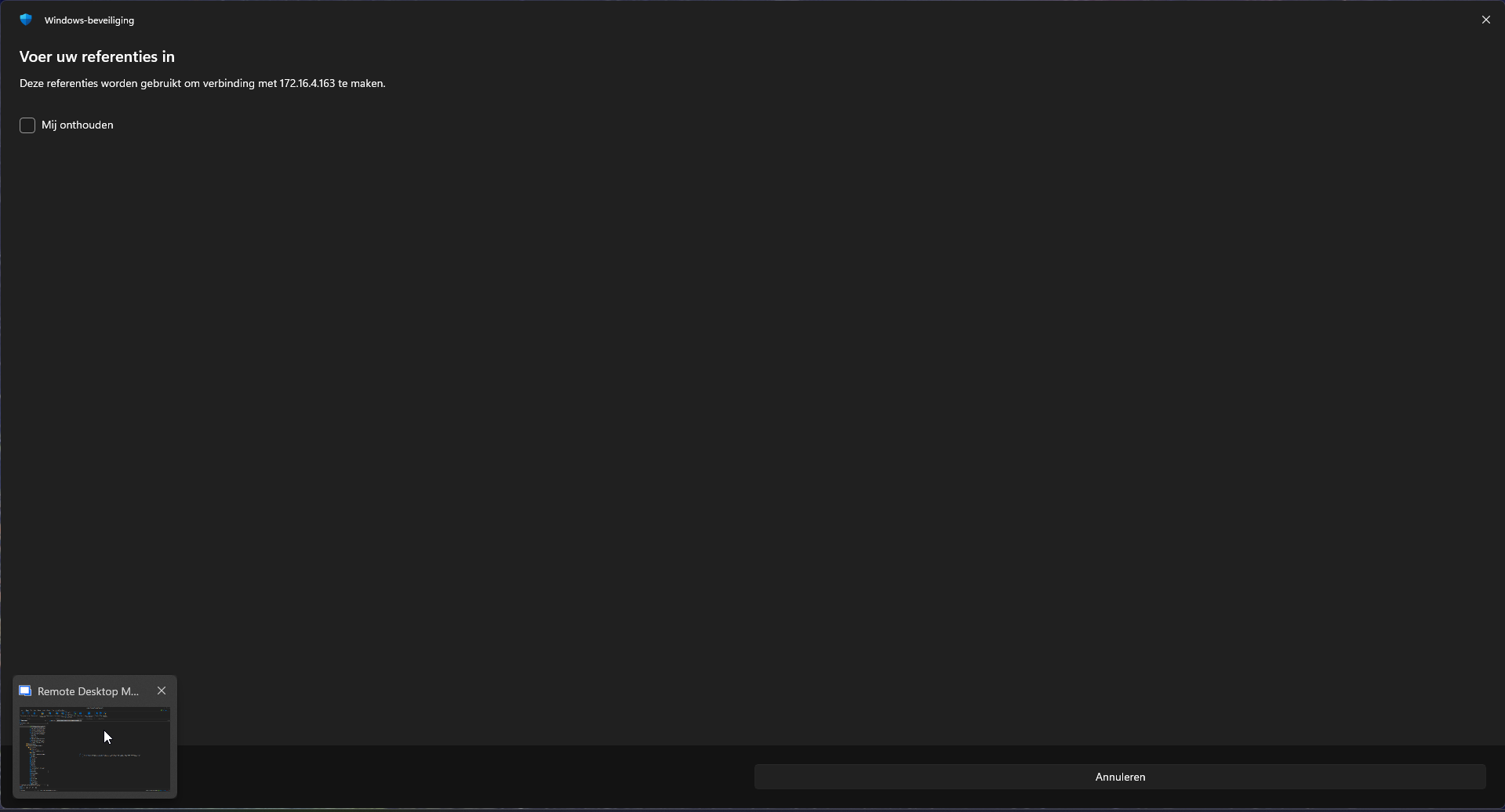
The problem is that I'm not able to click on "Annuleren" (In English: Cancel). Is this a known problem? and how to solve it?
If I fill in my credentials inside the RDP entry, im not getting the pop-up message.
Devolutions Server: 2026.1.21.0
Devolutions Gateway: 2026.1.2
Remote Desktop Manager: 2026.1.23.0
jHBe3UMk.png
All Comments (1)
Hi pvansluisveld,
Thanks for the detailed report and screenshot.
What you're seeing is expected behaviour given the setup: when an RDP entry has no credentials, the embedded RDP session falls back to Windows' own Windows Security credential prompt.
In embedded (docked) mode, the native dialogue opens behind the session view, so it can't be reached, and the entry stays on "Connecting…". As soon as credentials are stored on the entry, that prompt is skipped — which matches what you observed.
Two ways to resolve it:
- Recommended — On the entry, set the credentials to "Prompt on connection" rather than leaving them empty. Remote Desktop Manager will then display its own credential prompt before connecting, instead of relying on the Windows dialogue.
- Alternative — Change the entry's display mode from Embedded to External. The Windows Security prompt then appears as a normal window you can interact with (and cancel).
If you believe this behaved differently in an earlier version, let us know the version you upgraded from, and we'll be glad to investigate further.
Best regards,
Patrick Ouimet