User specific settings - embedded password gone switching from 2025 version to 2026.2.8
User specific settings - embedded password gone switching from 2025 version to 2026.2.8

Hello Devolutions Support,
I recently upgraded Remote Desktop Manager from version 2025.1.33 to 2026.2.8.0 and encountered two issues:
First, after starting the new version, my user-specific settings for credential inheritance were reset.
In our setup, we use a top-level folder called “Server” where our admin account is stored via Pleasant Password Server. This is normally used for credential inheritance.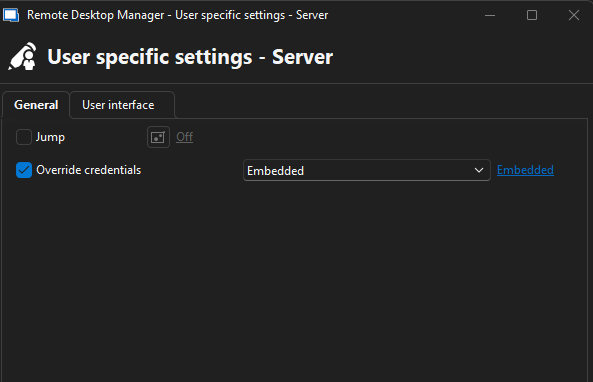
After the update, this configuration was empty and I had to reconfigure it manually. Can you explain why these settings were removed or overwritten during the upgrade?
Second, with version 2026.2.8.0 I can no longer connect to our switches. I now receive a popup asking for interactive authentication, which was not the case before.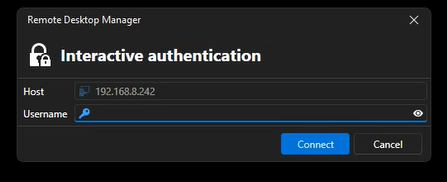
With version 2025.1.33 everything works as expected using the stored credentials. Because of these issues, I have rolled back to version 2025.1.33 for now.
Could you please help identify the cause and provide a solution?
Thank you in advance.
Best regards,
Dennis Grimmen
eef1545c-fc30-4ebf-b869-ae402bc6d3af.png
2ca00120-158c-41cd-aa8f-37285c7deec8.png
