System Tray Menu Missing

Prior to upgrading to 26.8.2.0, the system tray icon menu worked fine. I could see all my RDP entries in the menu, also favorites and other items. After the upgrade, all my RDP entries disappeared. I didn't see anything about that issue on the forum, so I figured I'd reset my config. This worked fine for about 20 minutes, and then the menu itself stopped appearing.
The only thing the icon does now is open RDM when I left click on it. Right click does nothing.
Any thoughts?
All Comments (7)
Hello,
We have a ticket opened for this issue and are working on a fix.
We'll let you know as soon as we have an update.
Regards
Jonathan Del Signore
Thanks, I appreciate it!
Hello,
We found the cause of the issue, a fix will be included in version 2026.2.9.0.
Regards
Jonathan Del Signore
Hello. I am still having this issue and am on version 2026.2.11.0 64-bit (JIT).
Hi Mike,
Could you please:
- Open the profiler (Help -> Performance profiling) and set the Profiler level to 1
- With the profiler opened, right-click on the trayicon to reproduce the bug and tell us if any error is profiled?
There must be another crash that we don't have on our end, so that would tell us exactly where to look.
Thank you
Jonathan Del Signore
I'm on 2026.2.12.0 and the tray is missing at app start
I have just an empty app window showing the Vault tab with my "XML" data source, checking the User Vault tab, everything is there what I've configured.
Then I need to do File/Settings and just save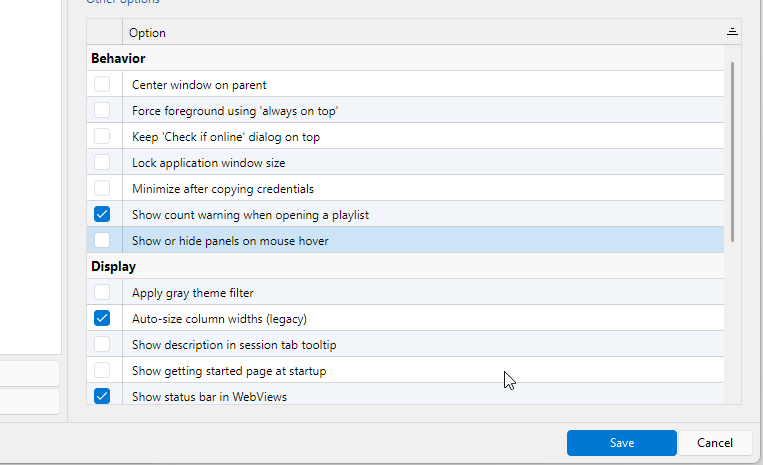
the tray icon appears But I still need to minimize the app window even differently configured
The Performance profiling won't work in this case
I just realized that RDP is crashing when hitting the System Vault tab, the Performance profiling is crashing too at this point
5c1b047d-c697-462d-b8ed-32513b7a6772.png
ae51d3a1-3c17-424b-af45-92f5862b62aa.png
@Jonathan Del Signore
No error. I updated to the latest and tried again but basically the same. I only see "Refresh" then "Opened Sessions" then "Recent" for the top 3 entries of the system tray context menu.
--------------
Level: 1 [Debug], Auto-Mode (500 ms): False
=== Main Thread ===
LoadTrayiconContextMenu...
Groups...
LoadTrayiconContextMenu:Connections...
LoadTrayiconContextMenu:LoadGroups : 0 ms
LoadTrayiconContextMenu:Connections : 0 ms
Groups : 0 ms
LoadTrayiconContextMenu : 0 ms
LoadTrayiconContextMenu:DoLazyLoad : 0 ms
LoadTrayiconContextMenu:DoLazyLoad : 0 ms
LoadTrayiconContextMenu:DoLazyLoad : 0 ms
LoadTrayiconContextMenu:DoLazyLoad : 0 ms
LoadTrayiconContextMenu:DoLazyLoad : 0 ms
----------------
2026.2.12.0
Level: 1 [Debug], Auto-Mode (500 ms): False
=== Main Thread ===
LoadTrayiconContextMenu...
Groups...
LoadTrayiconContextMenu:Connections...
LoadTrayiconContextMenu:LoadGroups : 0 ms
LoadTrayiconContextMenu:Connections : 2 ms
Groups : 2 ms
LoadTrayiconContextMenu : 3 ms
LoadTrayiconContextMenu:DoLazyLoad : 0 ms
LoadTrayiconContextMenu:DoLazyLoad : 0 ms
LoadTrayiconContextMenu:DoLazyLoad : 0 ms
LoadTrayiconContextMenu:DoLazyLoad : 0 ms
LoadTrayiconContextMenu:DoLazyLoad : 0 ms