RDM 2026.2.1.2 freeze on loading connection after upgrade from 2026.1.12.6 on MacOsX Ventura 13.7.8
RDM 2026.2.1.2 freeze on loading connection after upgrade from 2026.1.12.6 on MacOsX Ventura 13.7.8

Hello
after updating RDP latest build on a old macbook with Ventura 13.7.8, it freeze during loadin connection from devolution server.
Rollback to previous version work. Try the cfg rename but unsussesfully.
Any ideas?
Thanks
Recommended Answer
Hello,
Thank you for your follow-up.
I spoke with our development team regarding this issue, and unfortunately, there is nothing we can do on our side to resolve the issue for Remote Desktop Manager on macOS Ventura.
macOS Ventura is now approximately four years old, and the limitation extends beyond RDM itself. RDM 2026.x is built on .NET 10, which no longer supports macOS Ventura. As a result, your available options are to either upgrade your macOS version or remain on RDM 2025.3, which is built on .NET 9 and may continue to support macOS Ventura.
For reference, you can find the list of operating systems supported by .NET 10 here:
https://github.com/dotnet/core/blob/main/release-notes/10.0/supported-os.md
Thank you for your understanding.
Best regards,
Jacob Lafrenière
All Comments (19)
RDM not RDP!
Hello,
Sorry for the late reply.
Which version of Devolutions Server are you running?
Do you get the same behavior using RDM Windows 2026.2.8.0?
Best regards,
Jeff Dagenais
I have exactly the same issue (same versions of RDM, same version of macOS). This is what I've done:
- I tried the .cfg rename with 2026.2.1.2, it didn't help.
- I downloaded the latest version of RDM - on the web page it told me it would be 2026.2.8.0, but instead what downloaded was 2026.2.1.5, filename "Devolutions.RemoteDesktopManager.Mac.2026.2.1.5.dmg". 2.8.0 seems to be Windows, I can't test that.
- I deleted 2026.2.1.2 by dragging the app to Trash
- 2026.2.1.5 also hangs on startup, "Loading..." is displayed.
- my connections are cloud based
- I deleted 2026.2.1.5 by dragging app to Trash, and additionally deleting folder ~/Library/Application Support/com.devolutions.remotedesktopmanager
- Started 2026.2.1.5 again, it asked me to login for the cloud to allow me to connect to my existing connections. Then it got stuck on "Loading..."; Force Quit, delete app and ~/Library/Application Support/com.devolutions.remotedesktopmanager folder again
- Downloaded old version 1.12.6, installed and was successfully able to connect to my cloud connections
I have also tried it with 2026.2.1.5 on macOS 26.5.1. Infinite "Loading ..." , "Loading connections..." cycle.
I also deleted all my cloud connections, re-imported them as CSV instead of RDM format ... it didn't help.
Exported cloud connections to local RDM file.
Seems like 2026.2.1.x is broken.
Next I deleted the folder com.devolutions.remotedesktopmanager, and started 2.1.5 again, this time not logging into my Devolutions account but setting up a local XML store. It seemed to create the store OK, but then got back into the endless "Loading...".
Deleted folder, reinstalled 2026.1.12.6, tried to setup XML store ... started to import RDM file .. it took a long time loading connections ... and finally I have something which works again (macOS Ventura 13.7.8).
Clean install of 2026.2.1.5 on macOS 26.5.1 ... I exported the RDM from the Ventura machine, and imported to Tahoe machine as a local XML store. Worked OK.
Back to the Ventura 13.7.8 machine ... installed 2026.2.1.5 (without deleting the folder or app). Now it fails to load the XML store, sitting in "Loading connections...". Removed 2026.2.1.5, deleted folder, then clean-installed 2026.1.12.6 - it now loads the XML store again and is working.
I have exactly the same issue (same versions of RDM, same version of macOS). This is what I've done:
- I tried the .cfg rename with 2026.2.1.2, it didn't help.
- I downloaded the latest version of RDM - on the web page it told me it would be 2026.2.8.0, but instead what downloaded was 2026.2.1.5, filename "Devolutions.RemoteDesktopManager.Mac.2026.2.1.5.dmg". 2.8.0 seems to be Windows, I can't test that.
- I deleted 2026.2.1.2 by dragging the app to Trash
- 2026.2.1.5 also hangs on startup, "Loading..." is displayed.
- my connections are cloud based
- I deleted 2026.2.1.5 by dragging app to Trash, and additionally deleting folder ~/Library/Application Support/com.devolutions.remotedesktopmanager
- Started 2026.2.1.5 again, it asked me to login for the cloud to allow me to connect to my existing connections. Then it got stuck on "Loading..."; Force Quit, delete app and ~/Library/Application Support/com.devolutions.remotedesktopmanager folder again
- Downloaded old version 1.12.6, installed and was successfully able to connect to my cloud connections
I have also tried it with 2026.2.1.5 on macOS 26.5.1. Infinite "Loading ..." , "Loading connections..." cycle.
I also deleted all my cloud connections, re-imported them as CSV instead of RDM format ... it didn't help.
Exported cloud connections to local RDM file.
Seems like 2026.2.1.x is broken.
Next I deleted the folder com.devolutions.remotedesktopmanager, and started 2.1.5 again, this time not logging into my Devolutions account but setting up a local XML store. It seemed to create the store OK, but then got back into the endless "Loading...".
Deleted folder, reinstalled 2026.1.12.6, tried to setup XML store ... started to import RDM file .. it took a long time loading connections ... and finally I have something which works again (macOS Ventura 13.7.8).
Clean install of 2026.2.1.5 on macOS 26.5.1 ... I exported the RDM from the Ventura machine, and imported to Tahoe machine as a local XML store. Worked OK.
Back to the Ventura 13.7.8 machine ... installed 2026.2.1.5 (without deleting the folder or app). Now it fails to load the XML store, sitting in "Loading connections...". Removed 2026.2.1.5, deleted folder, then clean-installed 2026.1.12.6 - it now loads the XML store again and is working.
@devolutions80
where can I download 2026.1.12.6? I don't think that this is offered at Devolution's website.
I have exactly the same issue (same versions of RDM, same version of macOS). This is what I've done:
- I tried the .cfg rename with 2026.2.1.2, it didn't help.
- I downloaded the latest version of RDM - on the web page it told me it would be 2026.2.8.0, but instead what downloaded was 2026.2.1.5, filename "Devolutions.RemoteDesktopManager.Mac.2026.2.1.5.dmg". 2.8.0 seems to be Windows, I can't test that.
- I deleted 2026.2.1.2 by dragging the app to Trash
- 2026.2.1.5 also hangs on startup, "Loading..." is displayed.
- my connections are cloud based
- I deleted 2026.2.1.5 by dragging app to Trash, and additionally deleting folder ~/Library/Application Support/com.devolutions.remotedesktopmanager
- Started 2026.2.1.5 again, it asked me to login for the cloud to allow me to connect to my existing connections. Then it got stuck on "Loading..."; Force Quit, delete app and ~/Library/Application Support/com.devolutions.remotedesktopmanager folder again
- Downloaded old version 1.12.6, installed and was successfully able to connect to my cloud connections
I have also tried it with 2026.2.1.5 on macOS 26.5.1. Infinite "Loading ..." , "Loading connections..." cycle.
I also deleted all my cloud connections, re-imported them as CSV instead of RDM format ... it didn't help.
Exported cloud connections to local RDM file.
Seems like 2026.2.1.x is broken.
Next I deleted the folder com.devolutions.remotedesktopmanager, and started 2.1.5 again, this time not logging into my Devolutions account but setting up a local XML store. It seemed to create the store OK, but then got back into the endless "Loading...".
Deleted folder, reinstalled 2026.1.12.6, tried to setup XML store ... started to import RDM file .. it took a long time loading connections ... and finally I have something which works again (macOS Ventura 13.7.8).
Clean install of 2026.2.1.5 on macOS 26.5.1 ... I exported the RDM from the Ventura machine, and imported to Tahoe machine as a local XML store. Worked OK.
Back to the Ventura 13.7.8 machine ... installed 2026.2.1.5 (without deleting the folder or app). Now it fails to load the XML store, sitting in "Loading connections...". Removed 2026.2.1.5, deleted folder, then clean-installed 2026.1.12.6 - it now loads the XML store again and is working.
@devolutions80
where can I download 2026.1.12.6? I don't think that this is offered at Devolution's website.
@mharding42
does this mean that RDM 2026.2.1.5 has a bug?
I have exactly the same issue (same versions of RDM, same version of macOS). This is what I've done:
- I tried the .cfg rename with 2026.2.1.2, it didn't help.
- I downloaded the latest version of RDM - on the web page it told me it would be 2026.2.8.0, but instead what downloaded was 2026.2.1.5, filename "Devolutions.RemoteDesktopManager.Mac.2026.2.1.5.dmg". 2.8.0 seems to be Windows, I can't test that.
- I deleted 2026.2.1.2 by dragging the app to Trash
- 2026.2.1.5 also hangs on startup, "Loading..." is displayed.
- my connections are cloud based
- I deleted 2026.2.1.5 by dragging app to Trash, and additionally deleting folder ~/Library/Application Support/com.devolutions.remotedesktopmanager
- Started 2026.2.1.5 again, it asked me to login for the cloud to allow me to connect to my existing connections. Then it got stuck on "Loading..."; Force Quit, delete app and ~/Library/Application Support/com.devolutions.remotedesktopmanager folder again
- Downloaded old version 1.12.6, installed and was successfully able to connect to my cloud connections
I have also tried it with 2026.2.1.5 on macOS 26.5.1. Infinite "Loading ..." , "Loading connections..." cycle.
I also deleted all my cloud connections, re-imported them as CSV instead of RDM format ... it didn't help.
Exported cloud connections to local RDM file.
Seems like 2026.2.1.x is broken.
Next I deleted the folder com.devolutions.remotedesktopmanager, and started 2.1.5 again, this time not logging into my Devolutions account but setting up a local XML store. It seemed to create the store OK, but then got back into the endless "Loading...".
Deleted folder, reinstalled 2026.1.12.6, tried to setup XML store ... started to import RDM file .. it took a long time loading connections ... and finally I have something which works again (macOS Ventura 13.7.8).
Clean install of 2026.2.1.5 on macOS 26.5.1 ... I exported the RDM from the Ventura machine, and imported to Tahoe machine as a local XML store. Worked OK.
Back to the Ventura 13.7.8 machine ... installed 2026.2.1.5 (without deleting the folder or app). Now it fails to load the XML store, sitting in "Loading connections...". Removed 2026.2.1.5, deleted folder, then clean-installed 2026.1.12.6 - it now loads the XML store again and is working.
@devolutions80
where can I download 2026.1.12.6? I don't think that this is offered at Devolution's website.
@mharding42
never mind, I found the URL: https://devolutions.net/remote-desktop-manager/previous-versions/
Hello
after updating RDP latest build on a old macbook with Ventura 13.7.8, it freeze during loadin connection from devolution server.
Rollback to previous version work. Try the cfg rename but unsussesfully.
Any ideas?
Thanks
@Maran Michele - FactorySolver srl
I assume you have RDM 2026.2.1.5. Go to this URL: https://devolutions.net/remote-desktop-manager/previous-versions/ and download version 2026.1.12.6. Then remove RDM 2026.2.1.5 and install RDM 2026.1.12.6. Then it should work.
Hello,
Sorry for the late reply.
Which version of Devolutions Server are you running?
Do you get the same behavior using RDM Windows 2026.2.8.0?
Best regards,
@Jeff Dagenais
Hello Jeff
Were you able to identify the problem or we must remain on old version ?
Thanks
Hello,
Thank you for your patience.
Could you please confirm the version of your Devolutions Server? You may be attempting to connect using incompatible versions. For reference, please see the following article:
https://docs.devolutions.net/resources/other-resources/prevent-issues-by-matching-major-and-minor-versions
I look forward to your response.
Best regards,
Jacob Lafrenière
In my case, I don’t have a self hosted server. I am using Devolutions hub
I have exactly the same issue (same versions of RDM, same version of macOS). This is what I've done:
- I tried the .cfg rename with 2026.2.1.2, it didn't help.
- I downloaded the latest version of RDM - on the web page it told me it would be 2026.2.8.0, but instead what downloaded was 2026.2.1.5, filename "Devolutions.RemoteDesktopManager.Mac.2026.2.1.5.dmg". 2.8.0 seems to be Windows, I can't test that.
- I deleted 2026.2.1.2 by dragging the app to Trash
- 2026.2.1.5 also hangs on startup, "Loading..." is displayed.
- my connections are cloud based
- I deleted 2026.2.1.5 by dragging app to Trash, and additionally deleting folder ~/Library/Application Support/com.devolutions.remotedesktopmanager
- Started 2026.2.1.5 again, it asked me to login for the cloud to allow me to connect to my existing connections. Then it got stuck on "Loading..."; Force Quit, delete app and ~/Library/Application Support/com.devolutions.remotedesktopmanager folder again
- Downloaded old version 1.12.6, installed and was successfully able to connect to my cloud connections
I have also tried it with 2026.2.1.5 on macOS 26.5.1. Infinite "Loading ..." , "Loading connections..." cycle.
I also deleted all my cloud connections, re-imported them as CSV instead of RDM format ... it didn't help.
Exported cloud connections to local RDM file.
Seems like 2026.2.1.x is broken.
Next I deleted the folder com.devolutions.remotedesktopmanager, and started 2.1.5 again, this time not logging into my Devolutions account but setting up a local XML store. It seemed to create the store OK, but then got back into the endless "Loading...".
Deleted folder, reinstalled 2026.1.12.6, tried to setup XML store ... started to import RDM file .. it took a long time loading connections ... and finally I have something which works again (macOS Ventura 13.7.8).
Clean install of 2026.2.1.5 on macOS 26.5.1 ... I exported the RDM from the Ventura machine, and imported to Tahoe machine as a local XML store. Worked OK.
Back to the Ventura 13.7.8 machine ... installed 2026.2.1.5 (without deleting the folder or app). Now it fails to load the XML store, sitting in "Loading connections...". Removed 2026.2.1.5, deleted folder, then clean-installed 2026.1.12.6 - it now loads the XML store again and is working.
@devolutions80
where can I download 2026.1.12.6? I don't think that this is offered at Devolution's website.
@mharding42
Here is the URL for previous versions: https://devolutions.net/remote-desktop-manager/previous-versions/#linux
Hello
after updating RDP latest build on a old macbook with Ventura 13.7.8, it freeze during loadin connection from devolution server.
Rollback to previous version work. Try the cfg rename but unsussesfully.
Any ideas?
Thanks
@Maran Michele - FactorySolver srl
I assume you have RDM 2026.2.1.5. Go to this URL: https://devolutions.net/remote-desktop-manager/previous-versions/ and download version 2026.1.12.6. Then remove RDM 2026.2.1.5 and install RDM 2026.1.12.6. Then it should work.
@mharding42
thank you. the older version fixed it
Hi... I noticed the same problem on my mac after updating it to the latest version of RDM as well. I will roll it back, but will this issue be fixed in future versions?
Hello,
Thank you for reporting this issue and for providing details about your environment.
After reviewing the discussion, I noticed that everyone experiencing this issue is running macOS Ventura (13.x). I wanted to provide some additional context.
Apple officially classified macOS Ventura as a legacy operating system and ended standard security updates and software support for it in November 2025. Because Devolutions aligns its supported macOS versions with Apple's support lifecycle, Ventura is now below the minimum supported system requirements for Remote Desktop Manager.
You can review our current system requirements here:
https://docs.devolutions.net/rdm/overview/system-requirements#minimum-system-requirements-1#macos
Recommended solution
The recommended course of action is to upgrade macOS to a currently supported version, such as Sonoma or Sequoia. The latest RDM releases are tested and validated on these supported operating systems, and upgrading should resolve the freeze that occurs while loading connections.
If upgrading macOS is not an option
Unfortunately, we do not have any test machines running macOS Ventura, so we are unable to reproduce the issue internally. If upgrading is not possible, we would appreciate it if you could provide detailed diagnostic logs captured while the issue occurs. To do so:
- In RDM, go to File → Options → Logs and enable advanced (diagnostic) logging.
- Restart RDM.
- Reproduce the freeze while loading a connection from Devolutions Server.
Send us the generated log files, along with:
- Your RDM version
- Your exact macOS Ventura build
We will do our best to investigate the issue using the logs. However, because we cannot reproduce the behavior in our environment, we cannot guarantee that we will be able to identify or resolve the root cause.
Thank you for your understanding, and we look forward to your reply.
Best regards,
Jacob Lafrenière
Hello,
Thank you for reporting this issue and for providing details about your environment.
After reviewing the discussion, I noticed that everyone experiencing this issue is running macOS Ventura (13.x). I wanted to provide some additional context.
Apple officially classified macOS Ventura as a legacy operating system and ended standard security updates and software support for it in November 2025. Because Devolutions aligns its supported macOS versions with Apple's support lifecycle, Ventura is now below the minimum supported system requirements for Remote Desktop Manager.
You can review our current system requirements here:
https://docs.devolutions.net/rdm/overview/system-requirements#minimum-system-requirements-1#macos
Recommended solution
The recommended course of action is to upgrade macOS to a currently supported version, such as Sonoma or Sequoia. The latest RDM releases are tested and validated on these supported operating systems, and upgrading should resolve the freeze that occurs while loading connections.
If upgrading macOS is not an option
Unfortunately, we do not have any test machines running macOS Ventura, so we are unable to reproduce the issue internally. If upgrading is not possible, we would appreciate it if you could provide detailed diagnostic logs captured while the issue occurs. To do so:
- In RDM, go to File → Options → Logs and enable advanced (diagnostic) logging.
- Restart RDM.
- Reproduce the freeze while loading a connection from Devolutions Server.
Send us the generated log files, along with:
- Your RDM version
- Your exact macOS Ventura build
We will do our best to investigate the issue using the logs. However, because we cannot reproduce the behavior in our environment, we cannot guarantee that we will be able to identify or resolve the root cause.
Thank you for your understanding, and we look forward to your reply.
Best regards,
@Jacob Lafrenière
Jacob, here is diagnostics report:
MacOS: Ventura 13.7.8
RDM: 2026.2.3.1
Date/Time: 2026-07-14 20:35:53.644 -0400
End time: 2026-07-14 20:37:24.965 -0400
OS Version: macOS 13.7.8 (Build 22H730)
Architecture: x86_64h
Report Version: 40
Incident Identifier: E6D147CD-7149-4487-B4C5-9F9C1E6AE80D
Share With Devs: Yes
Data Source: Microstackshots
Shared Cache: 8EEE6686-4D40-33A3-B07B-B334FD3E3ECC slid base address 0x7ff817b75000, slide 0x17b75000 (System Primary)
Command: RemoteDesktopManager
Path: /Applications/Remote Desktop Manager.app/Contents/MacOS/RemoteDesktopManager
Identifier: com.devolutions.remotedesktopmanager
Version: 2026.2.3.1 (2026.2.3.1)
Team ID: N592S9ASDB
Is First Party: No
Resource Coalition ID: 175846
Architecture: x86_64
Parent: UNKNOWN [1]
PID: 99112
Event: cpu usage
Action taken: none
CPU: 90 seconds cpu time over 91 seconds (99% cpu average), exceeding limit of 50% cpu over 180 seconds
CPU limit: 90s
Limit duration: 180s
CPU used: 90s
CPU duration: 91s
Duration: 91.32s
Duration Sampled: 88.48s
Steps: 73
Hardware model: iMac18,3
Active cpus: 4
HW page size: 4096
VM page size: 4096
Fan speed: 1929 rpm
Advisory levels: Battery -> 3, User -> 2, ThermalPressure -> 1, Combined -> 2
Free disk space: 1480.24 GB/1975.53 GB, low space threshold 3072 MB
Vnodes Available: 78.02% (205312/263168)
Preferred User Language: en-US
Country Code: US
OS Cryptex File Extents: 3
Heaviest stack for the target process:
69 start + 1896 (dyld + 25624) [0x7ff817c13418]
69 main + 52 (RemoteDesktopManager + 108260) [0x10b31d6e4]
69 xamarin_main + 565 (RemoteDesktopManager + 103237) [0x10b31c345]
69 mono_jit_exec + 93 (RemoteDesktopManager + 100461) [0x10b31b86d]
69 coreclr_execute_assembly + 226 (libcoreclr.dylib + 13586) [0x10e12b512]
69 CorHost2::ExecuteAssembly(unsigned int, char16_t const*, int, char16_t const**, unsigned int*) + 710 (libcoreclr.dylib + 1486598) [0x10e292f06]
69 Assembly::ExecuteMainMethod(PtrArray**, int) + 454 (libcoreclr.dylib + 1334550) [0x10e26dd16]
69 RunMain(MethodDesc*, short, int*, PtrArray**) + 728 (libcoreclr.dylib + 1333528) [0x10e26d918]
69 MethodDescCallSite::CallTargetWorker(unsigned long long const*, unsigned long long*, int) + 1572 (libcoreclr.dylib + 2409860) [0x10e374584]
69 CallDescrWorkerInternal + 124 (libcoreclr.dylib + 3960908) [0x10e4ef04c]
68 ??? [0x1201a9821]
68 ??? [0x1290ddab3]
68 ??? [0x1290ddbc6]
67 ??? [0x1290ddc54]
67 ??? [0x12a8cfa72]
67 ??? [0x12a8cff03]
67 NSApplicationMain + 817 (AppKit + 16657) [0x7ff81b0ae111]
67 -[NSApplication run] + 586 (AppKit + 196343) [0x7ff81b0d9ef7]
67 -[NSApplication(NSEvent) _nextEventMatchingEventMask:untilDate:inMode:dequeue:] + 1214 (AppKit + 252034) [0x7ff81b0e7882]
62 _DPSNextEvent + 858 (AppKit + 256472) [0x7ff81b0e89d8]
62 _BlockUntilNextEventMatchingListInModeWithFilter + 64 (HIToolbox + 191144) [0x7ff821ad2aa8]
61 ReceiveNextEventCommon + 657 (HIToolbox + 191822) [0x7ff821ad2d4e]
61 RunCurrentEventLoopInMode + 292 (HIToolbox + 192317) [0x7ff821ad2f3d]
61 CFRunLoopRunSpecific + 560 (CoreFoundation + 503377) [0x7ff818047e51]
61 __CFRunLoopRun + 2206 (CoreFoundation + 507225) [0x7ff818048d59]
61 __CFRunLoopDoTimers + 285 (CoreFoundation + 612889) [0x7ff818062a19]
61 __CFRunLoopDoTimer + 807 (CoreFoundation + 613875) [0x7ff818062df3]
61 __CFRUNLOOP_IS_CALLING_OUT_TO_A_TIMER_CALLBACK_FUNCTION__ + 20 (CoreFoundation + 615032) [0x7ff818063278]
61 __NSFireTimer + 67 (Foundation + 648534) [0x7ff818f15556]
61 -[RemoteDesktopManager_MainWindowController tmFirstLoad_Tick] + 41 (RemoteDesktopManager + 1137209) [0x10b418a39]
61 native_to_managed_trampoline_8(objc_object*, objc_selector*, _MonoObject**, unsigned int) + 237 (RemoteDesktopManager + 114541) [0x10b31ef6d]
61 mono_runtime_invoke + 51 (RemoteDesktopManager + 100787) [0x10b31b9b3]
61 xamarin_bridge_runtime_invoke_method + 44 (RemoteDesktopManager + 52236) [0x10b30fc0c]
61 ??? [0x12a8d151e]
61 ??? [0x12a8d225c]
61 ??? [0x11f441a4a]
61 ??? [0x11f42e95a]
61 ??? [0x11f42e896]
61 RuntimeMethodHandle_InvokeMethod + 2291 (libcoreclr.dylib + 3000451) [0x10e404883]
61 CallDescrWorkerWithHandler(CallDescrData*, int) + 91 (libcoreclr.dylib + 2407547) [0x10e373c7b]
61 CallDescrWorkerInternal + 124 (libcoreclr.dylib + 3960908) [0x10e4ef04c]
61 ??? [0x12cf10ff2]
58 ??? [0x12cf15130]
58 ??? [0x12d03a9f3]
58 ??? [0x12d043ff6]
58 ??? [0x12d044b5b]
58 ??? [0x12d04662e]
58 ??? [0x12d04675e]
58 ??? [0x12d04689c]
58 ??? [0x12d046fc2]
58 ??? [0x12d048b61]
58 ??? [0x12d048c6f]
58 ??? [0x12d049582]
58 ??? [0x12d04a6fb]
58 ??? [0x12d04b459]
58 ??? [0x12b91ef8f]
58 ??? [0x12b91f040]
58 xamarin_dyn_objc_msgSendSuper + 220 (RemoteDesktopManager + 107356) [0x10b31d35c]
58 -[NSView addSubview:positioned:relativeTo:] + 396 (AppKit + 411050) [0x7ff81b10e5aa]
18 NSViewInvalidateZOrder + 183 (AppKit + 389688) [0x7ff81b109238]
3 DYLD-STUB$$objc_release + 0 (AppKit + 13362546) [0x7ff81bd68572]
Powerstats for: RemoteDesktopManager (Remote Desktop Manager) [99112] [unique pid 495412]
UUID: 1927E87A-32C6-3AAA-9EFF-58A8AA70B454
Path: /Applications/Remote Desktop Manager.app/Contents/MacOS/RemoteDesktopManager
Identifier: com.devolutions.remotedesktopmanager
Version: 2026.2.3.1 (2026.2.3.1)
Team ID: N592S9ASDB
Is First Party: No
Resource Coalition ID: 175846
Architecture: x86_64
Parent: UNKNOWN [1]
UID: 501
Footprint: 92.36 MB -> 389.03 MB (+296.66 MB)
Pageins: 39 pages
Start time: 2026-07-14 20:35:54.336 -0400
End time: 2026-07-14 20:37:22.820 -0400
Num samples: 73 (100%)
Note: Unresponsive
Primary state: 70 samples Frontmost App, Non-Suppressed, User mode, Effective Thread QoS User Interactive, Requested Thread QoS User Interactive, Override Thread QoS Unspecified
User Activity: 0 samples Idle, 73 samples Active
Power Source: 0 samples on Battery, 73 samples on AC
69 start + 1896 (dyld + 25624) [0x7ff817c13418]
69 main + 52 (RemoteDesktopManager + 108260) [0x10b31d6e4]
69 xamarin_main + 565 (RemoteDesktopManager + 103237) [0x10b31c345]
69 mono_jit_exec + 93 (RemoteDesktopManager + 100461) [0x10b31b86d]
69 coreclr_execute_assembly + 226 (libcoreclr.dylib + 13586) [0x10e12b512]
69 CorHost2::ExecuteAssembly(unsigned int, char16_t const*, int, char16_t const**, unsigned int*) + 710 (libcoreclr.dylib + 1486598) [0x10e292f06]
69 Assembly::ExecuteMainMethod(PtrArray**, int) + 454 (libcoreclr.dylib + 1334550) [0x10e26dd16]
69 RunMain(MethodDesc*, short, int*, PtrArray**) + 728 (libcoreclr.dylib + 1333528) [0x10e26d918]
69 MethodDescCallSite::CallTargetWorker(unsigned long long const*, unsigned long long*, int) + 1572 (libcoreclr.dylib + 2409860) [0x10e374584]
69 CallDescrWorkerInternal + 124 (libcoreclr.dylib + 3960908) [0x10e4ef04c]
68 ??? [0x1201a9821]
68 ??? [0x1290ddab3]
68 ??? [0x1290ddbc6]
67 ??? [0x1290ddc54]
67 ??? [0x12a8cfa72]
67 ??? [0x12a8cff03]
67 NSApplicationMain + 817 (AppKit + 16657) [0x7ff81b0ae111]
67 -[NSApplication run] + 586 (AppKit + 196343) [0x7ff81b0d9ef7]
67 -[NSApplication(NSEvent) _nextEventMatchingEventMask:untilDate:inMode:dequeue:] + 1214 (AppKit + 252034) [0x7ff81b0e7882]
62 _DPSNextEvent + 858 (AppKit + 256472) [0x7ff81b0e89d8]
62 _BlockUntilNextEventMatchingListInModeWithFilter + 64 (HIToolbox + 191144) [0x7ff821ad2aa8]
61 ReceiveNextEventCommon + 657 (HIToolbox + 191822) [0x7ff821ad2d4e]
61 RunCurrentEventLoopInMode + 292 (HIToolbox + 192317) [0x7ff821ad2f3d]
61 CFRunLoopRunSpecific + 560 (CoreFoundation + 503377) [0x7ff818047e51]
61 __CFRunLoopRun + 2206 (CoreFoundation + 507225) [0x7ff818048d59]
61 __CFRunLoopDoTimers + 285 (CoreFoundation + 612889) [0x7ff818062a19]
61 __CFRunLoopDoTimer + 807 (CoreFoundation + 613875) [0x7ff818062df3]
61 __CFRUNLOOP_IS_CALLING_OUT_TO_A_TIMER_CALLBACK_FUNCTION__ + 20 (CoreFoundation + 615032) [0x7ff818063278]
61 __NSFireTimer + 67 (Foundation + 648534) [0x7ff818f15556]
61 -[RemoteDesktopManager_MainWindowController tmFirstLoad_Tick] + 41 (RemoteDesktopManager + 1137209) [0x10b418a39]
61 native_to_managed_trampoline_8(objc_object*, objc_selector*, _MonoObject**, unsigned int) + 237 (RemoteDesktopManager + 114541) [0x10b31ef6d]
61 mono_runtime_invoke + 51 (RemoteDesktopManager + 100787) [0x10b31b9b3]
61 xamarin_bridge_runtime_invoke_method + 44 (RemoteDesktopManager + 52236) [0x10b30fc0c]
61 ??? [0x12a8d151e]
61 ??? [0x12a8d225c]
61 ??? [0x11f441a4a]
61 ??? [0x11f42e95a]
61 ??? [0x11f42e896]
61 RuntimeMethodHandle_InvokeMethod + 2291 (libcoreclr.dylib + 3000451) [0x10e404883]
61 CallDescrWorkerWithHandler(CallDescrData*, int) + 91 (libcoreclr.dylib + 2407547) [0x10e373c7b]
61 CallDescrWorkerInternal + 124 (libcoreclr.dylib + 3960908) [0x10e4ef04c]
61 ??? [0x12cf10ff2]
58 ??? [0x12cf15130]
58 ??? [0x12d03a9f3]
58 ??? [0x12d043ff6]
58 ??? [0x12d044b5b]
58 ??? [0x12d04662e]
58 ??? [0x12d04675e]
58 ??? [0x12d04689c]
58 ??? [0x12d046fc2]
58 ??? [0x12d048b61]
58 ??? [0x12d048c6f]
58 ??? [0x12d049582]
58 ??? [0x12d04a6fb]
58 ??? [0x12d04b459]
58 ??? [0x12b91ef8f]
58 ??? [0x12b91f040]
58 xamarin_dyn_objc_msgSendSuper + 220 (RemoteDesktopManager + 107356) [0x10b31d35c]
58 -[NSView addSubview:positioned:relativeTo:] + 396 (AppKit + 411050) [0x7ff81b10e5aa]
18 NSViewInvalidateZOrder + 183 (AppKit + 389688) [0x7ff81b109238]
3 DYLD-STUB$$objc_release + 0 (AppKit + 13362546) [0x7ff81bd68572]
3 NSViewPerformBlockWithDescendants + 349 (AppKit + 390352) [0x7ff81b1094d0]
2 __NSViewInvalidateZOrder_block_invoke_2 + 0 (AppKit + 390618) [0x7ff81b1095da]
1 NSViewPerformBlockWithDescendants + 130 (AppKit + 390133) [0x7ff81b1093f5]
1 NSViewPerformBlockWithDescendants + 102 (AppKit + 390105) [0x7ff81b1093d9]
1 NSViewPerformBlockWithDescendants + 85 (AppKit + 390088) [0x7ff81b1093c8]
1 NSViewPerformBlockWithDescendants + 64 (AppKit + 390067) [0x7ff81b1093b3]
1 NSViewPerformBlockWithDescendants + 36 (AppKit + 390039) [0x7ff81b109397]
1 NSViewPerformBlockWithDescendants + 20 (AppKit + 390023) [0x7ff81b109387]
1 NSViewPerformBlockWithDescendants + 4 (AppKit + 390007) [0x7ff81b109377]
1 objc_release + 165 (libobjc.A.dylib + 39621) [0x7ff817bdaac5]
1 objc_msgSend + 120 (libobjc.A.dylib + 29304) [0x7ff817bd8278]
1 objc_msgSend + 0 (libobjc.A.dylib + 29184) [0x7ff817bd8200]
6 NSViewInvalidateZOrder + 240 (AppKit + 389745) [0x7ff81b109271]
2 -[__NSArrayM indexOfObjectIdenticalTo:] + 56 (CoreFoundation + 427216) [0x7ff8180354d0]
2 -[__NSArrayM indexOfObjectIdenticalTo:] + 39 (CoreFoundation + 427199) [0x7ff8180354bf]
1 -[__NSArrayM indexOfObjectIdenticalTo:] + 81 (CoreFoundation + 427241) [0x7ff8180354e9]
1 -[__NSArrayM indexOfObjectIdenticalTo:] + 20 (CoreFoundation + 427180) [0x7ff8180354ac]
5 objc_msgSend + 46 (libobjc.A.dylib + 29230) [0x7ff817bd822e]
4 NSViewInvalidateZOrder + 256 (AppKit + 389761) [0x7ff81b109281]
2 -[__NSArrayM count] + 16 (CoreFoundation + 131669) [0x7ff817fed255]
2 -[__NSArrayM count] + 4 (CoreFoundation + 131657) [0x7ff817fed249]
3 NSViewInvalidateZOrder + 240 (AppKit + 389745) [0x7ff81b109271]
3 -[__NSArrayM count] + 41 (CoreFoundation + 131694) [0x7ff817fed26e]
3 NSViewInvalidateZOrder + 280 (AppKit + 389785) [0x7ff81b109299]
2 -[__NSArrayM objectAtIndex:] + 4 (CoreFoundation + 137044) [0x7ff817fee754]
1 -[__NSArrayM objectAtIndex:] + 66 (CoreFoundation + 137106) [0x7ff817fee792]
2 -[NSView subviews] + 0 (AppKit + 389960) [0x7ff81b109348]
2 NSViewInvalidateZOrder + 267 (AppKit + 389772) [0x7ff81b10928c]
2 NSViewInvalidateZOrder + 191 (AppKit + 389696) [0x7ff81b109240]
2 objc_msgSend + 33 (libobjc.A.dylib + 29217) [0x7ff817bd8221]
1 NSViewInvalidateZOrder + 237 (AppKit + 389742) [0x7ff81b10926e]
1 NSViewInvalidateZOrder + 221 (AppKit + 389726) [0x7ff81b10925e]
1 NSViewInvalidateZOrder + 141 (AppKit + 389646) [0x7ff81b10920e]
1 NSViewInvalidateZOrder + 121 (AppKit + 389626) [0x7ff81b1091fa]
1 objc_msgSend + 37 (libobjc.A.dylib + 29221) [0x7ff817bd8225]
1 objc_msgSend + 29 (libobjc.A.dylib + 29213) [0x7ff817bd821d]
1 objc_msgSend + 23 (libobjc.A.dylib + 29207) [0x7ff817bd8217]
1 objc_msgSend + 13 (libobjc.A.dylib + 29197) [0x7ff817bd820d]
3 ??? [0x12cf15062]
3 ??? [0x12cf154a8]
3 ??? [0x12cf15839]
3 ??? [0x12cf1670b]
3 ??? [0x12cf1893e]
2 ??? [0x12cf18d0e]
2 ??? [0x12cfdee8c]
1 ??? [0x12cfe0592]
1 ??? [0x12cff80c1]
1 ??? [0x12b2d0891]
1 ??? [0x12cff8139]
1 ??? [0x12cff8273]
1 ThePreStub + 100 (libcoreclr.dylib + 3964820) [0x10e4eff94]
1 PreStubWorker + 727 (libcoreclr.dylib + 2049943) [0x10e31c797]
1 MethodDesc::DoPrestub(MethodTable*, CallerGCMode) + 252 (libcoreclr.dylib + 2051468) [0x10e31cd8c]
1 CodeVersionManager::PublishVersionableCodeIfNecessary(MethodDesc*, CallerGCMode, bool*, bool*) + 818 (libcoreclr.dylib + 1479394) [0x10e2912e2]
1 MethodDesc::PrepareILBasedCode(PrepareCodeConfig*) + 901 (libcoreclr.dylib + 2038709) [0x10e319bb5]
1 MethodDesc::JitCompileCode(PrepareCodeConfig*) + 519 (libcoreclr.dylib + 2039847) [0x10e31a027]
1 MethodDesc::JitCompileCodeLockedEventWrapper(PrepareCodeConfig*, ListLockEntryBase<NativeCodeVersion>*) + 899 (libcoreclr.dylib + 2041843) [0x10e31a7f3]
1 MethodDesc::JitCompileCodeLocked(PrepareCodeConfig*, COR_ILMETHOD_DECODER*, ListLockEntryBase<NativeCodeVersion>*, unsigned int*, bool*) + 215 (libcoreclr.dylib + 2043479) [0x10e31ae57]
1 UnsafeJitFunction(PrepareCodeConfig*, COR_ILMETHOD_DECODER*, bool*, bool*, unsigned int*) + 1108 (libcoreclr.dylib + 1814052) [0x10e2e2e24]
1 CILJit::compileMethod(ICorJitInfo*, CORINFO_METHOD_INFO*, unsigned int, unsigned char**, unsigned int*) + 119 (libclrjit.dylib + 207927) [0x10d1ccc37]
1 jitNativeCode(CORINFO_METHOD_STRUCT_*, CORINFO_MODULE_STRUCT_*, ICorJitInfo*, CORINFO_METHOD_INFO*, void**, unsigned int*, JitFlags*, void*) + 555 (libclrjit.dylib + 194507) [0x10d1c97cb]
1 Compiler::compCompile(CORINFO_MODULE_STRUCT_*, void**, unsigned int*, JitFlags*) + 1051 (libclrjit.dylib + 186683) [0x10d1c793b]
1 Compiler::compCompileHelper(CORINFO_MODULE_STRUCT_*, ICorJitInfo*, CORINFO_METHOD_INFO*, void**, unsigned int*, JitFlags*) + 1307 (libclrjit.dylib + 191035) [0x10d1c8a3b]
1 Compiler::compCompile(void**, unsigned int*, JitFlags*) + 495 (libclrjit.dylib + 174719) [0x10d1c4a7f]
1 Phase::Run() + 24 (libclrjit.dylib + 1598136) [0x10d3202b8]
1 Compiler::fgImport() + 19 (libclrjit.dylib + 413235) [0x10d1fee33]
1 Compiler::impImport() + 2148 (libclrjit.dylib + 913476) [0x10d279044]
1 Compiler::impImportBlock(BasicBlock*) + 145 (libclrjit.dylib + 901281) [0x10d2760a1]
1 Compiler::impImportBlockCode(BasicBlock*) + 27325 (libclrjit.dylib + 875661) [0x10d26fc8d]
1 CEEInfo::resolveToken(CORINFO_RESOLVED_TOKEN*) + 1678 (libcoreclr.dylib + 1726542) [0x10e2cd84e]
1 MemberLoader::GetDescFromMemberRef(ModuleBase*, unsigned int, MethodDesc**, FieldDesc**, SigTypeContext const*, int, TypeHandle*, int, unsigned char const**, unsigned int*) + 2049 (libcoreclr.dylib + 1860433) [0x10e2ee351]
1 MemberLoader::FindMethod(MethodTable*, char const*, unsigned char const*, unsigned int, ModuleBase*, MemberLoader::FM_Flags, Substitution const*) + 416 (libcoreclr.dylib + 1862880) [0x10e2eece0]
1 _platform_strcmp + 27 (libsystem_platform.dylib + 2267) [0x7ff817f988db]
1 ??? [0x12cfdfa15]
1 ??? [0x12cfe1134]
1 ??? [0x12cfe11d1]
1 ??? [0x12b289fe1]
1 ??? [0x12a99158a]
1 ??? [0x12a998481]
1 ??? [0x12a9985c5]
1 ??? [0x12a998b55]
1 ??? [0x12a998cd8]
1 ??? [0x12b1dcde0]
1 ??? [0x12cf18c40]
1 ??? [0x12cf1927d]
1 ??? [0x12cf19bea]
1 ??? [0x12cf662d0]
1 ??? [0x12cf86280]
1 ??? [0x12cf8a3c8]
1 ??? [0x12cf8b393]
1 ??? [0x12cf8ead1]
1 ??? [0x12cf90b32]
1 ??? [0x12b30b192]
1 ??? [0x12a8db94c]
1 ??? [0x12a8dbd96]
1 ??? [0x12cf911f3]
1 ??? [0x12cf914e8]
1 ??? [0x12cf91758]
1 ??? [0x12cf91a8d]
1 ThePreStub + 100 (libcoreclr.dylib + 3964820) [0x10e4eff94]
1 PreStubWorker + 727 (libcoreclr.dylib + 2049943) [0x10e31c797]
1 MethodDesc::DoPrestub(MethodTable*, CallerGCMode) + 252 (libcoreclr.dylib + 2051468) [0x10e31cd8c]
1 CodeVersionManager::PublishVersionableCodeIfNecessary(MethodDesc*, CallerGCMode, bool*, bool*) + 818 (libcoreclr.dylib + 1479394) [0x10e2912e2]
1 MethodDesc::PrepareILBasedCode(PrepareCodeConfig*) + 901 (libcoreclr.dylib + 2038709) [0x10e319bb5]
1 MethodDesc::JitCompileCode(PrepareCodeConfig*) + 519 (libcoreclr.dylib + 2039847) [0x10e31a027]
1 MethodDesc::JitCompileCodeLockedEventWrapper(PrepareCodeConfig*, ListLockEntryBase<NativeCodeVersion>*) + 899 (libcoreclr.dylib + 2041843) [0x10e31a7f3]
1 MethodDesc::JitCompileCodeLocked(PrepareCodeConfig*, COR_ILMETHOD_DECODER*, ListLockEntryBase<NativeCodeVersion>*, unsigned int*, bool*) + 215 (libcoreclr.dylib + 2043479) [0x10e31ae57]
1 UnsafeJitFunction(PrepareCodeConfig*, COR_ILMETHOD_DECODER*, bool*, bool*, unsigned int*) + 1108 (libcoreclr.dylib + 1814052) [0x10e2e2e24]
1 CILJit::compileMethod(ICorJitInfo*, CORINFO_METHOD_INFO*, unsigned int, unsigned char**, unsigned int*) + 119 (libclrjit.dylib + 207927) [0x10d1ccc37]
1 jitNativeCode(CORINFO_METHOD_STRUCT_*, CORINFO_MODULE_STRUCT_*, ICorJitInfo*, CORINFO_METHOD_INFO*, void**, unsigned int*, JitFlags*, void*) + 555 (libclrjit.dylib + 194507) [0x10d1c97cb]
1 Compiler::compCompile(CORINFO_MODULE_STRUCT_*, void**, unsigned int*, JitFlags*) + 1051 (libclrjit.dylib + 186683) [0x10d1c793b]
1 Compiler::compCompileHelper(CORINFO_MODULE_STRUCT_*, ICorJitInfo*, CORINFO_METHOD_INFO*, void**, unsigned int*, JitFlags*) + 1307 (libclrjit.dylib + 191035) [0x10d1c8a3b]
1 Compiler::compCompile(void**, unsigned int*, JitFlags*) + 7409 (libclrjit.dylib + 181633) [0x10d1c6581]
1 Phase::Run() + 24 (libclrjit.dylib + 1598136) [0x10d3202b8]
1 ActionPhase<Compiler::compCompile(void**, unsigned int*, JitFlags*)::$_5>::DoPhase() + 20 (libclrjit.dylib + 199300) [0x10d1caa84]
1 LinearScan::doLinearScan() + 158 (libclrjit.dylib + 1280302) [0x10d2d292e]
1 void LinearScan::buildIntervals<false>() + 2331 (libclrjit.dylib + 1368587) [0x10d2e820b]
1 LinearScan::BuildCall(GenTreeCall*) + 193 (libclrjit.dylib + 2205361) [0x10d3b46b1]
1 LinearScan::BuildCallArgUses(GenTreeCall*) + 69 (libclrjit.dylib + 1347157) [0x10d2e2e55]
1 LinearScan::BuildUse(GenTree*, unsigned long long, int) + 500 (libclrjit.dylib + 1347764) [0x10d2e30b4]
1 ReceiveNextEventCommon + 199 (HIToolbox + 191364) [0x7ff821ad2b84]
1 RunCurrentEventLoopInMode + 292 (HIToolbox + 192317) [0x7ff821ad2f3d]
1 CFRunLoopRunSpecific + 560 (CoreFoundation + 503377) [0x7ff818047e51]
1 __CFRunLoopRun + 859 (CoreFoundation + 505878) [0x7ff818048816]
1 __CFRunLoopDoObservers + 482 (CoreFoundation + 508555) [0x7ff81804928b]
1 __CFRUNLOOP_IS_CALLING_OUT_TO_AN_OBSERVER_CALLBACK_FUNCTION__ + 23 (CoreFoundation + 508772) [0x7ff818049364]
1 ___NSRunLoopObserverCreateWithHandler_block_invoke + 41 (AppKit + 10161500) [0x7ff81ba5ad5c]
1 __62+[CATransaction(NSCATransaction) NS_setFlushesWithDisplayLink]_block_invoke + 285 (AppKit + 1692783) [0x7ff81b24746f]
1 ??? (QuartzCore + 10487) [0x7ff81f8f58f7]
1 ??? (QuartzCore + 1740111) [0x7ff81fa9bd4f]
1 ??? (QuartzCore + 137180) [0x7ff81f9147dc]
1 -[_NSViewBackingLayer display] + 383 (AppKit + 1067113) [0x7ff81b1ae869]
1 -[NSFocusStack performWithFocusView:inWindow:usingBlock:] + 92 (AppKit + 420529) [0x7ff81b110ab1]
1 __30-[_NSViewBackingLayer display]_block_invoke + 113 (AppKit + 2456276) [0x7ff81b301ad4]
1 +[NSAppearance _performWithCurrentAppearance:usingBlock:] + 66 (AppKit + 180802) [0x7ff81b0d6242]
1 _NSViewUpdateLayer + 98 (AppKit + 1068721) [0x7ff81b1aeeb1]
1 -[AvnView updateLayer] + 150 (libAvaloniaNative.dylib + 123758) [0x10c8b436e]
1 ??? [0x12cab5fec]
1 ??? [0x12cab6194]
1 ??? [0x12cab6233]
1 ??? [0x12cab6282]
1 ??? [0x12cab6318]
1 ??? [0x12cab63c2]
1 ??? [0x12cab6468]
1 ??? [0x12cab65bd]
1 ??? [0x12b90b262]
1 ??? [0x12b90b579]
1 ??? [0x12b90b92d]
1 ??? [0x12cac463b]
1 ??? [0x12ceb2df9]
1 ??? [0x12ceb3739]
1 ??? [0x12ceb3802]
1 ??? [0x12ceb3b5f]
1 ??? [0x12ceb3beb]
1 ??? [0x12ceb3d14]
1 gr_direct_context_flush_and_submit + 40 (libSkiaSharp.dylib + 46856) [0x10ea70708]
1 ??? (libSkiaSharp.dylib + 2625516) [0x10ece5fec]
1 ??? (libSkiaSharp.dylib + 2622607) [0x10ece548f]
1 ??? (libSkiaSharp.dylib + 2624550) [0x10ece5c26]
1 ??? (libSkiaSharp.dylib + 3401431) [0x10eda36d7]
1 ??? (libSkiaSharp.dylib + 3401932) [0x10eda38cc]
1 ??? (libSkiaSharp.dylib + 2708902) [0x10ecfa5a6]
1 ??? (libSkiaSharp.dylib + 3715571) [0x10edf01f3]
1 ??? (libGL.dylib + 13861) [0x7ffa32875625]
1 ??? (GLEngine + 720157) [0x7ffa3292cd1d]
1 ??? (GLEngine + 730381) [0x7ffa3292f50d]
1 ??? (GLEngine + 967234) [0x7ffa32969242]
1 gldUpdateDispatch + 1901 (AMDRadeonX4000GLDriver + 16579) [0x1ca4d20c3]
1 gpusLoadCurrentPipelinePrograms + 3710 (AMDRadeonX4000GLDriver + 123144) [0x1ca4ec108]
1 glrUpdateCtxSysFragmentProgram + 1332 (AMDRadeonX4000GLDriver + 30679) [0x1ca4d57d7]
1 glrAMD_Hwl_CompileFragmentShader + 152 (AMDRadeonX4000GLDriver + 418516) [0x1ca5342d4]
1 glrATI_SI_SCCompilePixelShader + 716 (AMDRadeonX4000GLDriver + 105866) [0x1ca4e7d8a]
1 ??? (libSC.dylib + 9290616) [0x7ffa28ad4378]
1 ??? (libSC.dylib + 967031) [0x7ffa282e4177]
1 ??? (libSC.dylib + 964789) [0x7ffa282e38b5]
1 ??? (libSC.dylib + 1077881) [0x7ffa282ff279]
1 ??? (libSC.dylib + 3930673) [0x7ffa285b7a31]
1 ??? (libSC.dylib + 1093066) [0x7ffa28302dca]
1 ??? (libSC.dylib + 3975344) [0x7ffa285c28b0]
1 ??? (libSC.dylib + 4435631) [0x7ffa28632eaf]
1 ??? (libSC.dylib + 3960056) [0x7ffa285becf8]
5 _DPSNextEvent + 1700 (AppKit + 257314) [0x7ff81b0e8d22]
5 AEProcessAppleEvent + 54 (HIToolbox + 257096) [0x7ff821ae2c48]
5 ??? (AE + 16104) [0x7ff81e495ee8]
5 ??? (AE + 43219) [0x7ff81e49c8d3]
5 ??? (AE + 45159) [0x7ff81e49d067]
5 _NSAppleEventManagerGenericHandler + 80 (Foundation + 214694) [0x7ff818eab6a6]
5 -[NSAppleEventManager dispatchRawAppleEvent:withRawReply:handlerRefCon:] + 308 (Foundation + 215092) [0x7ff818eab834]
5 -[NSApplication(NSAppleEventHandling) _handleCoreEvent:withReplyEvent:] + 665 (AppKit + 277912) [0x7ff81b0edd98]
5 -[NSApplication(NSAppleEventHandling) _handleAEOpenEvent:] + 541 (AppKit + 278850) [0x7ff81b0ee142]
5 -[NSApplication _sendFinishLaunchingNotification] + 208 (AppKit + 287778) [0x7ff81b0f0422]
5 -[NSApplication _postDidFinishNotification] + 306 (AppKit + 288466) [0x7ff81b0f06d2]
5 -[NSNotificationCenter postNotificationName:object:userInfo:] + 82 (Foundation + 39104) [0x7ff818e808c0]
5 _CFXNotificationPost + 729 (CoreFoundation + 284855) [0x7ff8180128b7]
5 _CFXRegistrationPost + 536 (CoreFoundation + 1094371) [0x7ff8180d82e3]
5 ___CFXRegistrationPost_block_invoke + 88 (CoreFoundation + 1094542) [0x7ff8180d838e]
5 __CFNOTIFICATIONCENTER_IS_CALLING_OUT_TO_AN_OBSERVER__ + 137 (CoreFoundation + 468504) [0x7ff81803f618]
5 -[AppDelegate applicationDidFinishLaunching:] + 50 (RemoteDesktopManager + 113378) [0x10b31eae2]
5 native_to_managed_trampoline_7(objc_object*, objc_selector*, _MonoObject**, objc_object*, unsigned int) + 432 (RemoteDesktopManager + 113824) [0x10b31eca0]
5 mono_runtime_invoke + 51 (RemoteDesktopManager + 100787) [0x10b31b9b3]
5 xamarin_bridge_runtime_invoke_method + 44 (RemoteDesktopManager + 52236) [0x10b30fc0c]
5 ??? [0x12a8d151e]
5 ??? [0x12a8d225c]
5 ??? [0x11f441afc]
5 ??? [0x11f42eb63]
5 ??? [0x11f42f395]
5 ??? [0x11f42e896]
5 RuntimeMethodHandle_InvokeMethod + 2291 (libcoreclr.dylib + 3000451) [0x10e404883]
5 CallDescrWorkerWithHandler(CallDescrData*, int) + 91 (libcoreclr.dylib + 2407547) [0x10e373c7b]
5 CallDescrWorkerInternal + 124 (libcoreclr.dylib + 3960908) [0x10e4ef04c]
3 ??? [0x12a8daff9]
3 ??? [0x12a9589d4]
3 ??? [0x12a958a5d]
3 ??? [0x12a988c43]
1 ??? [0x12a988d26]
1 ??? [0x129112048]
1 ??? [0x129111e98]
1 InitClassHelper + 81 (libcoreclr.dylib + 2728177) [0x10e3c20f1]
1 MethodTable::DoRunClassInitThrowing() + 482 (libcoreclr.dylib + 1927122) [0x10e2fe7d2]
1 MethodTable::RunClassInitEx(Object**) + 319 (libcoreclr.dylib + 1925759) [0x10e2fe27f]
1 DispatchCallSimple(unsigned long*, unsigned int, unsigned long, unsigned int) + 256 (libcoreclr.dylib + 2408240) [0x10e373f30]
1 DispatchCallDebuggerWrapper(CallDescrData*, int) + 193 (libcoreclr.dylib + 2407793) [0x10e373d71]
1 CallDescrWorkerInternal + 124 (libcoreclr.dylib + 3960908) [0x10e4ef04c]
1 ??? [0x12b22f93b]
1 ??? [0x12b22fd7f]
1 ??? [0x12b230918]
1 ThePreStub + 100 (libcoreclr.dylib + 3964820) [0x10e4eff94]
1 PreStubWorker + 727 (libcoreclr.dylib + 2049943) [0x10e31c797]
1 MethodDesc::DoPrestub(MethodTable*, CallerGCMode) + 252 (libcoreclr.dylib + 2051468) [0x10e31cd8c]
1 CodeVersionManager::PublishVersionableCodeIfNecessary(MethodDesc*, CallerGCMode, bool*, bool*) + 818 (libcoreclr.dylib + 1479394) [0x10e2912e2]
1 MethodDesc::PrepareILBasedCode(PrepareCodeConfig*) + 901 (libcoreclr.dylib + 2038709) [0x10e319bb5]
1 MethodDesc::JitCompileCode(PrepareCodeConfig*) + 519 (libcoreclr.dylib + 2039847) [0x10e31a027]
1 MethodDesc::JitCompileCodeLockedEventWrapper(PrepareCodeConfig*, ListLockEntryBase<NativeCodeVersion>*) + 899 (libcoreclr.dylib + 2041843) [0x10e31a7f3]
1 MethodDesc::JitCompileCodeLocked(PrepareCodeConfig*, COR_ILMETHOD_DECODER*, ListLockEntryBase<NativeCodeVersion>*, unsigned int*, bool*) + 215 (libcoreclr.dylib + 2043479) [0x10e31ae57]
1 UnsafeJitFunction(PrepareCodeConfig*, COR_ILMETHOD_DECODER*, bool*, bool*, unsigned int*) + 1108 (libcoreclr.dylib + 1814052) [0x10e2e2e24]
1 CILJit::compileMethod(ICorJitInfo*, CORINFO_METHOD_INFO*, unsigned int, unsigned char**, unsigned int*) + 119 (libclrjit.dylib + 207927) [0x10d1ccc37]
1 jitNativeCode(CORINFO_METHOD_STRUCT_*, CORINFO_MODULE_STRUCT_*, ICorJitInfo*, CORINFO_METHOD_INFO*, void**, unsigned int*, JitFlags*, void*) + 555 (libclrjit.dylib + 194507) [0x10d1c97cb]
1 Compiler::compCompile(CORINFO_MODULE_STRUCT_*, void**, unsigned int*, JitFlags*) + 1051 (libclrjit.dylib + 186683) [0x10d1c793b]
1 Compiler::compCompileHelper(CORINFO_MODULE_STRUCT_*, ICorJitInfo*, CORINFO_METHOD_INFO*, void**, unsigned int*, JitFlags*) + 1307 (libclrjit.dylib + 191035) [0x10d1c8a3b]
1 Compiler::compCompile(void**, unsigned int*, JitFlags*) + 495 (libclrjit.dylib + 174719) [0x10d1c4a7f]
1 Phase::Run() + 24 (libclrjit.dylib + 1598136) [0x10d3202b8]
1 Compiler::fgImport() + 19 (libclrjit.dylib + 413235) [0x10d1fee33]
1 Compiler::impImport() + 2148 (libclrjit.dylib + 913476) [0x10d279044]
1 Compiler::impImportBlock(BasicBlock*) + 145 (libclrjit.dylib + 901281) [0x10d2760a1]
1 Compiler::impImportBlockCode(BasicBlock*) + 10065 (libclrjit.dylib + 858401) [0x10d26b921]
1 CEEInfo::resolveToken(CORINFO_RESOLVED_TOKEN*) + 1678 (libcoreclr.dylib + 1726542) [0x10e2cd84e]
1 MemberLoader::GetDescFromMemberRef(ModuleBase*, unsigned int, MethodDesc**, FieldDesc**, SigTypeContext const*, int, TypeHandle*, int, unsigned char const**, unsigned int*) + 1581 (libcoreclr.dylib + 1859965) [0x10e2ee17d]
1 SigPointer::GetTypeHandleThrowing(ModuleBase*, SigTypeContext const*, ClassLoader::LoadTypesFlag, ClassLoadLevel, int, Substitution const*, ZapSig::Context const*, MethodTable*, SigPointer::HandleRecursiveGenericsForFieldLayoutLoad*) const + 5993 (libcoreclr.dylib + 2101353) [0x10e329069]
1 SigPointer::GetTypeHandleThrowing(ModuleBase*, SigTypeContext const*, ClassLoader::LoadTypesFlag, ClassLoadLevel, int, Substitution const*, ZapSig::Context const*, MethodTable*, SigPointer::HandleRecursiveGenericsForFieldLayoutLoad*) const + 1794 (libcoreclr.dylib + 2097154) [0x10e328002]
1 ClassLoader::LoadTypeDefOrRefThrowing(ModuleBase*, unsigned int, ClassLoader::NotFoundAction, ClassLoader::PermitUninstantiatedFlag, unsigned int, ClassLoadLevel) + 925 (libcoreclr.dylib + 1451293) [0x10e28a51d]
1 ClassLoader::LoadTypeHandleThrowIfFailed(NameHandle*, ClassLoadLevel, Module*) + 18 (libcoreclr.dylib + 1439634) [0x10e287792]
1 ClassLoader::LoadTypeHandleThrowing(NameHandle*, ClassLoadLevel, Module*) + 661 (libcoreclr.dylib + 1440357) [0x10e287a65]
1 ClassLoader::LoadTypeDefThrowing(Module*, unsigned int, ClassLoader::NotFoundAction, ClassLoader::PermitUninstantiatedFlag, unsigned int, ClassLoadLevel, Instantiation*) + 486 (libcoreclr.dylib + 1448134) [0x10e2898c6]
1 ClassLoader::LoadTypeHandleForTypeKey(TypeKey const*, TypeHandle, ClassLoadLevel, InstantiationContext const*) + 178 (libcoreclr.dylib + 1445026) [0x10e288ca2]
1 PushFinalLevels(TypeHandle, ClassLoadLevel, InstantiationContext const*) + 113 (libcoreclr.dylib + 1460769) [0x10e28ca21]
1 MethodTable::DoFullyLoad(Generics::RecursionGraph*, ClassLoadLevel, CUnorderedArray<TypeHandle, 40>*, int*, InstantiationContext const*) + 1414 (libcoreclr.dylib + 1936902) [0x10e300e06]
1 FieldDesc::GetFieldTypeHandleThrowing(ClassLoadLevel, int) + 49 (libcoreclr.dylib + 1608609) [0x10e2b0ba1]
1 MetaSig::NextArg() + 72 (libcoreclr.dylib + 2109080) [0x10e32ae98]
1 SigParser::SkipExactlyOne() + 64 (libcoreclr.dylib + 419424) [0x10e18e660]
1 ??? [0x12a988ce1]
1 ??? [0x12b20c2f2]
1 ??? [0x12b211171]
1 ??? [0x12a990448]
1 ??? [0x12a990501]
1 ??? [0x12a9905b1]
1 ??? [0x12a990713]
1 ??? [0x12a99158a]
1 ??? [0x12a998481]
1 ??? [0x12a9985c5]
1 ??? [0x12a998b55]
1 ??? [0x12a998d6e]
1 ??? [0x12a999237]
1 ??? [0x12b1d933a]
1 ??? [0x1201c96ca]
1 xamarin_dyn_objc_msgSend + 217 (RemoteDesktopManager + 107065) [0x10b31d239]
1 -[NSImage initWithData:] + 98 (AppKit + 2780048) [0x7ff81b350b90]
1 +[NSBitmapImageRep imageRepsWithData:] + 69 (AppKit + 2781959) [0x7ff81b351307]
1 +[NSBitmapImageRep _imagesWithData:hfsFileType:extension:zone:expandImageContentNow:includeAllReps:] + 278 (AppKit + 1415956) [0x7ff81b203b14]
1 CGImageSourceCreateWithData + 223 (ImageIO + 99696) [0x7ff821e04570]
1 IIOImageSource::IIOImageSource(__CFData const*, IIODictionary*) + 87 (ImageIO + 228005) [0x7ff821e23aa5]
1 IIOImageSource::setup(CGImageSourceType) + 243 (ImageIO + 50081) [0x7ff821df83a1]
1 __NSArrayM_new + 50 (CoreFoundation + 125047) [0x7ff817feb877]
1 __CFAllocateObject + 15 (CoreFoundation + 17797) [0x7ff817fd1585]
1 class_createInstance + 64 (libobjc.A.dylib + 28664) [0x7ff817bd7ff8]
1 ??? (libsystem_malloc.dylib + 12272) [0x7ff817d9fff0]
1 ??? [0x12a988cb9]
1 ??? [0x12a98d538]
1 ??? [0x12b20855d]
1 ??? [0x12a990474]
1 ??? [0x12b1df2a1]
1 ??? [0x12b1df301]
1 ??? [0x12a990713]
1 ??? [0x12a99158a]
1 ??? [0x12a998481]
1 ??? [0x12a9985c5]
1 ??? [0x12a998b55]
1 ??? [0x12a998c58]
1 ??? [0x12a999237]
1 ??? [0x12b1d933a]
1 ??? [0x1201c96ca]
1 xamarin_dyn_objc_msgSend + 217 (RemoteDesktopManager + 107065) [0x10b31d239]
1 -[NSImage initWithData:] + 98 (AppKit + 2780048) [0x7ff81b350b90]
1 +[NSBitmapImageRep imageRepsWithData:] + 69 (AppKit + 2781959) [0x7ff81b351307]
1 +[NSBitmapImageRep _imagesWithData:hfsFileType:extension:zone:expandImageContentNow:includeAllReps:] + 423 (AppKit + 1416101) [0x7ff81b203ba5]
1 ImageSourceOptionsForCGImageSource_index_ + 53 (AppKit + 1416505) [0x7ff81b203d39]
1 CGImageSourceCopyPropertiesAtIndex + 268 (ImageIO + 54472) [0x7ff821df94c8]
1 IIOImageSource::copyPropertiesAtIndex(unsigned long, IIODictionary*) + 14 (ImageIO + 54700) [0x7ff821df95ac]
1 IIOImageSource::getPropertiesAtIndexInternal(unsigned long, IIODictionary*) + 49 (ImageIO + 54889) [0x7ff821df9669]
1 IIOImageSource::makeImagePlus(unsigned long, IIODictionary*) + 715 (ImageIO + 56587) [0x7ff821df9d0b]
1 IIO_Reader::initImageAtOffset(CGImagePlugin*, unsigned long, unsigned long, unsigned long) + 79 (ImageIO + 66605) [0x7ff821dfc42d]
1 IIOReadPlugin::callInitialize() + 113 (ImageIO + 67433) [0x7ff821dfc769]
1 PNGReadPlugin::initialize(IIODictionary*) + 62 (ImageIO + 102098) [0x7ff821e04ed2]
1 PNGReadPlugin::InitializePluginData(IIOImageReadSession*, IIODictionary*, IIODictionary*, CGImageMetadata*, CGColorSpace**, ReadPluginData&, PNGPluginData&, __CFDictionary*) + 4666 (ImageIO + 106772) [0x7ff821e06114]
1 _cg_png_destroy_read_struct + 59 (libPng.dylib + 65074) [0x7ff8269e0e32]
1 ??? (libsystem_malloc.dylib + 23734) [0x7ff817da2cb6]
1 ??? (libsystem_malloc.dylib + 24405) [0x7ff817da2f55]
2 ??? [0x12a8db09a]
2 ??? [0x12b819f7d]
2 ??? [0x1201bf692]
2 xamarin_dyn_objc_msgSendSuper + 220 (RemoteDesktopManager + 107356) [0x10b31d35c]
2 -[NSWindowController window] + 84 (AppKit + 2000437) [0x7ff81b292635]
2 -[RemoteDesktopManager_MainWindowController loadWindow] + 41 (RemoteDesktopManager + 1137161) [0x10b418a09]
2 native_to_managed_trampoline_8(objc_object*, objc_selector*, _MonoObject**, unsigned int) + 237 (RemoteDesktopManager + 114541) [0x10b31ef6d]
2 mono_runtime_invoke + 51 (RemoteDesktopManager + 100787) [0x10b31b9b3]
2 xamarin_bridge_runtime_invoke_method + 44 (RemoteDesktopManager + 52236) [0x10b30fc0c]
2 ??? [0x12a8d151e]
2 ??? [0x12a8d225c]
2 ??? [0x11f441a4a]
2 ??? [0x11f42e95a]
2 ??? [0x11f42e896]
2 RuntimeMethodHandle_InvokeMethod + 2291 (libcoreclr.dylib + 3000451) [0x10e404883]
2 CallDescrWorkerWithHandler(CallDescrData*, int) + 91 (libcoreclr.dylib + 2407547) [0x10e373c7b]
2 CallDescrWorkerInternal + 124 (libcoreclr.dylib + 3960908) [0x10e4ef04c]
2 ??? [0x12b81b74d]
2 ??? [0x12b92520c]
1 ??? [0x12c9a0476]
1 ??? [0x12c9b424c]
1 ??? [0x12c9a4097]
1 ??? [0x12c9a454d]
1 ??? [0x12c9a48c9]
1 ??? [0x12c9a4f80]
1 ??? [0x12c9a5fc8]
1 ??? [0x12c9a6f65]
1 ??? [0x12b26fa0f]
1 ??? [0x12b251542]
1 ??? [0x12a8d7cf8]
1 xamarin_dyn_objc_msgSendSuper + 220 (RemoteDesktopManager + 107356) [0x10b31d35c]
1 -[NSObject(NSKeyValueBindingCreation) bind:toObject:withKeyPath:options:] + 752 (AppKit + 129932) [0x7ff81b0c9b8c]
1 -[NSBinder establishConnection] + 244 (AppKit + 156940) [0x7ff81b0d050c]
1 -[NSBinder _updateObservingRegistration:] + 531 (AppKit + 160765) [0x7ff81b0d13fd]
1 -[NSObject(NSKeyValueObserverRegistration) addObserver:forKeyPath:options:context:] + 118 (Foundation + 83986) [0x7ff818e8b812]
1 -[NSObject(NSKeyValueObserverRegistration) _addObserver:forProperty:options:context:] + 430 (Foundation + 87078) [0x7ff818e8c426]
1 _NSKeyValueObservationInfoCreateByAdding + 848 (Foundation + 88535) [0x7ff818e8c9d7]
1 -[NSConcreteHashTable addObject:] + 65 (Foundation + 27988) [0x7ff818e7dd54]
1 hashProbe + 523 (Foundation + 27833) [0x7ff818e7dcb9]
1 clearARCWeakAtWithSentinel + 0 (Foundation + 29495) [0x7ff818e7e337]
1 ??? [0x12c9a044a]
1 ??? [0x12c9aaea9]
1 ??? [0x12c9a4097]
1 ??? [0x12c9a454d]
1 ??? [0x12c9a4967]
1 ??? [0x12b820355]
1 ??? [0x1290dd6da]
1 xamarin_dyn_objc_msgSendSuper + 220 (RemoteDesktopManager + 107356) [0x10b31d35c]
1 -[NSView addSubview:] + 145 (AppKit + 385281) [0x7ff81b108101]
1 -[NSView _setSuperview:] + 1647 (AppKit + 387502) [0x7ff81b1089ae]
1 CFSetApplyFunction + 131 (CoreFoundation + 297616) [0x7ff818015a90]
1 CFBasicHashApply + 124 (CoreFoundation + 297804) [0x7ff818015b4c]
1 __CFSetApplyFunction_block_invoke + 18 (CoreFoundation + 298222) [0x7ff818015cee]
1 __reusableDependencyContextForKey_block_invoke + 128 (AppKit + 12195739) [0x7ff81bc4b79b]
1 CFSetApplyFunction + 131 (CoreFoundation + 297616) [0x7ff818015a90]
1 CFBasicHashApply + 124 (CoreFoundation + 297804) [0x7ff818015b4c]
1 __CFSetApplyFunction_block_invoke + 18 (CoreFoundation + 298222) [0x7ff818015cee]
1 __reusableDependencyContextForKey_block_invoke + 66 (AppKit + 12195677) [0x7ff81bc4b75d]
1 NSKeyValueWillChangeWithPerThreadPendingNotifications + 416 (Foundation + 5604535) [0x7ff8193cf4b7]
1 NSKeyValueWillChange + 159 (Foundation + 220764) [0x7ff818eace5c]
1 -[NSMutableIndexSet removeIndexesInRange:] + 0 (Foundation + 248683) [0x7ff818eb3b6b]
1 ??? [0x1290ddc26]
1 ??? [0x11f2be833]
1 ??? [0x1290ddcbc]
1 ??? [0x1290ddd92]
1 ??? [0x1290ddf6b]
1 ??? [0x1290f3fb2]
1 ??? [0x12910996a]
1 ??? [0x129109cd8]
1 ??? [0x12910a068]
1 ??? [0x12910a0d2]
1 ??? [0x12910a9dc]
1 ??? [0x12910ac85]
1 ??? [0x12910b06e]
1 ??? [0x1208f2639]
1 ??? [0x12910b0dc]
1 ??? [0x12910b201]
1 ??? [0x122205b25]
1 ??? [0x122205e25]
1 ??? [0x122189c48]
1 ??? [0x12218abc7]
1 ??? [0x1221f9fb4]
1 ??? [0x1221c5004]
1 ??? [0x1221fef15]
1 ??? [0x1222004fa]
1 ??? [0x122202882]
1 ??? [0x122203073]
1 ??? [0x1221fa876]
1 ??? [0x11f2cd079]
1 ??? [0x11f2cd153]
1 ??? [0x11f2bb96f]
1 ??? [0x11f2e99c4]
1 ??? [0x11f2b358c]
1 ObjectNative_AllocateUninitializedClone + 138 (libcoreclr.dylib + 1123434) [0x10e23a46a]
1 DupArrayForCloning(ArrayBase*) + 28 (libcoreclr.dylib + 2650956) [0x10e3af34c]
1 ??? [0x1201a9480]
1 ??? [0x1201a9d61]
1 ThePreStub + 100 (libcoreclr.dylib + 3964820) [0x10e4eff94]
1 PreStubWorker + 727 (libcoreclr.dylib + 2049943) [0x10e31c797]
1 MethodDesc::DoPrestub(MethodTable*, CallerGCMode) + 252 (libcoreclr.dylib + 2051468) [0x10e31cd8c]
1 CodeVersionManager::PublishVersionableCodeIfNecessary(MethodDesc*, CallerGCMode, bool*, bool*) + 818 (libcoreclr.dylib + 1479394) [0x10e2912e2]
1 MethodDesc::PrepareILBasedCode(PrepareCodeConfig*) + 901 (libcoreclr.dylib + 2038709) [0x10e319bb5]
1 MethodDesc::JitCompileCode(PrepareCodeConfig*) + 519 (libcoreclr.dylib + 2039847) [0x10e31a027]
1 MethodDesc::JitCompileCodeLockedEventWrapper(PrepareCodeConfig*, ListLockEntryBase<NativeCodeVersion>*) + 899 (libcoreclr.dylib + 2041843) [0x10e31a7f3]
1 MethodDesc::JitCompileCodeLocked(PrepareCodeConfig*, COR_ILMETHOD_DECODER*, ListLockEntryBase<NativeCodeVersion>*, unsigned int*, bool*) + 215 (libcoreclr.dylib + 2043479) [0x10e31ae57]
1 UnsafeJitFunction(PrepareCodeConfig*, COR_ILMETHOD_DECODER*, bool*, bool*, unsigned int*) + 1108 (libcoreclr.dylib + 1814052) [0x10e2e2e24]
1 CILJit::compileMethod(ICorJitInfo*, CORINFO_METHOD_INFO*, unsigned int, unsigned char**, unsigned int*) + 119 (libclrjit.dylib + 207927) [0x10d1ccc37]
1 jitNativeCode(CORINFO_METHOD_STRUCT_*, CORINFO_MODULE_STRUCT_*, ICorJitInfo*, CORINFO_METHOD_INFO*, void**, unsigned int*, JitFlags*, void*) + 555 (libclrjit.dylib + 194507) [0x10d1c97cb]
1 Compiler::compCompile(CORINFO_MODULE_STRUCT_*, void**, unsigned int*, JitFlags*) + 1051 (libclrjit.dylib + 186683) [0x10d1c793b]
1 Compiler::compCompileHelper(CORINFO_MODULE_STRUCT_*, ICorJitInfo*, CORINFO_METHOD_INFO*, void**, unsigned int*, JitFlags*) + 1307 (libclrjit.dylib + 191035) [0x10d1c8a3b]
1 Compiler::compCompile(void**, unsigned int*, JitFlags*) + 495 (libclrjit.dylib + 174719) [0x10d1c4a7f]
1 Phase::Run() + 24 (libclrjit.dylib + 1598136) [0x10d3202b8]
1 Compiler::fgImport() + 19 (libclrjit.dylib + 413235) [0x10d1fee33]
1 Compiler::impImport() + 2148 (libclrjit.dylib + 913476) [0x10d279044]
1 Compiler::impImportBlock(BasicBlock*) + 145 (libclrjit.dylib + 901281) [0x10d2760a1]
1 Compiler::impImportBlockCode(BasicBlock*) + 27325 (libclrjit.dylib + 875661) [0x10d26fc8d]
1 CEEInfo::resolveToken(CORINFO_RESOLVED_TOKEN*) + 2108 (libcoreclr.dylib + 1726972) [0x10e2cd9fc]
1 MethodTable_EnsureInstanceActiveHelper(MethodTable*, EnsureInstanceActiveRecursionDetector*) + 118 (libcoreclr.dylib + 1958566) [0x10e3062a6]
1 Assembly::EnsureLoadLevel(FileLoadLevel) + 40 (libcoreclr.dylib + 1338408) [0x10e26ec28]
1 AppDomain::LoadAssembly(Assembly*, FileLoadLevel) + 229 (libcoreclr.dylib + 1289333) [0x10e262c75]
1 AppDomain::LoadAssembly(FileLoadLock*, FileLoadLevel) + 340 (libcoreclr.dylib + 1289828) [0x10e262e64]
1 AppDomain::TryIncrementalLoad(FileLoadLevel, Wrapper<FileLoadLock*, &void DoNothing<FileLoadLock*>(FileLoadLock*), &FileLoadLock::HolderLeave(FileLoadLock*), 0ul, &int CompareDefault<FileLoadLock*>(FileLoadLock*, FileLoadLock*), true>&) + 423 (libcoreclr.dylib + 1292455) [0x10e2638a7]
1 Assembly::DoIncrementalLoad(FileLoadLevel) + 191 (libcoreclr.dylib + 1339167) [0x10e26ef1f]
1 MethodTable::DoRunClassInitThrowing() + 482 (libcoreclr.dylib + 1927122) [0x10e2fe7d2]
1 MethodTable::RunClassInitEx(Object**) + 319 (libcoreclr.dylib + 1925759) [0x10e2fe27f]
1 DispatchCallSimple(unsigned long*, unsigned int, unsigned long, unsigned int) + 256 (libcoreclr.dylib + 2408240) [0x10e373f30]
1 DispatchCallDebuggerWrapper(CallDescrData*, int) + 193 (libcoreclr.dylib + 2407793) [0x10e373d71]
1 CallDescrWorkerInternal + 124 (libcoreclr.dylib + 3960908) [0x10e4ef04c]
1 ??? [0x1201a9e86]
1 ThePreStub + 100 (libcoreclr.dylib + 3964820) [0x10e4eff94]
1 PreStubWorker + 727 (libcoreclr.dylib + 2049943) [0x10e31c797]
1 MethodDesc::DoPrestub(MethodTable*, CallerGCMode) + 252 (libcoreclr.dylib + 2051468) [0x10e31cd8c]
1 CodeVersionManager::PublishVersionableCodeIfNecessary(MethodDesc*, CallerGCMode, bool*, bool*) + 818 (libcoreclr.dylib + 1479394) [0x10e2912e2]
1 MethodDesc::PrepareILBasedCode(PrepareCodeConfig*) + 901 (libcoreclr.dylib + 2038709) [0x10e319bb5]
1 MethodDesc::JitCompileCode(PrepareCodeConfig*) + 519 (libcoreclr.dylib + 2039847) [0x10e31a027]
1 MethodDesc::JitCompileCodeLockedEventWrapper(PrepareCodeConfig*, ListLockEntryBase<NativeCodeVersion>*) + 899 (libcoreclr.dylib + 2041843) [0x10e31a7f3]
1 MethodDesc::JitCompileCodeLocked(PrepareCodeConfig*, COR_ILMETHOD_DECODER*, ListLockEntryBase<NativeCodeVersion>*, unsigned int*, bool*) + 215 (libcoreclr.dylib + 2043479) [0x10e31ae57]
1 UnsafeJitFunction(PrepareCodeConfig*, COR_ILMETHOD_DECODER*, bool*, bool*, unsigned int*) + 1108 (libcoreclr.dylib + 1814052) [0x10e2e2e24]
1 CILJit::compileMethod(ICorJitInfo*, CORINFO_METHOD_INFO*, unsigned int, unsigned char**, unsigned int*) + 119 (libclrjit.dylib + 207927) [0x10d1ccc37]
1 jitNativeCode(CORINFO_METHOD_STRUCT_*, CORINFO_MODULE_STRUCT_*, ICorJitInfo*, CORINFO_METHOD_INFO*, void**, unsigned int*, JitFlags*, void*) + 555 (libclrjit.dylib + 194507) [0x10d1c97cb]
1 Compiler::compCompile(CORINFO_MODULE_STRUCT_*, void**, unsigned int*, JitFlags*) + 1051 (libclrjit.dylib + 186683) [0x10d1c793b]
1 Compiler::compCompileHelper(CORINFO_MODULE_STRUCT_*, ICorJitInfo*, CORINFO_METHOD_INFO*, void**, unsigned int*, JitFlags*) + 1307 (libclrjit.dylib + 191035) [0x10d1c8a3b]
1 Compiler::compCompile(void**, unsigned int*, JitFlags*) + 1074 (libclrjit.dylib + 175298) [0x10d1c4cc2]
1 Phase::Run() + 24 (libclrjit.dylib + 1598136) [0x10d3202b8]
1 Compiler::fgMorphInit() + 81 (libclrjit.dylib + 1371297) [0x10d2e8ca1]
1 CEEInfo::initClass(CORINFO_FIELD_STRUCT_*, CORINFO_METHOD_STRUCT_*, CORINFO_CONTEXT_STRUCT_*) + 198 (libcoreclr.dylib + 1748742) [0x10e2d2f06]
1 <Non-Frontmost App>
2 thread_start + 15 (libsystem_pthread.dylib + 7123) [0x7ff817f69bd3]
2 _pthread_start + 125 (libsystem_pthread.dylib + 25043) [0x7ff817f6e1d3]
2 CorUnix::CPalThread::ThreadEntry(void*) + 376 (libcoreclr.dylib + 4237992) [0x10e532aa8]
1 KickOffThread(void*) + 210 (libcoreclr.dylib + 2483810) [0x10e386662]
1 ManagedThreadBase::KickOff(void (*)(void*), void*) + 302 (libcoreclr.dylib + 2207902) [0x10e34309e]
1 KickOffThread_Worker(void*) + 129 (libcoreclr.dylib + 2490449) [0x10e388051]
1 DispatchCallSimple(unsigned long*, unsigned int, unsigned long, unsigned int) + 227 (libcoreclr.dylib + 2408211) [0x10e373f13]
1 CallDescrWorkerInternal + 124 (libcoreclr.dylib + 3960908) [0x10e4ef04c]
1 ??? [0x11f3a8a9d]
1 ??? [0x11f3c5b10]
1 ??? [0x11f3bc1f2]
1 ??? [0x11f3bc796]
1 ??? [0x121a6eb43]
1 ??? [0x121a677e6]
1 ??? [0x12a9ad31d]
1 ??? [0x11f3b1b37]
1 ??? [0x12a9ad4b0]
1 ??? [0x121908f2a]
1 ??? [0x12a9ad58a]
1 ??? [0x12a9ad7b1]
1 ??? [0x11f3b1b37]
1 ??? [0x12a9adad0]
1 ??? [0x12190af97]
1 ??? [0x11f556b12]
1 ??? [0x11f548fcb]
1 ??? [0x11f3cc0e1]
1 ??? [0x11f3d14fb]
1 ??? [0x12a9adefa]
1 ??? [0x12a9ae011]
1 ??? [0x11f3b1b37]
1 ??? [0x12a9ae450]
1 ??? [0x121909356]
1 ??? [0x1218f825f]
1 ??? [0x1218fa4c5]
1 ??? [0x1218fa684]
1 ??? [0x121906c7a]
1 ??? [0x121906d31]
1 ??? [0x1218e4f4e]
1 AppleCryptoNative_SslHandshake + 14 (libSystem.Security.Cryptography.Native.Apple.dylib + 28446) [0x10c67cf1e]
1 ??? (Security + 368232) [0x7ff81a63ae68]
1 ??? (Security + 368503) [0x7ff81a63af77]
1 ??? (libcoretls.dylib + 23257) [0x7ff823295ad9]
1 ??? (libcoretls.dylib + 25204) [0x7ff823296274]
1 ??? (Security + 2844464) [0x7ff81a897730]
1 ??? (libcoretls_cfhelpers.dylib + 4351) [0x7ff82550d0ff]
1 ??? (Security + 2661731) [0x7ff81a86ad63]
1 ??? (Security + 191633) [0x7ff81a60fc91]
1 ??? (Security + 191988) [0x7ff81a60fdf4]
1 ??? (Security + 192439) [0x7ff81a60ffb7]
1 ??? (Security + 13349) [0x7ff81a5e4425]
1 ??? (Security + 13632) [0x7ff81a5e4540]
1 ??? (Security + 14154) [0x7ff81a5e474a]
1 ??? (Security + 16097) [0x7ff81a5e4ee1]
1 ??? (Security + 20613) [0x7ff81a5e6085]
1 ??? (Security + 21489) [0x7ff81a5e63f1]
1 ??? (Security + 1648397) [0x7ff81a77370d]
1 ??? (Security + 22681) [0x7ff81a5e6899]
1 ??? (Security + 405997) [0x7ff81a6441ed]
1 ??? (Security + 406367) [0x7ff81a64435f]
1 ??? (Security + 25296) [0x7ff81a5e72d0]
1 ??? (Security + 31093) [0x7ff81a5e8975]
1 __unlink + 10 (libsystem_kernel.dylib + 17910) [0x7ff817f325f6]
1 <Kernel mode, Effective Thread QoS Unspecified, Requested Thread QoS Unspecified>
1 TieredCompilationManager::BackgroundWorkerBootstrapper0(void*) + 32 (libcoreclr.dylib + 2220624) [0x10e346250]
1 ManagedThreadBase::KickOff(void (*)(void*), void*) + 302 (libcoreclr.dylib + 2207902) [0x10e34309e]
1 TieredCompilationManager::BackgroundWorkerBootstrapper1(void*) + 84 (libcoreclr.dylib + 2220804) [0x10e346304]
1 TieredCompilationManager::BackgroundWorkerStart() + 228 (libcoreclr.dylib + 2221140) [0x10e346454]
1 TieredCompilationManager::DoBackgroundWork(long long*, long long, long long) + 650 (libcoreclr.dylib + 2223434) [0x10e346d4a]
1 TieredCompilationManager::CompileCodeVersion(NativeCodeVersion) + 261 (libcoreclr.dylib + 2226341) [0x10e3478a5]
1 MethodDesc::PrepareILBasedCode(PrepareCodeConfig*) + 901 (libcoreclr.dylib + 2038709) [0x10e319bb5]
1 MethodDesc::JitCompileCode(PrepareCodeConfig*) + 519 (libcoreclr.dylib + 2039847) [0x10e31a027]
1 MethodDesc::JitCompileCodeLockedEventWrapper(PrepareCodeConfig*, ListLockEntryBase<NativeCodeVersion>*) + 899 (libcoreclr.dylib + 2041843) [0x10e31a7f3]
1 MethodDesc::JitCompileCodeLocked(PrepareCodeConfig*, COR_ILMETHOD_DECODER*, ListLockEntryBase<NativeCodeVersion>*, unsigned int*, bool*) + 215 (libcoreclr.dylib + 2043479) [0x10e31ae57]
1 UnsafeJitFunction(PrepareCodeConfig*, COR_ILMETHOD_DECODER*, bool*, bool*, unsigned int*) + 1108 (libcoreclr.dylib + 1814052) [0x10e2e2e24]
1 CILJit::compileMethod(ICorJitInfo*, CORINFO_METHOD_INFO*, unsigned int, unsigned char**, unsigned int*) + 119 (libclrjit.dylib + 207927) [0x10d1ccc37]
1 jitNativeCode(CORINFO_METHOD_STRUCT_*, CORINFO_MODULE_STRUCT_*, ICorJitInfo*, CORINFO_METHOD_INFO*, void**, unsigned int*, JitFlags*, void*) + 555 (libclrjit.dylib + 194507) [0x10d1c97cb]
1 Compiler::compCompile(CORINFO_MODULE_STRUCT_*, void**, unsigned int*, JitFlags*) + 1051 (libclrjit.dylib + 186683) [0x10d1c793b]
1 Compiler::compCompileHelper(CORINFO_MODULE_STRUCT_*, ICorJitInfo*, CORINFO_METHOD_INFO*, void**, unsigned int*, JitFlags*) + 1307 (libclrjit.dylib + 191035) [0x10d1c8a3b]
1 Compiler::compCompile(void**, unsigned int*, JitFlags*) + 495 (libclrjit.dylib + 174719) [0x10d1c4a7f]
1 Phase::Run() + 24 (libclrjit.dylib + 1598136) [0x10d3202b8]
1 Compiler::fgImport() + 19 (libclrjit.dylib + 413235) [0x10d1fee33]
1 Compiler::impImportBlockPending(BasicBlock*) + 0 (libclrjit.dylib + 842640) [0x10d267b90]
1 <Effective Thread QoS Default, Requested Thread QoS Default>
1 ??? [0x12a8cff03]
1 NSApplicationMain + 817 (AppKit + 16657) [0x7ff81b0ae111]
1 -[NSApplication run] + 586 (AppKit + 196343) [0x7ff81b0d9ef7]
1 -[NSApplication(NSEvent) _nextEventMatchingEventMask:untilDate:inMode:dequeue:] + 1214 (AppKit + 252034) [0x7ff81b0e7882]
1 _DPSNextEvent + 1700 (AppKit + 257314) [0x7ff81b0e8d22]
1 AEProcessAppleEvent + 54 (HIToolbox + 257096) [0x7ff821ae2c48]
1 ??? (AE + 16104) [0x7ff81e495ee8]
1 ??? (AE + 43219) [0x7ff81e49c8d3]
1 ??? (AE + 45159) [0x7ff81e49d067]
1 _NSAppleEventManagerGenericHandler + 80 (Foundation + 214694) [0x7ff818eab6a6]
1 -[NSAppleEventManager dispatchRawAppleEvent:withRawReply:handlerRefCon:] + 308 (Foundation + 215092) [0x7ff818eab834]
1 -[NSApplication(NSAppleEventHandling) _handleCoreEvent:withReplyEvent:] + 665 (AppKit + 277912) [0x7ff81b0edd98]
1 -[NSApplication(NSAppleEventHandling) _handleAEOpenEvent:] + 541 (AppKit + 278850) [0x7ff81b0ee142]
1 -[NSApplication _sendFinishLaunchingNotification] + 208 (AppKit + 287778) [0x7ff81b0f0422]
1 -[NSApplication _postDidFinishNotification] + 306 (AppKit + 288466) [0x7ff81b0f06d2]
1 -[NSNotificationCenter postNotificationName:object:userInfo:] + 82 (Foundation + 39104) [0x7ff818e808c0]
1 _CFXNotificationPost + 729 (CoreFoundation + 284855) [0x7ff8180128b7]
1 _CFXRegistrationPost + 536 (CoreFoundation + 1094371) [0x7ff8180d82e3]
1 ___CFXRegistrationPost_block_invoke + 88 (CoreFoundation + 1094542) [0x7ff8180d838e]
1 __CFNOTIFICATIONCENTER_IS_CALLING_OUT_TO_AN_OBSERVER__ + 137 (CoreFoundation + 468504) [0x7ff81803f618]
1 -[AppDelegate applicationDidFinishLaunching:] + 50 (RemoteDesktopManager + 113378) [0x10b31eae2]
1 native_to_managed_trampoline_7(objc_object*, objc_selector*, _MonoObject**, objc_object*, unsigned int) + 432 (RemoteDesktopManager + 113824) [0x10b31eca0]
1 mono_runtime_invoke + 51 (RemoteDesktopManager + 100787) [0x10b31b9b3]
1 xamarin_bridge_runtime_invoke_method + 44 (RemoteDesktopManager + 52236) [0x10b30fc0c]
1 ??? [0x12a8d151e]
1 ??? [0x12a8d225c]
1 ??? [0x11f441afc]
1 ??? [0x11f42eb63]
1 ??? [0x11f42f395]
1 ??? [0x11f42e896]
1 RuntimeMethodHandle_InvokeMethod + 2291 (libcoreclr.dylib + 3000451) [0x10e404883]
1 CallDescrWorkerWithHandler(CallDescrData*, int) + 91 (libcoreclr.dylib + 2407547) [0x10e373c7b]
1 CallDescrWorkerInternal + 124 (libcoreclr.dylib + 3960908) [0x10e4ef04c]
1 ??? [0x12a8daff9]
1 ??? [0x12a9589d4]
1 ??? [0x12a958a5d]
1 ??? [0x12a988c43]
1 ??? [0x12a988d26]
1 ??? [0x129112048]
1 ??? [0x129111e98]
1 InitClassHelper + 81 (libcoreclr.dylib + 2728177) [0x10e3c20f1]
1 MethodTable::DoRunClassInitThrowing() + 482 (libcoreclr.dylib + 1927122) [0x10e2fe7d2]
1 MethodTable::RunClassInitEx(Object**) + 319 (libcoreclr.dylib + 1925759) [0x10e2fe27f]
1 DispatchCallSimple(unsigned long*, unsigned int, unsigned long, unsigned int) + 256 (libcoreclr.dylib + 2408240) [0x10e373f30]
1 DispatchCallDebuggerWrapper(CallDescrData*, int) + 193 (libcoreclr.dylib + 2407793) [0x10e373d71]
1 CallDescrWorkerInternal + 124 (libcoreclr.dylib + 3960908) [0x10e4ef04c]
1 ??? [0x12b22f93b]
1 ??? [0x12b22fd7f]
1 ??? [0x12b230818]
1 ??? [0x12b23211e]
1 ??? [0x12b230c3e]
1 ??? [0x12b23229e]
1 ??? [0x12b252bcc]
1 ??? [0x12b252c31]
1 ??? [0x12b252d3d]
1 ??? [0x1201bf692]
1 xamarin_dyn_objc_msgSendSuper + 220 (RemoteDesktopManager + 107356) [0x10b31d35c]
1 -[NSViewController view] + 123 (AppKit + 604001) [0x7ff81b13d761]
1 NSPerformVisuallyAtomicChange + 132 (AppKit + 567159) [0x7ff81b134777]
1 __24-[NSViewController view]_block_invoke + 27 (AppKit + 5526026) [0x7ff81b5ef20a]
1 -[NSViewController _loadViewIfRequired] + 72 (AppKit + 604138) [0x7ff81b13d7ea]
1 -[Client_BaseViewController loadView] + 41 (RemoteDesktopManager + 164409) [0x10b32b239]
1 native_to_managed_trampoline_8(objc_object*, objc_selector*, _MonoObject**, unsigned int) + 237 (RemoteDesktopManager + 114541) [0x10b31ef6d]
1 mono_runtime_invoke + 51 (RemoteDesktopManager + 100787) [0x10b31b9b3]
1 xamarin_bridge_runtime_invoke_method + 44 (RemoteDesktopManager + 52236) [0x10b30fc0c]
1 ??? [0x12a8d151e]
1 ??? [0x12a8d225c]
1 ??? [0x11f441a4a]
1 ??? [0x11f42e95a]
1 ??? [0x11f42e896]
1 RuntimeMethodHandle_InvokeMethod + 2291 (libcoreclr.dylib + 3000451) [0x10e404883]
1 CallDescrWorkerWithHandler(CallDescrData*, int) + 91 (libcoreclr.dylib + 2407547) [0x10e373c7b]
1 CallDescrWorkerInternal + 124 (libcoreclr.dylib + 3960908) [0x10e4ef04c]
1 ??? [0x12b252e7e]
1 ??? [0x12b253190]
1 ??? [0x1201c54f2]
1 xamarin_dyn_objc_msgSendSuper + 220 (RemoteDesktopManager + 107356) [0x10b31d35c]
1 -[NSViewController loadView] + 335 (AppKit + 604825) [0x7ff81b13da99]
1 -[NSNib _instantiateWithOwner:options:topLevelObjects:] + 143 (AppKit + 606762) [0x7ff81b13e22a]
1 -[NSNib _instantiateNibWithExternalNameTable:options:] + 656 (AppKit + 607663) [0x7ff81b13e5af]
1 -[NSIBObjectData nibInstantiateWithOwner:options:topLevelObjects:] + 1197 (AppKit + 122423) [0x7ff81b0c7e37]
1 -[NSObject(NSKeyValueBindingCreation) bind:toObject:withKeyPath:options:] + 752 (AppKit + 129932) [0x7ff81b0c9b8c]
1 -[NSBinder establishConnection] + 244 (AppKit + 156940) [0x7ff81b0d050c]
1 -[NSBinder _updateObservingRegistration:] + 531 (AppKit + 160765) [0x7ff81b0d13fd]
1 -[NSAutounbinder addObserver:forKeyPath:options:context:] + 167 (AppKit + 855467) [0x7ff81b17adab]
1 -[NSObject(NSKeyValueObserverRegistration) addObserver:forKeyPath:options:context:] + 118 (Foundation + 83986) [0x7ff818e8b812]
1 -[NSObject(NSKeyValueObserverRegistration) _addObserver:forProperty:options:context:] + 480 (Foundation + 87128) [0x7ff818e8c458]
1 -[NSKeyValueNestedProperty object:didAddObservance:recurse:] + 267 (Foundation + 199871) [0x7ff818ea7cbf]
1 -[NSObject(NSKeyValueObserverRegistration) addObserver:forKeyPath:options:context:] + 118 (Foundation + 83986) [0x7ff818e8b812]
1 -[NSObject(NSKeyValueObserverRegistration) _addObserver:forProperty:options:context:] + 480 (Foundation + 87128) [0x7ff818e8c458]
1 -[NSKeyValueNestedProperty object:didAddObservance:recurse:] + 209 (Foundation + 199813) [0x7ff818ea7c85]
1 -[NSObject(NSKeyValueCoding) valueForKey:] + 307 (Foundation + 200774) [0x7ff818ea8046]
1 -[Client_BaseViewController uIResourcesHelper] + 41 (RemoteDesktopManager + 164361) [0x10b32b209]
1 native_to_managed_trampoline_24(objc_object*, objc_selector*, _MonoObject**, unsigned int) + 256 (RemoteDesktopManager + 128336) [0x10b322550]
1 mono_runtime_invoke + 51 (RemoteDesktopManager + 100787) [0x10b31b9b3]
1 xamarin_bridge_runtime_invoke_method + 44 (RemoteDesktopManager + 52236) [0x10b30fc0c]
1 ??? [0x12a8d151e]
1 ??? [0x12a8d225c]
1 ??? [0x11f441a4a]
1 ??? [0x11f42e95a]
1 ??? [0x11f42e896]
1 RuntimeMethodHandle_InvokeMethod + 2291 (libcoreclr.dylib + 3000451) [0x10e404883]
1 CallDescrWorkerWithHandler(CallDescrData*, int) + 91 (libcoreclr.dylib + 2407547) [0x10e373c7b]
1 CallDescrWorkerInternal + 124 (libcoreclr.dylib + 3960908) [0x10e4ef04c]
1 ??? [0x129112048]
1 ??? [0x129111e98]
1 InitClassHelper + 81 (libcoreclr.dylib + 2728177) [0x10e3c20f1]
1 MethodTable::DoRunClassInitThrowing() + 482 (libcoreclr.dylib + 1927122) [0x10e2fe7d2]
1 MethodTable::RunClassInitEx(Object**) + 319 (libcoreclr.dylib + 1925759) [0x10e2fe27f]
1 DispatchCallSimple(unsigned long*, unsigned int, unsigned long, unsigned int) + 256 (libcoreclr.dylib + 2408240) [0x10e373f30]
1 DispatchCallDebuggerWrapper(CallDescrData*, int) + 193 (libcoreclr.dylib + 2407793) [0x10e373d71]
1 CallDescrWorkerInternal + 124 (libcoreclr.dylib + 3960908) [0x10e4ef04c]
1 ??? [0x12b255d35]
1 ??? [0x12b255f64]
1 ??? [0x12b256082]
1 ??? [0x11f2badfd]
1 ??? [0x11f2ba7dd]
1 ??? [0x1291bcee9]
1 ??? [0x1291bd0cf]
1 ??? [0x11f6a06f0]
1 ??? [0x12924edf5]
1 ??? [0x1291baf72]
1 ??? [0x129126df0]
1 ??? [0x12912712d]
1 ??? [0x129127bb7]
1 ??? [0x1291bd384]
1 ??? [0x12924c99a]
1 JIT_ClassProfile32(Object*, ICorJitInfo::HandleHistogram32*) + 56 (libcoreclr.dylib + 2737272) [0x10e3c4478]
1 xamarin_bridge_runtime_invoke_method + 44 (RemoteDesktopManager + 52236) [0x10b30fc0c]
1 ??? [0x12a8d151e]
1 ??? [0x12a8d225c]
1 ??? [0x11f441afc]
1 ??? [0x11f42eb63]
1 ??? [0x11f42f395]
1 ??? [0x11f42e896]
1 RuntimeMethodHandle_InvokeMethod + 2291 (libcoreclr.dylib + 3000451) [0x10e404883]
1 CallDescrWorkerWithHandler(CallDescrData*, int) + 91 (libcoreclr.dylib + 2407547) [0x10e373c7b]
1 CallDescrWorkerInternal + 124 (libcoreclr.dylib + 3960908) [0x10e4ef04c]
1 ??? [0x12a8db09a]
1 ??? [0x12b819f7d]
1 ??? [0x1201bf692]
1 xamarin_dyn_objc_msgSendSuper + 220 (RemoteDesktopManager + 107356) [0x10b31d35c]
1 -[NSWindowController window] + 84 (AppKit + 2000437) [0x7ff81b292635]
1 -[RemoteDesktopManager_MainWindowController loadWindow] + 41 (RemoteDesktopManager + 1137161) [0x10b418a09]
1 native_to_managed_trampoline_8(objc_object*, objc_selector*, _MonoObject**, unsigned int) + 237 (RemoteDesktopManager + 114541) [0x10b31ef6d]
1 mono_runtime_invoke + 51 (RemoteDesktopManager + 100787) [0x10b31b9b3]
1 xamarin_bridge_runtime_invoke_method + 44 (RemoteDesktopManager + 52236) [0x10b30fc0c]
1 ??? [0x12a8d151e]
1 ??? [0x12a8d225c]
1 ??? [0x11f441a4a]
1 ??? [0x11f42e95a]
1 ??? [0x11f42e896]
1 RuntimeMethodHandle_InvokeMethod + 2291 (libcoreclr.dylib + 3000451) [0x10e404883]
1 CallDescrWorkerWithHandler(CallDescrData*, int) + 91 (libcoreclr.dylib + 2407547) [0x10e373c7b]
1 CallDescrWorkerInternal + 124 (libcoreclr.dylib + 3960908) [0x10e4ef04c]
1 ??? [0x12b81aa14]
1 ??? [0x12b84e091]
1 ??? [0x12b252c31]
1 ??? [0x12b252d3d]
1 ??? [0x1201bf692]
1 xamarin_dyn_objc_msgSendSuper + 220 (RemoteDesktopManager + 107356) [0x10b31d35c]
1 -[NSViewController view] + 123 (AppKit + 604001) [0x7ff81b13d761]
1 NSPerformVisuallyAtomicChange + 132 (AppKit + 567159) [0x7ff81b134777]
1 __24-[NSViewController view]_block_invoke + 27 (AppKit + 5526026) [0x7ff81b5ef20a]
1 -[NSViewController _loadViewIfRequired] + 72 (AppKit + 604138) [0x7ff81b13d7ea]
1 -[Client_BaseViewController loadView] + 41 (RemoteDesktopManager + 164409) [0x10b32b239]
1 native_to_managed_trampoline_8(objc_object*, objc_selector*, _MonoObject**, unsigned int) + 237 (RemoteDesktopManager + 114541) [0x10b31ef6d]
1 mono_runtime_invoke + 51 (RemoteDesktopManager + 100787) [0x10b31b9b3]
1 xamarin_bridge_runtime_invoke_method + 44 (RemoteDesktopManager + 52236) [0x10b30fc0c]
1 ??? [0x12a8d151e]
1 ??? [0x12a8d225c]
1 ??? [0x11f441a4a]
1 ??? [0x11f42e95a]
1 ??? [0x12b3f1814]
1 ??? [0x12b252e7e]
1 ??? [0x12b253190]
1 ??? [0x1201c54f2]
1 xamarin_dyn_objc_msgSendSuper + 220 (RemoteDesktopManager + 107356) [0x10b31d35c]
1 -[NSViewController loadView] + 335 (AppKit + 604825) [0x7ff81b13da99]
1 -[NSNib _instantiateWithOwner:options:topLevelObjects:] + 143 (AppKit + 606762) [0x7ff81b13e22a]
1 -[NSNib _instantiateNibWithExternalNameTable:options:] + 656 (AppKit + 607663) [0x7ff81b13e5af]
1 -[NSIBObjectData nibInstantiateWithOwner:options:topLevelObjects:] + 1403 (AppKit + 122629) [0x7ff81b0c7f05]
1 -[TabContainerViewController awakeFromNib] + 41 (RemoteDesktopManager + 2246857) [0x10b5278c9]
1 native_to_managed_trampoline_8(objc_object*, objc_selector*, _MonoObject**, unsigned int) + 237 (RemoteDesktopManager + 114541) [0x10b31ef6d]
1 mono_runtime_invoke + 51 (RemoteDesktopManager + 100787) [0x10b31b9b3]
1 xamarin_bridge_runtime_invoke_method + 44 (RemoteDesktopManager + 52236) [0x10b30fc0c]
1 ??? [0x12a8d151e]
1 ??? [0x12a8d225c]
1 ??? [0x11f441a4a]
1 ??? [0x11f42e95a]
1 ??? [0x11f42e896]
1 RuntimeMethodHandle_InvokeMethod + 2291 (libcoreclr.dylib + 3000451) [0x10e404883]
1 CallDescrWorkerWithHandler(CallDescrData*, int) + 91 (libcoreclr.dylib + 2407547) [0x10e373c7b]
1 CallDescrWorkerInternal + 124 (libcoreclr.dylib + 3960908) [0x10e4ef04c]
1 ??? [0x12b84eedf]
1 ??? [0x12b84ff6a]
1 ??? [0x12b8500d4]
1 ??? [0x12b850faf]
1 ??? [0x12b851c4f]
1 ??? [0x12b851cfb]
1 ??? [0x12b851e5f]
1 ??? [0x12b25d793]
1 ??? [0x12b852501]
1 ??? [0x12b8527e3]
1 ??? [0x12b8529fd]
1 ??? [0x12b853a40]
1 ??? [0x12b8672df]
1 ??? [0x12b867370]
1 ??? [0x12b8676c8]
1 ??? [0x12b8677ce]
1 ??? [0x12b867b0b]
1 ??? [0x12b867d4b]
1 ??? [0x12b8680bc]
1 ??? [0x12b8682f1]
1 ??? [0x128844e6c]
1 ??? [0x12b866ce1]
1 ThePreStub + 100 (libcoreclr.dylib + 3964820) [0x10e4eff94]
1 PreStubWorker + 727 (libcoreclr.dylib + 2049943) [0x10e31c797]
1 MethodDesc::DoPrestub(MethodTable*, CallerGCMode) + 252 (libcoreclr.dylib + 2051468) [0x10e31cd8c]
1 CodeVersionManager::PublishVersionableCodeIfNecessary(MethodDesc*, CallerGCMode, bool*, bool*) + 818 (libcoreclr.dylib + 1479394) [0x10e2912e2]
1 MethodDesc::PrepareILBasedCode(PrepareCodeConfig*) + 901 (libcoreclr.dylib + 2038709) [0x10e319bb5]
1 MethodDesc::JitCompileCode(PrepareCodeConfig*) + 519 (libcoreclr.dylib + 2039847) [0x10e31a027]
1 MethodDesc::JitCompileCodeLockedEventWrapper(PrepareCodeConfig*, ListLockEntryBase<NativeCodeVersion>*) + 899 (libcoreclr.dylib + 2041843) [0x10e31a7f3]
1 MethodDesc::JitCompileCodeLocked(PrepareCodeConfig*, COR_ILMETHOD_DECODER*, ListLockEntryBase<NativeCodeVersion>*, unsigned int*, bool*) + 215 (libcoreclr.dylib + 2043479) [0x10e31ae57]
1 UnsafeJitFunction(PrepareCodeConfig*, COR_ILMETHOD_DECODER*, bool*, bool*, unsigned int*) + 1108 (libcoreclr.dylib + 1814052) [0x10e2e2e24]
1 CILJit::compileMethod(ICorJitInfo*, CORINFO_METHOD_INFO*, unsigned int, unsigned char**, unsigned int*) + 119 (libclrjit.dylib + 207927) [0x10d1ccc37]
1 jitNativeCode(CORINFO_METHOD_STRUCT_*, CORINFO_MODULE_STRUCT_*, ICorJitInfo*, CORINFO_METHOD_INFO*, void**, unsigned int*, JitFlags*, void*) + 555 (libclrjit.dylib + 194507) [0x10d1c97cb]
1 Compiler::compCompile(CORINFO_MODULE_STRUCT_*, void**, unsigned int*, JitFlags*) + 1051 (libclrjit.dylib + 186683) [0x10d1c793b]
1 Compiler::compCompileHelper(CORINFO_MODULE_STRUCT_*, ICorJitInfo*, CORINFO_METHOD_INFO*, void**, unsigned int*, JitFlags*) + 1307 (libclrjit.dylib + 191035) [0x10d1c8a3b]
1 Compiler::compCompile(void**, unsigned int*, JitFlags*) + 495 (libclrjit.dylib + 174719) [0x10d1c4a7f]
1 Phase::Run() + 24 (libclrjit.dylib + 1598136) [0x10d3202b8]
1 Compiler::fgImport() + 19 (libclrjit.dylib + 413235) [0x10d1fee33]
1 Compiler::impImport() + 2148 (libclrjit.dylib + 913476) [0x10d279044]
1 Compiler::impImportBlock(BasicBlock*) + 145 (libclrjit.dylib + 901281) [0x10d2760a1]
1 Compiler::impImportBlockCode(BasicBlock*) + 32146 (libclrjit.dylib + 880482) [0x10d270f62]
1 CEEInfo::canAccessClass(CORINFO_RESOLVED_TOKEN*, CORINFO_METHOD_STRUCT_*, CORINFO_HELPER_DESC*) + 275 (libcoreclr.dylib + 1754131) [0x10e2d4413]
1 SigPointer::GetTypeHandleThrowing(ModuleBase*, SigTypeContext const*, ClassLoader::LoadTypesFlag, ClassLoadLevel, int, Substitution const*, ZapSig::Context const*, MethodTable*, SigPointer::HandleRecursiveGenericsForFieldLayoutLoad*) const + 6488 (libcoreclr.dylib + 2101848) [0x10e329258]
1 ClassLoader::LoadGenericInstantiationThrowing(Module*, unsigned int, Instantiation, ClassLoader::LoadTypesFlag, ClassLoadLevel, InstantiationContext const*, int) + 327 (libcoreclr.dylib + 1449575) [0x10e289e67]
1 ClassLoader::LoadConstructedTypeThrowing(TypeKey const*, ClassLoader::LoadTypesFlag, ClassLoadLevel, InstantiationContext const*) + 277 (libcoreclr.dylib + 1444485) [0x10e288a85]
1 ClassLoader::LoadTypeHandleForTypeKey(TypeKey const*, TypeHandle, ClassLoadLevel, InstantiationContext const*) + 157 (libcoreclr.dylib + 1445005) [0x10e288c8d]
1 ClassLoader::LoadTypeHandleForTypeKey_Body(TypeKey const*, TypeHandle, ClassLoadLevel) + 1002 (libcoreclr.dylib + 1459226) [0x10e28c41a]
1 ClassLoader::CreateTypeHandleForTypeKey(TypeKey const*, AllocMemTracker*) + 1125 (libcoreclr.dylib + 1455189) [0x10e28b455]
1 ClassLoader::CreateTypeHandleForTypeDefThrowing(Module*, unsigned int, Instantiation, AllocMemTracker*) + 644 (libcoreclr.dylib + 2832884) [0x10e3db9f4]
1 ClassLoader::LoadApproxParentThrowing(Module*, unsigned int, SigPointer*, SigTypeContext const*) + 117 (libcoreclr.dylib + 1453685) [0x10e28ae75]
1 ClassLoader::LoadApproxTypeThrowing(Module*, unsigned int, SigPointer*, SigTypeContext const*) + 1091 (libcoreclr.dylib + 1453475) [0x10e28ada3]
1 SigPointer::GetTypeHandleThrowing(ModuleBase*, SigTypeContext const*, ClassLoader::LoadTypesFlag, ClassLoadLevel, int, Substitution const*, ZapSig::Context const*, MethodTable*, SigPointer::HandleRecursiveGenericsForFieldLayoutLoad*) const + 6488 (libcoreclr.dylib + 2101848) [0x10e329258]
1 ClassLoader::LoadGenericInstantiationThrowing(Module*, unsigned int, Instantiation, ClassLoader::LoadTypesFlag, ClassLoadLevel, InstantiationContext const*, int) + 327 (libcoreclr.dylib + 1449575) [0x10e289e67]
1 ClassLoader::LoadConstructedTypeThrowing(TypeKey const*, ClassLoader::LoadTypesFlag, ClassLoadLevel, InstantiationContext const*) + 277 (libcoreclr.dylib + 1444485) [0x10e288a85]
1 ClassLoader::LoadTypeHandleForTypeKey(TypeKey const*, TypeHandle, ClassLoadLevel, InstantiationContext const*) + 157 (libcoreclr.dylib + 1445005) [0x10e288c8d]
1 ClassLoader::LoadTypeHandleForTypeKey_Body(TypeKey const*, TypeHandle, ClassLoadLevel) + 1002 (libcoreclr.dylib + 1459226) [0x10e28c41a]
1 ClassLoader::CreateTypeHandleForTypeKey(TypeKey const*, AllocMemTracker*) + 1125 (libcoreclr.dylib + 1455189) [0x10e28b455]
1 ClassLoader::CreateTypeHandleForTypeDefThrowing(Module*, unsigned int, Instantiation, AllocMemTracker*) + 2172 (libcoreclr.dylib + 2834412) [0x10e3dbfec]
1 MethodTableBuilder::BuildMethodTableThrowing(LoaderAllocator*, Module*, Module*, unsigned int, BuildingInterfaceInfo_t*, MethodTableBuilder::bmtLayoutInfo const*, MethodTable*, MethodTableBuilder::bmtGenericsInfo const*, SigPointer, unsigned short) + 3050 (libcoreclr.dylib + 2761850) [0x10e3ca47a]
1 MethodTableBuilder::SetupMethodTable2(Module*) + 1927 (libcoreclr.dylib + 2794039) [0x10e3d2237]
1 MethodTable::MethodDataObject::GetImplMethodDesc(unsigned int) + 201 (libcoreclr.dylib + 1953641) [0x10e304f69]
1 MethodTable::GetMethodDescForSlot_NoThrow(unsigned int) + 39 (libcoreclr.dylib + 1589671) [0x10e2ac1a7]
Binary Images:
0x10b303000 - 0x10b9aefff com.devolutions.remotedesktopmanager 2026.2.3.1 (2026.2.3.1) <1927E87A-32C6-3AAA-9EFF-58A8AA70B454> /Applications/Remote Desktop Manager.app/Contents/MacOS/RemoteDesktopManager
0x10c676000 - 0x10c687fff libSystem.Security.Cryptography.Native.Apple.dylib (0) <DD282381-33CF-3D02-B5DF-838328C3B7BA> /Applications/Remote Desktop Manager.app/Contents/MonoBundle/libSystem.Security.Cryptography.Native.Apple.dylib
0x10c896000 - 0x10c8effff libAvaloniaNative.dylib (0) <5B40D637-77D7-37CA-9A14-D07F911EABF9> /Applications/Remote Desktop Manager.app/Contents/MonoBundle/libAvaloniaNative.dylib
0x10d19a000 - 0x10d481fff libclrjit.dylib (0) <0F2CCA0C-710D-3E74-81E0-FB8183D7A434> /Applications/Remote Desktop Manager.app/Contents/MonoBundle/libclrjit.dylib
0x10e128000 - 0x10e62efff libcoreclr.dylib (0) <FA188998-A41D-3D58-936F-6EB80CEAED7C> /Applications/Remote Desktop Manager.app/Contents/MonoBundle/libcoreclr.dylib
0x10ea65000 - 0x10f1d8fff libSkiaSharp.dylib (0) <9646A29E-954D-3E57-9EBB-F0E509818FBF> /Applications/Remote Desktop Manager.app/Contents/MonoBundle/libSkiaSharp.dylib
0x1ca4ce000 - 0x1ca605fff com.apple.AMDRadeonX4000GLDriver 4.14.4 (4.1.4) <64595FBA-A002-3ACF-800F-E9C55DED0C47> /System/Library/Extensions/AMDRadeonX4000GLDriver.bundle/Contents/MacOS/AMDRadeonX4000GLDriver
0x7ff817bd1000 - 0x7ff817c0cff8 libobjc.A.dylib (876.2) <ECA9B165-074C-38AA-9425-F75D13E69D17> /usr/lib/libobjc.A.dylib
0x7ff817c0d000 - 0x7ff817ca562f dyld (1068.1) <30314C55-D8F5-398E-B837-1B1760596C7F> /usr/lib/dyld
0x7ff817d9d000 - 0x7ff817dc9fff libsystem_malloc.dylib (425.100.7) <D85398A8-D6A5-336D-B38D-D3A578BA0CD5> /usr/lib/system/libsystem_malloc.dylib
0x7ff817f2e000 - 0x7ff817f67fff libsystem_kernel.dylib (8796.141.3.713.2) <63CB5121-A5D1-3741-8568-69A9D17BD10D> /usr/lib/system/libsystem_kernel.dylib
0x7ff817f68000 - 0x7ff817f73fff libsystem_pthread.dylib (514.100.2) <51A43B06-FEB4-3836-9E4F-21B69BB13726> /usr/lib/system/libsystem_pthread.dylib
0x7ff817f98000 - 0x7ff817fa1fef libsystem_platform.dylib (292.120.1.0.1) <9AE2C3DC-B88B-3C82-A0BD-918275FE7661> /usr/lib/system/libsystem_platform.dylib
0x7ff817fcd000 - 0x7ff818469fff com.apple.CoreFoundation 6.9 (1979.104.902) <7D784F30-BEE3-30C1-8247-A01D90A9BD8E> /System/Library/Frameworks/CoreFoundation.framework/Versions/A/CoreFoundation
0x7ff818e77000 - 0x7ff8197ffff1 com.apple.Foundation 6.9 (1979.104.902) <F962EED3-9D18-3E45-9DA2-B1E3529053E1> /System/Library/Frameworks/Foundation.framework/Versions/C/Foundation
0x7ff81a5e1000 - 0x7ff81a973ff5 com.apple.security 7.0 (60420.140.26.708.4) <8840B236-8732-3826-92CF-0B44D9B0513B> /System/Library/Frameworks/Security.framework/Versions/A/Security
0x7ff81b0aa000 - 0x7ff81c0b3ff7 com.apple.AppKit 6.9 (2299.77.138) <FDAC9CDA-9AE0-3815-8F4C-DAAC8AA734D7> /System/Library/Frameworks/AppKit.framework/Versions/C/AppKit
0x7ff81e492000 - 0x7ff81e500ff7 com.apple.AE 944 (944) <B2DA3ABB-9312-3388-A028-E7B87A48AA5C> /System/Library/Frameworks/CoreServices.framework/Versions/A/Frameworks/AE.framework/Versions/A/AE
0x7ff81f8f3000 - 0x7ff81fc59fff com.apple.QuartzCore 1.11 (1045.26) <78B4EF79-9766-3CCE-AF09-8A148A32A5C6> /System/Library/Frameworks/QuartzCore.framework/Versions/A/QuartzCore
0x7ff821aa4000 - 0x7ff821d9bff9 com.apple.HIToolbox 2.1.1 (1164.1) <A798E4BE-2BF2-35DC-9D38-1D4521CF926E> /System/Library/Frameworks/Carbon.framework/Versions/A/Frameworks/HIToolbox.framework/Versions/A/HIToolbox
0x7ff821dec000 - 0x7ff822103fec com.apple.ImageIO 3.3.0 (2387.19.1) <087056D0-14EA-304E-9FBD-623762908AC4> /System/Library/Frameworks/ImageIO.framework/Versions/A/ImageIO
0x7ff823290000 - 0x7ff8232a7ff7 libcoretls.dylib (183) <0739E6C8-D917-3503-B0A3-0FEBE18DE14A> /usr/lib/libcoretls.dylib
0x7ff82550c000 - 0x7ff82550dfff libcoretls_cfhelpers.dylib (183) <CE47DC62-D3EE-3E98-8612-7C36B77F5517> /usr/lib/libcoretls_cfhelpers.dylib
0x7ff8269d1000 - 0x7ff8269fefef libPng.dylib (2387.19.1) <D12E246C-360A-3C23-824C-D6AD249BDB0A> /System/Library/Frameworks/ImageIO.framework/Versions/A/Resources/libPng.dylib
0x7ffa281f8000 - 0x7ffa28d0bff7 libSC.dylib (4.14.4) <3F0590EA-B008-357D-9E70-64D8C0EA7F58> /System/Library/Extensions/AMDShared.bundle/Contents/PlugIns/libSC.dylib
0x7ffa32872000 - 0x7ffa3287cfff libGL.dylib (20.5.2) <C7156B52-1D08-3507-8152-9A17072366A9> /System/Library/Frameworks/OpenGL.framework/Versions/A/Libraries/libGL.dylib
0x7ffa3287d000 - 0x7ffa329fefff GLEngine (20.5.2) <3BB05A2B-9D37-33F6-A688-738DBEB615EC> /System/Library/Frameworks/OpenGL.framework/Versions/A/Resources/GLEngine.bundle/GLEngine
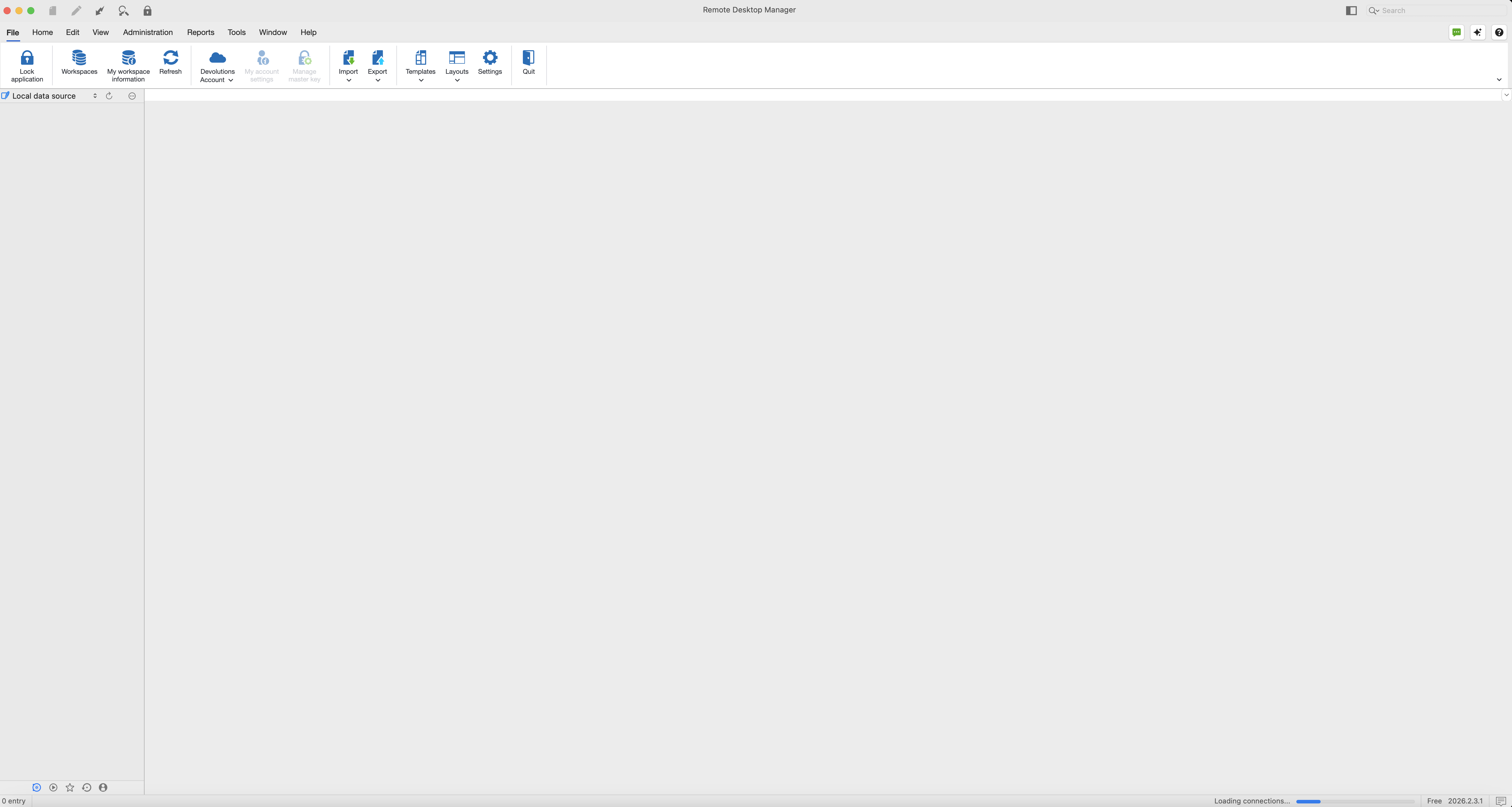
Here is a screen print that shows where RDM is hanging and the only way to stop it is to force quit it.
Screenshot 2026-07-15 at 12.34.27 AM.png
Hello,
Thank you for the follow-up.
I was investigating this issue with the Team Lead for our RDM for macOS development team. Since he is currently on vacation, I reviewed the report myself in the meantime.
Based on my analysis, the issue may be related to the number of entries in your current vault. Could you confirm approximately how many entries are stored in the vault you're trying to load? If the vault contains more than 4,000 entries, could you try splitting it into two smaller vaults and see if the issue persists?
You could also test loading a smaller vault when launching RDM and let me know whether the application still freezes. This will help us determine whether the issue is related to the vault size.
In the meantime, while we continue investigating this issue internally, you may revert to RDM for macOS version 2026.1.12.6 so you can continue using RDM without experiencing the freezing issue.
I'll follow up with you as soon as we have more information from our investigation.
Best regards,
Jacob Lafrenière
Hello,
Thank you for your follow-up.
I spoke with our development team regarding this issue, and unfortunately, there is nothing we can do on our side to resolve the issue for Remote Desktop Manager on macOS Ventura.
macOS Ventura is now approximately four years old, and the limitation extends beyond RDM itself. RDM 2026.x is built on .NET 10, which no longer supports macOS Ventura. As a result, your available options are to either upgrade your macOS version or remain on RDM 2025.3, which is built on .NET 9 and may continue to support macOS Ventura.
For reference, you can find the list of operating systems supported by .NET 10 here:
https://github.com/dotnet/core/blob/main/release-notes/10.0/supported-os.md
Thank you for your understanding.
Best regards,
Jacob Lafrenière
Hello,
Thank you for your follow-up.
I spoke with our development team regarding this issue, and unfortunately, there is nothing we can do on our side to resolve the issue for Remote Desktop Manager on macOS Ventura.
macOS Ventura is now approximately four years old, and the limitation extends beyond RDM itself. RDM 2026.x is built on .NET 10, which no longer supports macOS Ventura. As a result, your available options are to either upgrade your macOS version or remain on RDM 2025.3, which is built on .NET 9 and may continue to support macOS Ventura.
For reference, you can find the list of operating systems supported by .NET 10 here:
https://github.com/dotnet/core/blob/main/release-notes/10.0/supported-os.md
Thank you for your understanding.
Best regards,
@Jacob Lafrenière
Thank you for following up. I my case I will have to eventually replace my iMac with a newer Mac so that .net 10 is supported. Until that time I will stay with RDM 2026.1.12.6