PSU Login Page Issue

My Windows server had an updated and restarted itself, and when it came back up PowerShell Universal will no long let me get past this page.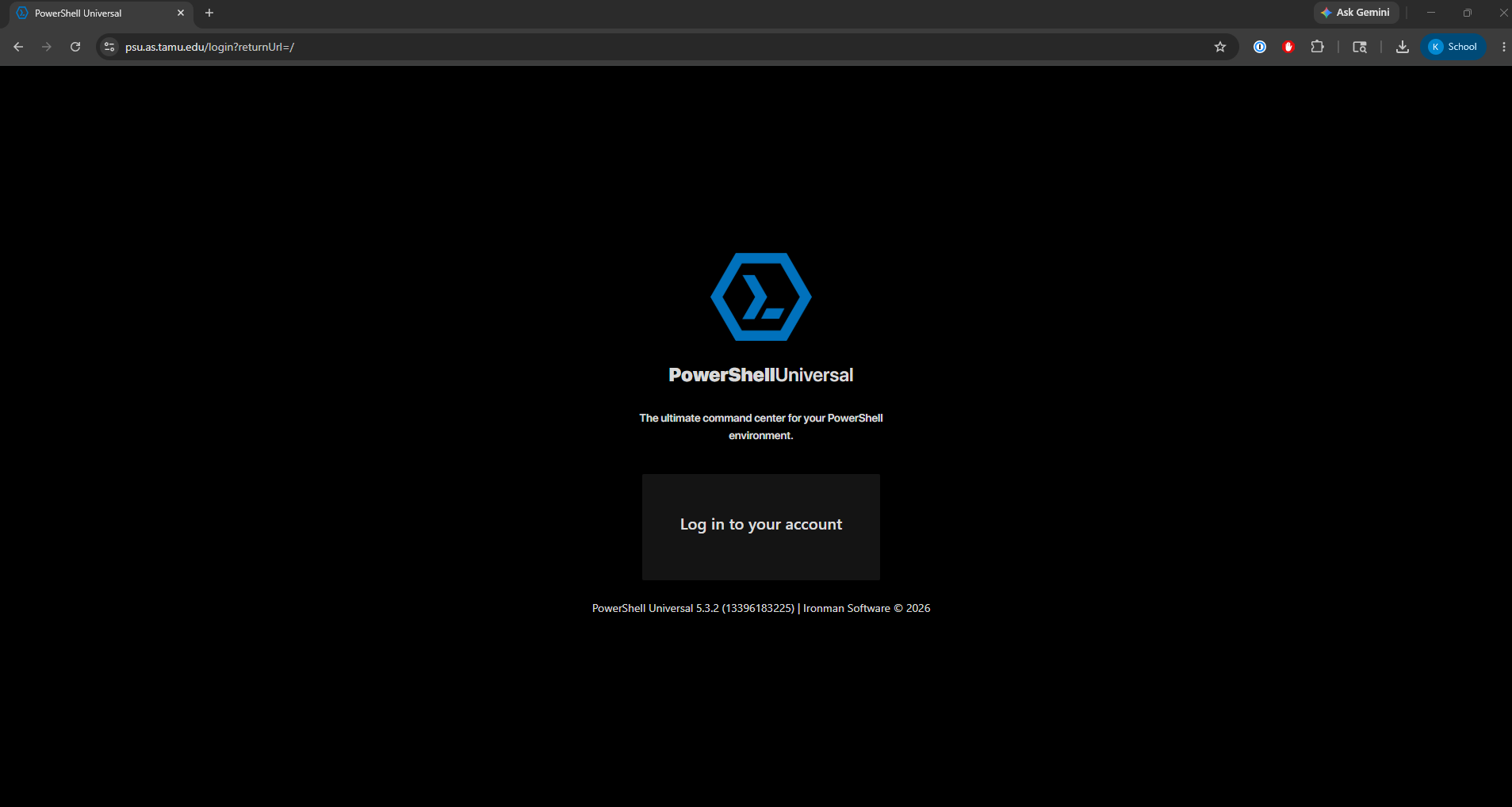
I have tried different browsers, different people on different computers, and even going to the server and using localhost:5000/login, but they all give me this same screen. I also tried restarting the PowerShell Universal service, and restarting the server and no luck. There is no button to click and no extension will yield different results. Any suggestions on what to do?
18132b52-5d20-4531-9e36-eb2ff892ef2f.png
All Comments (15)
@keithadams I would recommend checking the system logs on the PSU server. It will be in %ProgramData%\PowerShellUniversal\Logs\System. Check for the log today and search for the text [ERR]. It may provide some more information on what is happening. If there is some sort of configuration error, it's possible that it wouldn't show any login buttons but I haven't seen this myself.
What kind of authentication method did you have configured before?
Adam Driscoll
PowerShell Expert and Software Architect at Devolutions
@keithadams I would recommend checking the system logs on the PSU server. It will be in %ProgramData%\PowerShellUniversal\Logs\System. Check for the log today and search for the text [ERR]. It may provide some more information on what is happening. If there is some sort of configuration error, it's possible that it wouldn't show any login buttons but I haven't seen this myself.
What kind of authentication method did you have configured before?
@Adam Driscoll
I had Local Authentication setup and I had Form, and OpenID Connect set up. I will go search the logs to see if I can turn anything up.
@Adam Driscoll
It does look like I have some errors, but the files mentioned in the errors have not been changed in weeks or months. Though this line does seem concerning
2026-05-27 16:04:43.186 -05:00 [ERR][] Error deserializing C:\ProgramData\UniversalAutomation\Repository\.universal\authentication.ps1. Parameter set cannot be resolved using the specified named parameters. One or more parameters issued cannot be used together or an insufficient number of parameters were provided.
2026-05-27 16:04:46.786 -05:00 [ERR][] Startup: Cannot process command because of one or more missing mandatory parameters: Content.
The other errors in newest systemLog mention errors in dashboard pages which have been working and not changed in months, so I am not sure what's up with those or why those would prevent me from even loging into the admin portal.
@keithadams Can you share what is in your authentication.ps1? If you have any client secrets in there, make sure to scrub those before pasting.
Adam Driscoll
PowerShell Expert and Software Architect at Devolutions
Set-PSUAuthenticationMethod -Type "OpenIDConnect" -CallbackPath "/auth/signin-oidc" -ClientId "******" -ClientSecret "********" -Authority "https://login.microsoftonline.com/***********" -LoadMetadata
Set-PSUAuthenticationMethod -Type "Form" -ScriptBlock {
param(
    [PSCredential]$Credential
)

#
#   You can call whatever cmdlets you like to conduct authentication here.
#   Just make sure to return the $Result with the Success property set to $true
#

New-PSUAuthenticationResult -ErrorMessage 'Bad username or password'
} -LoadMetadata@keithadams Can you try to remove the `-LoadMetadata` parameter from Set-PSUAuthenticationMethod call? It appears this is only part of the SAML2 parameter set. I'm not sure why this would have been added by the server but, if this fixes it, I'll open and issue to see if we can track it down. You may need to restart the server afterwards.
Set-PSUAuthenticationMethod -Type "OpenIDConnect" -CallbackPath "/auth/signin-oidc" -ClientId "******" -ClientSecret "********" -Authority "https://login.microsoftonline.com/***********"
Set-PSUAuthenticationMethod -Type "Form" -ScriptBlock {
param(
    [PSCredential]$Credential
)

#
#   You can call whatever cmdlets you like to conduct authentication here.
#   Just make sure to return the $Result with the Success property set to $true
#

New-PSUAuthenticationResult -ErrorMessage 'Bad username or password'
}
Adam Driscoll
PowerShell Expert and Software Architect at Devolutions
@Adam Driscoll Well that got me to the local login page, but OICD is not working and it wont take any login for the local admin accounts.
Hello Keith,
Thank you for your feedback.
Do you see any new error messages in the system logs on the PSU server, other than the one you posted above?
Best regards,
Érica Poirier
Looking at the new logs I am mostly getting the same errors as before here are the ones that seem relevant to the authentication.
2026-05-28 08:52:53.051 -05:00 [ERR][] Error deserializing C:\ProgramData\UniversalAutomation\Repository\.universal\authentication.ps1. Parameter set cannot be resolved using the specified named parameters. One or more parameters issued cannot be used together or an insufficient number of parameters were provided.
2026-05-28 08:52:55.841 -05:00 [ERR][] Startup: Cannot process command because of one or more missing mandatory parameters: Content.
2026-05-28 09:25:01.629 -05:00 [ERR][PowerShellUniversal.FormsAuthenticationService] Object reference not set to an instance of an object.
Hello Keith,
My name is Ruben Tapia from Ironman Software support. I will help follow up on this thread from here.
From the latest log entries, PSU still appears to be failing while processing the authentication configuration:
Error deserializing C:\ProgramData\UniversalAutomation\Repository.universal\authentication.ps1
Since the error is still present after removing -LoadMetadata, could you please confirm the current content of this exact file path after the change? Please scrub the ClientId, ClientSecret, tenant ID, and any other sensitive values before posting.
A few items to check next:
- Confirm that -LoadMetadata is no longer present in the active authentication.ps1 file under:
- C:\ProgramData\UniversalAutomation\Repository.universal\authentication.ps1
- If you use Git Sync or any external process to manage the PSU repository, please confirm it is not restoring the older authentication.ps1 after the service starts.
- The Forms Authentication script you shared currently only returns:
- New-PSUAuthenticationResult -ErrorMessage 'Bad username or password'
That means it would reject all form login attempts. If the goal is to allow local PSU users or a custom forms login, that script may need to return a successful authentication result for valid users.
- If you are fully locked out after the authentication.ps1 issue is corrected, PSU also has a documented local admin account reset process using the ResetAdminAccount environment variable. I would only use that as a recovery step after backing up the repository and database.
Please also share:
• Your exact PSU version
• Whether this is MSI, ZIP, IIS, or another hosting method
• The full System log section from service startup through one failed login attempt
• What happens when OIDC fails: missing button, redirect loop, 500 error, unauthorized page, or another behavior
Reference:
https://docs.powershelluniversal.com/security/forms-authentication
https://docs.powershelluniversal.com/security/local-accounts
https://docs.powershelluniversal.com/security/enterprise-security/openid-connect
Best regards,
Ruben Tapia
Well this situation has improved. I realized I was mistaking local accounts as accounts using the form sign in method. I was able to remove the form authentication part of authentication.ps1 and was finally able to get in using the local admin. Investigating the admin consoles security tab showed that for some reason OpenID Connect was no longer listed. I re added oidc and reentered the credentials and now it seems to be working.
I do have a new concern though. I am getting an error in the admin console saying I have an invalid Configuration in my authentication.ps1 Here is the entire contents of my Authentication.ps1 in this file path C:\ProgramData\UniversalAutomation\Repository\.universal
Set-PSUAuthenticationMethod -Type "OpenIDConnect" -CallbackPath "/auth/signin-oidc" -ClientId "*****" -ClientSecret "*****" -Authority "https://login.microsoftonline.com/*****" -LoadMetadata
My Version is 5.3.2 and I believe I am hosting using the MSI
66c7853e-50e0-4006-ac21-5eb2eace95c6.png
Another update. I restarted my server after getting OIDC working and removing form authentication and OIDC is missing again and I am getting the same error message as the one posted above. 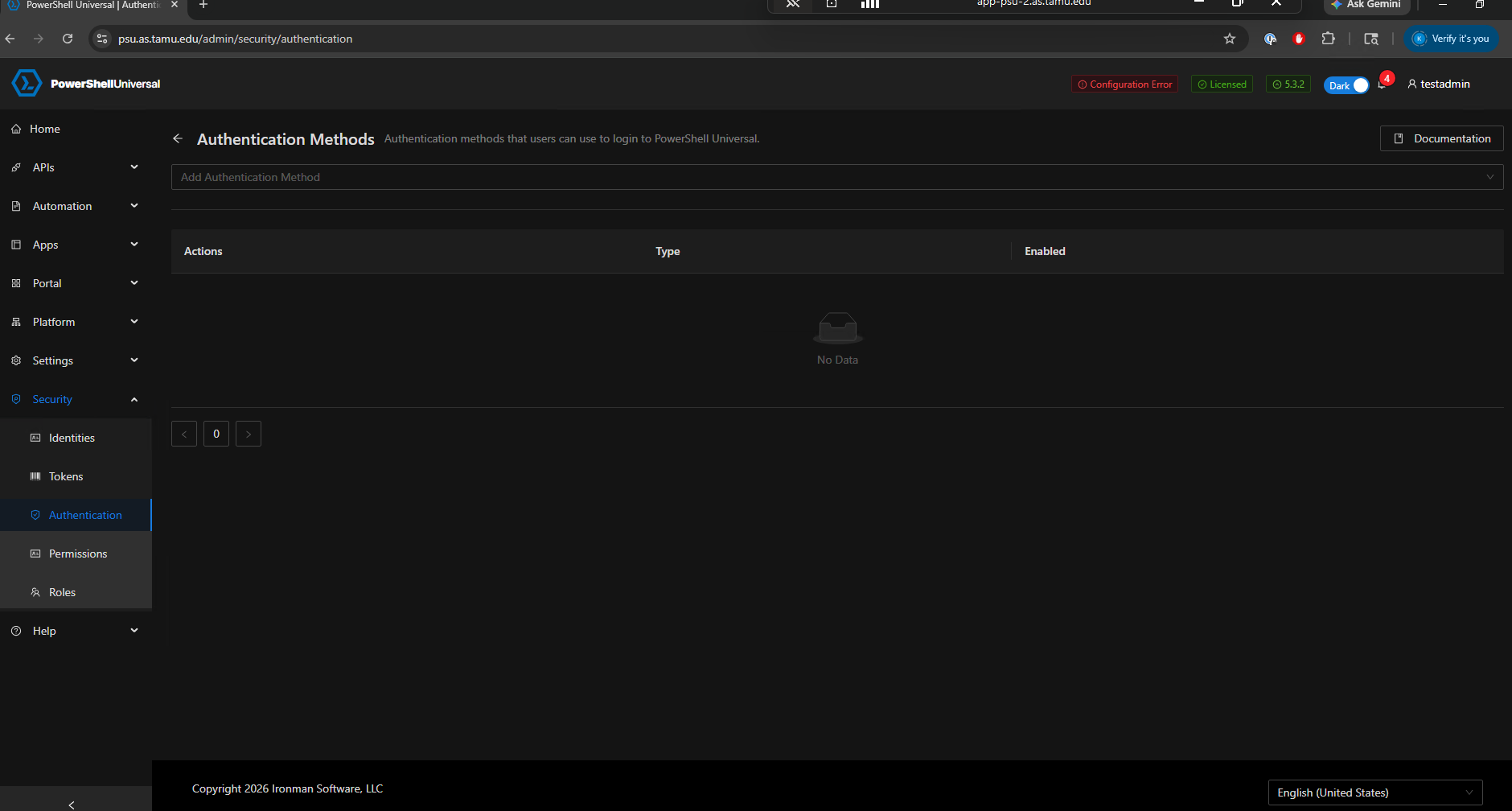 The Authentication.ps1 still is just this
Set-PSUAuthenticationMethod -Type "OpenIDConnect" -CallbackPath "/auth/signin-oidc" -ClientId "****" -ClientSecret "****" -Authority "https://login.microsoftonline.com/***" -LoadMetadata
882de8a2-4c92-422c-9f67-ecba25f73515.png
The current configuration error still appears to be related to this part of the OpenID Connect line:
-LoadMetadata
-LoadMetadata is for SAML2 authentication and does not appear to be part of the OpenID Connect parameter set. That would match the error you are seeing:
Parameter set cannot be resolved using the specified named parameters.
As the next step, please try the following:
- Back up your current authentication.ps1 file first.
- Edit this file:
C:\ProgramData\UniversalAutomation\Repository.universal\authentication.ps1
- Remove -LoadMetadata from the OpenID Connect line so it looks like this, with your real values still in place:
Set-PSUAuthenticationMethod -Type "OpenIDConnect" -CallbackPath "/auth/signin-oidc" -ClientId "" -ClientSecret "" -Authority "https://login.microsoftonline.com/*****"
- Restart only the PowerShell Universal service.
- Log in with the local admin account and confirm whether OpenID Connect remains listed under Security > Authentication.
- Restart the PowerShell Universal service one more time and confirm whether OpenID Connect remains listed or disappears again.
If OpenID Connect works after removing -LoadMetadata, but the admin console adds -LoadMetadata back after editing or re-saving the OIDC provider, please let us know the exact steps used in the UI. That would be important for us to investigate further.
Also, please confirm whether Git Sync, a deployment script, backup restore process, or any external repository management process is configured for this PSU instance, since something may be restoring the previous authentication.ps1 content after restart.
Well that seemed to fix it. Looks like I missed that tag on the OIDC line when it was first pointed out and only got rid of it for the form function. Any ideas on why it might have been added?
I do not use Git Sync or any other repository management processes.
Well that seemed to fix it. Looks like I missed that tag on the OIDC line when it was first pointed out and only got rid of it for the form function. Any ideas on why it might have been added?
I do not use Git Sync or any other repository management processes.
@keithadams
Glad to hear removing -LoadMetadata resolved the issue. I cannot confirm why it was added originally, but if it reappears after saving OIDC from the UI, please let us know so we can investigate further.