What is the purpose of RDM AI assistant?

Can someone here please assist in explaining the purpose of the new AI assistant feature?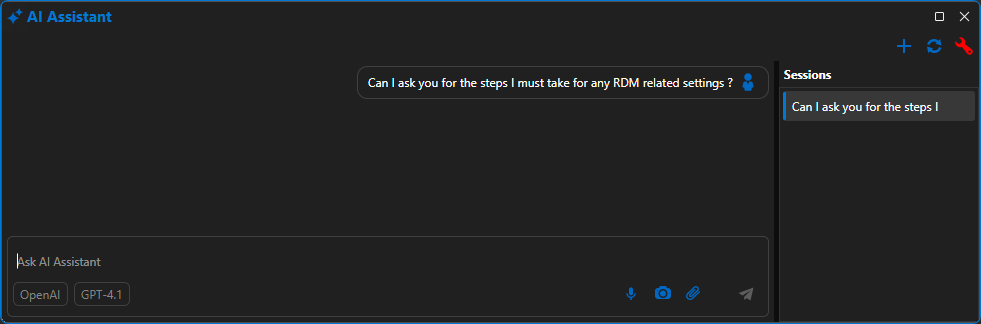
Because it doesn't return any result at all after waiting for a long time.
853c778d-5769-4dff-af20-7e2e9c6d8d9a.png
All Comments (1)
Hi @RemoteUser,
I'm Maxime, AI Software Architect at Devolutions. Happy to answer this one personally.
I'm a bit surprised you're getting an error with GPT-4.1. I tested it locally with both of these providers — OpenAI and Copilot — and in both cases I received responses without errors.
RDM 2026.2 should be released next week, if I recall correctly, and I've fixed quite a few issues for that release. In the meantime, you could try a different model and see if that works on your side.
---
The AI Assistant in RDM follows what other major apps are doing on the market: bring an LLM directly inside the application so you can operate the product through natural language, not just chat about it. Concretely, the assistant talks to RDM through our embedded MCP server, which gives it a controlled set of tools to read and act on your vaults, entries and sessions — under your approval.
---
Here are some of the capabilities the AI Assistant already exposes today in RDM 2026.1:
AI → RDP → Devolutions Agent
Once an RDP session is open, the assistant can act inside the remote box through the Devolutions Agent: run commands and pull machine information back, rather than just diagnosing from the outside.
SSH session piloting
Send commands to your open SSH sessions, query their status, send a break, or clear the terminal — drive one shell or a whole fleet from chat.
Network diagnostics & remote operations on entries
Ping, traceroute, port scan, host uptime, wake-on-LAN and shutdown invoked by the assistant against the right entry, with structured results returned in the chat.
Natural-language entry & folder management
Create, get, update, batch-edit, copy, move and reorganize entries and folders straight from a prompt — including operations that would normally require many clicks.
---
What's landing in RDM 2026.2 (right around the corner):
A better chat experience
- Major overhaul of the chat / prompt UI
- Organize your conversations: rename, pin, archive, sort and filter chat sessions
Smarter context for the AI
- One click to add the current entry, vault, datasource or active tab as context for your prompt
- Drag & drop entries from the tree view straight into the prompt to tell the AI exactly what to work with (Windows only)
More power, less friction
- Connect to external MCP servers that require authentication
- Reusable Agent skills you can build, share and trigger from chat
- A new "let it run" permissions mode that lets the AI execute actions without asking for approval on every step
- The assistant can now delete entries (not just create, update or move them)
---
Here are a few use cases you can run with the AI Assistant:
Use case 1 — In-session remediation through the Devolutions Agent
"In my open RDP session to srv-app-12, find the failing service in the Windows event log, restart it, and confirm it's healthy." The assistant uses the Agent to execute inside the session and report back.
Use case 2 — Hyper-V batch control
"Boot every VM tagged dev-ring0 on Hyper-V host hv01." The assistant resolves the entries, opens what it needs, and drives the Hyper-V actions.
Use case 3 — Connectivity triage
"Why can't I reach srv-app-12?" The assistant runs ping, traceroute, a port scan and an uptime check, then summarises what it found.
Use case 4 — Natural-language session orchestration
"Open every SSH entry tagged prod-db in vault X." The assistant resolves the matching entries and opens the sessions in RDM.
Use case 5 — Reorder and tidy a folder
"Sort the Linux Servers folder alphabetically by hostname, then move every entry tagged legacy into a new Archive subfolder." The assistant chains entry search, batch edit, move and create-folder operations in a single conversational step.
If you have any questions, I'll gladly answer them.
(P.S. Yes, this reply was drafted with AI — occupational hazard. 🙂)
Best regards,
Maxime Forest