Email sending failure

Hi There!
I have a strange problem.
I am running the latest version of PSU, and among other things I have set up a task to copy items to an SFTP. No problem with the copy parts.
However, when it comes to email sending, it would seem the email sending fails when I am disconnected from the server and not logged in to PSU, this results in error:
When I am logged in, this error does not happen, email sending a-OK: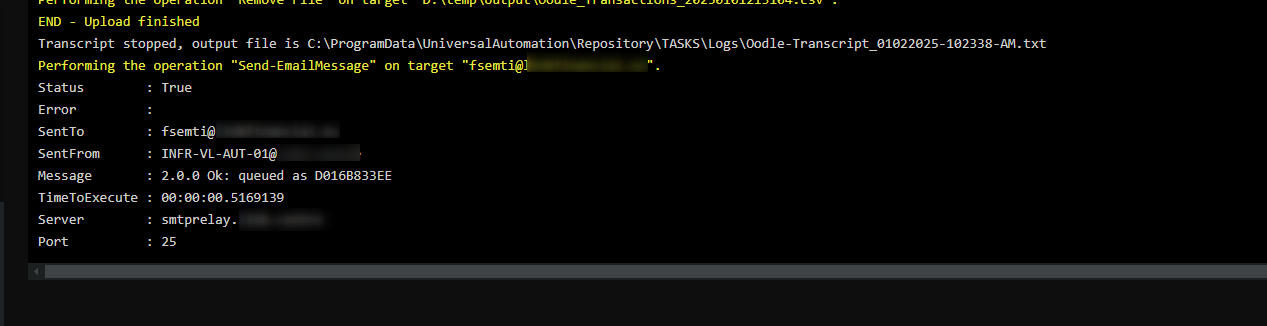
My script - with some reduction - is this:
pastebin.com
The script uses GitHub - EvotecIT/Mailozaurr: Mailozaurr is a PowerShell module that aims to provide SMTP, POP3, IMAP and probably some other ways to interact with Email. Underneath it uses MimeKit and MailKit libraries written by Jeffrey Stedfast. -s Send-EmailMessage command, and targets an internal SMTP relay.
Any suggestions what can go wrong?
Thanks,
F.
15a27518fd7b2030d19658bcbfb28f9f9c870ba3.png
cae6f176040caf3365b557648946370e83a3b141.png
All Comments (11)
Have you tried using Send-MailMessage instead of that additional module?
Hi @Jesse.Peden
During development I was using that, but my manager requested to replace it, following - as you might know: Microsoft itself does not recommend using the good old Send-MailMessage anymore - MS guidelines.
With that being said, I do not necessarily think the issue stems from the command, since Send-EmailMessage works perfectly, when I am running the job from the PSU console (failure only happens on scheduled runs, when my account is not logged in).
Can you try to get a bit more info about the error location?
} catch {
    Write-Output "Email sending failed. Reason: $($_.Exception.Message)"
    Write-Output $_.Exception.StackTrace
    Continue
}
I’m also not seeing verbose messages. I could just be misreading the log snippet. Try putting this at the top. It looks like Mailzar should be spitting out a bunch of log messages.
$VerbosityPreference = 'Continue'
Adam Driscoll
PowerShell Expert and Developer at Devolutions
Fair enough. I was just wondering mostly if it was isolated to the module and not PSU.
    Write-Output "Email sending failed. Reason: $($_.Exception.Message)"
    Write-Output $_.Exception.StackTrace
    Continue
Thanks for the reply.
This is the result of the changes of the catch {} block:
Transcript stopped, the output file is C:\ProgramData\UniversalAutomation\Repository\TASKS\Logs\Oodle-Transcript_01032025-060020-AM.txt
Email sending failed. Reason: Exception calling ".ctor" with "2" argument(s): "Unexpected ',' token at offset 26"
   at System.Management.Automation.ExceptionHandlingOps.CheckActionPreference(FunctionContext funcContext, Exception exception)
   at System.Management.Automation.Interpreter.ActionCallInstruction`2.Run(InterpretedFrame frame)
   at System.Management.Automation.Interpreter.EnterTryCatchFinallyInstruction.Run(InterpretedFrame frame)
   at System.Management.Automation.Interpreter.EnterTryCatchFinallyInstruction.Run(InterpretedFrame frame)
   at System.Management.Automation.Interpreter.Interpreter.Run(InterpretedFrame frame)
   at System.Management.Automation.Interpreter.LightLambda.RunVoid1[T0](T0 arg0)
   at System.Management.Automation.PSScriptCmdlet.RunClause(Action`1 clause, Object dollarUnderbar, Object inputToProcess)
   at System.Management.Automation.PSScriptCmdlet.DoEndProcessing()
   at System.Management.Automation.CommandProcessorBase.Complete()
Hmmm. This looks just like the PS exception. Is there an inner exception?
Write-Output "Email sending failed. Reason: $($_.Exception.InnerException.Message)"
    Write-Output $_.Exception.InnerException.StackTrace
    Continue
Adam Driscoll
PowerShell Expert and Developer at Devolutions
hi @Adam Driscoll
(sorry for the delay, I was off and script runs daily).
With this block
    Write-Output "Email sending failed. Reason: $($_.Exception.InnerException.Message)"
    Write-Output $_.Exception.InnerException.StackTrace
    Continue
I had no output.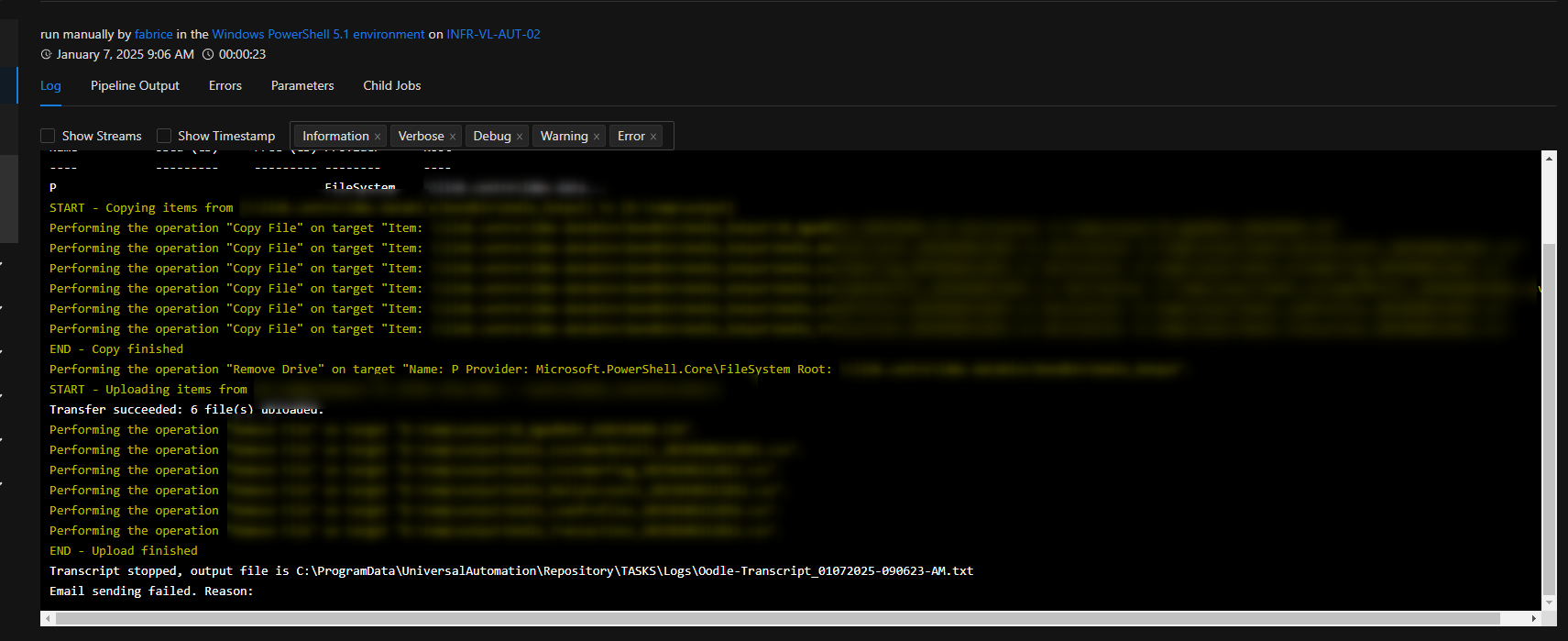
I put back:
    Write-Output "Email sending failed. Reason: $($_.Exception.Message)"
    Write-Output $_.Exception.StackTrace
    Continue
And now I got: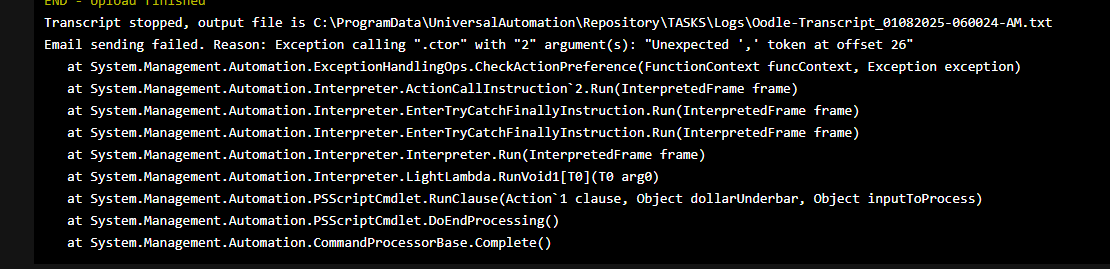
Some background information:
- the job normally runs before office hours, at 6:00 AM
- on a Windows server install (service is running as local system)
- usually, at that time my user account is disconnected, and I am not logged in to PowerShell Universal
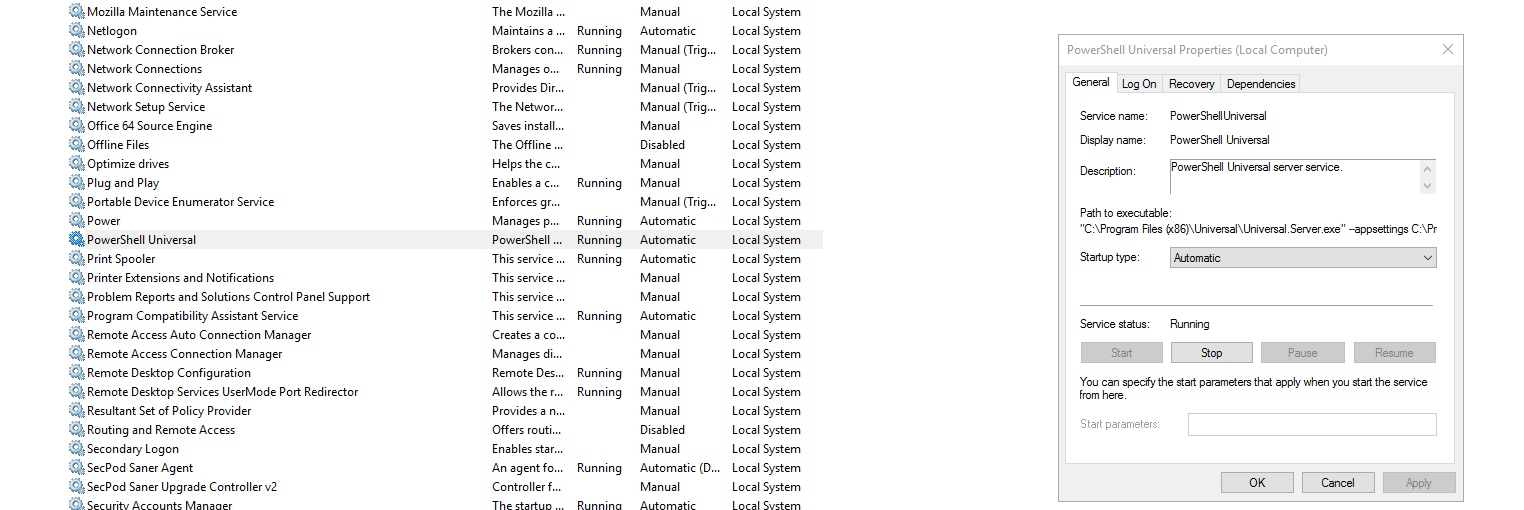
When I re-run the job from the UI (no change in parameters whatsoever), there is no problem/error whatsoever, emails are sent as intended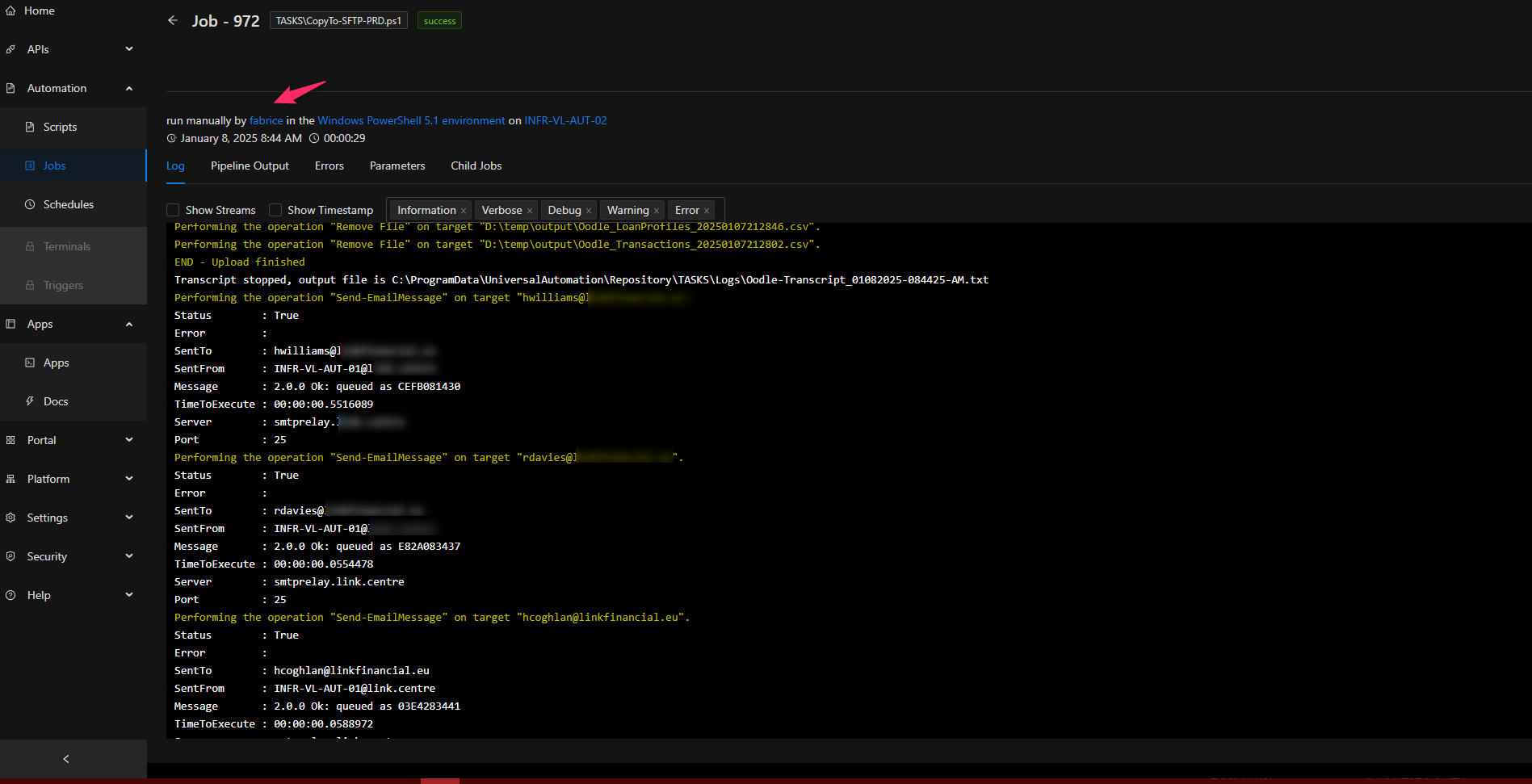
Is there anything I can investigate?
Thanks,
F.
13610f29ca8fbc0eeaa610c3c48eda62bc6035da.png
f1136f619e85732b1d54c13bfae0fa997e706e3a.png
308e2745528ce555b4a0053d02785e06727d366e.png
9b5f04782cd92db7e4929ddb1073f614bb7fb279.png
I was just looking at your script again. Do you have roles specified on your secret variable?
$SFTPCredential = $secret:SFTPCredentialOODLE_DEV
Adam Driscoll
PowerShell Expert and Developer at Devolutions
Nope.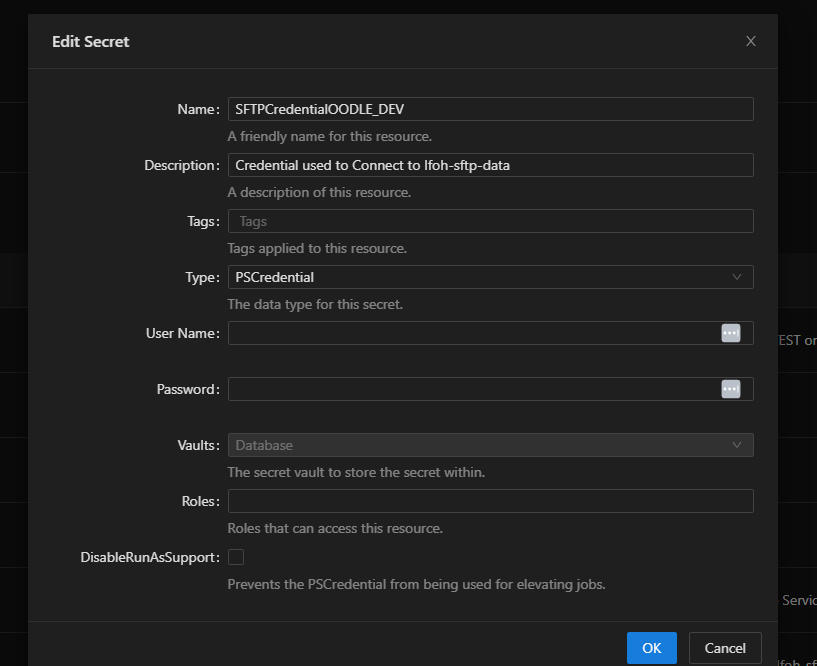
It is only used to connect to the internal SMTP server anyway…
cab425919bf5365a6208859fd1fc7c7417927546.png
This is weird. I have to imagine some variable that is being passed in is affecting the behavior. Unless you are running under different credentials when scheduled vs manual, the execution context should be the same. That said, the variables passed into the script may be different from the different triggering mechanisms.
You might want to run Get-Variable at the beginning of your script and compare what’s different to see if anything stands out.
Adam Driscoll
PowerShell Expert and Developer at Devolutions
After a bit of a playing with settings - and in fact bringing up a new / clean installation just in case - it seems like the issue goes back to probably something “whacked” in the old install. I also seen a few times similar-ish errors when using the default env (and not explicitly defining powershell 5.1 or 7).
I think we can close this issue for now, a re-created job and a job on the fresh instance does not seem to have this problem Thanks for your help and prompt responses, much appreciated!