Loads of errors with Endpoints in 5.0.12 (and 5.0.13)

I upgraded from 5.0.11 to 5.0.12 for the vulnerability announced, and now I’m getting loads of errors from endpoints.ps1. No other changes to the host or PSU since the upgrade. Any idea what’s causing this, @Adam Driscoll?
Status(StatusCode="Unavailable", Detail="Error starting gRPC call. HttpRequestException: An error occurred while sending the request. IOException: The request was aborted. IOException: Unable to read data from the transport connection: An existing connection was forcibly closed by the remote host.. SocketException: An existing connection was forcibly closed by the remote host.", DebugException="System.Net.Http.HttpRequestException: An error occurred while sending the request.")
   at ProtoBuf.Grpc.Internal.Reshape.UnaryTaskAsyncImpl[TRequest,TResponse](AsyncUnaryCall`1 call, MetadataContext metadata, CancellationToken cancellationToken)
   at Universal.Server.Services.ApiGrpc.AddEndpointAsync(Endpoint callback) in C:\actions-runner\_work\universal\universal\src\Universal.Server\Services\API\ApiGrpc.cs:line 170
   at Universal.Server.Services.ApiService.AddEndpointAsync(Endpoint endpoint) in C:\actions-runner\_work\universal\universal\src\Universal.Server\Services\API\ApiService.cs:line 244
   at Universal.Server.Services.ApiService.RestartAsync() in C:\actions-runner\_work\universal\universal\src\Universal.Server\Services\API\ApiService.cs:line 310
I cleared all of the notifications (there were 2 pages worth) and restarted the service to see if they come back.
Product: PowerShell Universal
Version: 5.0.12
All Comments (13)
As expected, there are 6 more errors today that are exactly the same as yesterday and are all identical.
I’m unaware of any changes we made that would cause this directly but would have to look into it. We don’t have any failing integration tests for APIs so it must be a gap in our tests.
What’s happening is the PSU server is attempting to communicate with the API process over an internal gRPC connection. It’s forcibly closed, so I wonder if the process is crashing.
Can you check event viewer for any application errors?
Adam Driscoll
PowerShell Expert and Software Architect at Devolutions
I don’t see anything in the logs for the PSU service stopping or crashing today aside from when I did the upgrade to 5.0.13 where the service was stopped for that.
I’m assuming 5.0.13 didn’t change the behavior? It wouldn’t be the server crashing, it would be Universal.Agent.exe or pwsh.exe.
Adam Driscoll
PowerShell Expert and Software Architect at Devolutions
I won’t know until tomorrow, if the pattern stays the same. The first time I saw it, the entries were timestamped at about 6:45 AM Eastern. This time they were timestamped at about 2:40 AM Eastern.
No errors today, so far, with 5.0.13.
@Adam Driscoll It just happened again, in 5.0.13. All of the errors are identical. It looks like there’s also an error for the Git sync, but that was 2 hours later, so I’m not sure it was related of if it’s just the usual sporadic failures in connectivity because Azure DevOps sucks.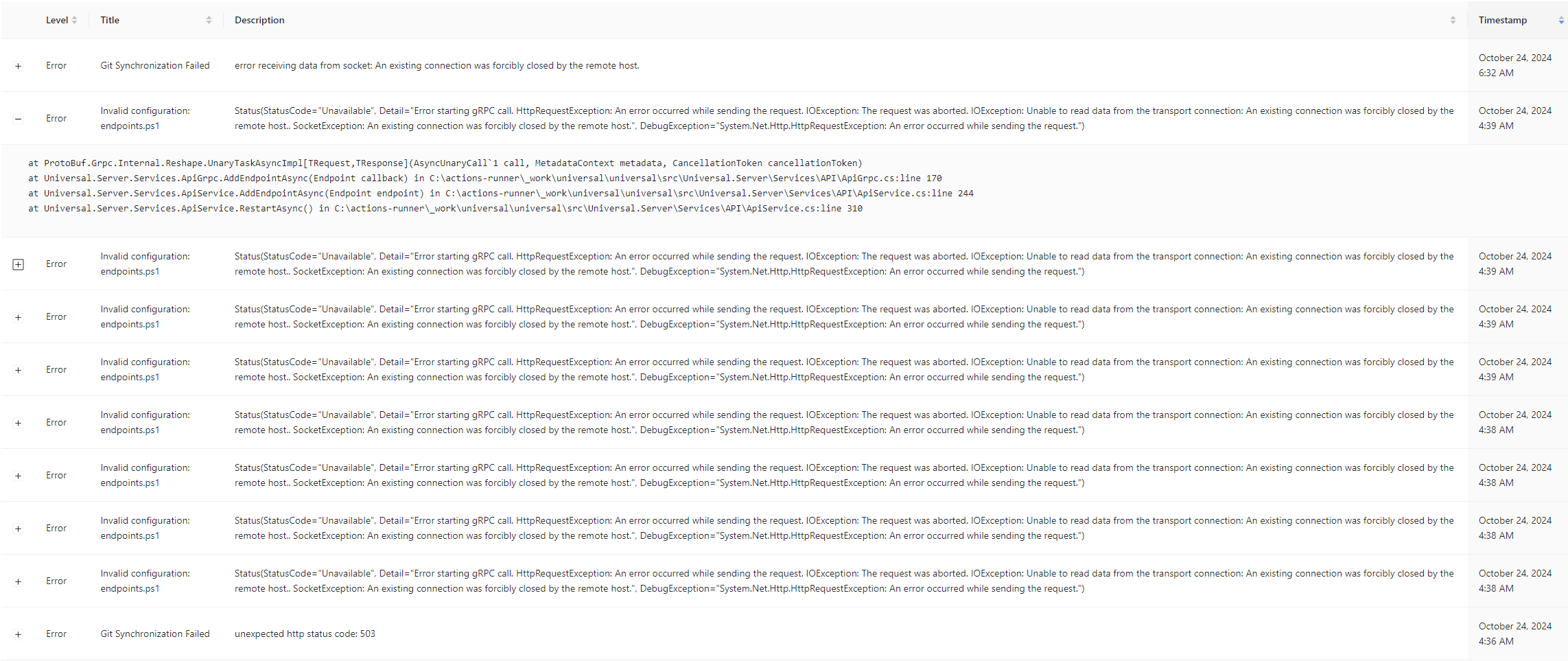
Also, looking at the latest system log for PSU, I also see these errors. Looks like maybe just an invalid (old) path that the PSU service is referencing, and trying to go to the address manually results in the same 404:
2024-10-24 04:33:07.498 -04:00 [INF][Microsoft.AspNetCore.Hosting.Diagnostics] Request starting HTTP/1.1 GET https://<redacted>/OS/startup/restore/restoreAdmin.php - null null
2024-10-24 04:33:07.502 -04:00 [INF][Microsoft.AspNetCore.Hosting.Diagnostics] Request finished HTTP/1.1 GET https://<redacted>/OS/startup/restore/restoreAdmin.php - 404 0 null 3.7619ms
2024-10-24 04:33:07.502 -04:00 [INF][Microsoft.AspNetCore.Hosting.Diagnostics] Request reached the end of the middleware pipeline without being handled by application code. Request path: GET https://<redacted>/OS/startup/restore/restoreAdmin.php, Response status code: 404
I also see these errors repeated a lot, and I’m not sure how to address them:
2024-10-24 08:39:25.312 -04:00 [INF][Microsoft.AspNetCore.Hosting.Diagnostics] Request starting HTTP/2 CONNECT https://<redacted>/_blazor?id=Kud0GqnBkvv-759cB_JA_A - null null
2024-10-24 08:39:25.312 -04:00 [INF][Microsoft.AspNetCore.Cors.Infrastructure.CorsService] CORS policy execution failed.
2024-10-24 08:39:25.312 -04:00 [INF][Microsoft.AspNetCore.Cors.Infrastructure.CorsService] Request origin https://<redacted> does not have permission to access the resource.
2024-10-24 08:39:25.312 -04:00 [INF][Microsoft.AspNetCore.Routing.EndpointMiddleware] Executing endpoint '/_blazor'
6697098c48df0c67a8d1e138e18057d03dcc5f50.png
Certainly, looks like a git sync issue. Git sync failed at 4:36 and then shortly thereafter, this happened. I wonder if it’s similar to what another user is seeing when canceling a git change: Invalid configuration: environments.ps1 · Issue #3956 · ironmansoftware/powershell-universal · GitHub
Also, do you have some sort of proxy involved here?
Adam Driscoll
PowerShell Expert and Software Architect at Devolutions
It certainly looks similar.
No, we don’t have a proxy involved anywhere.
I was able to reproduce this by clicking edit and cancel using git.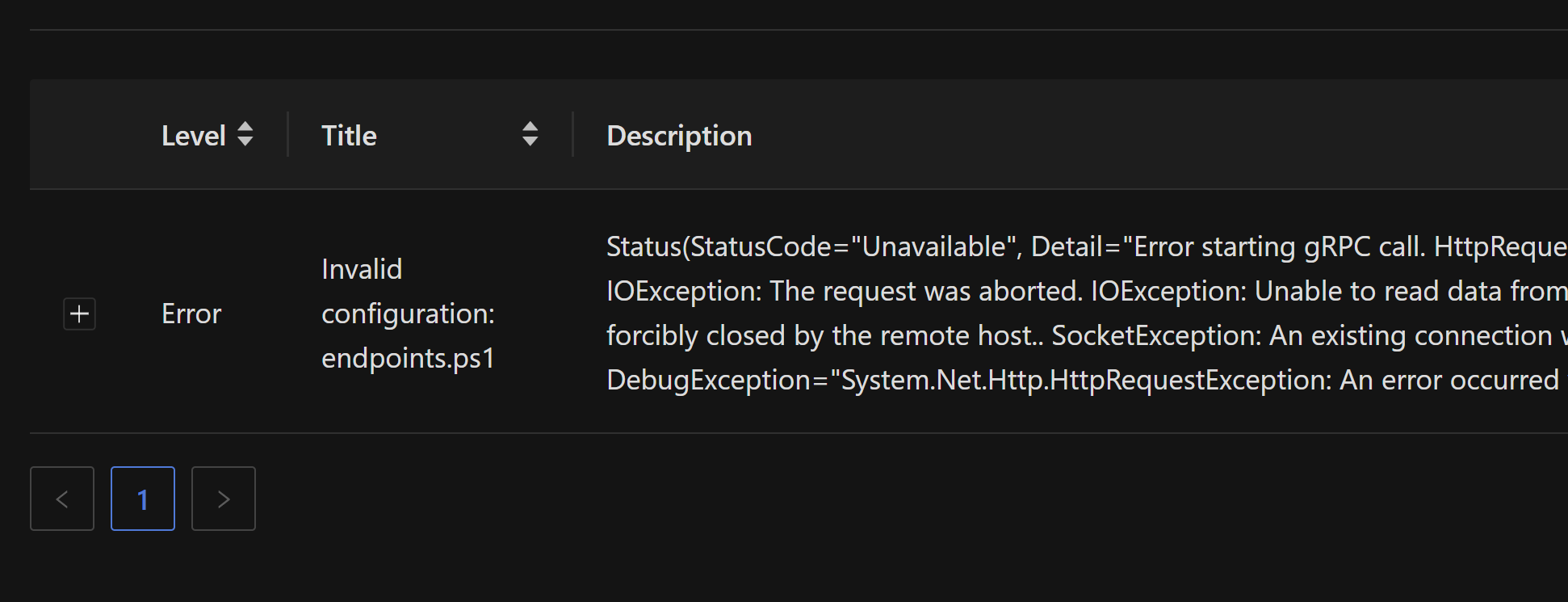
Adam Driscoll
PowerShell Expert and Software Architect at Devolutions
a65fc245e63358f006a7ea7a84c1c482458b8241.png
Great. It seems odd that if it’s Git doing this that it says the error is in the endpoints.ps1 configuration. What’s the tie-in there?
The bug lies in the internal configuration system and not git specifically. There is a code path that effectively reevaluates the configuration files and checks for changes. The git sync calls this method. It’s not super clear yet why git sync would call this method when the pull is actually failing but I can easily reproduce this by just calling the re-evaluation code. I added a button to the Files page to expose it.
From what I can tell, the endpoints actually work after this issue, but the system is doing a bunch of unnecessary reconfigurations internally and that’s causing the notifications to pop up.
Adam Driscoll
PowerShell Expert and Software Architect at Devolutions
That seems to be the case for my testing as well. I haven’t had any noticed failures of the endpoints at any point, so it seems to partly be a false positive.