How does health checks work?
Product: PowerShell Universal
Version: 4.0.1
Health checks. PSScriptAnalyzer is installed but psu health checks is saying it isnt?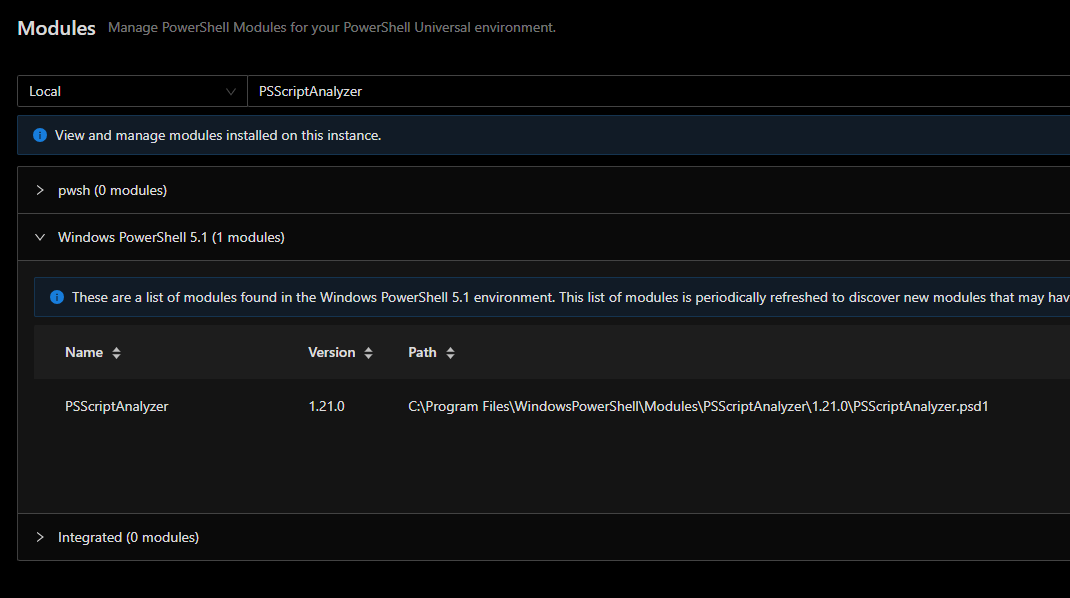

0d31ed843f606a3ee10c0d4b7142b5d7098b9bbf.png
a05e432c5220fa4a7eee146ace62d58fb83cfbcc.png
Recommended Answer
Install it via the Platform > Modules page in the admin console. Clock the Local dropdown and select PSGallery.
All Comments (6)
Was PSScriptAnalyzer installed prior to the health check running? I didn’t have it on my setup initially. Had to install it and re-run health checks.
If it wasn’t installed prior how did you install it? I installed it via the modules page from within Universal.
It needs to be installed as @jomalin88. It’s primarily looking in the integrated environment for this module.
Adam Driscoll
PowerShell Expert and Software Architect at Devolutions
I reinstalled it for all users on the device and re-ran health checks and no luck
Install it via the Platform > Modules page in the admin console. Clock the Local dropdown and select PSGallery.
You are correct. Thank you sir.

Install it via the Platform > Modules page in the admin console. Clock the Local dropdown and select PSGallery.
So I am using the PowerShell Universal Desktop client and I don’t see the option for PSGallery. I tried searching for the module, but I couldn’t find it. Are there different steps for the Desktop version of PSUniversal?
Thanks.