Blank dashboard via Azure App Proxy

Product: PowerShell Universal
Version: 2.6.2
I’m running Universal on-prem, as a service, and hosted via a Azure App Proxy using OIDC. I find opening dashboards nearly always opens with a blank page but the admin dashboard is 100% reliable.
I’ve tried different settings under Application proxy to no avail. What has been other’s experiences with this configuration? Anything I’m missing?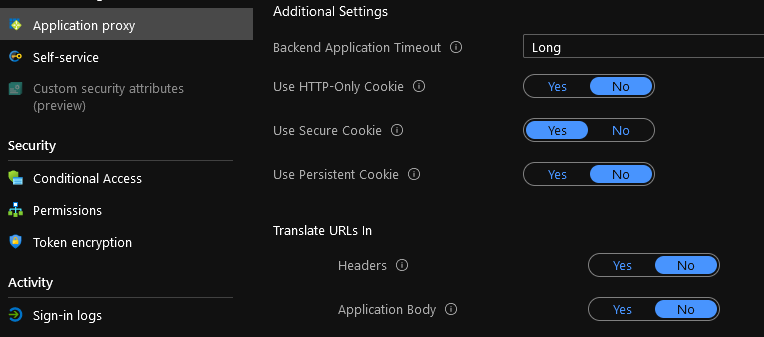
0614ffe99097ce1ed5a0addd7bd99f834d442f2e.png
All Comments (16)
Can you press F12 in your browser when it’s a blank page? It sounds like a JavaScript error. It could have something to do with web sockets.
Adam Driscoll
PowerShell Expert and Software Architect at Devolutions
I didn’t think to wait for it to populate the error. It usually sits at “Normalizing”, but I noticed this morning webSocket errors on pages I had left up. Same errors when I tried again and waited.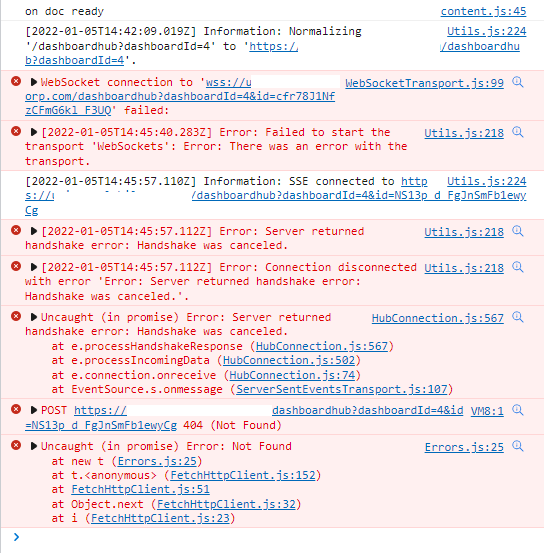
683d81362669554a5ad558147da6e9b848477004.png
I don’t know enough about Azure App Proxies but based on the documentation this should work: Azure Active Directory Application Proxy frequently asked questions | Microsoft Docs
Based on your experience, it does not seem to be. It certainly is failing to connect the web socket. Web sockets are critical for dashboards to function properly. All event handling is done over web sockets.
Before I open an issue, I wanted to make sure I have the proper technology you are using. I noticed there is Azure App Gateway as well. Is that what you are using or are you using the Azure AD App Proxy?
docs.microsoft.com
Adam Driscoll
PowerShell Expert and Software Architect at Devolutions
Using Azure AD App Proxy, I suspected websockets initially as I did find articles it was not supported, but now is. Not sure if the limitations listed would be an issue.
docs.microsoft.com
Ok. Thanks. I’ll do some research.
Adam Driscoll
PowerShell Expert and Software Architect at Devolutions
Make any headway on this? I’m presenting to management tomorrow and would love to confirm this heading toward resolution.
No but I can move this into our 2.9 March release. It’s not slated for the 2.8 release.
Adam Driscoll
PowerShell Expert and Software Architect at Devolutions
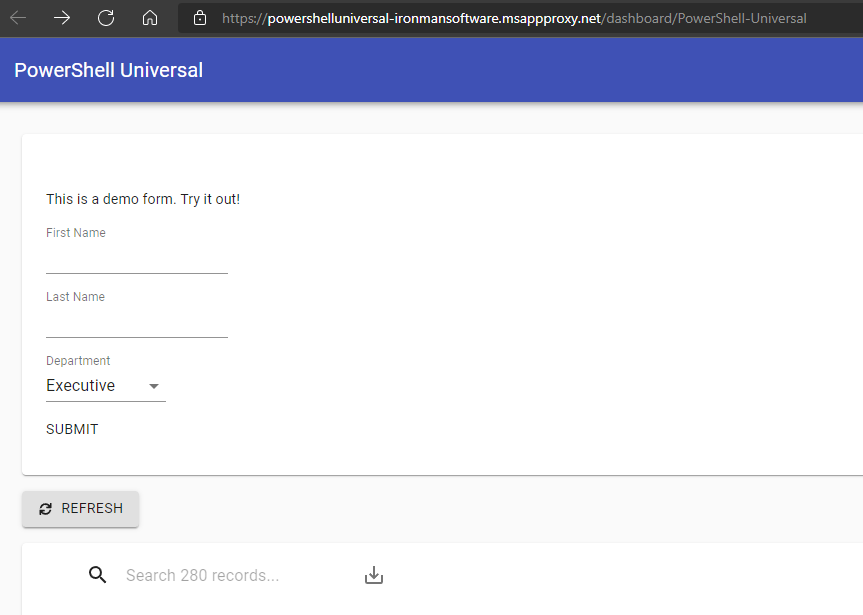
I set this up this morning and have no issues with dashboards. Here are my App Proxy settings. I am running the nightly build for 2.9 so maybe something changed that got it working.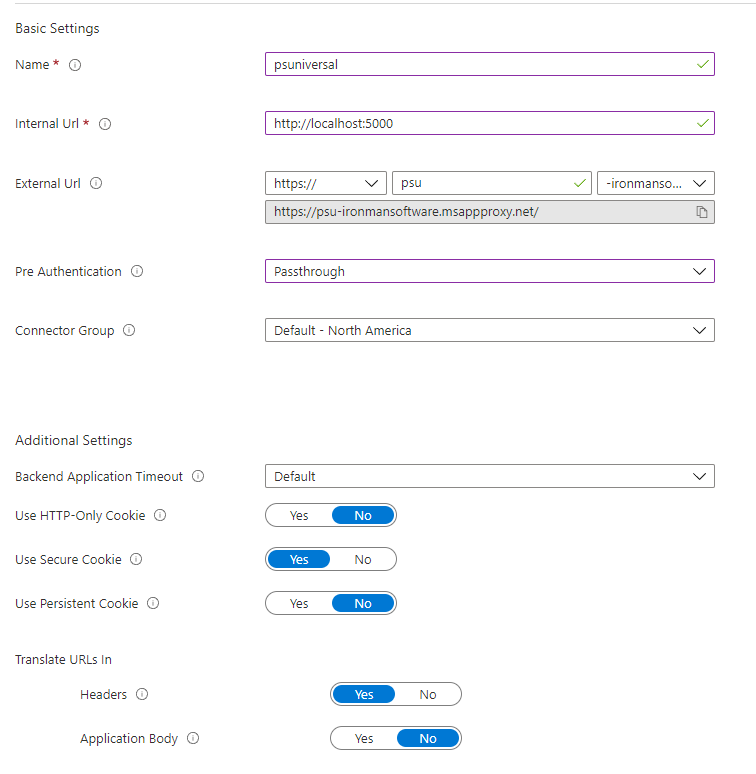
Adam Driscoll
PowerShell Expert and Software Architect at Devolutions
0998fbc924bf1e5353964cea5fc6ba7712b08e53.png
cc74f3dce26d17f5475902544d814e528d85e98a.png
I just downloaded the latest 2.9 nightly build and it is still performing the same way. I have to hit refresh a few times before the page loads.
I’ll build out a few basic pages and see what I can narrow down.
My current settings are below. Same websocket errors as reported above.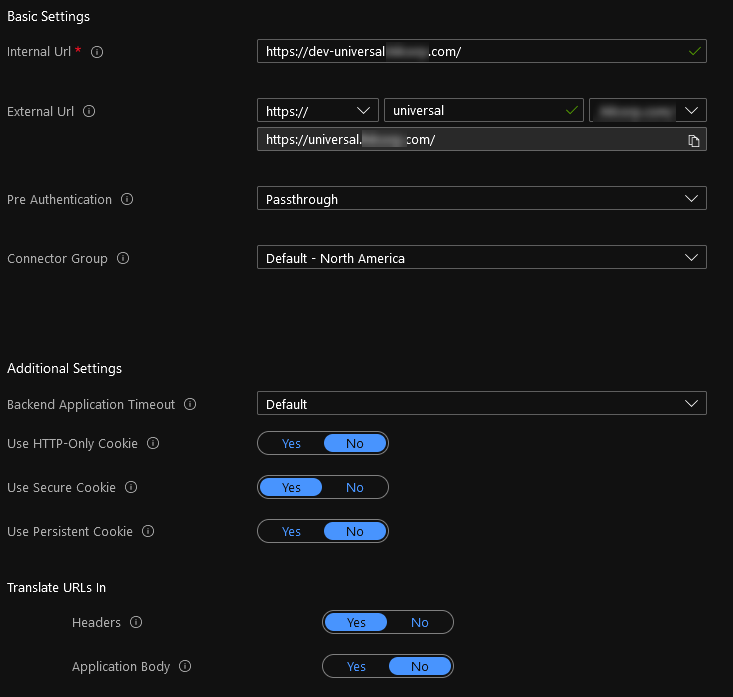
Changing the Internal URL to the actual server host name didn’t matter.
The page/dashboard simply will not display anything when it errors. Sometimes I will need to refresh 7-10 times before it works. Sometimes it loads successfully a few times in a row and then stops.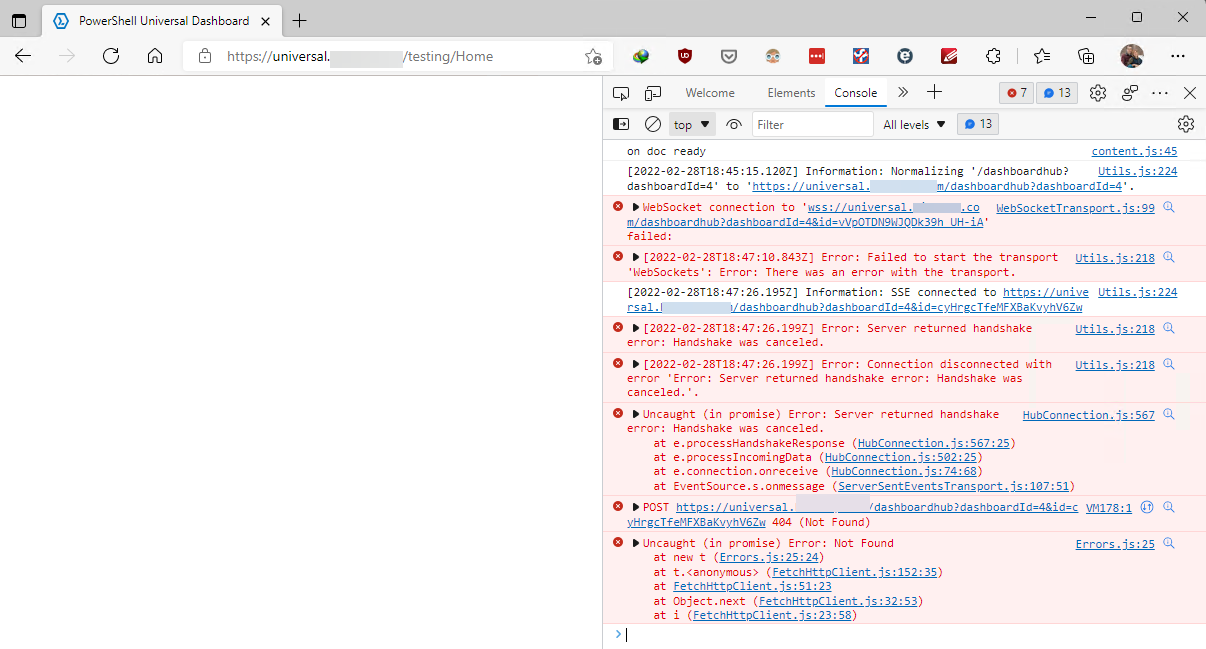
The code is simply
New-UDDashboard -Title "Test Dashboard" -Content {
    New-UDButton -Id 'btnRequest' -Text 'ADD' -OnClick {Show-UDToast 'Test Message'}
}
@Adam Driscoll, hold off doing any troubleshooting unless you can reproduce it quickly. We currently have two servers as connectors and one is planned for an OS upgrade as well as connector upgrade this Friday evening. I’m thinking the older version of our connector may not support web sockets as that was added at a later point.
ce101266e6a6fd5c1be1bc3287e71853ed0ee91f.png
c7992403a7495811ade55b26888b015b99c2bda3.png
Ok. Will do. Let me know if upgrading helps. Being that this doesn’t happen all the time, it could be a timeout issue or something and we can investigate further if you still are experiencing it.
Adam Driscoll
PowerShell Expert and Software Architect at Devolutions
The upgrades didn’t help. I still get the occasional websocket errors and the resulting blank page.
@Adam Driscoll - I’ve just tried setting this up, I’ve built an app that I’m hoping to use for an internal process with go live on the 3rd. Last step for us is to expose it via app proxy.
I’ve followed the comments and settings above and I’ve got it working in that I can visit the admin page which loads aok, but the moment i try to visit an app/dashboard I just get web socket errors and a blank page.
PSU is installed on a standard windows box as a service, I’m currently just using a localhost (self signed) cert on the box with https enabled + OIDC integration on my app registration and PSU settings.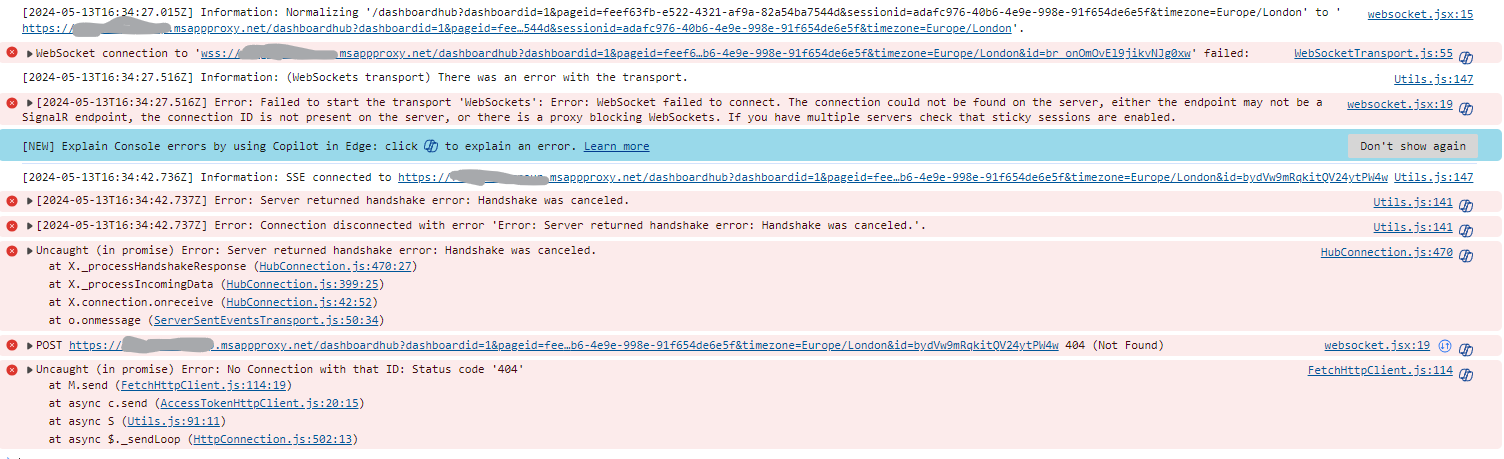
760d359c75549e5ce0b8e454a1a616c7e11f0b9e.png
The admin page works flawlessly and I have noticed improvements in apps. The apps appear to function more often, but are extremely slow in performance. I’m not sure if this is related to something Microsoft has done or improvements in PSU upgrading from v2.6.x to 4.2.x. Regardless, still not production worthy.
SignalR will fallback to long polling when web sockets fail to connect which could explain it kind of working but performing really poorly.
It looks like they still don’t support web sockets completely with App Proxy: Community
The last comment from a year ago states that Windows Admin Console doesn’t even fully work behind App Proxy.
Adam Driscoll
PowerShell Expert and Software Architect at Devolutions
Hmm, I’m not even getting it working at all, just a blank page with nothing loading, although it sounds like its a dead end if it’s not fully supported which is a shame, thanks for the info.
I do have another route to take thankfully which is via our F5 solution so I’ll go that path and hopefully make better progress!
Update 2 weeks later: After configuring this via F5 distributed cloud LB it all works perfectly!