Unable to work without internet connection - RDM removed all entries!
Unable to work without internet connection - RDM removed all entries!

Hey team,
this is not acceptable! I need to configure network devices in a new network. I am at the point that I lost internet connection and this is planned, but my switches and routers were already configured in RDM and half-configured before. I had to change the network topology and this is normal that I am losing connectivity. What's not normal is RDM removing the entries instead of showing them as they were before going offline! Now they're gone. How am I supposed to complete my work when faced surprises like this? Do I need to abandon using online paid Hub and devise a method of synchronizing SQLite data sources between team members over a network share on-premises or what? Now I have to invent a workaround - go outside where I can maybe connect using cellular network, fortunately this time I do have a local sim, but it's not always the case.
And of course RDM re-authenticates every time I'm going online. Why it cannot store the access token/refresh token and do the magic in the background?!?
Sorry but it's intense day for me and the RDM prevents me from timely completing my job.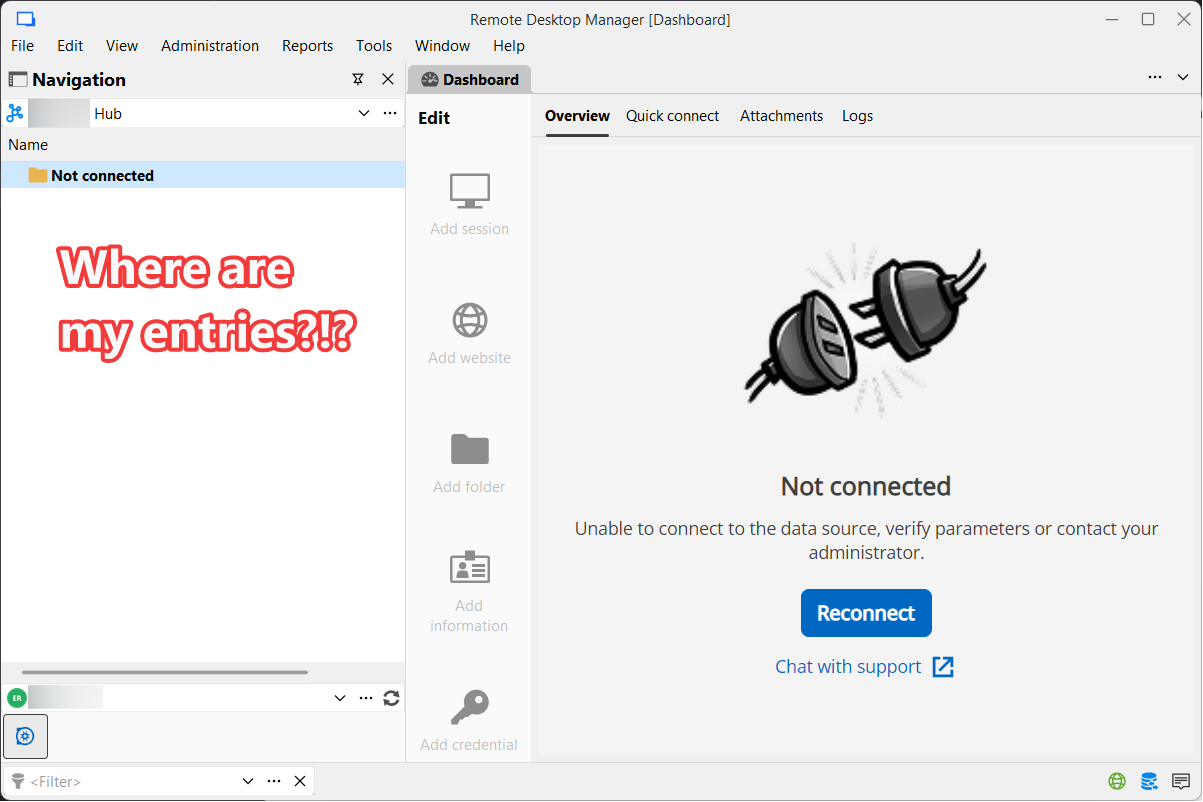
e6e642e9-eb96-474c-8e01-e6388e47a0d7.png
All Comments (10)
You need to enable a cache mode on the data soruce, as you are not connected your entires are not showing when offline.
Thanks
Iain
Version 2026.2.13.0 64-bit
Data Source SQL
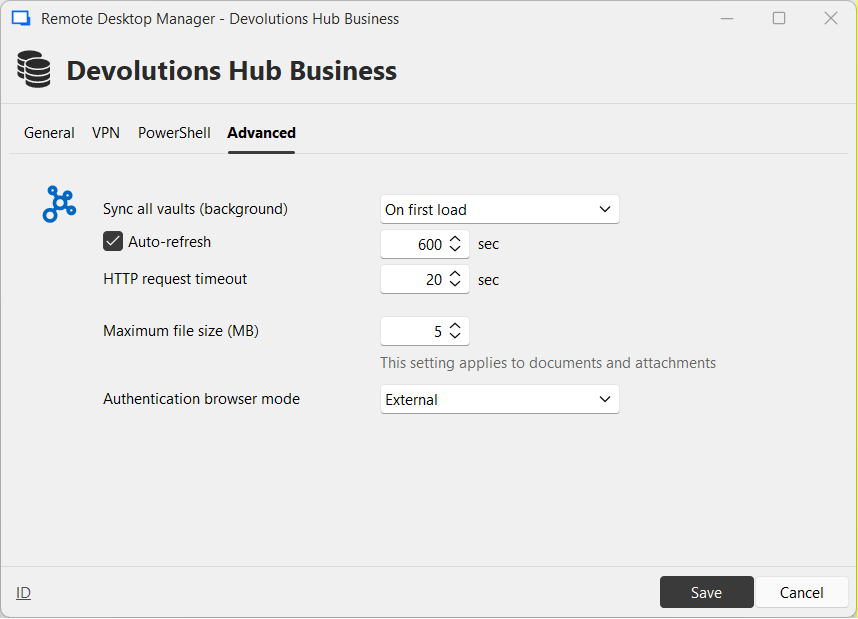
I'm sorry but cache setting is nowhere to be found. Also if it's there - shouldn't it be enabled by default?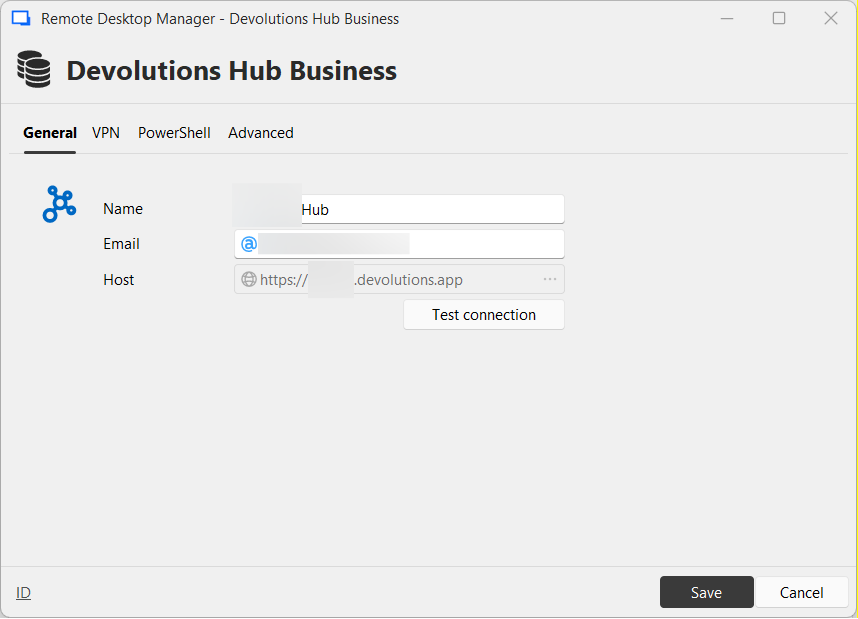
fed9c7ac-c2ab-47c4-8b00-3c340d3117bf.png
9b62c3a3-1915-42cc-8f5a-e6dc1db3f41d.png
All I found is this: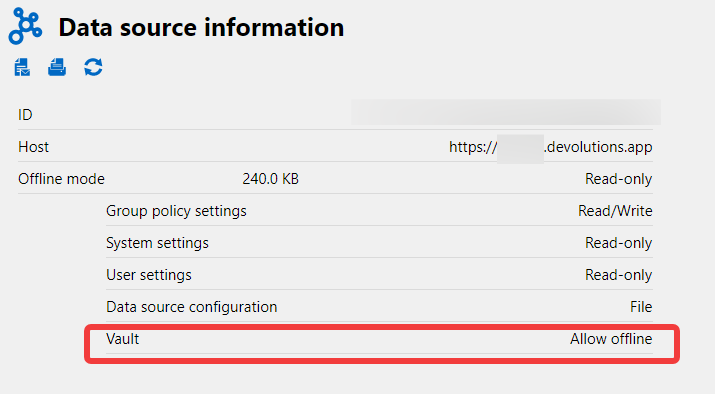
3339099d-9381-47b9-929a-85b6da85a359.png
Also in the portal I have: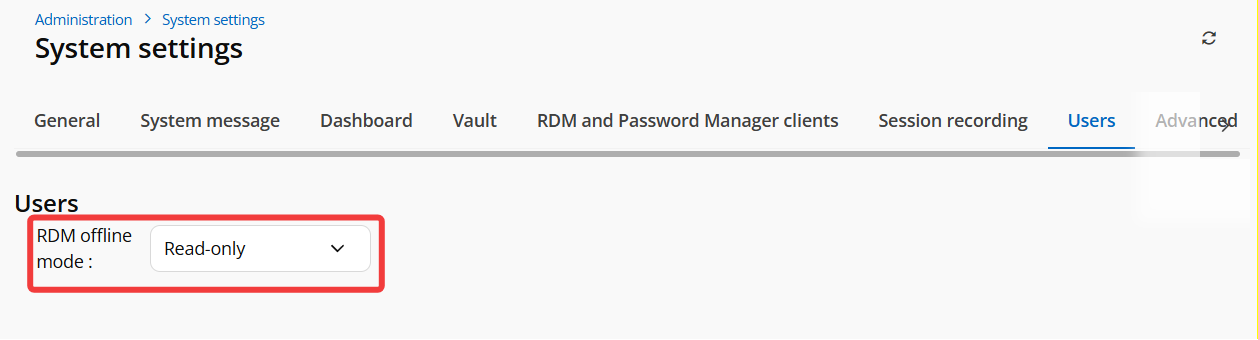
which I'm going to change to read-write.
35472452-9217-4cfe-9613-4e5393310f7c.png
Yeah, on a SQL data source you have an option to set the type of cache.
Based on your first screen shot it looked identical as to what happens if its not set or has expired. So I assumed it was missing, looking at your new screen shots it would appear you have it correctly configured.
So not sure why it would not have cached it when connected.
Thanks
Iain
Version 2026.2.13.0 64-bit
Data Source SQL
RDM is very aggressive when using the "business hub" data source and the internet connection is lost. I've got the same report from another user.
I would like you to fix this. We need those entries at all times, even if no internet is available. It is unacceptable that they got removed (from the application, I know they've been preserved in the cloud) when I needed them the most.
Thank you in advance.
Good morning @RDMTinkerer2
We are sorry that you are experiencing issues using our tools. We have opened an investigation ticket regarding this issue and will get back to you as soon as possible with advice or questions.
Best Regards
Hello @RDMTinkerer2,
We have identified the issue with the offline popup message that notifies users when there is no internet connection. A fix will be included in the next release.
In the meantime, you can access Offline Mode by clicking the small planet icon located at the bottom-right corner of the screen. This should work even without an internet connection.
Sorry again for the inconvenience, and thank you for your patience.
Best regards,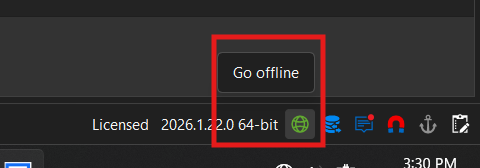
f83b1558-ffbb-42e2-b389-ef06a1ca4a69.png
Thank you for your explanation. I am aware of the Offline button, but the thing is - especially when working with networks (but not only that, it happened to me with DNS, too), you never know if you're going to break something. You're expecting a smooth device or system reconfiguration, but bang! it results in a loss of connectivity. And then you need RDM the most.
I could possibly foresee that and go offline, and I'll try to put up that habit, but it'd be much better if RDM just did not fail in case of lost network. RDM must always preserve my entries. This is paramount. And when the network is up, it can resynchronize in the background (by the way saving me from those reauthentication prompts that appear WAY too often).
The list of entries must be always available - in the same way it is when I use local data source. It may never disappear. This is crucial. Otherwise it is unreliable - I am afraid to won't be able to work when I need it the most.
My coworker worked around this by copying entries from the Hub to his local data source to be 100% sure he has the entries when he needs them - but isn't it crazy? Doesn't that defeat the entire purpose of the shared hub? You know, besides allowing us to use RDP, SSH, etc. the sole purpose of RDM is to preserve and protect my entries - but not to the point that I'm unable to use them 😊
I'm hoping for a more smooth experience in the coming versions. Thank you!
Hello @RDMTinkerer2,
Thank you for your feedback.
We understand that the offline mode isn't working as you expected. Our development team has opened an investigation into this non-working behaviour to analyze it and put in the effort it deserves to fix it. We will get back to you once this offline mode is stabilized and working as expected.
Regarding the multiple authentication prompts, it would be helpful to understand this behaviour on your end. I have created a new thread in the Windows Support forum section. You can post the information here.
Thank you for your collaboration.
Best regards,
Érica Poirier