VMware console Issue

As the sync is now working once again:
https://forum.devolutions.net/topics/52699/upgrade-to-rdm-20261180-64bit-jit-broke-vcenter-synchronization#226554
I have added one back in. I managed to get consoles to sync but when attempting to launch a session I keep seeing the following error: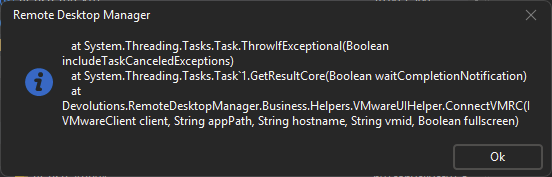
Thanks
Iain
Version 2026.2.13.0 64-bit
Data Source SQL
2445b51d-d42e-4bad-a6d2-7655c2e19992.png
All Comments (2)
Issue resolved, found the issue.
Once I located the logs and could see it was actually complaining about the login I just needed to change the format of the the username to domain\user and now consoles are working.
Thanks
Iain
Version 2026.2.13.0 64-bit
Data Source SQL
Hello,
That's great news. Thanks for letting us know!
Best Regards,
Michaël Beaudin