Error message - "your devolutions hub business is disabled. Please contact your administrator".
Error message - "your devolutions hub business is disabled. Please contact your administrator".

Hi all
I receive this error every time i log in. Is there a way i can fix this?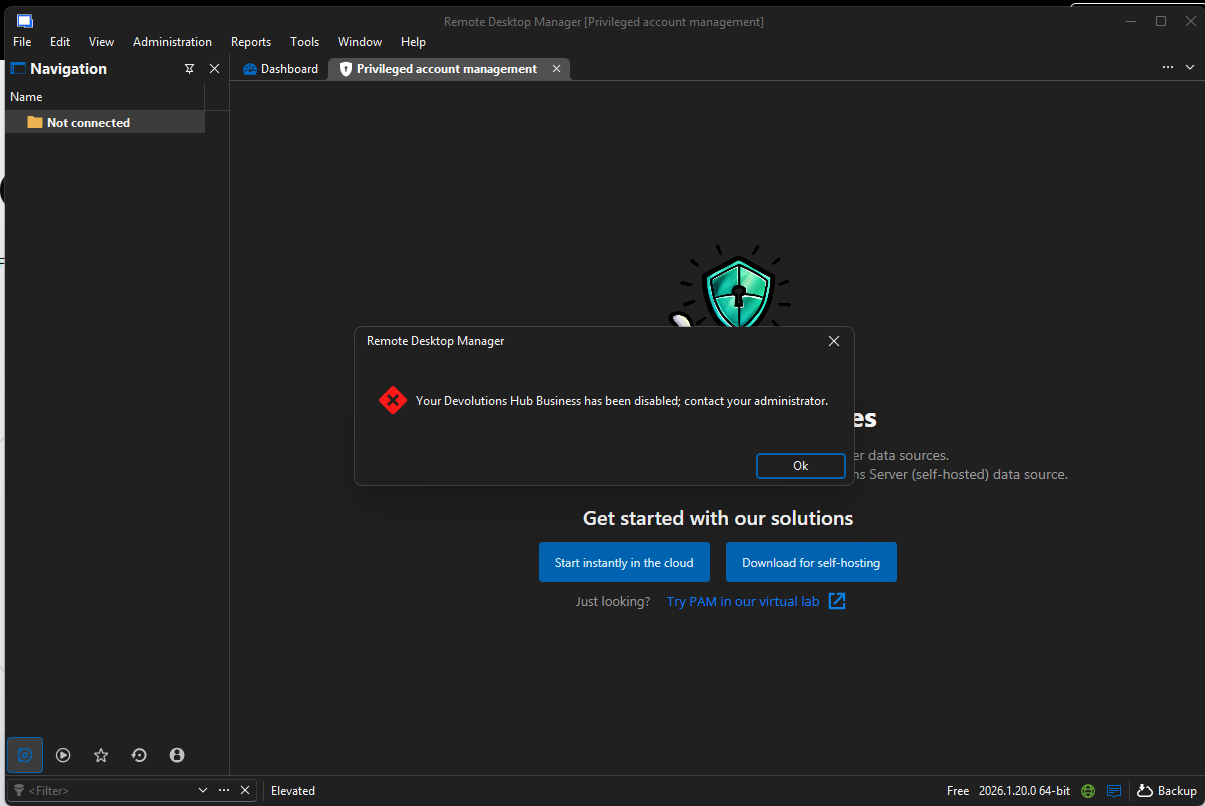
Screenshot 2026-05-05 093541.png
All Comments (1)
Hi iviwe!
Thanks for reaching out. That message means your user account in your organization's Devolutions Hub Business has been disabled, so it's not actually an RDM issue. Reinstalling or resetting your password won't change anything.
To get back in, you'll need a Hub admin at your company (usually IT, or whoever set up Devolutions for your team) to re-enable your account. It only takes a moment on their end:
Administration → Users, locate your account, and switch it to Enabled.
A couple of things that might help:
- If you're not sure who your Hub admin is, check with whoever manages your Devolutions subscription or onboarded you to RDM.
- If nobody at your organization can sign in, your admin can use the break glass account to recover access.
- Once you've been re-enabled, just sign back into RDM, and you should be all set.
If the error sticks around after your admin re-enables your account, please open a ticket at service@devolutions.net and we'll take a closer look.
Best regards,
Eduard Sepulveda Lopez