Error message - "your Devolutions Cloud is disabled. Please contact your administrator".
Error message - "your Devolutions Cloud is disabled. Please contact your administrator".

Hi all
I receive this error every time i log in. Is there a way i can fix this?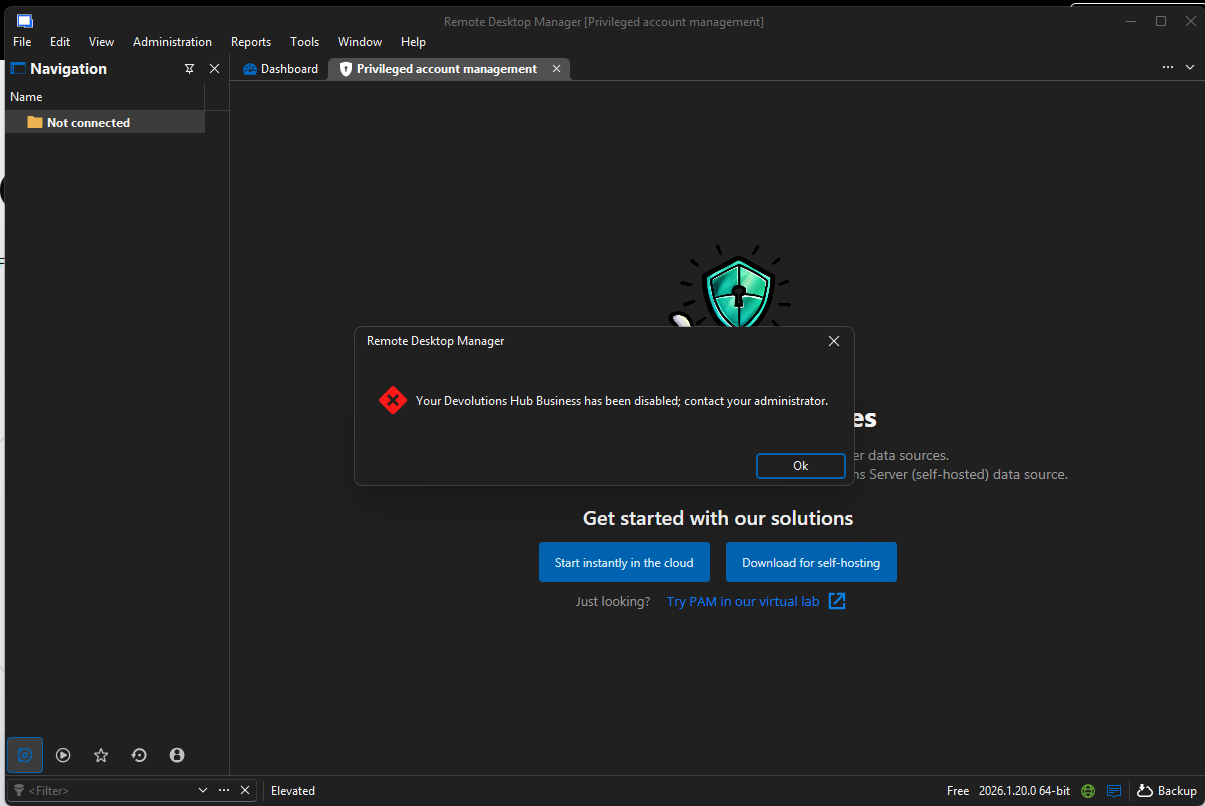
Screenshot 2026-05-05 093541.png
All Comments (11)
Hi iviwe!
Thanks for reaching out. That message means your user account in your organization's Devolutions Hub Business has been disabled, so it's not actually an RDM issue. Reinstalling or resetting your password won't change anything.
To get back in, you'll need a Hub admin at your company (usually IT, or whoever set up Devolutions for your team) to re-enable your account. It only takes a moment on their end:
Administration → Users, locate your account, and switch it to Enabled.
A couple of things that might help:
- If you're not sure who your Hub admin is, check with whoever manages your Devolutions subscription or onboarded you to RDM.
- If nobody at your organization can sign in, your admin can use the break glass account to recover access.
- Once you've been re-enabled, just sign back into RDM, and you should be all set.
If the error sticks around after your admin re-enables your account, please open a ticket at service@devolutions.net and we'll take a closer look.
Best regards,
Eduard Sepulveda Lopez
Hi , I have the same error , on Administration → Users
I have the below: 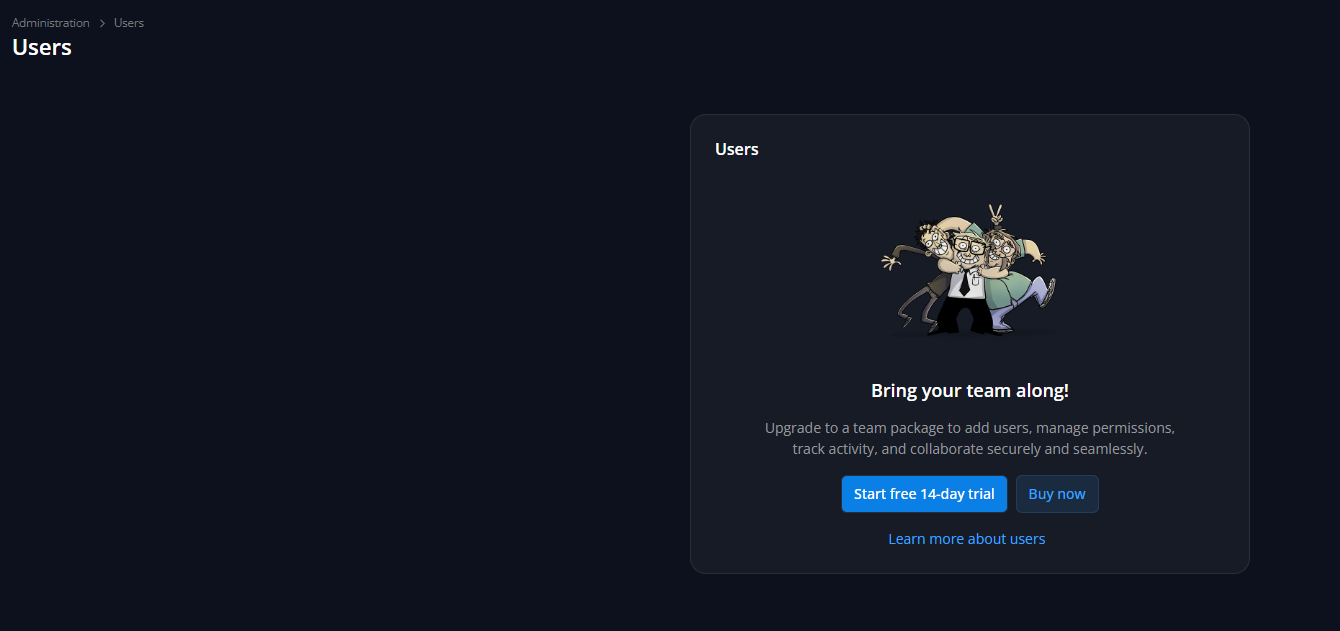
my version is
Remote Desktop Manager 2026.3.8.0 64-bit (PreJIT)
Runtime: .NET 10.0.12
Platform: Microsoft Windows 10.0.26200
Workspace: Devolutions Hub Personal
Allocated memory: 326 MB
when I try it on my laptop with 2026.2.16.0 everything works perfectly
d3273735-2d25-41ae-bc91-b42bcbbcff49.png
@dimx ,
The screenshot you posted isn't the same "Cloud is disabled" error - it's the normal Administration → Users screen, showing a prompt to "Bring your team along" with a free trial / buy now option.
That screen appears because your report shows you're connected to a Devolutions Hub Personal workspace, not a Hub Business one. Personal workspaces are single-user by design, so they don't include a user management feature - that upgrade prompt is expected there, not an error or a sign your account is disabled.
Best regards,
Jeff Dagenais
@Jeff Dagenais 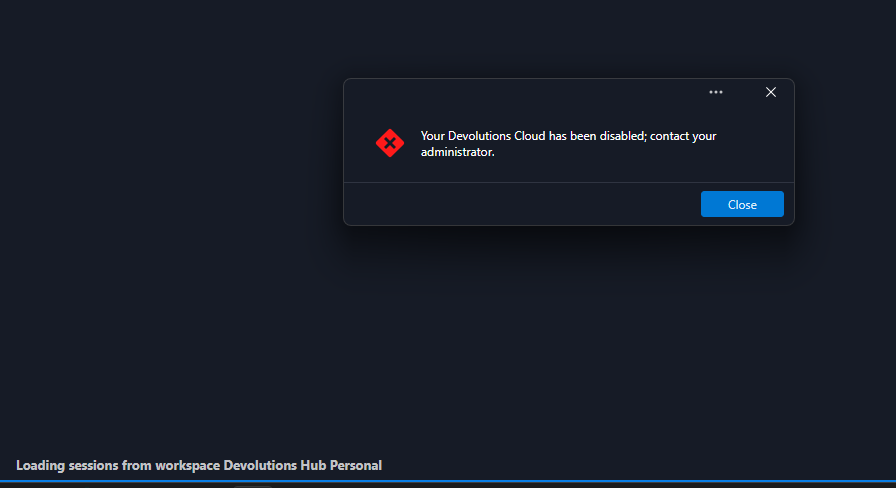
In that case, could you help me understand why I only see this message on one of my installations that is running the latest version?
I'm connected to a free Hub Personal workspace and there is no user management capability available, so I wouldn't expect to see any options related to enabling or disabling users.
ea7e3eac-0557-4aad-b335-e4493e3f2f28.png
Hello,
My team and I are currently working with development team to find the root cause of your issue.
We should be back with something tomorrow regarding this.
Sorry about that.
Best regards,
Jeff Dagenais
I'm the Devolutions Hub Personal user; however, I received the same error since September 24th, 2026.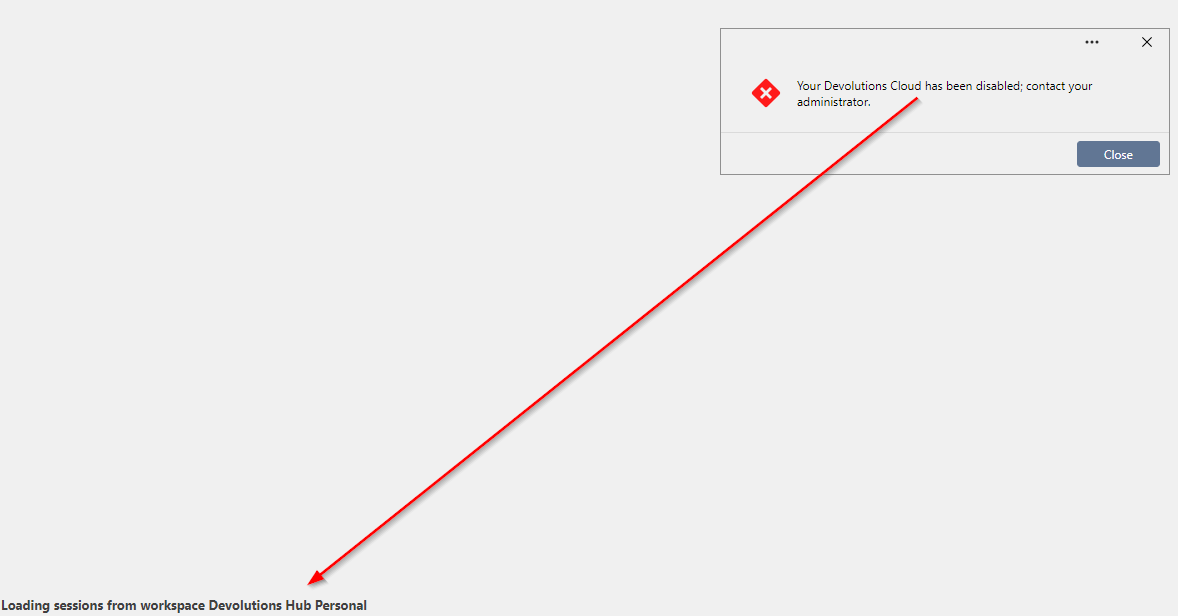
2026-09-24 14_07_04-C__Users_nzou_Work Folders_Downloads - FreeCommander XE.png
Hi,
For those with the workspace disabled error message, if you could post your workspace configuration (the URL mostly). Also, if you could open the profiler, (Help -> Performance profiling -> Level 2049 (API & Debug; if API is not available, Cloud should be) and reproduce the issue with the profiler open.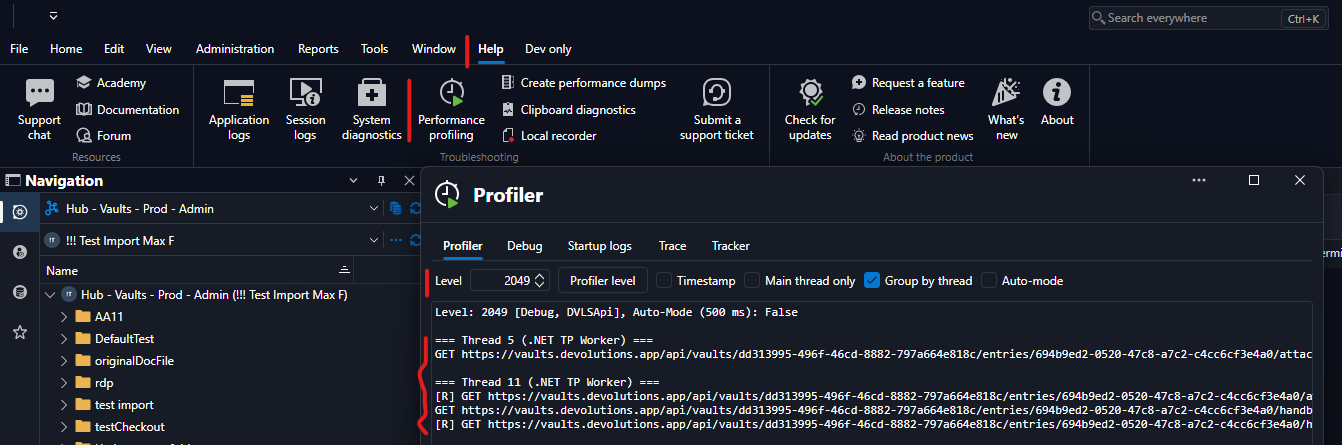
The logs should look as above.
Thanks, have a good day!
Maxime Morin
bcfed780-2126-4b48-93a6-3a65bf2bca04.png
Hello,
Could you also try resetting Remote Desktop Manager to its default settings and then check whether the issue occurs again?
Please follow the steps in this article:
https://docs.devolutions.net/rdm/kb/how-to-articles/reset-rdm-to-default-settings/
Please let us know the results.
Best regards,
Carl Marien
@Carl Marien the clear of appdata folder works , now I am ok thanks!
@Maxime Morin if you want the logs before fix were like the below=== Thread 5 (.NET TP Worker) ===GET https://cloud.devolutions.app/00000000-0000-0000-0000-000000000000/api/healthz [R 490.7 ms] GET https://cloud.devolutions.app/00000000-0000-0000-0000-000000000000/api/healthzPOST https://cloud.devolutions.app/00000000-0000-0000-0000-000000000000/api/authentication/pre-login [R 175.2 ms] POST https://cloud.devolutions.app/00000000-0000-0000-0000-000000000000/api/authentication/pre-login => 403 Forbidden=== Thread 7 (.NET TP Worker) ===GET https://cloud.devolutions.app/00000000-0000-0000-0000-000000000000/api/server-configurations=== Thread 32 (.NET TP Worker) === [R 226.2 ms] GET https://login.devolutions.com/api/v1/account/encryption-context?deviceKeyId=1747290XXXXXHIDENGET https://cloud.devolutions.app/00000000-0000-0000-0000-000000000000/api/version=== Thread 33 (.NET TP Worker) === [R 492.4 ms] GET https://cloud.devolutions.app/00000000-0000-0000-0000-000000000000/api/server-configurationsGET https://login.devolutions.com/api/v1/account/encryption-context?deviceKeyId=1747290XXXXXHIDEN [R 491.8 ms] GET https://cloud.devolutions.app/00000000-0000-0000-0000-000000000000/api/versionPOST https://cloud.devolutions.app/00000000-0000-0000-0000-000000000000/api/authentication/pre-login [R 186.4 ms] POST https://cloud.devolutions.app/00000000-0000-0000-0000-000000000000/api/authentication/pre-login => 403 Forbidden
I simply changed the deviceKeyId. I'm not sure whether that information is considered sensitive.
@dimx Glad to hear it’s working now. Thanks for the logs, and good idea changing the device key ID! The issue is clear: the workspace wasn’t set correctly. The URL contains the empty GUID (000...) as your Cloud ID. Deleting the workspace in RDM (just the configuration/link, not the actual Cloud) and re-creating it would probably have solved the issue.
Maxime Morin
@Maxime Morin The solution worked as expected, thanks a lot!
Deleting the workspace in RDM (just the configuration/link, not the actual Cloud) and re-creating it would probably have solved the issue.