Using different sock proxy port in templates
1 vote

Hi,
I have a setup where i have a vault per customer.
In each vault we have a SSH VPN like this (including customer specific gateway config to connect)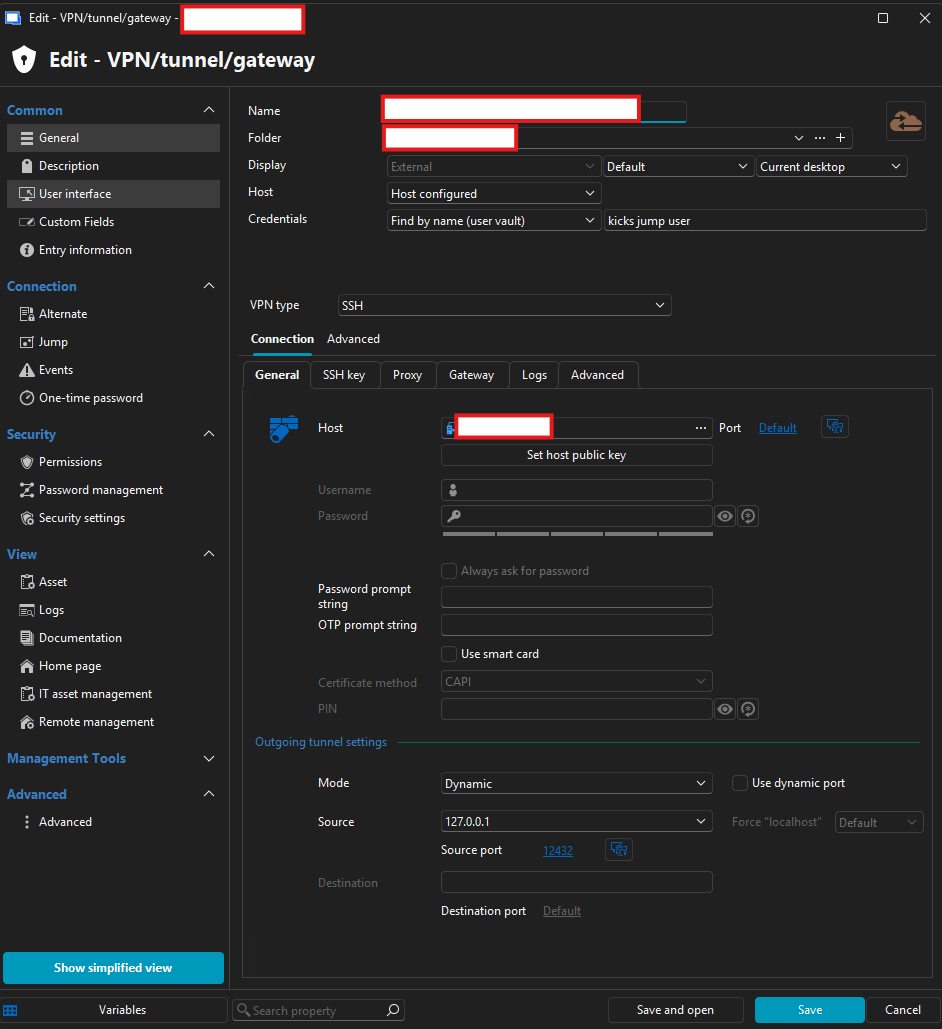
I then have a customer specific template ie for ssh where i have the socks proxy configured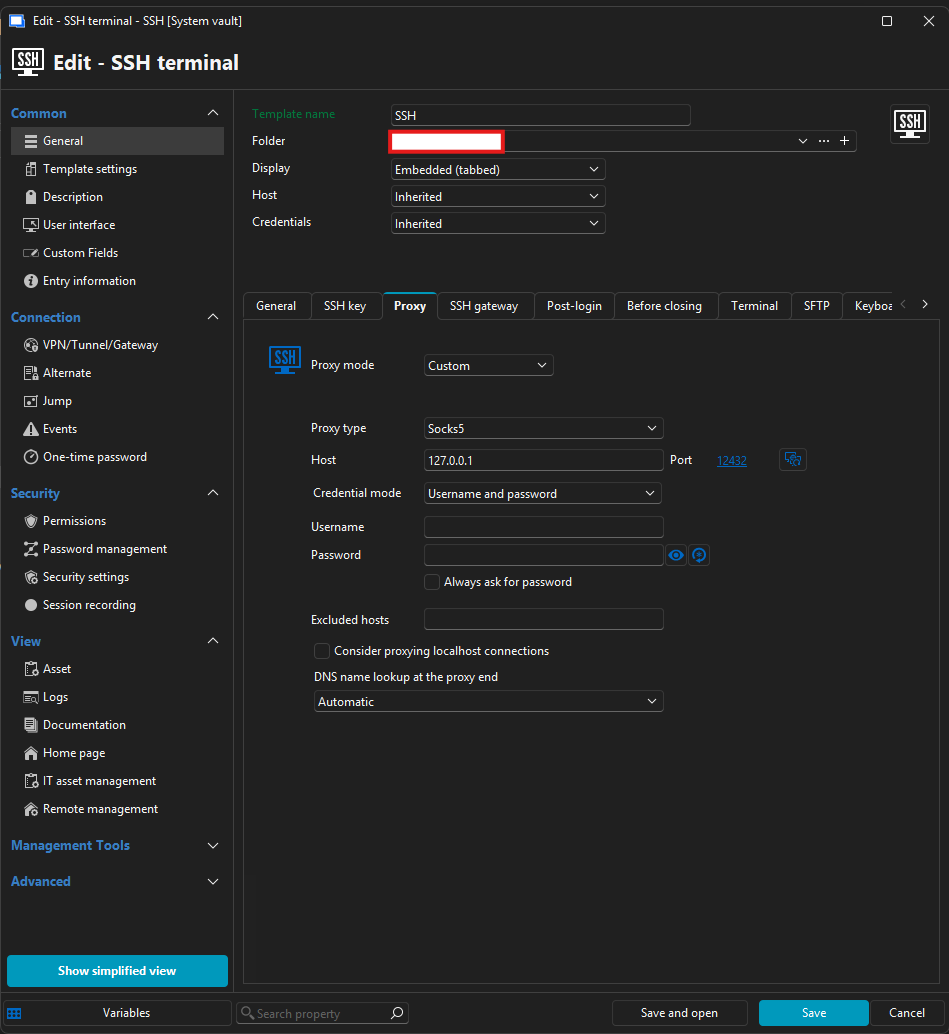
My question is then, would it be possible to somehow, have it so that i have the "proxy VPN" entry in the vault for creating the proxy like i have now.
And then only have 1 SSH template which i can use for all ?
I tried briefly to use dynamic port on the proxy entry, but i could not see a way to use the $DYNAMIC_PORT$ variable in the template.
I also tried to create a variable in the vault with the customer specific port, but i then again ran into not being able to use it.
I even tried to export the template and replace the port with the variable in the .rdm file, but then RDM do not want to import it.
Do you have any suggestions for a way to achive this ?
a4f75d10-9496-45ee-9646-002640a6ba49.png
f4c3f293-bef3-4932-9843-fc927608f40c.png
All Comments (6)
Hello,
Instead of using a custom SOCKS proxy configuration directly in the template, we would recommend using a Link entry and linking it to the appropriate Proxy Tunnel entry.
This way, the template can stay generic, while the linked proxy/tunnel entry handles the customer-specific connection details. The VPN / Tunnel / Gateway entries can also be created under the System Vault, which allows them to be shared across different vaults when needed.
Also, as a side note, having one vault per user is generally not a structure we would normally recommend. Vaults are usually better organized by team, customer, environment, or permission boundary, depending on the use case.
Best regards,
Carl Marien
Hi Carl,
I hope i understand you suggestion correctly.
So i on ie my SSH terminal template link to SOCKS proxy configuration (which then need to be in the systemvault as that the only way i can select it in the list)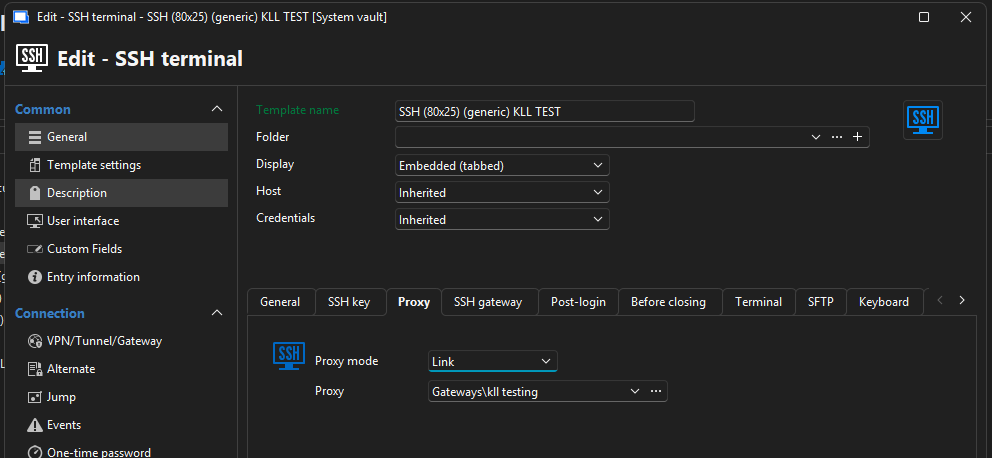
I then have a SOCKS proxy configuration in the systemvault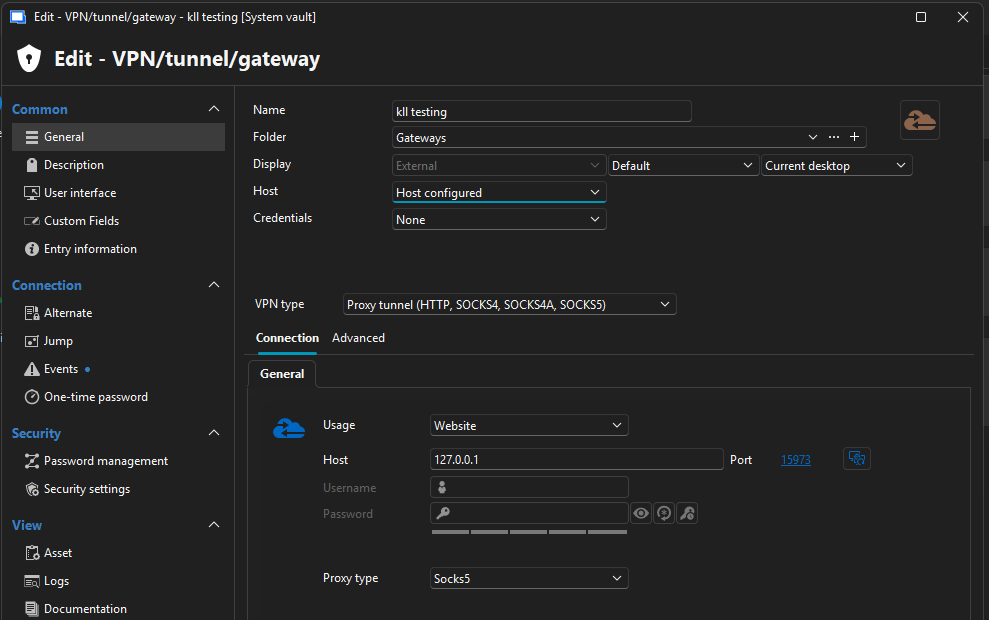
This i can get to work, but i do not see how i can have a template for ie SSH terminal to use a different SOCKS proxy configuration based on which vault im lunching it from.
But unless i miss something here, then i still do not see how configure.
Also which might be importen information, we are using the session type "host" with templates attached.
Like show here, the reason for that is that for some of customere we would start to use way to many session if we had ie SSH terminal as a standalone session type.
With our largest vault we have around 11.000 entries with this setup. (just as FYI about why we have it configured like this)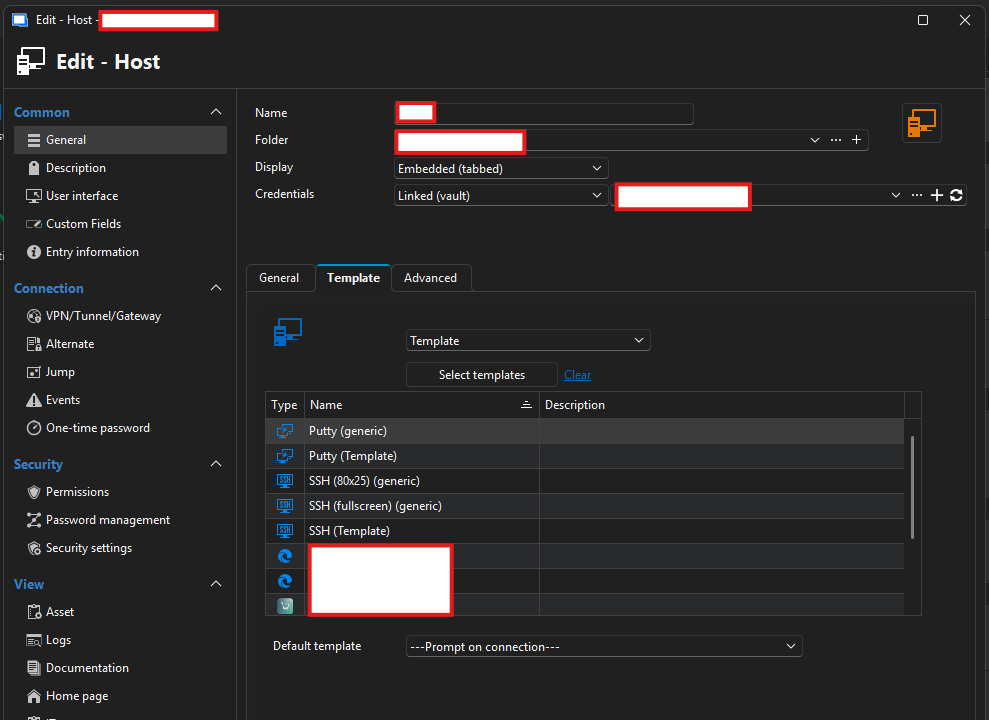
aef26127-6ad0-47eb-a77f-d26ffff250d7.png
8d9f33b2-85f6-4f59-b6a8-e32231683f4e.png
05df4678-6462-4efe-bb8d-7cb566186bef.png
Hello,
Unfortunately, this specific configuration is not currently supported.
At this time, it is not possible to have a single SSH template automatically use a different SOCKS proxy configuration based on the vault it is launched from.
I will transfer this forum thread to our feature request section so our product team can evaluate this use case for a future improvement.
Best regards,
Carl Marien
Hello,
In your scenario, is the only thing that needs to be unique across the SOCKS proxies between your vaults, the port that is used? I want to ensure whether I understand the requirements in your environment to ensure the solution we find will work well for you.
At the moment, my lead would be to use variables (which can be configured per-vault) and allowing the port to use that variable. At the moment it doesn't seem to be possible despite the configuration being allowed, so it might just be a question of properly fitting the pieces together in our backend.
Regards,
Hubert Mireault
Yes, it’s only the SOCKS port that needs to be different.
Being able to use variables in the port field would be nice, especially for templates, as it would provide a greater degree of flexibility for different configuration.
I’ve also been played around with it a bit more, and I had a “light‑bulb” moment.
I can use more of the loopback address/network. Instead of all vaults using 127.0.0.1, I can do something like:
- 127.10.0.1 for customer A
- 127.20.0.1 for customer B
- 127.30.0.1 for customer C
- etc.
And then have the same port across the different vaults.
I’ve now tried this approach, where the proxy host is a variable configured per vault.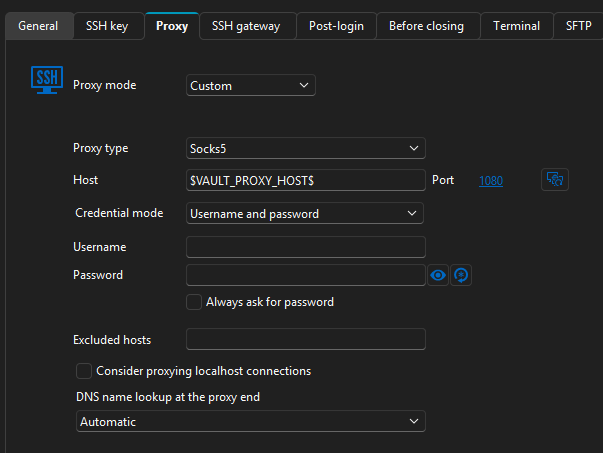
This seems to fix my main issue, which was effectively needing a separate template per vault because of the different SOCKS ports.
Ideally, it would still be nice if the SOCKS configuration could be pulled from the vault itself somehow, so changes to the SOCKS settings can live in the vault fro easier configuration.
But given my current situation, potentially editing ~5 templates if a SOCKS setting changes is far better than the current situation of 20 × ~5 edits. Along the same lines, if I need to change something in the SSH template, I now only have to change it in one template instead of 20.
So now i just need to actually try it out and make the changes, but i think this will be a workable solution for us.
Thank you both for your time and inputs for this :)
b617be14-ee0d-46c0-93db-c08fcb655ba4.png
That's great, I'm glad you were able to figure out a solution that, while imperfect, still manages to simplify your workflow.
We'll keep your feedback in mind for future improvements. With the way entries are designed and interlinked, it wouldn't be a simple change to achieve what you've described, but I do see the value in it. We'll have to think about it.
Regards,
Hubert Mireault