Using different sock proxy port in templates

Hi,
I have a setup where i have a vault per customer.
In each vault we have a SSH VPN like this (including customer specific gateway config to connect)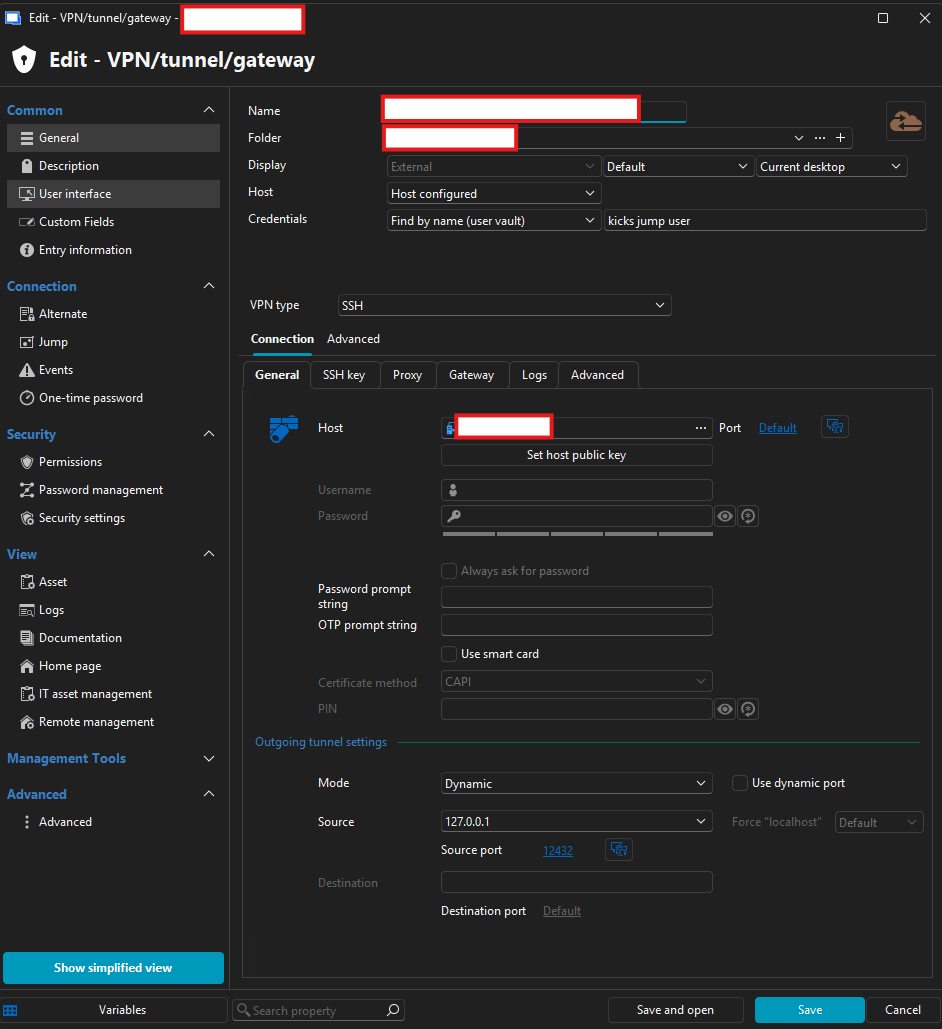
I then have a customer specific template ie for ssh where i have the socks proxy configured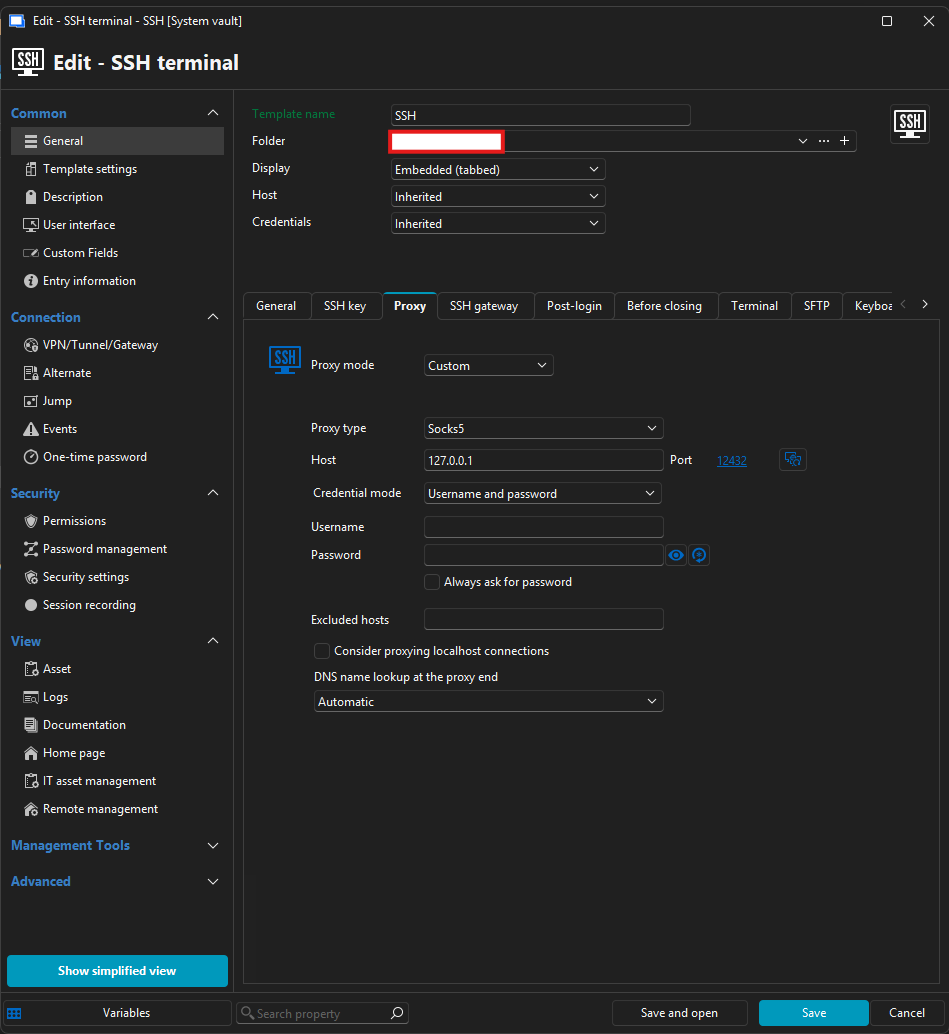
My question is then, would it be possible to somehow, have it so that i have the "proxy VPN" entry in the vault for creating the proxy like i have now.
And then only have 1 SSH template which i can use for all ?
I tried briefly to use dynamic port on the proxy entry, but i could not see a way to use the $DYNAMIC_PORT$ variable in the template.
I also tried to create a variable in the vault with the customer specific port, but i then again ran into not being able to use it.
I even tried to export the template and replace the port with the variable in the .rdm file, but then RDM do not want to import it.
Do you have any suggestions for a way to achive this ?
a4f75d10-9496-45ee-9646-002640a6ba49.png
f4c3f293-bef3-4932-9843-fc927608f40c.png
All Comments (2)
Hello,
Instead of using a custom SOCKS proxy configuration directly in the template, we would recommend using a Link entry and linking it to the appropriate Proxy Tunnel entry.
This way, the template can stay generic, while the linked proxy/tunnel entry handles the customer-specific connection details. The VPN / Tunnel / Gateway entries can also be created under the System Vault, which allows them to be shared across different vaults when needed.
Also, as a side note, having one vault per user is generally not a structure we would normally recommend. Vaults are usually better organized by team, customer, environment, or permission boundary, depending on the use case.
Best regards,
Carl Marien
Hi Carl,
I hope i understand you suggestion correctly.
So i on ie my SSH terminal template link to SOCKS proxy configuration (which then need to be in the systemvault as that the only way i can select it in the list)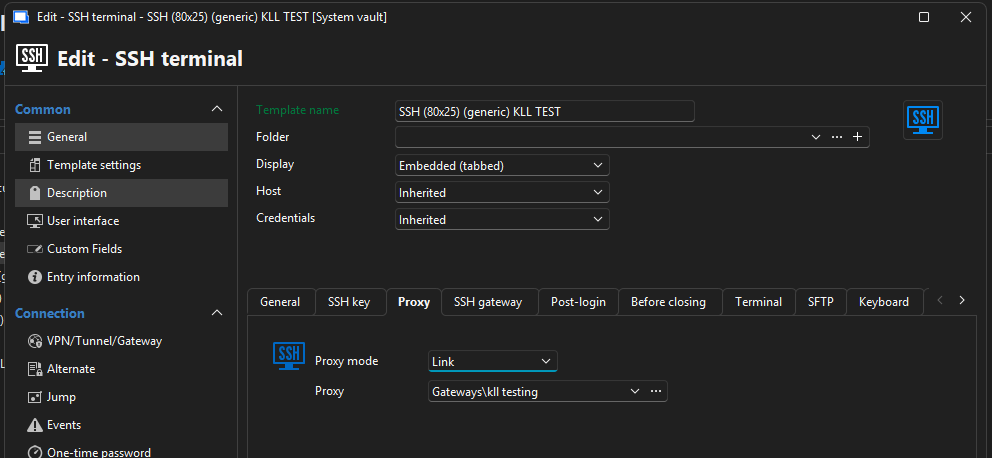
I then have a SOCKS proxy configuration in the systemvault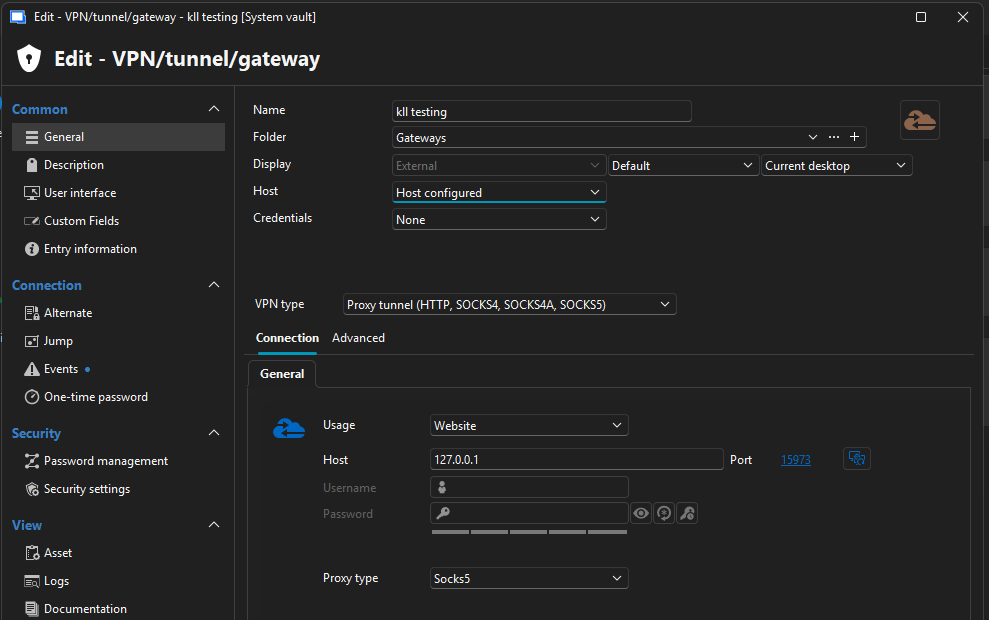
This i can get to work, but i do not see how i can have a template for ie SSH terminal to use a different SOCKS proxy configuration based on which vault im lunching it from.
But unless i miss something here, then i still do not see how configure.
Also which might be importen information, we are using the session type "host" with templates attached.
Like show here, the reason for that is that for some of customere we would start to use way to many session if we had ie SSH terminal as a standalone session type.
With our largest vault we have around 11.000 entries with this setup. (just as FYI about why we have it configured like this)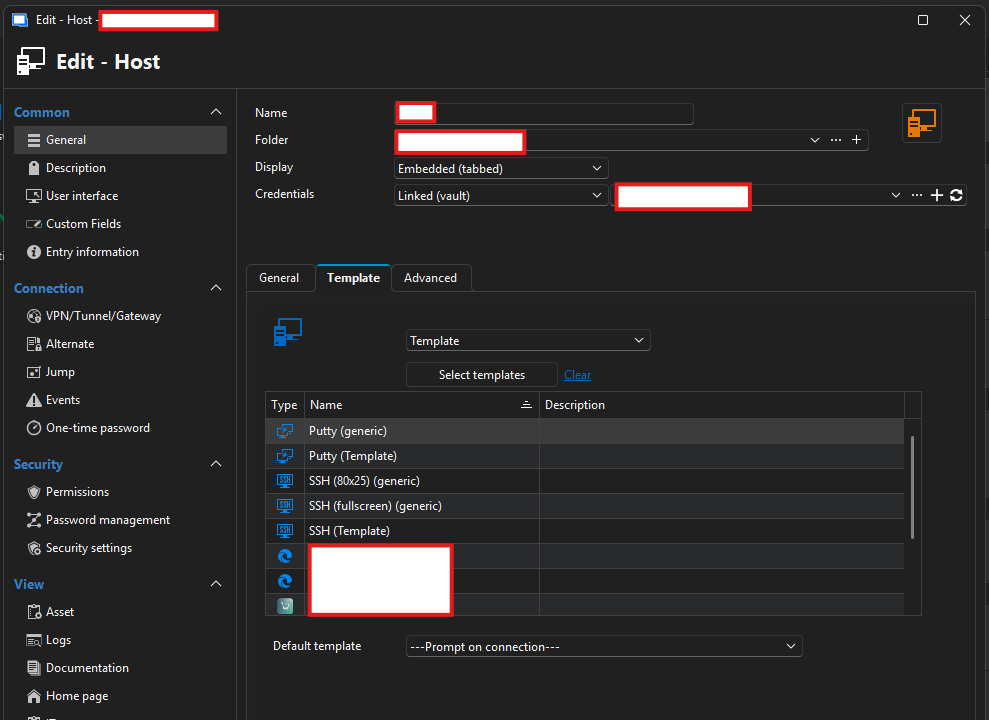
aef26127-6ad0-47eb-a77f-d26ffff250d7.png
8d9f33b2-85f6-4f59-b6a8-e32231683f4e.png
05df4678-6462-4efe-bb8d-7cb566186bef.png