Cannot import data source since last update

My android app has updates, and all server list were removed. Lost everything.
I tried to import it again from the Windows RDM App and got a an error that do not allow me to use the android app. I have tried different exports RDM, XML and RDD.
Any idea? It is an useless app since I do not have any server in the list. Am I doing something wrong?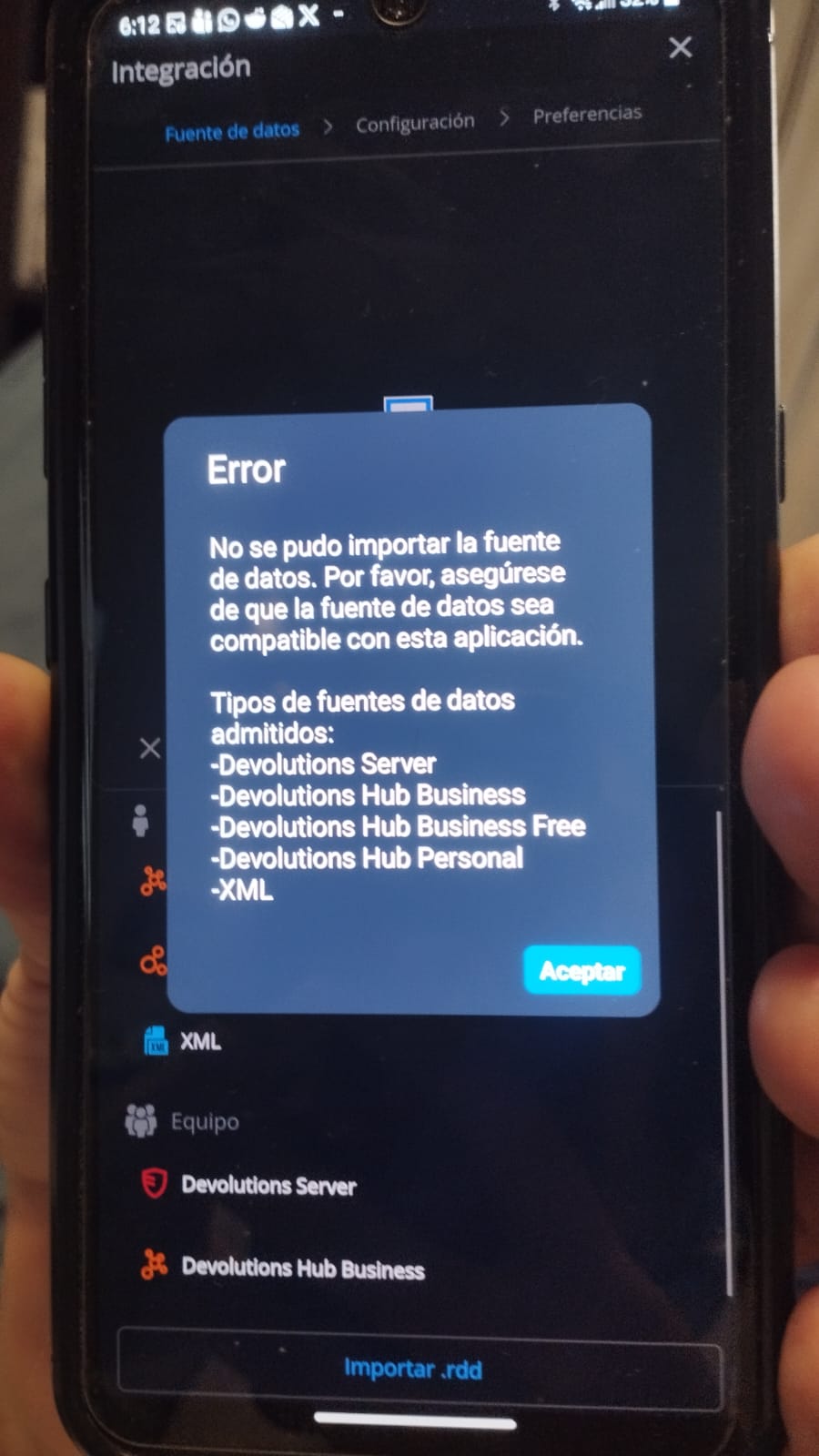
RDM-error.jpeg
All Comments (13)
Hi, we have several questions:
1. Did you lose your existing data source after updating the application? If so, what data source type or types were you using?
2. What data source type or types are you exporting your data from in RDM Windows and trying to import into RDM Android?
Also, could you open the main application navigation screen by tapping the hamburger icon at the top left of the main window, then tap About, then Update History, and send us a screenshot of the update history?
If you are unable to take a screenshot, it may be due to a security setting in the application. To enable screenshots, tap the hamburger icon, go to Settings, then Security and Privacy, and uncheck “Protect data from screen capture.” You should then be able to take screenshots within the application.
Best Regards,
Nicolas Dufour
Hi, we have several questions:
1. Did you lose your existing data source after updating the application? If so, what data source type or types were you using?
2. What data source type or types are you exporting your data from in RDM Windows and trying to import into RDM Android?
Also, could you open the main application navigation screen by tapping the hamburger icon at the top left of the main window, then tap About, then Update History, and send us a screenshot of the update history?
If you are unable to take a screenshot, it may be due to a security setting in the application. To enable screenshots, tap the hamburger icon, go to Settings, then Security and Privacy, and uncheck “Protect data from screen capture.” You should then be able to take screenshots within the application.
Best Regards,
@Nicolas Dufour
Sure I can, thanks a lot.
I updated the androidApp and lose all server list. I have a local vault since vault in google drive stop working months ago, so everytime I update something in the PC I need to update it on the phone. I got a local vault in the phone with all server list exported from time ago.
This time I cant get the server list from the PC-RDM.
Sorry as I tried a lot of things, like: delete cache, delete data, uninstall the app and then reinstall it, i do not have server history update, just: 2026.1.2.9 29/4/2026 5.52pm (my local time)
Thanks a lot for your interest and help. Robert
I just can restore list from old file, but cant get the last one.
Hi,
A better approach would be to use a shared data source such as Devolutions Hub Business Free. This way, you will be able to share your data across multiple devices and platforms.
If you still prefer to use a local file on your different devices, we suggest the following:
1- From your RDM Windows application, export your data to an .rdm file.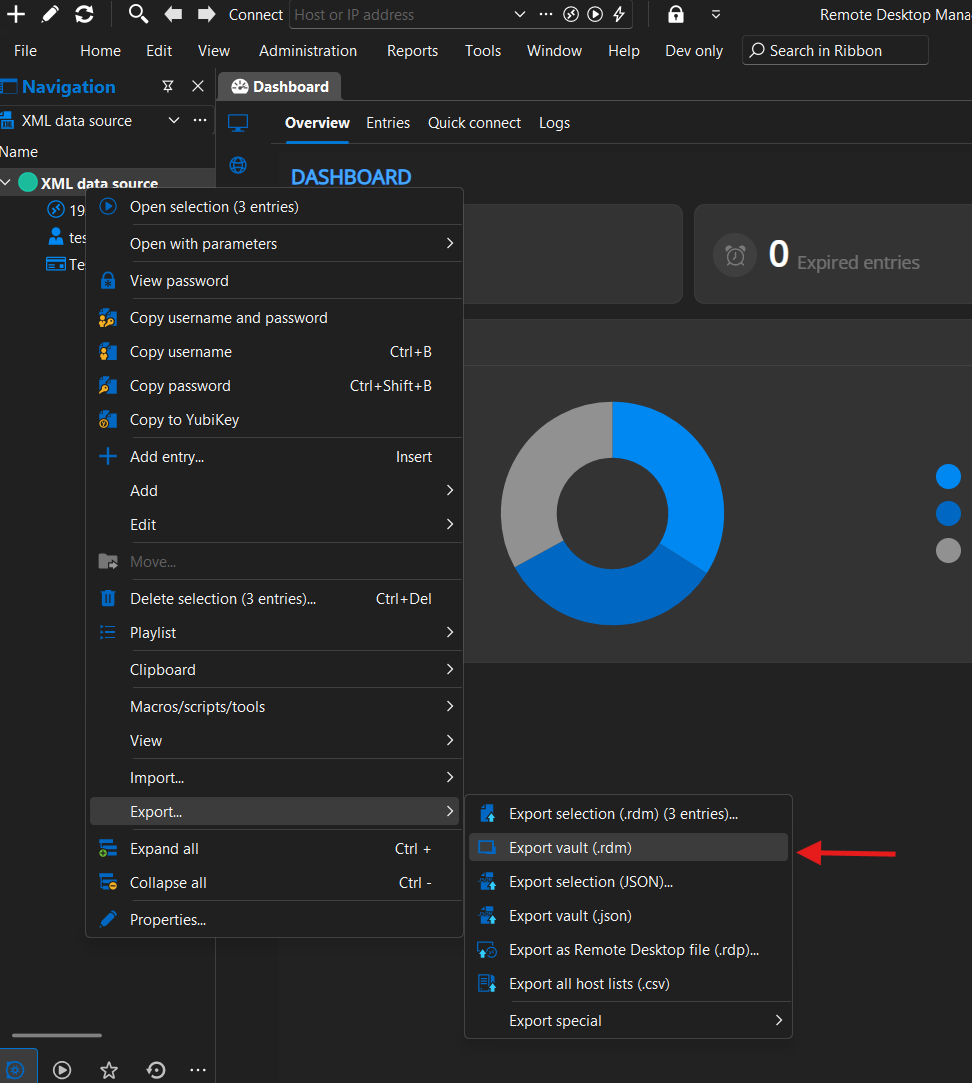
2- Send the file to your mobile device via email or another method.
3- Save the file on your mobile device.
4- In RDM Android, create a new XML data source.
5- Import the entries from your file into the data source.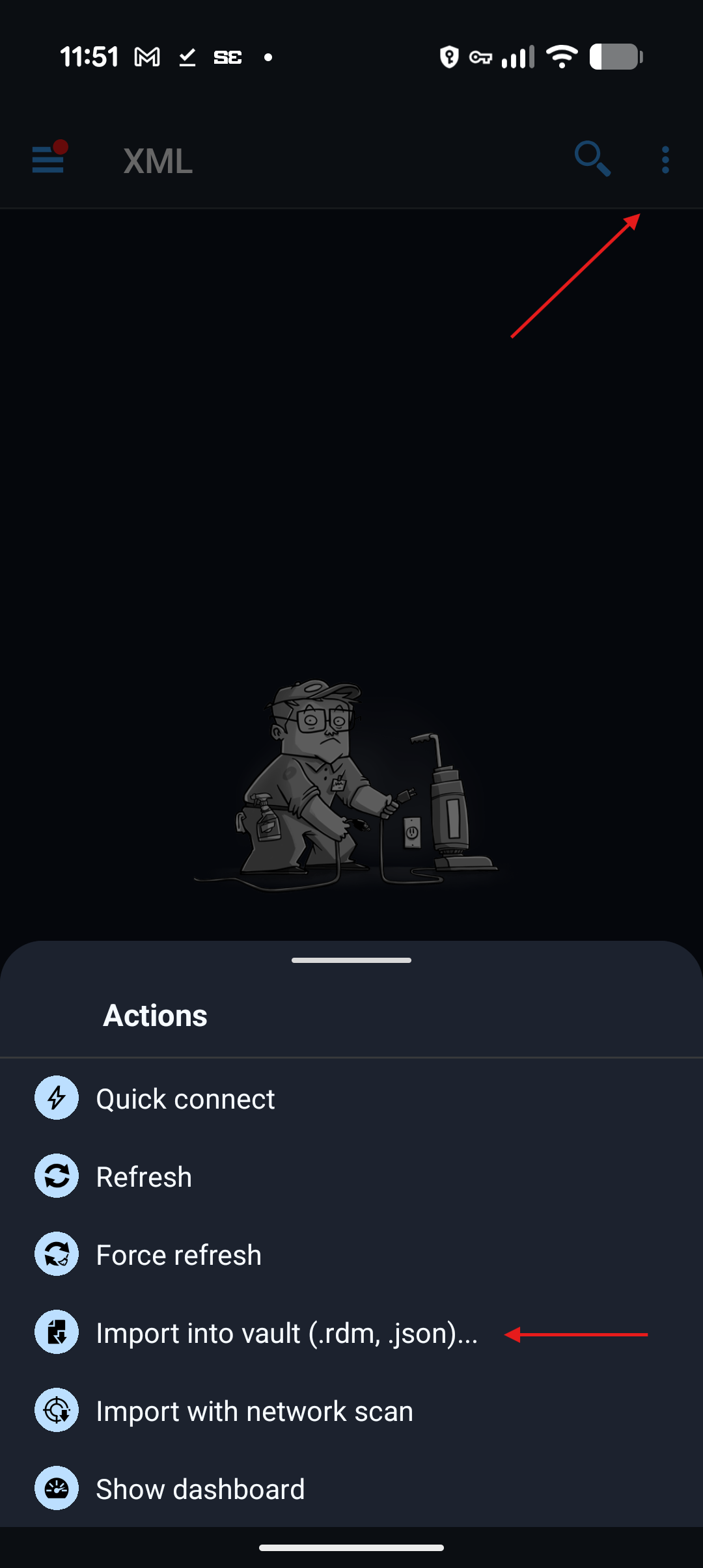
Best Regards,
Nicolas Dufour
1f434632-64ef-4bc5-8267-1e9ef3ed1188.png
423abf80-ce30-4946-9c54-67fc8de80f04.png
thanks a lot Nicolas, sorry for my delay.... but it doesn't works.
- I exported the file from desktop app without problems
- in RDM mobile, the screen you shared is different to mine (mobile-1)
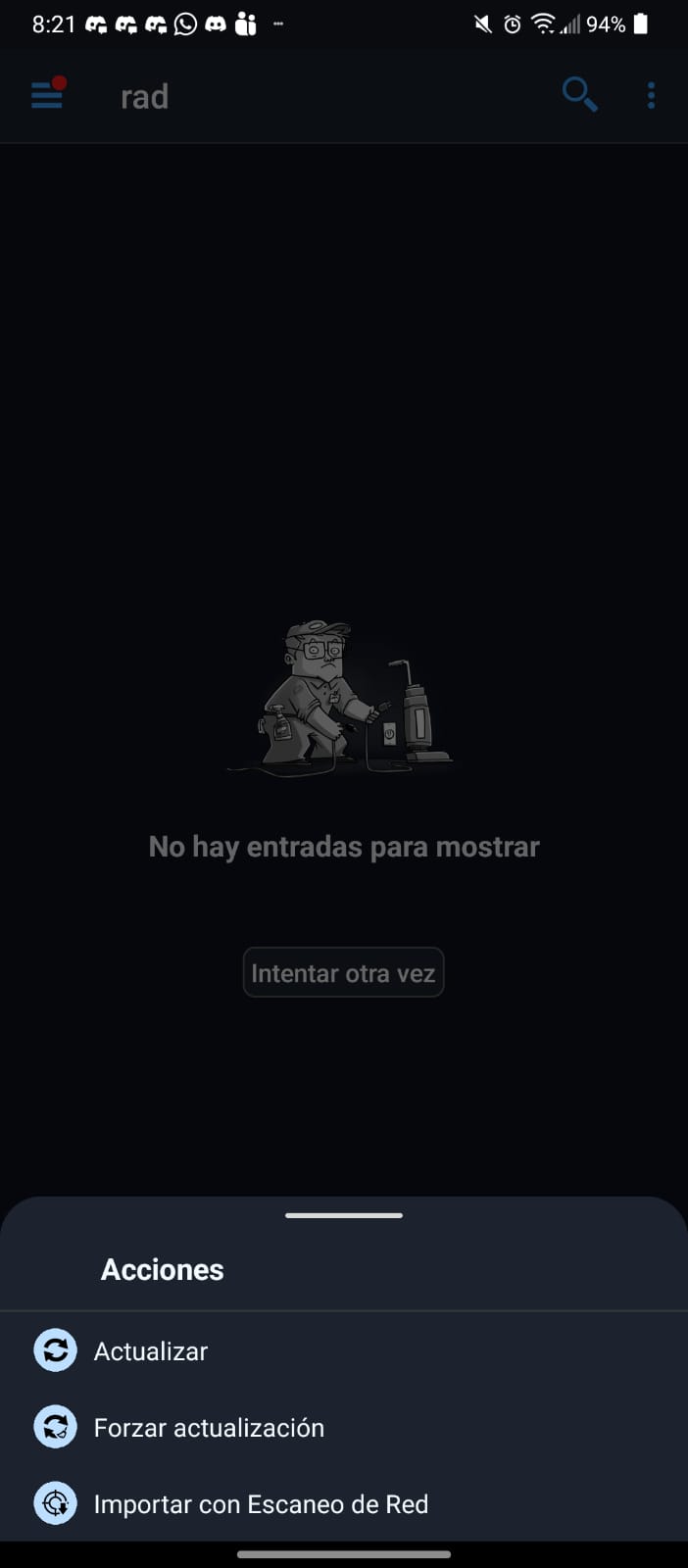
- searching I could try going to vault, and trying to add new one, but got the first error reported:
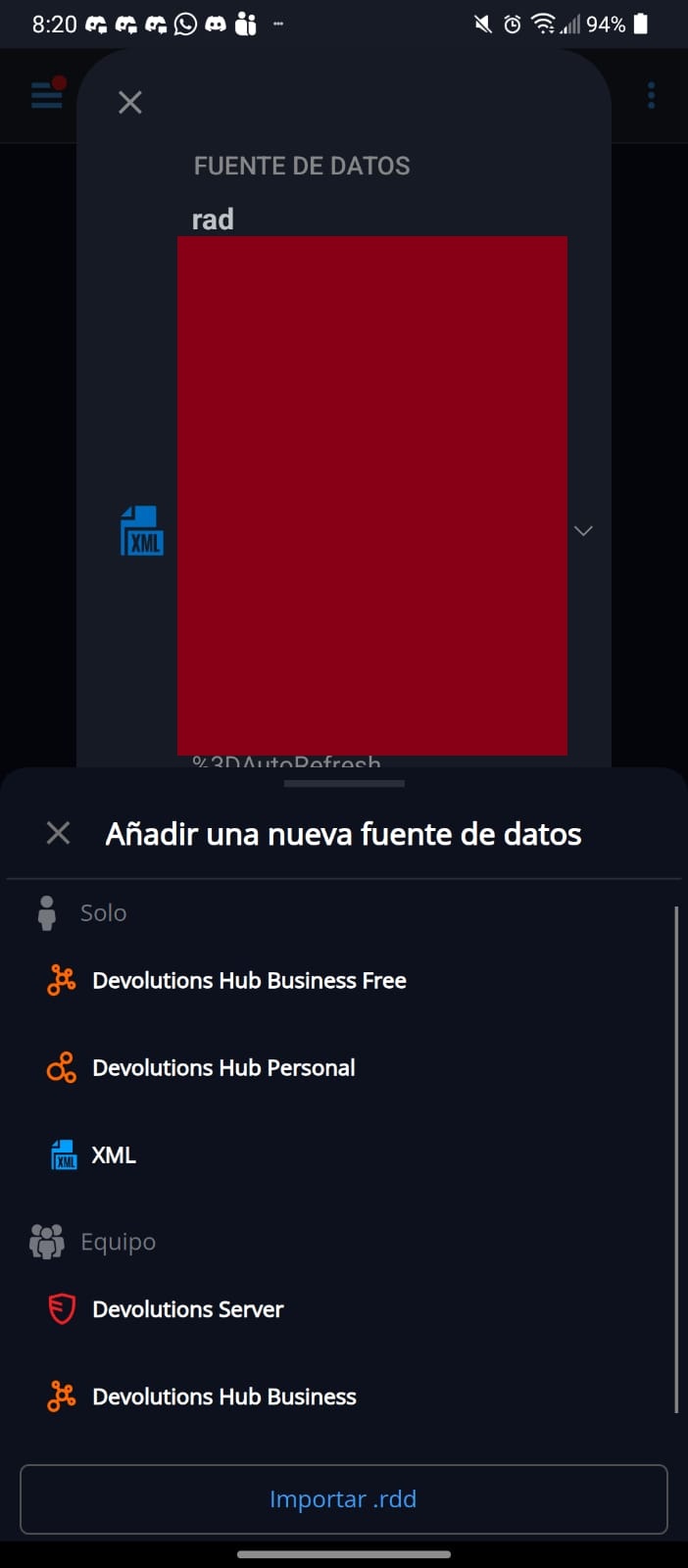
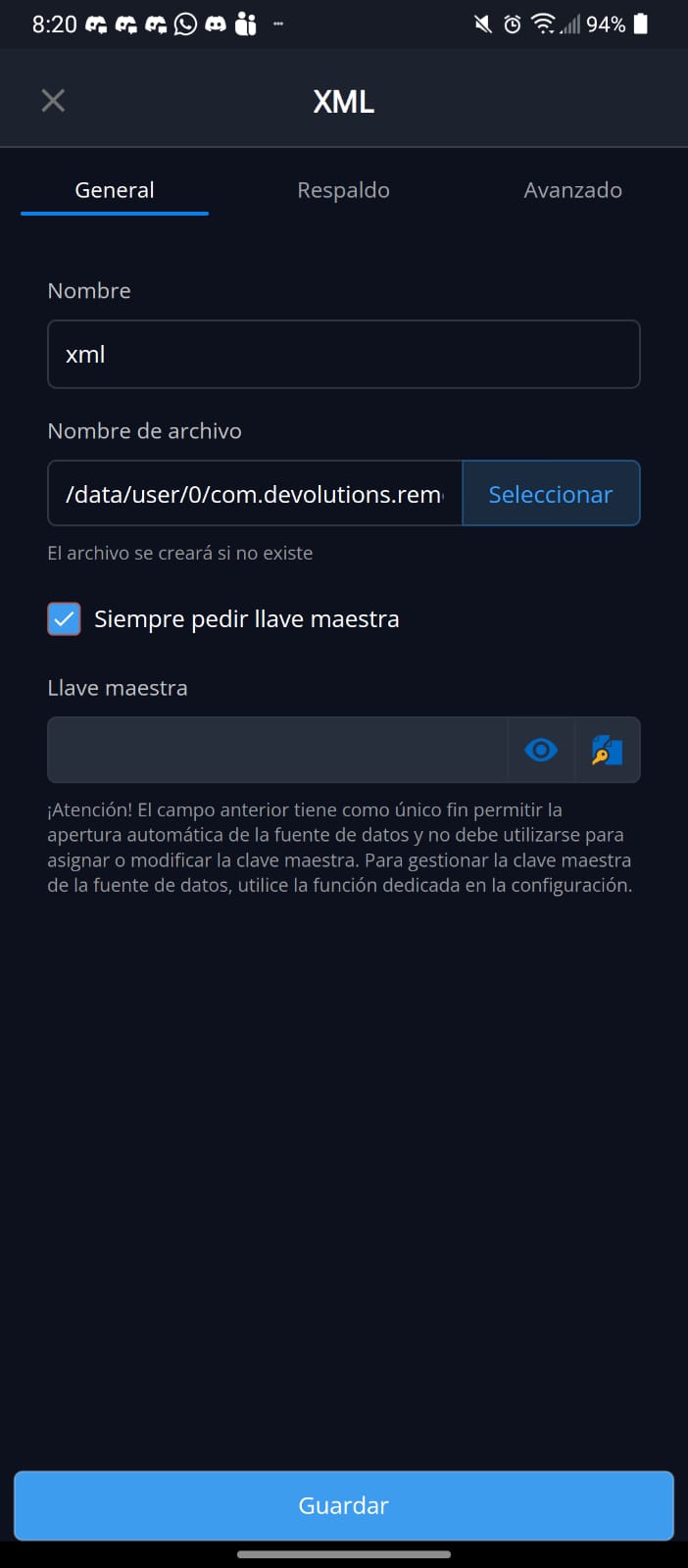
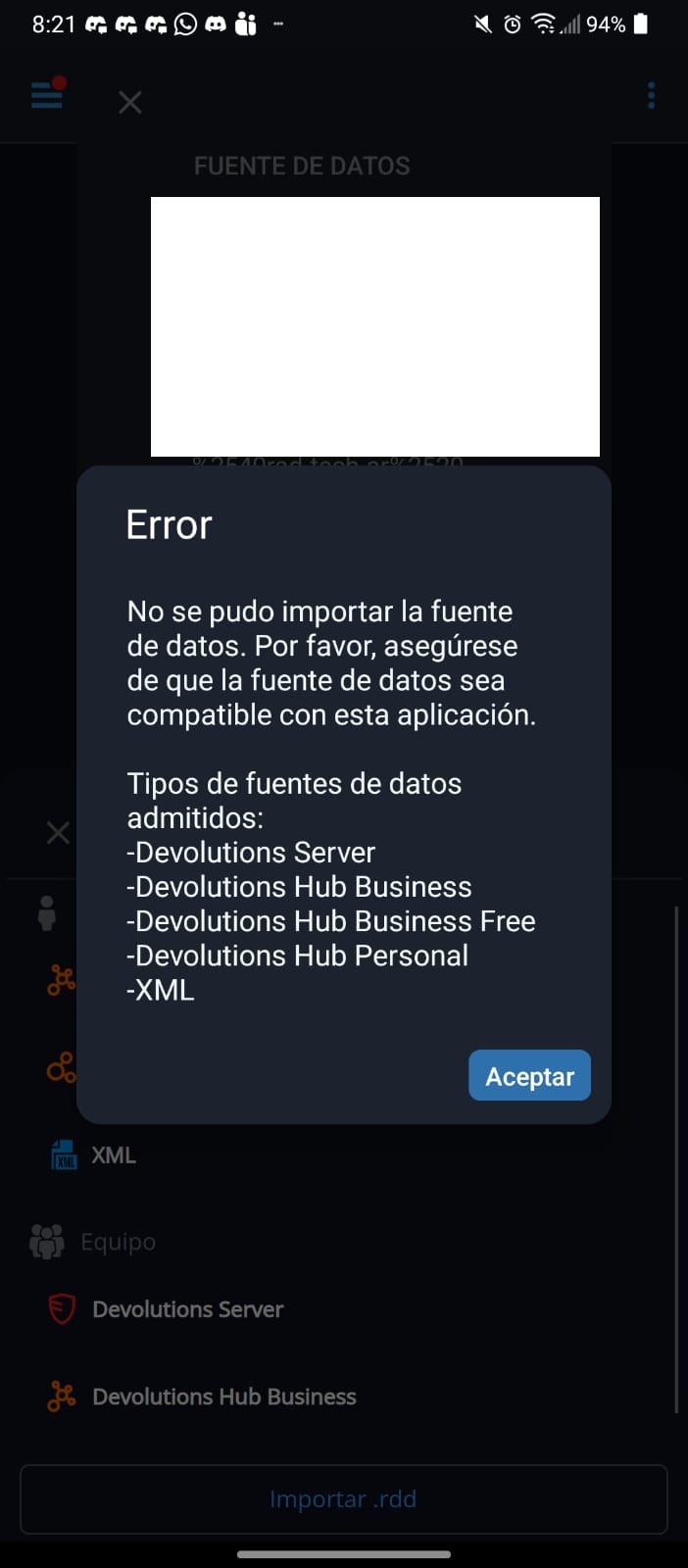
mobile-2.jpeg
mobile-4.jpeg
mobile-3.jpeg
mobile-1.jpeg
Hi,
Could you please send us a screenshot of your update history, as outlined in one of my previous posts?
Also, could you provide a video showing the process when you attempt to import the .rdm file?
Best regards,
Nicolas Dufour
sure, here you got the video.
and i do not have server history update, just: 2026.1.2.9 29/4/2026 5.52pm (my local time) thats becuase as part of the troubleshooting I reinstalled the app.
thanks a lot!!!
RDM-Vault-Export.mp4
Hi,
Thank you for the video. We would also like to see a video from the file import on Android.
Also, what is your version number of RDM Windows?
Best Regards,
Nicolas Dufour
Hi Nicolas, the RDM android is 2026.1.2.9 29/4/2026 5.52pm (my local time) thats becuase as part of the troubleshooting I reinstalled the app.
The RDM-PC is this one (sorry I believe it was in my last post):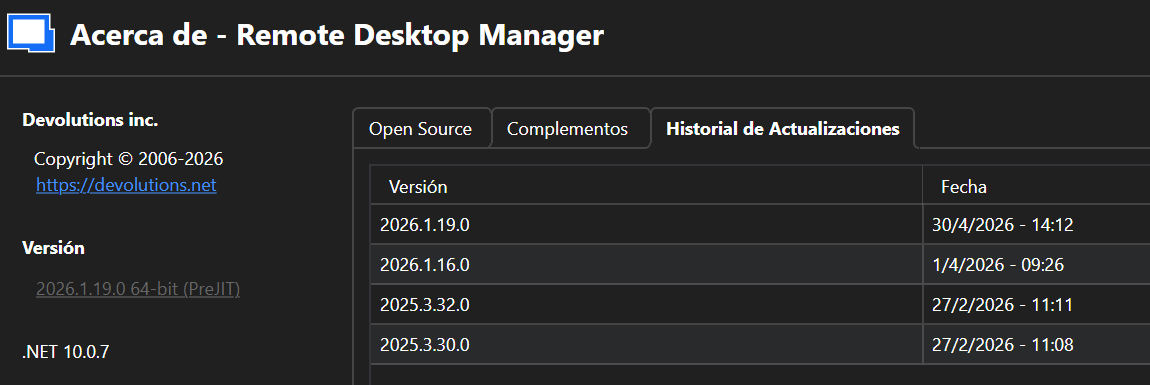
Thanks a lot. Robert
RDM-PC-history.png
Hi Roberto,
We would now need a video of the file import process on Android.
Also, could you try to reproduce the issue using fake data? Please use data that does not correspond to real machines, real usernames, or real passwords.
If you can reproduce the issue with fake data, you could export it from RDM Windows and send us the file so we can test it on our side.
If we can reproduce the issue, we should be able to fix it.
Best Regards,
Nicolas Dufour
Hi Nicolas, i share the video with you and the file exported from PC. As you can see I got previous files from older versions.
Thanks in advance, and thanks for the effort to try to solve it.
Robert
test2026.rdm
RDM-TEST-2026.mp4
Hi,
Thank you for attaching both files.
I tried importing your file, and everything worked successfully.
First make sure you have the latest version of the application, which is 2026.1.2.9.
From the video, we can see that you exported your data as an .rdm file and are trying to link that file as the XML data source file.
You need to import it as an .rdm file by choosing the following option: Importar en bóveda (.rdm, .json).
Then, select your .rdm file. I have attached a video that shows the steps to follow.
Best Regards,
Nicolas Dufour
Video_Import_Entries_RDM_File.mp4
Hi Nicolas, sorry my delay I had some health issues, and were dealing with many things.
I know it supposed to be something simple, but it fails many times. Today I tried a different thing and works, I have upgraded my pc version to beta 2026.2.3.0 64-bit (PreJIT). Do an export of the vault, uploaded to the phone, an then import them and works fine. Finally I got a big server list with everything I need there.
Thanks a lot for your help and the time you had provided. Have a greet week.
Hi,
glad to hear it worked. Have a great weekend!
Best Regards,
Nicolas Dufour