Symlinks not properly manager under SCP

Hello,
i use RDM with no issues, but when i open session using SCP i cannot solve the following issue
symlinks are not properly shown , for example "log" symlink is shown as it is
if i click over it i get the following
so i need to put manually the path contained under symlink to reach "log" folder
is there a way to fix this ? thanks
32909756-1b1b-405b-905d-34f223060a23.png
a3810b4f-173a-4d99-aaa1-f76e1840af4e.png
All Comments (2)
Hello,
Thank you for reaching out on this matter.
I’ve done some research on symlinks and found that they may not be handled as reliably with the SCP protocol. Could you please try using an SFTP connection instead? It appears that symlinks are better supported with this protocol.
Additionally, could you let me know whether you are able to use symlinks with third-party SCP clients, such as WinSCP or another tool of your choice?
I look forward to your response.
Best regards,
Jacob Lafrenière
Thanks for helping me on this matter. I would like to underline if it's possible changing subject due to a typo
manager --> managed
If i try SFTP, i cannot browse at all inside linux filesystem. If i use Filezilla and add a SFTP profile i can browse till the root of the filesystem and see properly symlinks. So SFTP is worst than SCP.
What i mean is that if i login with SFTP embedded i can see some folders and the classic ".." to go up in directory does not exist
I also tried to put ".." in the browse bar...it seems there are some problems with embedded SFTP as per my experience
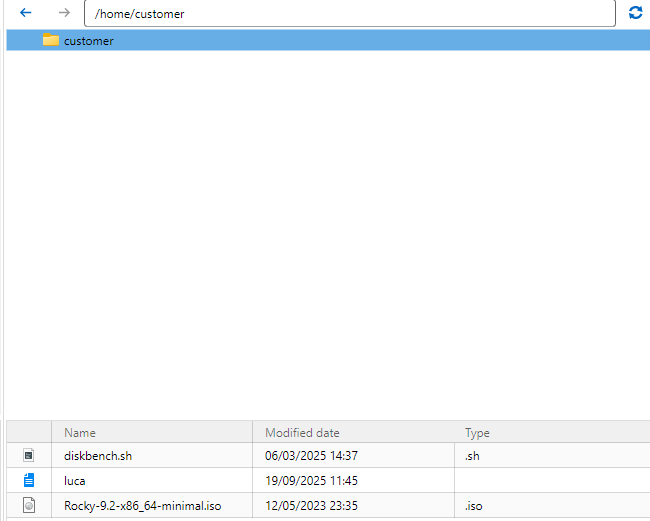
If i use WINSCP tool installed on my pc, i can see properly symlinks.
What's getting puzzled is that it seems that RDM relies on my installed version of Winscp, according to this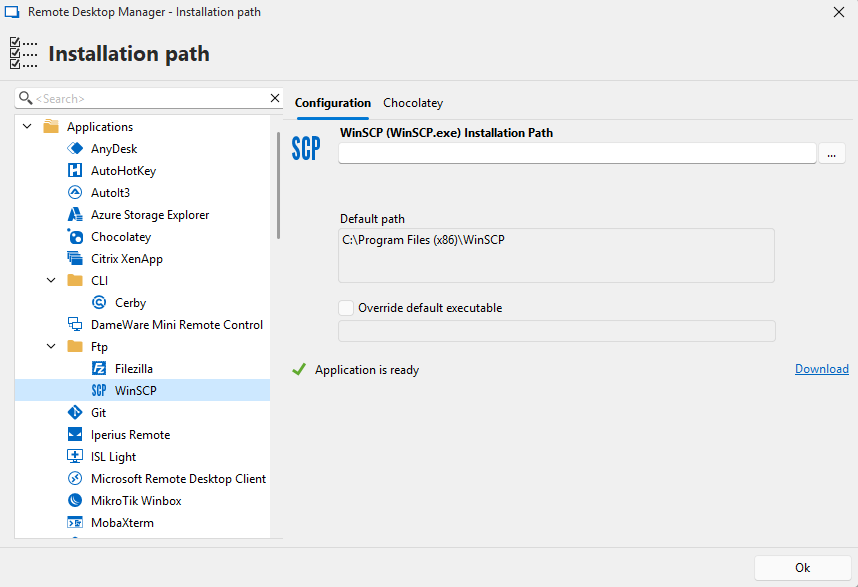
I can add SCP profiles under Winscp installation, but since we have this good features "open with parameters" , i think that it's a pity not using it in the way it meant to be
28d73f0d-aa97-4ffa-ab92-601a43d7b62f.png
0cee4a31-2f5a-40df-b7b9-71842fcc5698.png
657096e2-c418-487a-ba09-f22d81055fc6.png