Unable to make tailscale VPN work

If I configure an SSH entry to use tailscale (no matter if manually, automatically or any other way) I am always getting the message in the screenshot or no message at all. As I did not find any documentation about the tailscale feature I am completely stuck. Can you help me here please or point me to the documentation where the use of this feature is described? 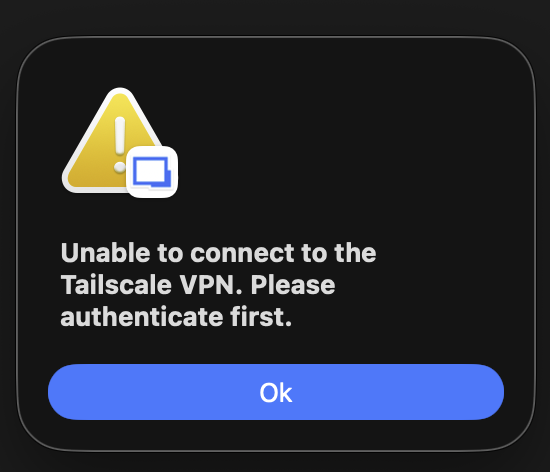
CleanShot 2026-04-22 at 23.36.23@2x.png
All Comments (7)
Hi,
Did you happen to launch Tailscale at least once before launching your entry? The application usually needs to be opened at least once so it can initialize properly before any integration can use it.
From your description, it sounds like the integration may not be able to detect or communicate with the Tailscale client. I’d recommend confirming that Tailscale is installed in the Application folder, running, and that you’re logged in with an active device.
Unfortunately, there isn’t official documentation available for this feature yet, so ensuring Tailscale itself is fully operational is an important first step.
Also, could you share a bit more about your setup? For example, how you configured your entry, and what environment you’re running this on. That would help narrow things down.
Best regards
Samuel Oliveira Martel
Hi,
Did you happen to launch Tailscale at least once before launching your entry? The application usually needs to be opened at least once so it can initialize properly before any integration can use it.
From your description, it sounds like the integration may not be able to detect or communicate with the Tailscale client. I’d recommend confirming that Tailscale is installed in the Application folder, running, and that you’re logged in with an active device.
Unfortunately, there isn’t official documentation available for this feature yet, so ensuring Tailscale itself is fully operational is an important first step.
Also, could you share a bit more about your setup? For example, how you configured your entry, and what environment you’re running this on. That would help narrow things down.
Best regards
@Samuel Oliveira Martel
Hi,
thanks for the reply.
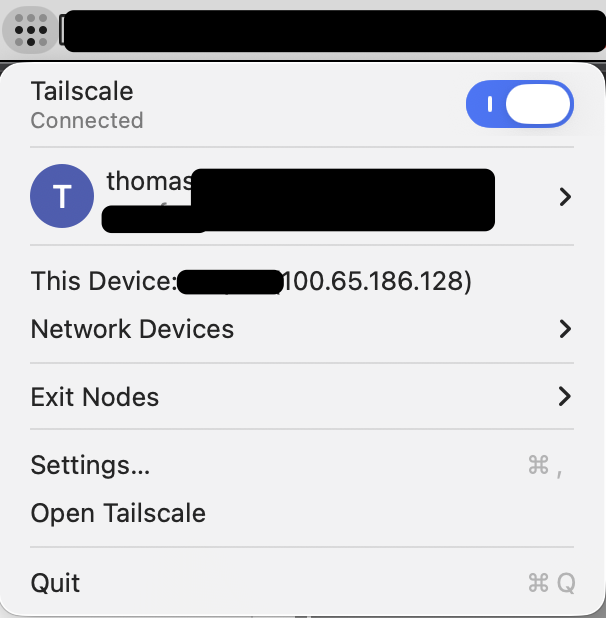
Yes, I am using tailscale for a few years already and have it installed and in use almost every day. I have two different accounts, one for work, one for private use. Both work when used via the app and also via the CLI in terminal. Both have been registered, logged in, available to be managed by cli etc.
Please see the screenshots for details, let me know if you need any other information:

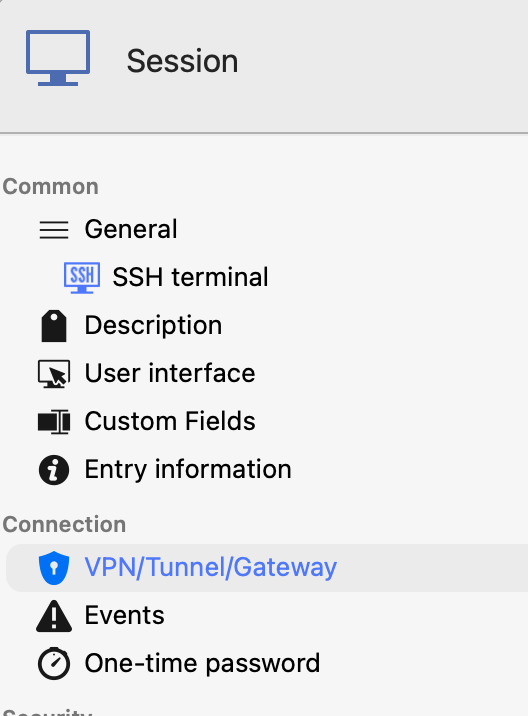
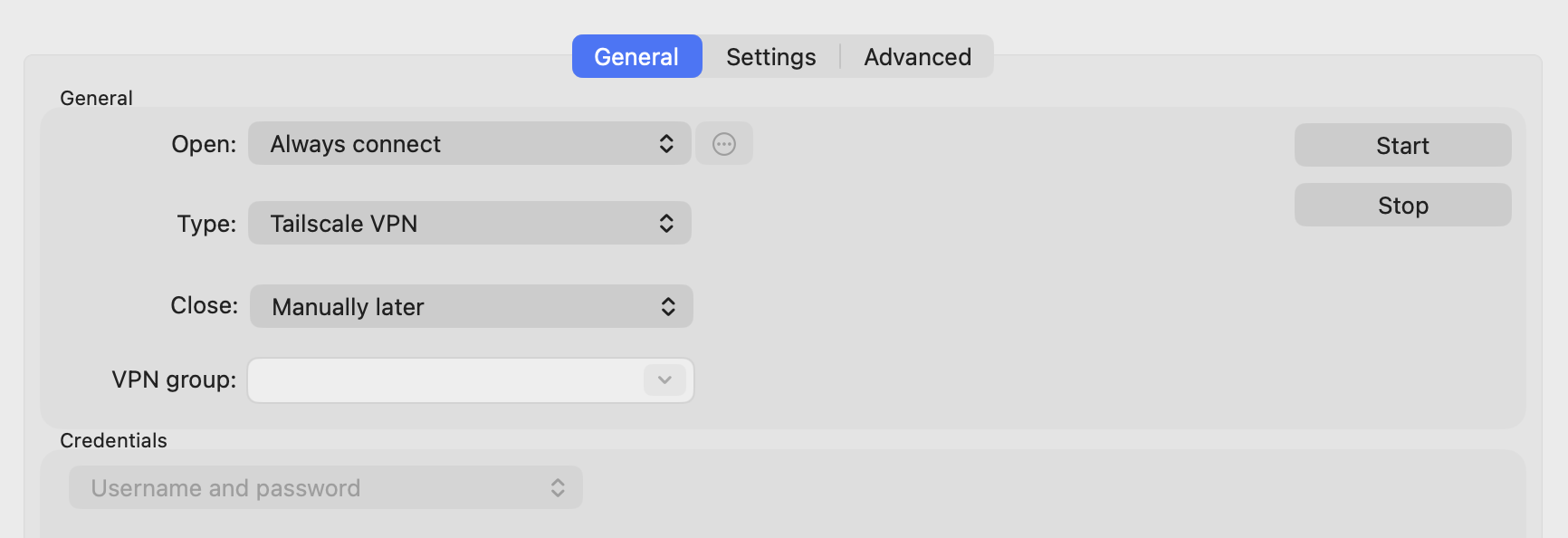


Best regards,
Thomas
CleanShot 2026-04-23 at 15.41.57@2x.png
CleanShot 2026-04-23 at 15.41.30@2x.png
CleanShot 2026-04-23 at 15.08.13@2x.png
CleanShot 2026-04-23 at 15.04.54@2x.png
CleanShot 2026-04-23 at 15.04.48@2x.png
CleanShot 2026-04-23 at 15.04.35@2x.png
CleanShot 2026-04-23 at 15.05.02@2x.png
CleanShot 2026-04-23 at 15.02.31@2x.png
CleanShot 2026-04-23 at 15.02.01@2x.png
Hi,
I tried to reproduce the issue you’re experiencing but wasn’t able to replicate it on my side.
Just to confirm, for the username field of the SSH terminal, are you using thomas.s... or tagged-d... as shown in your screenshots? And for the password field, can you confirm that you’re entering the password of the remote machine?
Could you also confirm that the IP address returned by the tailscale ip -4 command matches the one you’re trying to use?
In my tests, I used the “Always ask for password” option and it worked as expected, so you might want to try that as well to see if it changes the behavior on your end.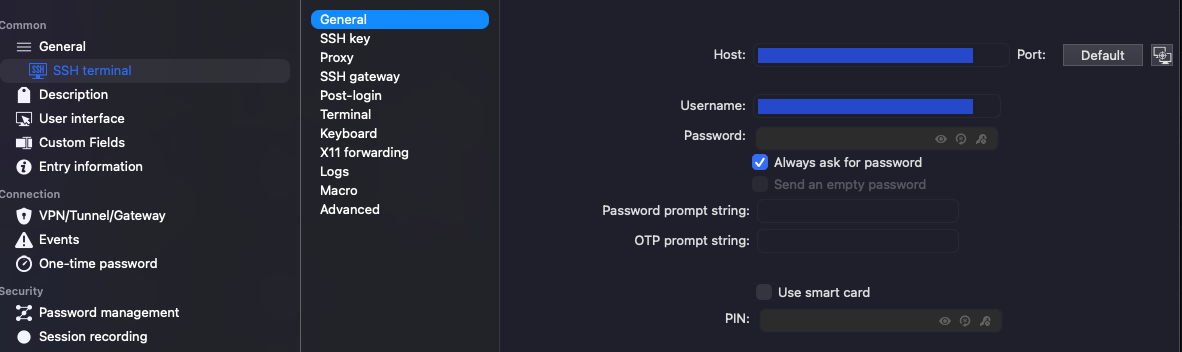
Also, please make sure that the VPN has been launched recently on the remote machine, as it needs to be active for the connection to work properly.
Best regards,
Samuel Oliveira Martel
Screenshot 2026-04-23.png
Hi,
I tried to reproduce the issue you’re experiencing but wasn’t able to replicate it on my side.
Just to confirm, for the username field of the SSH terminal, are you using thomas.s... or tagged-d... as shown in your screenshots? And for the password field, can you confirm that you’re entering the password of the remote machine?
Could you also confirm that the IP address returned by the tailscale ip -4 command matches the one you’re trying to use?
In my tests, I used the “Always ask for password” option and it worked as expected, so you might want to try that as well to see if it changes the behavior on your end.
Also, please make sure that the VPN has been launched recently on the remote machine, as it needs to be active for the connection to work properly.
Best regards,
@Samuel Oliveira Martel
Hi,
in this field that you are showing I am putting in the IP of the host in the Tailscale network, 100.65.xx.xx and a username of my pi - which has a working tailscale VPN connection open. But this is not the part I am struggling with.
The "VPN/Tunnel/Gateway" settings is the interesting part. I can choose to use a Tailscale VPN, as you can see in this screen shot. 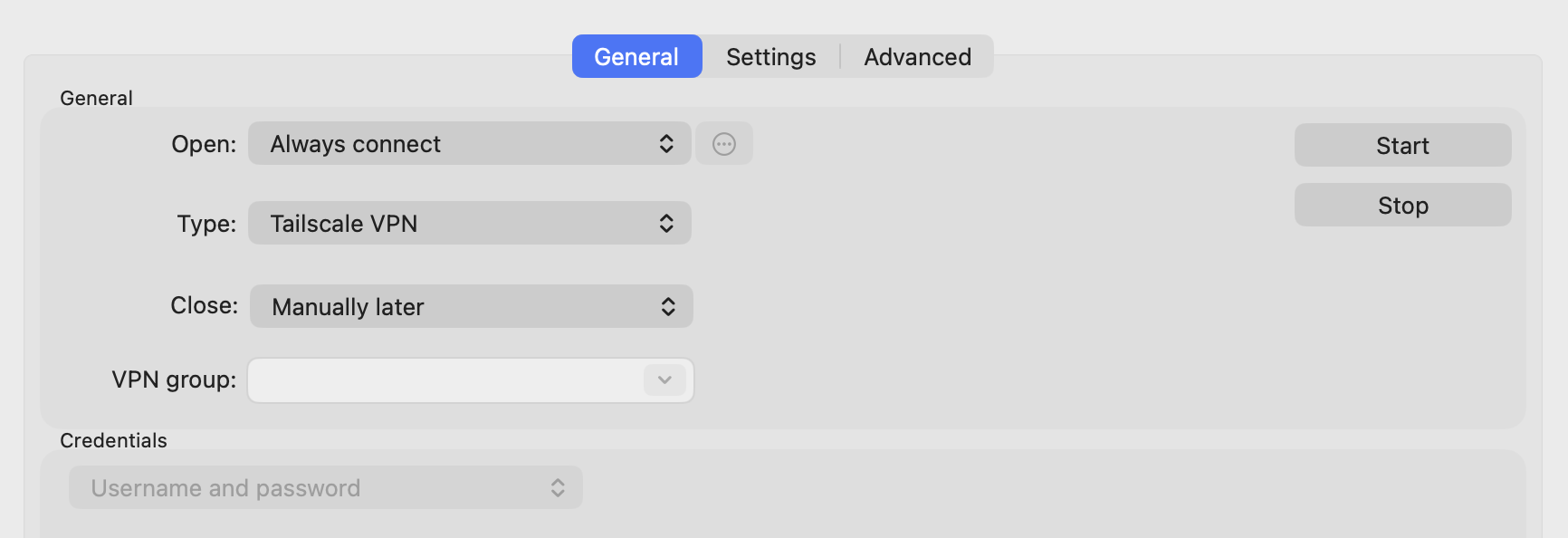
I was under the impression that it works as any other VPN, in the sense that if the connection is up it is just using the existing connection, or if its not up then it will open the connection for me (maybe even with an option to chose my work or personal user) and then access the host defined in the SSH Terminal part. Is this not the right assumption? And if not, then what is the "Tailscale VPN" actually used for if I will have to open the application and connection manually anyways before connecting to the SSH Terminal?
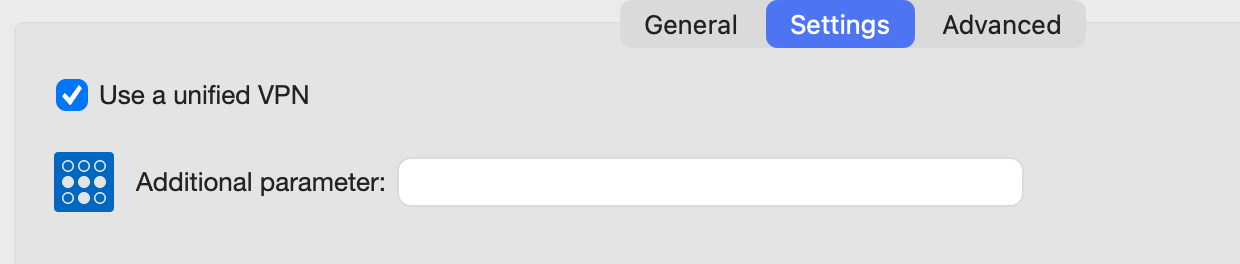
What does the part "Use unified VPN" mean in this context? What can I add as "Additional Parameters", what is this field meant for?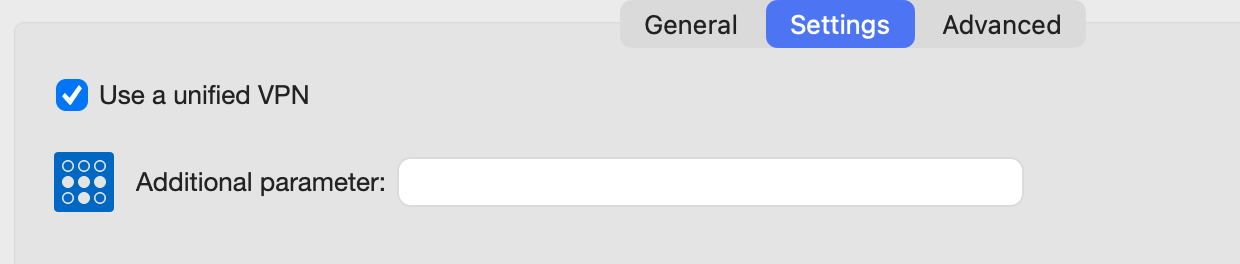
Best regards,
THomas
CleanShot 2026-04-23 at 15.04.48@2x.png
CleanShot 2026-04-23 at 15.04.35@2x.png
Hi,
Here is a clearer breakdown of how the Tailscale VPN integration works in RDM for Mac:
What RDM does automatically
When you configure Tailscale under the "VPN / Tunnel / Gateway" tab, RDM manages the VPN lifecycle for you:
- Before opening your SSH session, it runs
tailscale upto ensure the tunnel is active - After closing the session, it runs
tailscale downto disconnect cleanly if set toOn session close
If Tailscale is already connected, tailscale up does nothing and RDM proceeds directly to your SSH session, which is the expected behavior.
What RDM does not handle
RDM cannot perform the initial Tailscale authentication.
- If you have never logged in on that machine, or your session has expired:
- RDM will show an error asking you to authenticate
- You must open the Tailscale app and log in manually
- It cannot prompt you to choose between accounts such as work or personal
Once authentication is done, RDM handles the rest.
Why the VPN step matters
The Tailscale IP you are using (100.65.xx.xx) exists only within the Tailscale virtual network. It is not reachable over the regular internet. Without the tunnel active, your Mac has no route to that address, and the SSH connection will time out.
This is where the RDM integration helps. In your case, since Tailscale is already running, tailscale up does nothing and RDM connects directly. If Tailscale were disconnected but still authenticated, RDM would automatically bring the tunnel up before establishing the connection.
Use unified VPN
This setting controls whether VPN configurations are shared across platforms:
- Checked (default) means the same VPN configuration is used on Windows, Mac, and Linux
- Unchecked means Mac uses its own independent VPN configuration
For Tailscale, you can usually leave this enabled since behavior is consistent across platforms.
Additional Parameters
This field lets you pass extra command-line flags to the tailscale up command.
Examples:
--exit-node=<hostname>routes traffic through a specific exit node--accept-routes acceptssubnet routes advertised by other nodes--hostname=<name>sets a custom hostname
You can run tailscale up --help in your terminal to see all available options.
Hope this clarifies everything.
Best regards,
Samuel Oliveira Martel
@Samuel Oliveira Martel
Thanks for the additional infos about the "Unified VPN" and "Additional Parameters" settings, very helpful.
I understand how Tailscale works and I made sure that everything is working as it should when I do things manually.
For the description you sent:
"This is where the RDM integration helps. In your case, since Tailscale is already running, tailscale up does nothing and RDM connects directly. If Tailscale were disconnected but still authenticated, RDM would automatically bring the tunnel up before establishing the connection." -> I can tell you that it doesn't work like this.
When the tunnel is down and I click on a SSH terminal item with Tailscale VPN configured, it just does nothing. The "tailscale up" is apparently not run, the tailscale VPN stays down and the connection I clicked on in RDM opens a tab, stays down and ultimately just closes itself without any information what happened.
Maybe the tailscale binary is not found at all?
@Samuel Oliveira Martel
Thanks for the additional infos about the "Unified VPN" and "Additional Parameters" settings, very helpful.
I understand how Tailscale works and I made sure that everything is working as it should when I do things manually.
For the description you sent:
"This is where the RDM integration helps. In your case, since Tailscale is already running, tailscale up does nothing and RDM connects directly. If Tailscale were disconnected but still authenticated, RDM would automatically bring the tunnel up before establishing the connection." -> I can tell you that it doesn't work like this.
When the tunnel is down and I click on a SSH terminal item with Tailscale VPN configured, it just does nothing. The "tailscale up" is apparently not run, the tailscale VPN stays down and the connection I clicked on in RDM opens a tab, stays down and ultimately just closes itself without any information what happened.
Maybe the tailscale binary is not found at all?
Hi @thomassteiner,
With your feedback, I was able to reproduce the issue on our end. When the Tailscale app is down and an SSH entry with Tailscale VPN configured is launched, the tailscale up command does not appear to be executed. The reason is that on macOS, the tailscale up command requires the Tailscale app to be running first. If the app is not started, the command simply fails silently.
I have opened an internal ticket to address this. The fix will ensure that the Tailscale app is launched automatically before executing tailscale up.
Could you let us know which Tailscale installation method you are using? Is it the desktop app or the standalone command-line tool? This will help us make sure the fix covers your setup as there might be another issue on the standalone command-line implementation.
We'll follow up once a fix is available.
Best regards,
Samuel Oliveira Martel