create entries from netbox
1 vote

Hi
Is possbile to select template group when I create entries from network box synchornize? Currently it only allow me select template not template group?
Thanks
All Comments (16)
Hello,
Thank you for reaching out to us regarding this,
It is not currently possible to use a Template Group as the Template for a Synchronizer entry currently,
Perhaps you can provide some additional details on what you would be looking to achieve with this?
Would creating multiple Synchronizers with different Templates for each entry type work in your case?
I can move your topic to the feature request section if needed.
Best regards,
Samuel Dery
Hi
Actually I want to use template group to create entry and sub entry at one time, is any way we can do this now?
Hello,
Thank you for your reply,
This is possible, yes. If you have created the Template Group with the Entry and Sub entry when going under the "New Entry" menu in the "Template" section, you can select your template group.
Let me know if this helps,
Best regards,
Samuel Dery
Hi
If I want to use Netbox synchornize to achieve this, there is no template group option there, only template can be selected.
Hello,
Thank you for your reply,
That is correct, template Groups are not currently supported for synchronizer entries.
I will move your thread to the feature request section.
Best regards,
Samuel Dery
Hello,
What do you expect the behavior to be when using template groups as part of a synchronizer? At the moment, every found entity in Netbox will map to a single item in RDM, with its fields filled out.
If you use a template group, then we would need to allow configuring what entry from that template group would be filled out with the data from Netbox, and what entries would not. This would add another layer of complexity for configuring and managing this synchronization.
Maybe I don't completely understand your scenario. If that's the case, maybe some screen captures or a mockup of what you want the result to be, with what information is fetched from Netbox, would be helpful.
Regards,
Hubert Mireault
Hi
I have a group of firewall need to manage, it has both http and ssh management method, it use same IP address, something like this:
FW01-HTTP
|_FW01-SSH
I want to use nebox sync to create two entires for each of those firewall, the template group is so far what I think possible to do, do you have any other good suggestion?
At the moment to only alternative I see would be to use a Host-type template as part of your synchronization process. This host-type template could then reference an SSH and Website template, like this: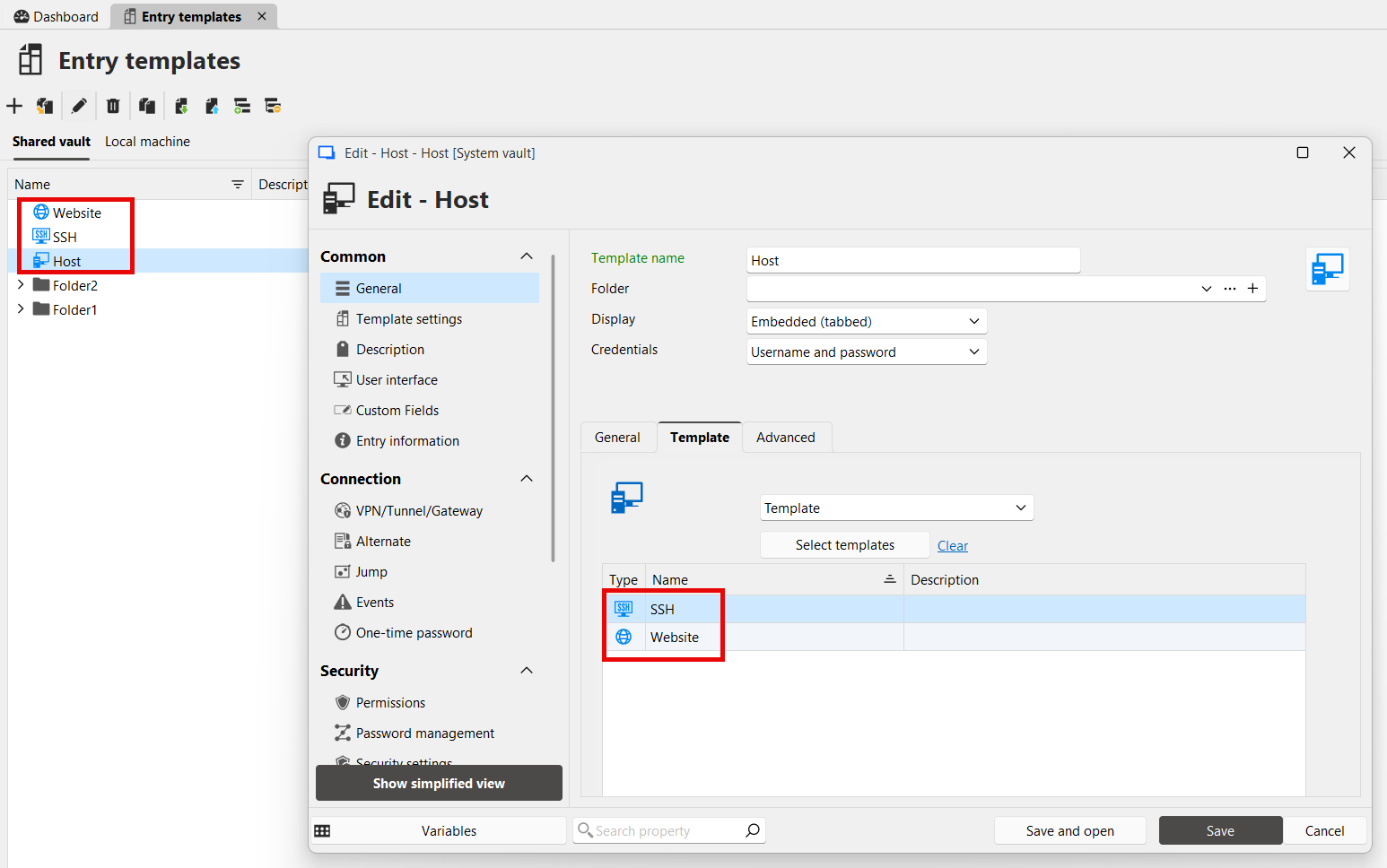
When you open a Host entry, it will prompt for which template you would want to use as the base of the entry. This means for the same host configured in this entry, you could open it with any type.
You could try out this solution and see if it works how you expect. Other than this, I don't see an alternative that already exists at the moment.
Regards,
Hubert Mireault
8d7fc783-31c1-4a2e-833a-535f21e85ed2.png
Hi,
Thank you on this, is possible setup one template as default option instead I need select each time?
If you mean for creating your synchronizer entry, you could look at the local default settings. These are settings that will always be applied when you create an entry of that type, so it even removes the need to select a template. Keep in mind that those are only saved on your machine.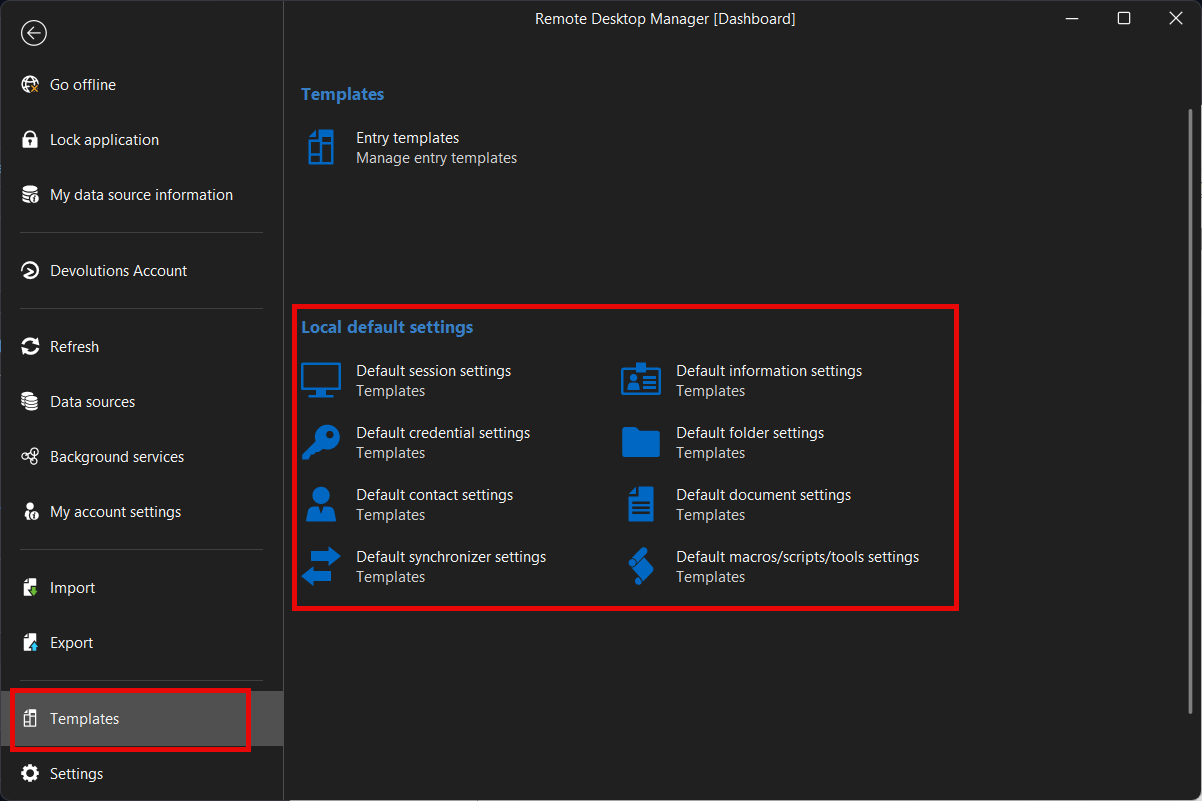
You could create one for the Netbox synchronizer, or any other type of entry.
Regards,
Hubert Mireault
8f268b5a-a619-4763-b563-95f1c99ec331.png
Hi
I mean once I created a host have two templates, it will prompt two template to select when I click and open it, is possible set one template as default option, so I no need click to select base on which template to open, just save on click. 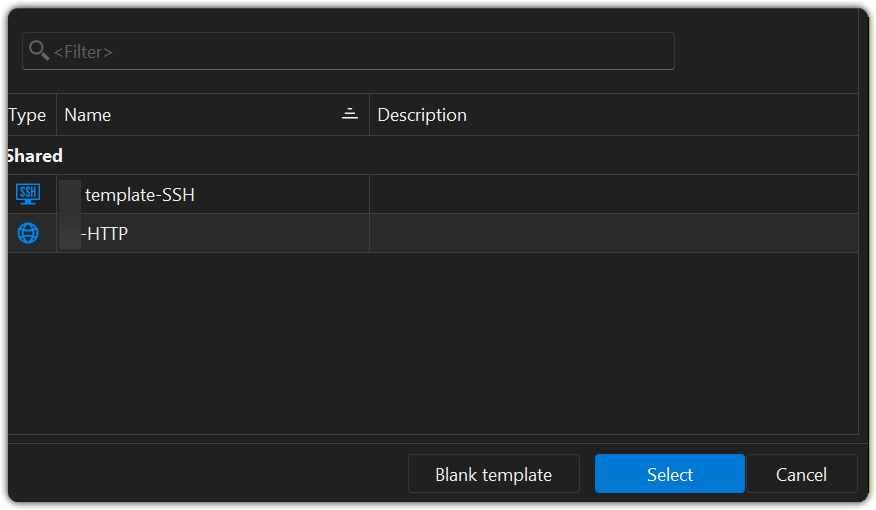
1bfad7e9-9d79-47c6-bc79-876b64e4a3f6.png
Hello,
The Host entry has a field for the default template that you can configure: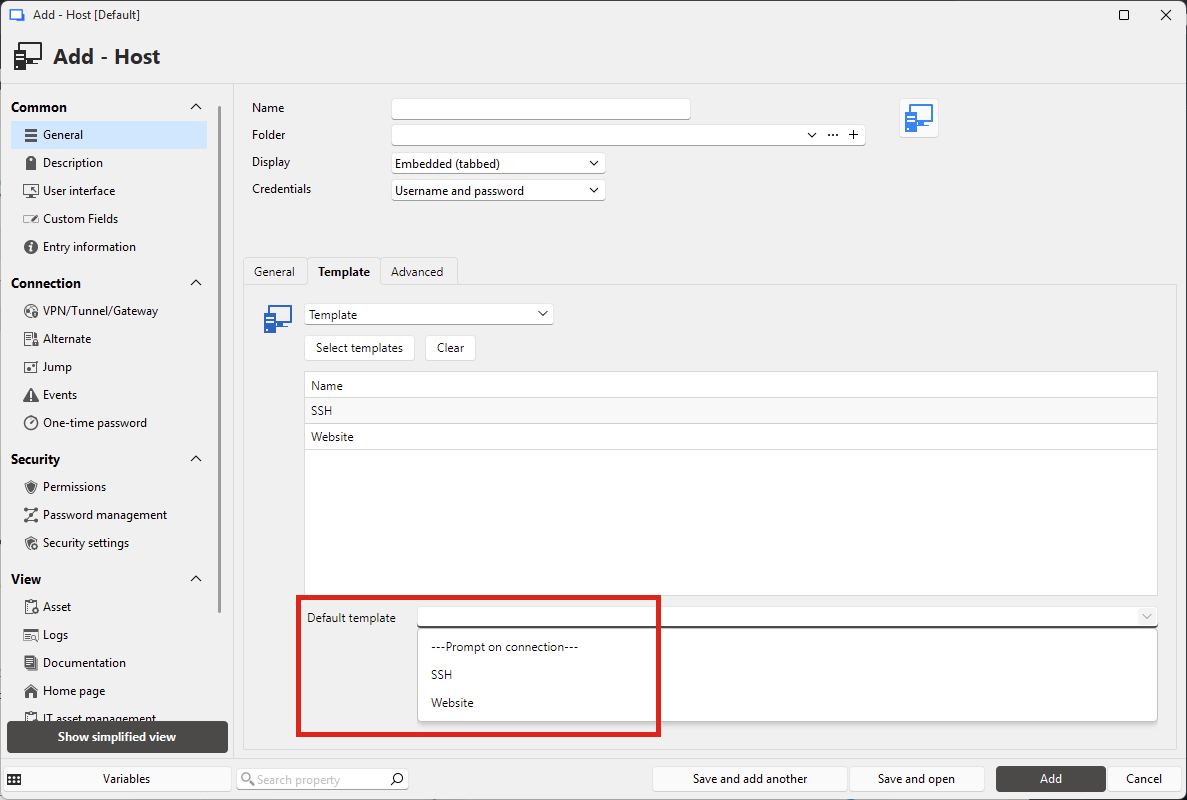
Then, when you click "open session" for that host entry, you will use that template by default. If you want to choose a different one, you can click the "Open from template" button instead.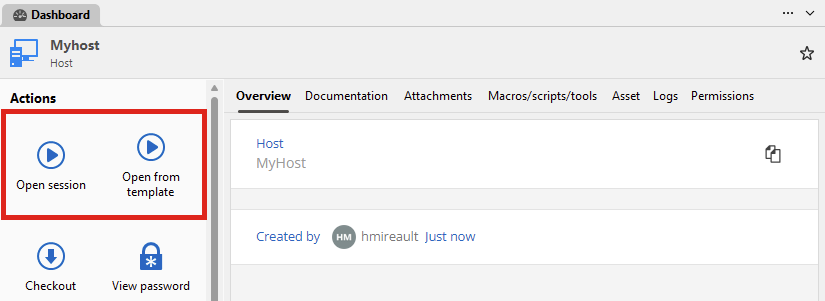
Regards,
Hubert Mireault
97fa8b2a-ca15-4ca9-8285-86eb14de85b1.png
f61afacb-200b-465f-9281-33d1f99a93ae.png
Hi
I tired this one, it works as expected, the only problem I am facing is when I setup HTTPS website as default template, it doesn't work with web browser extention in Firefox, it cannot retrive correct user name and password from vault, I tried to create an entry just use HTTPS template it works fine, but in host template list, it doesn't work. Any idea?
PS: the ssh session works fine.
The browser extention means Develutions Wokspace browser extention.
Hello,
I checked with the lead developer for the browser extension, and it's not currently supported to auto-fill the information in a website from a Host-type entry. So, unfortunately, at the moment, I don't think there's a perfect solution for what you need.
I think, in the end, adding an optional mechanic to synchronizers to create multiple entries per found machine might be the only way to really achieve this scenario you're looking for, due to the browser extension requirement.
We will open a ticket for this, but at the moment, it's not planned in a short term roadmap. As always, we will keep an eye out for additional feedback on this to help us prioritize future developments.
Regards,
Hubert Mireault
Thank your for considering. If we can allow an sub-entry direct attch with any existing entry in template, that will be great, the main inherited information from parent entry will be IP address or host, that will be good enough. Currently seems we only can achieve this with template group or host template.