Image Management

I am trying to add custom icons to website entries. When I click on Custom I see the following.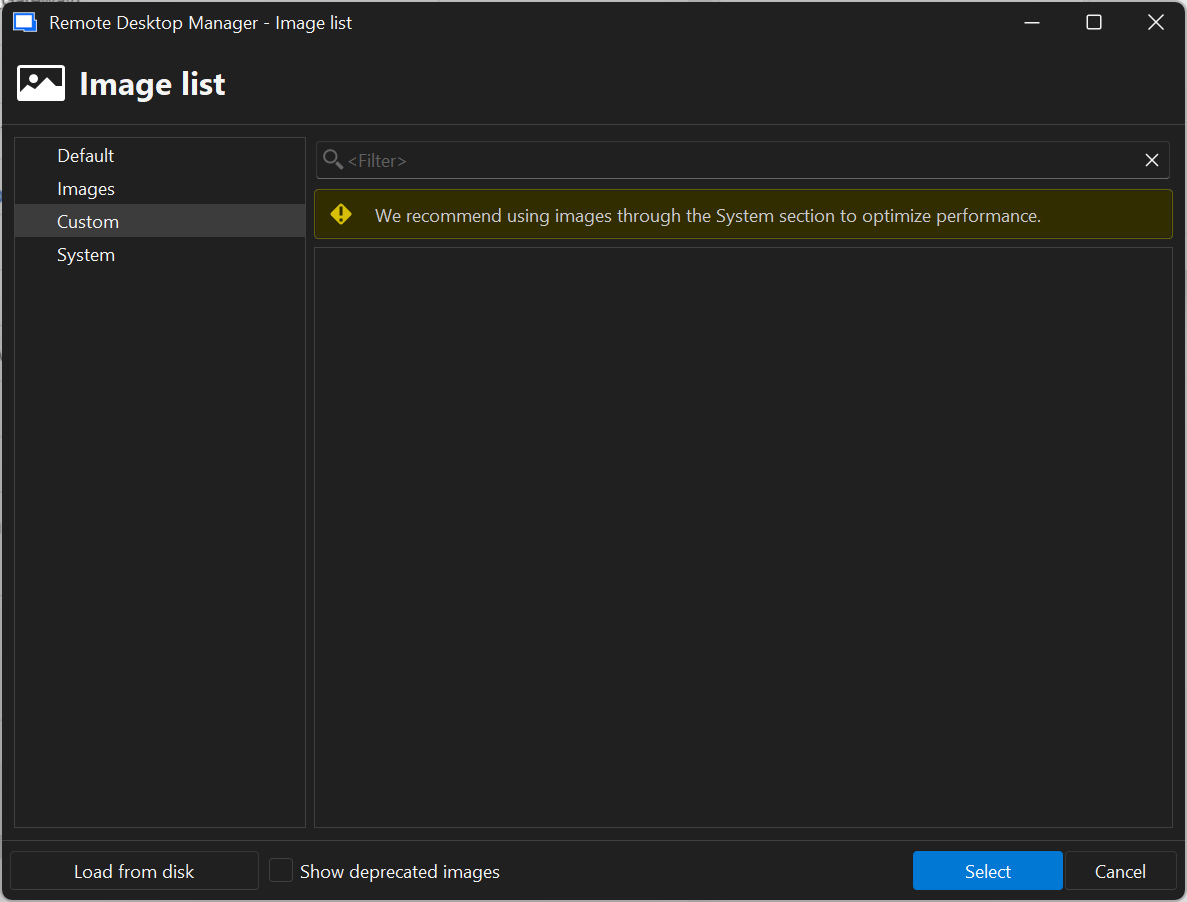
The above picture leads me to needing to use the Image Management feature. following the documentation from https://docs.devolutions.net/rdm/commands/administration/images/ in my ribbon under Administration, there should be a section called Configuration and Security. In this section there should be a button to click for Image Management. Problem is, there is no Image Management button, only Vault settings.
I've looked at the release notes by doing a control + F for image management and I don't see it as being a deprecated or removed feature. Am I missing something? 
bce07eb3-12b8-4db8-952a-7e99cd883400.png
79174c68-33ba-4981-9bd4-f52451415f61.png
Recommended Answer
Hello,
Since you were using SQLite, I will also assume you're using Hub Personal.
The good news is that we're planning changes to Hub that are aiming to improve the user experience with the product, including bringing new features for our users. It should also include the image management feature. I can't give you much more information at the moment, but we are aiming to have these changes available for our next major release, 2026.2. We want this change to be seamless for our users.
Regards,
Hubert Mireault
All Comments (6)
Hello,
Could you let us know what data source you're currently using? Is it SQL Server, Devolutions Server, or Devolutions Hub? From seeing the menu I suspect you're using SQLite ("Local data source" being its default name), which I don't think supports system images. If that's the case, we should probably clarify the UI as it's misleading at the moment.
Regards,
Hubert Mireault
My data source is Devolutions Hub. Previously I was using SQLite.
Hello,
Since you were using SQLite, I will also assume you're using Hub Personal.
The good news is that we're planning changes to Hub that are aiming to improve the user experience with the product, including bringing new features for our users. It should also include the image management feature. I can't give you much more information at the moment, but we are aiming to have these changes available for our next major release, 2026.2. We want this change to be seamless for our users.
Regards,
Hubert Mireault
So what you are saying is as of right now the image management feature is on available when using SQLite as a data source correct?
Sorry, I believe my explanation was a little confusing and I mixed the two concepts together. I think I also wasn't clear as to what was a bug, and what was the expected behavior.
There's two different features here:
Custom images
These images are stored within entries themselves. This means that the data for the connection can get bloated really quickly by the data of the image. If you use that same image on 3 different entries, the data of the image will be embedded within those 3 entries, meaning the size of the database can grow really quickly.
This is the only mode available on simpler datasources, like XML or SQLite. It's also available on other datasources like Hub, SQL Server and Devolutions Server, but it's not recommended and instead you should favor using the "system images".
System images
These images are stored in a table in the database. When using these images, rather than embedding the complete image data in the entry, only a reference to this image is saved instead. This makes the feature much lighter in storage space. It also allows you to more easily change images across the database, as modifying a specific image will change it across all entries using this image, without needing to modify the entries themselves.
This mode is only available on more full-featured datasources. At the moment this means SQL Server, Devolutions Server, and Devolutions Hub Business.
The issue you've encountered
I believe what is making this unclear at the moment is that Hub Personal is handled like a simpler datasource, meaning the system images aren't fully supported, but it's also being handled similarly to Hub Business where it thinks the system images are supported and the custom images should not be favored.
This is what we'd like to address relatively soon with our improvements to Hub. The system images feature should become available at the same time as the other improvements.
In the meantime, if this is crucial to you, you can still add custom images and ignore the warning ribbon. When in the custom images section, the "load from disk" button at the bottom left of the window is what you should use to add new images.
I hope this clarifies the current behavior for you. Let me know if I've missed something or something isn't clear.
Regards,
Hubert Mireault
This does clarify the current behavior.
Thank you.