Remote Problem

Please support as I'm facing the below error while try to access Linux server 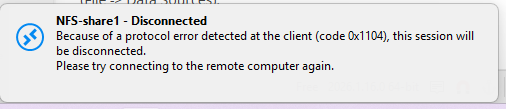
Screenshot 2026-04-14 095203.png
All Comments (5)
Hello
I think there are a few things that can cause this. To narrow it down, can you try to right-click the session and choose "Open with parameters" > "Open (external)". It will launch the session in mstsc.exe instead of within RDM. Does it work?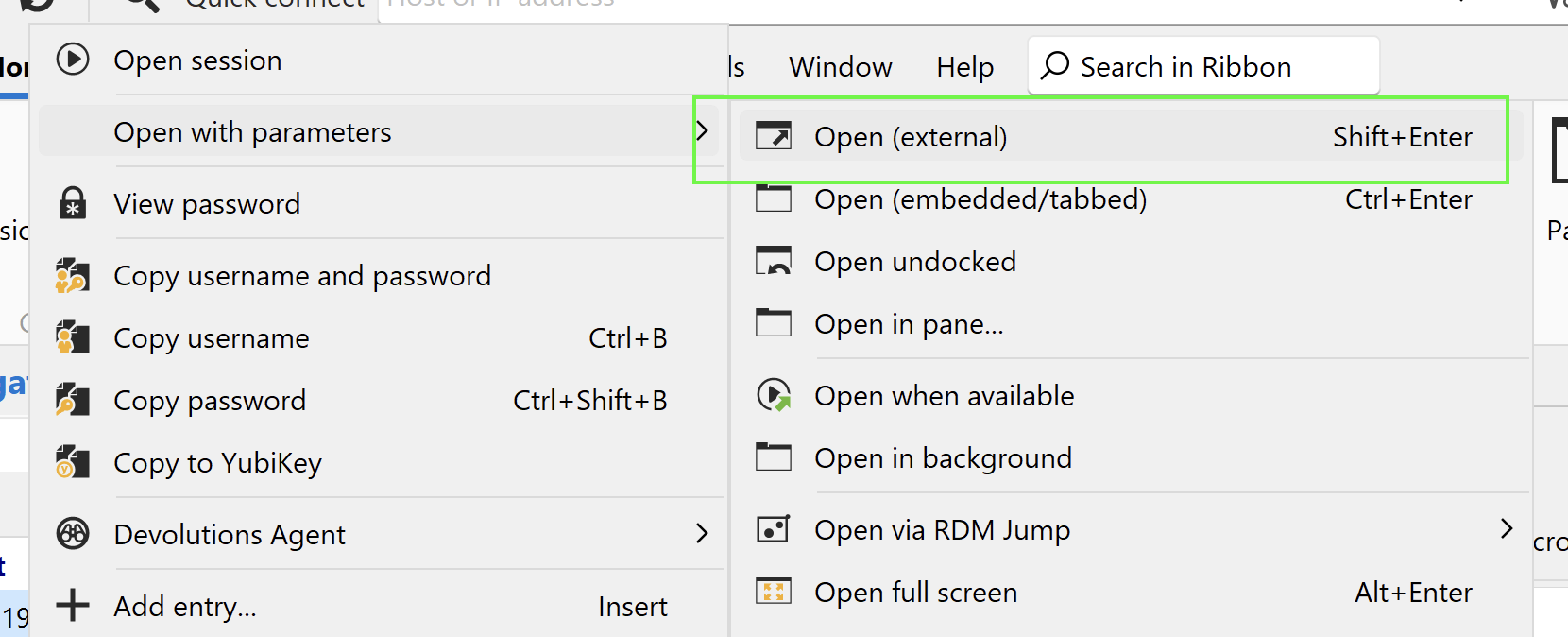
Kind regards,
Richard Markievicz
Screenshot 2026-04-14 at 08.46.45.png
Hello
I think there are a few things that can cause this. To narrow it down, can you try to right-click the session and choose "Open with parameters" > "Open (external)". It will launch the session in mstsc.exe instead of within RDM. Does it work?
Kind regards,
Hello
Ok, well you're trying an RDP session but is the server an RDP server? Or something else (VNC perhaps)?
We would need to know exactly what remote access technology (protocol, server, version) you're wanting to use on the server.
Thanks and kind regards,
Richard Markievicz
Hello
Ok, well you're trying an RDP session but is the server an RDP server? Or something else (VNC perhaps)?
We would need to know exactly what remote access technology (protocol, server, version) you're wanting to use on the server.
Thanks and kind regards,
@Richard Markiewicz
This is SSH on Linux server but I got the above error
Hello,
Thank you for the additional details. To help us investigate further, could you please provide the Linux distribution and version (e.g., Ubuntu 22.04, CentOS 8)
Also, does this same error occur when you try to connect using PuTTY directly? If so, please open a command prompt or terminal and run the following two commands, then share the output:
ssh -Q kex
ssh -Q cipher
This will help us determine which key exchange algorithms and ciphers are supported on your end, and narrow down the cause of the connection failure.
Best regards,
Carl Marien