Remote Desktop Gateway Web Sessions not working on a mac

Hi,
i am working on a Mac with 26.4 and RDM Version 2026.1.10.3.
The Vault is on a Devolutions server and the connection to the session is configured via a RDM Gateway.
On Windows everything is working, but on a Mac, the web Sessions are not working at all.
RDP, SSH is working fine via the Gateway.
What could be the problem? False rights or a unproper configured RDM?
Thanks in advance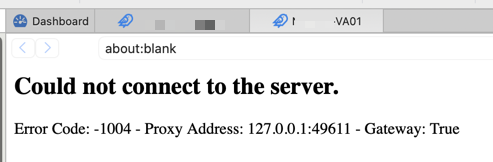
Greenshot 2026-04-09 20.22.20.png
All Comments (9)
Hello
In 90% of cases it's a TLS misconfiguration on the Gateway itself. It's easy to make subtle mistakes here and web sessions on macOS are much more strict in what they expect.
The easiest way to troubleshoot this is, in RDM Mac, go to Tools > TLS Diagnostic. Enter the hostname and port of the Gateway and press "Start".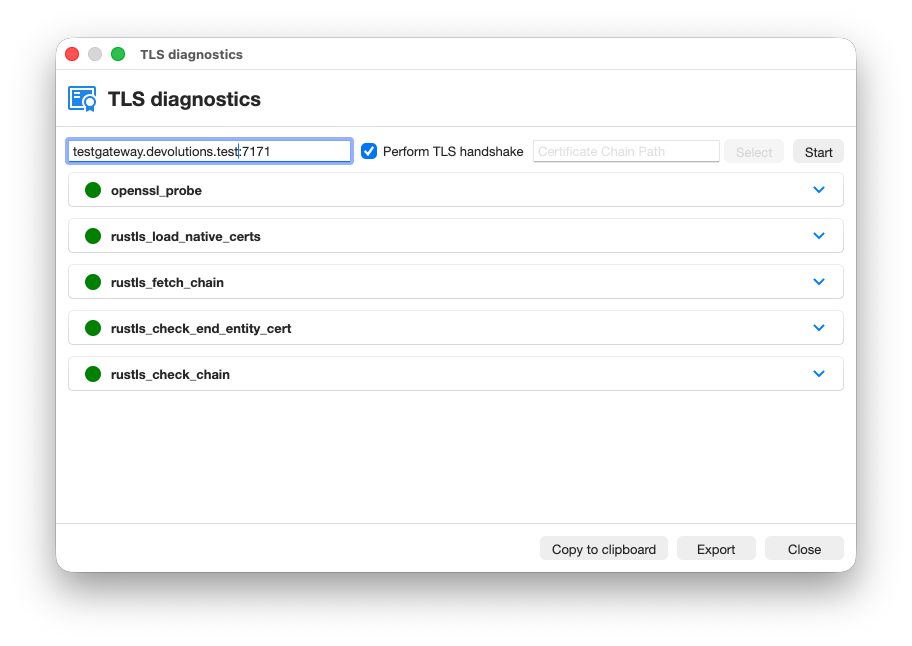 You can let me know whatever errors or warnings show up. If it's easier, simply do "Copy to clipboard" and paste the full output into a PM to me; or "Export" the information and send it to service@devolutions.net mentioning this forum thread. Don't post it in the public forum.
Please let me know if something isn't clear or you have questions
Kind regards
Richard Markievicz
Screenshot 2026-04-09 at 15.00.03.png
Hi Richard,
thanks for the answer.
The TLS-Diagnostic seems to be ok as you can see in the attached image.
Would you like the export via a PM?
Kind regards
Alex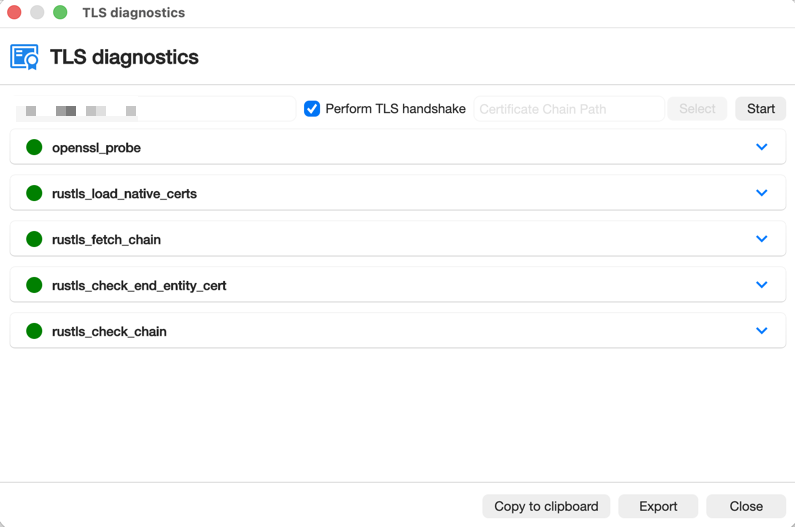
Greenshot 2026-04-10 16.41.31.png
Hello
If you don't mind to export it, that would be good. The current release version of RDM doesn't highlight warnings in the UI (that's already fixed for the upcoming release) so there may be issues that aren't shown clearly in the UI. You may need to .zip the export to attach it to a PM.
While you're doing it, can you also zip and send me the contents of ~/Library/Application Support/jetsocat? That's the client-side JMUX logs and may also be useful.
Thanks and kind regards,
Richard Markievicz
Hello
Thanks for sending the files. I'll continue the conversation here for visibility.
The TLS diagnostic is clean, but did you run it against your Gateway address? Because it doesn't match what's in the JMUX logs, which show a clear problem.
Broadly, I think your Gateway is not presenting one or more intermediate certificates. This is a misconfiguration that can often go unseen, because lots of applications are able to silently fill in the missing certificate using AIA. Web sessions on macOS are not able to do that, which exposes the problem.
If your Gateway is pointing to a certificate file on disk (in %programdata%\Devolutions\Gateway), that certificate needs both the leaf certificate and any intermediate certificates to be included. If your Gateway is using a certificate from the Windows certificate store, the resolution will be different.
If you can run the TLS Diagnostic against the Gateway itself (gw-xxxxxxxx.xxx.xxxxxxxx.de::7171) and share the results I can provide more explicit advice.
Please let me know if something isn't clear
Kind regards,
Richard Markievicz
Hi there,
my fault and thanks for the right gateway address.
I did the check against the Devolutions server. Often the problem is in front of the computer. ;-)
When I check against the gateway, I get an error.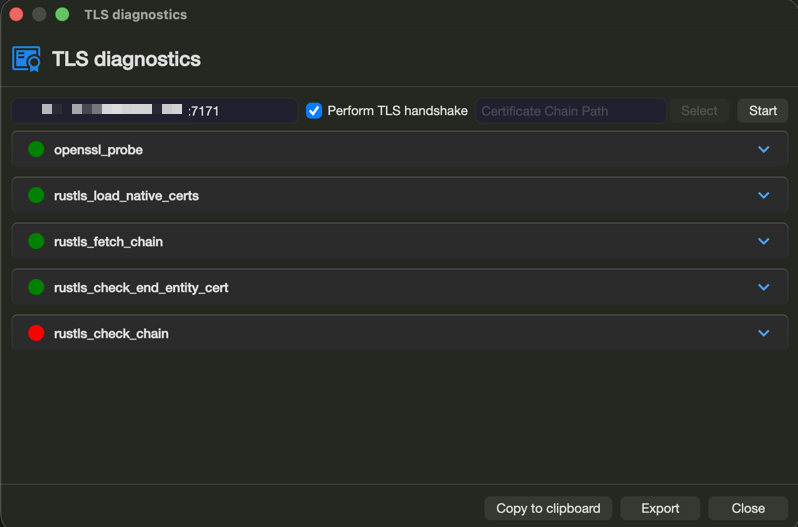
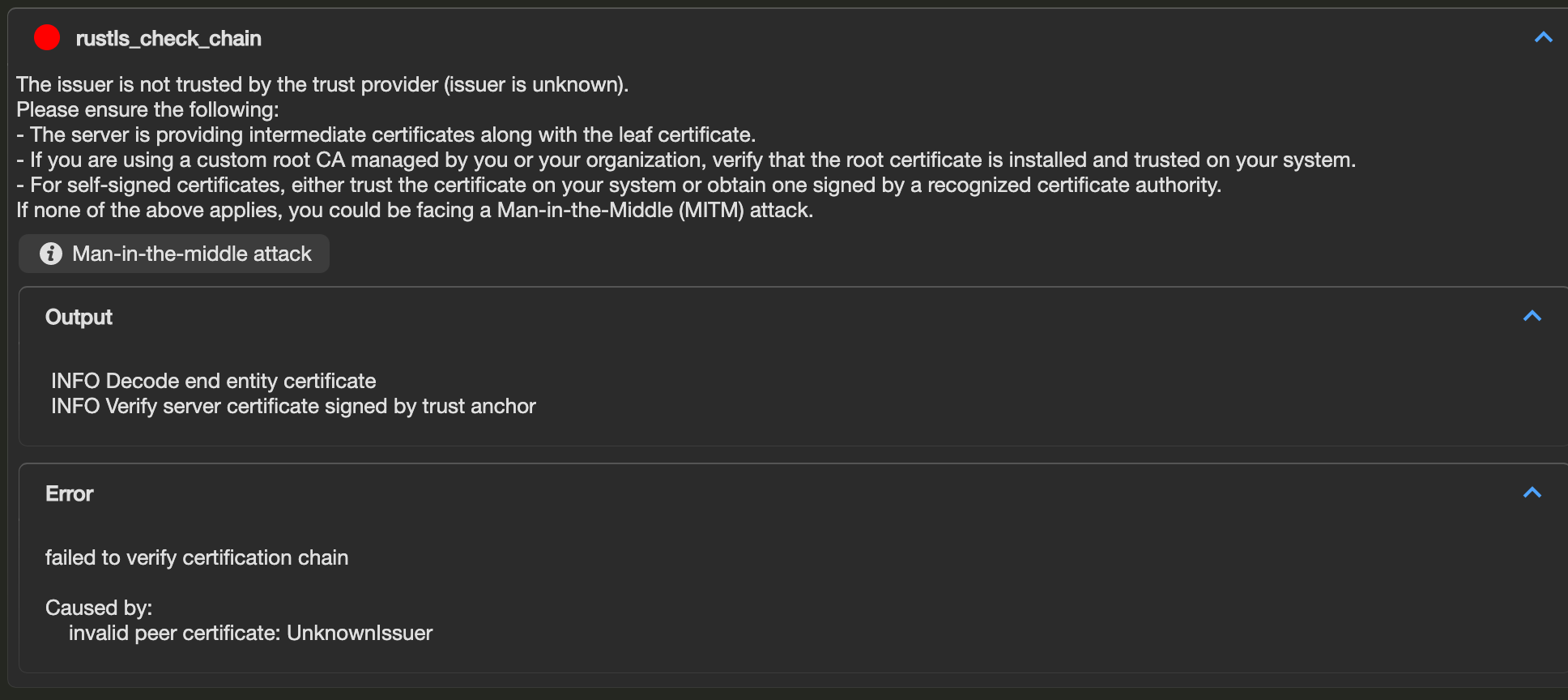
Greenshot 2026-04-10 21.35.46.png
Greenshot 2026-04-10 21.35.15.png
Hello
Yes, so it could be as I said (a missing intermediate certificate) or perhaps the root certificate is not trusted by your Mac. One of those is definitely the problem.
If you can send me again the export from the TLS Diagnostics, I should be able to guide you better (it contains more information than is shown in the diagnostic UI).
Thanks and kind regards,
Richard Markievicz
Hello
Thanks for sending the information. Again, I'm replying here for visibility.
The Gateway is not serving the intermediate certificate, which as I wrote is a common misconfiguration that only manifests in some cases. Your certificate is from Let's Encrypt and the chain of trust is:
- Leaf certificate
- Let's Encrypt E8 (intermediate)
- ISRG Root X1 (root)
Gateway needs to send both the leaf and the intermediate, and the root should be trusted on the client (it is by default a trusted root on my Mac).
So you need to obtain the Let's Encrypt E8 certificate from here. 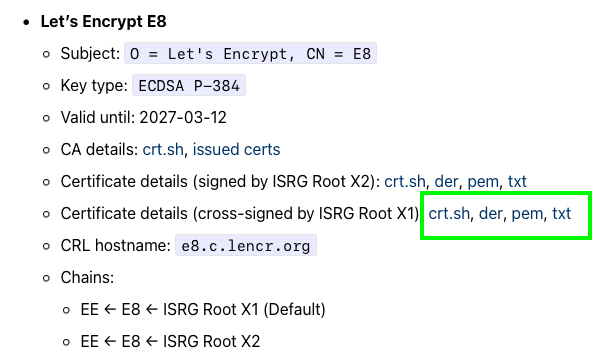
Check %programdata%\Devolutions\Gateway\gateway.json to see how your certificate is configured. It will either be a path on disk or a location in the Windows Certificate Store.
If it's on disk:
- Backup the file first in case you make a mistake
- Open the file in a text editor and add the PEM-encoded intermediate certificate after the existing leaf certificate. So the file should look like
-----BEGIN CERTIFICATE-----
<leaf>
-----END CERTIFICATE-----
-----BEGIN CERTIFICATE-----
<intermediate>
-----END CERTIFICATE-----
- Save your changes and restart the Gateway service
If it's in the Windows Certificate Store:
- Install the intermediate certificate in the machine certificate store, in the Intermediate Certification Authorities store
- PowerShell (as Administrator):
Import-Certificate -FilePath "intermediate-ca.crt" -CertStoreLocation Cert:\LocalMachine\CA - Gateway should hot load the new certificate, but I'm not 100% certain that happens when updating an intermediate; so if the problem isn't fixed immediately, restart the Gateway service
Please, let me know if you have any questions or something isn't clear
Kind regards,
Richard Markievicz
Screenshot 2026-04-13 at 09.41.22.png
Hi there,
thanks for the solution.
The gateway was only configured to the certificate itself, not the fullchain.
After we fixed this, the service was not starting with the fullchain, only with the certificate itself. (TCP:8181 already in use).
Then we saw there was an update to 2026.1.1.0
This fixed this error and finally, everything is working well now.
Thanks again and have a nice week
Hello
Ok, excellent, I'm glad this is working for you now!
Just to check - the certificate file should only contain the leaf and the intermediate, not the root (ISRG Root X1). I want to be sure because you wrote "full chain".
This is a common mistake and I'm trying to find ways to make this more obvious at configuration time.
Otherwise, please don't hesitate if you have further questions or comments.
Kind regards,
Richard Markievicz