Copiar e colar não funciona

Since versions prior to 2026.1.16.0 (64-bit, JIT), the copy and paste shortcuts have stopped working. Closing Remote Desktop Manager restores them to normal. However, upon reopening the program—even before establishing any RDP connection—the shortcuts no longer function.
Is there a setting that makes the shortcuts work, or is this a bug?
All Comments (3)
Hi Leonardo,
Thank you for reporting this.
Could you please check whether any keyboard shortcuts may have been modified under File > Settings > User Interface > Keyboard?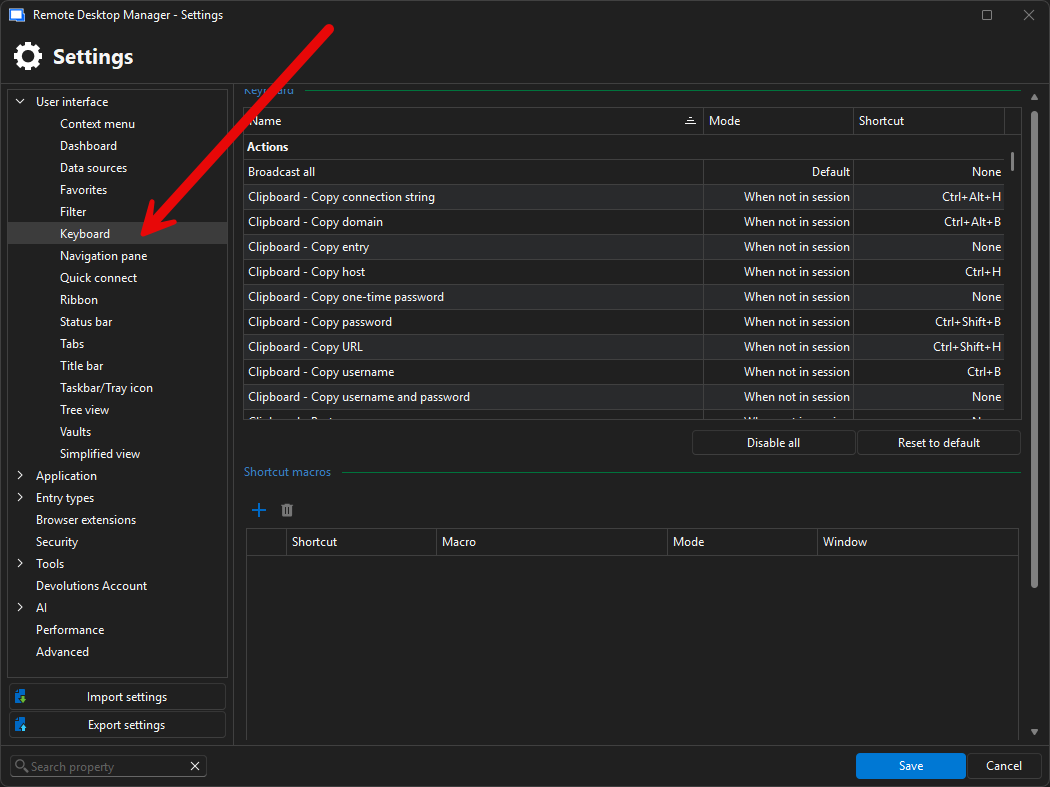
If possible, please also try resetting them to their default values to see whether that helps and restores the normal behavior.
If the issue persists, could you please send us a short video showing the behavior you are experiencing?
You can upload the video here: FOR-52634
Also, could you please clarify what you mean by the shortcuts not working? Are you referring to Ctrl + C / Ctrl + V, or to buttons in the dashboard?
Best regards,
Alexis Geller Peiro
99268681-14b4-40fc-a1a5-b271d21c3834.png
Thanks for the feedback Alexis, I did that test in Settings > User Interface > Keyboard. and the problem persists even after restoring to factory settings. Neither CTRL + C, CTRL + V nor using the right mouse button works, it doesn't copy or paste.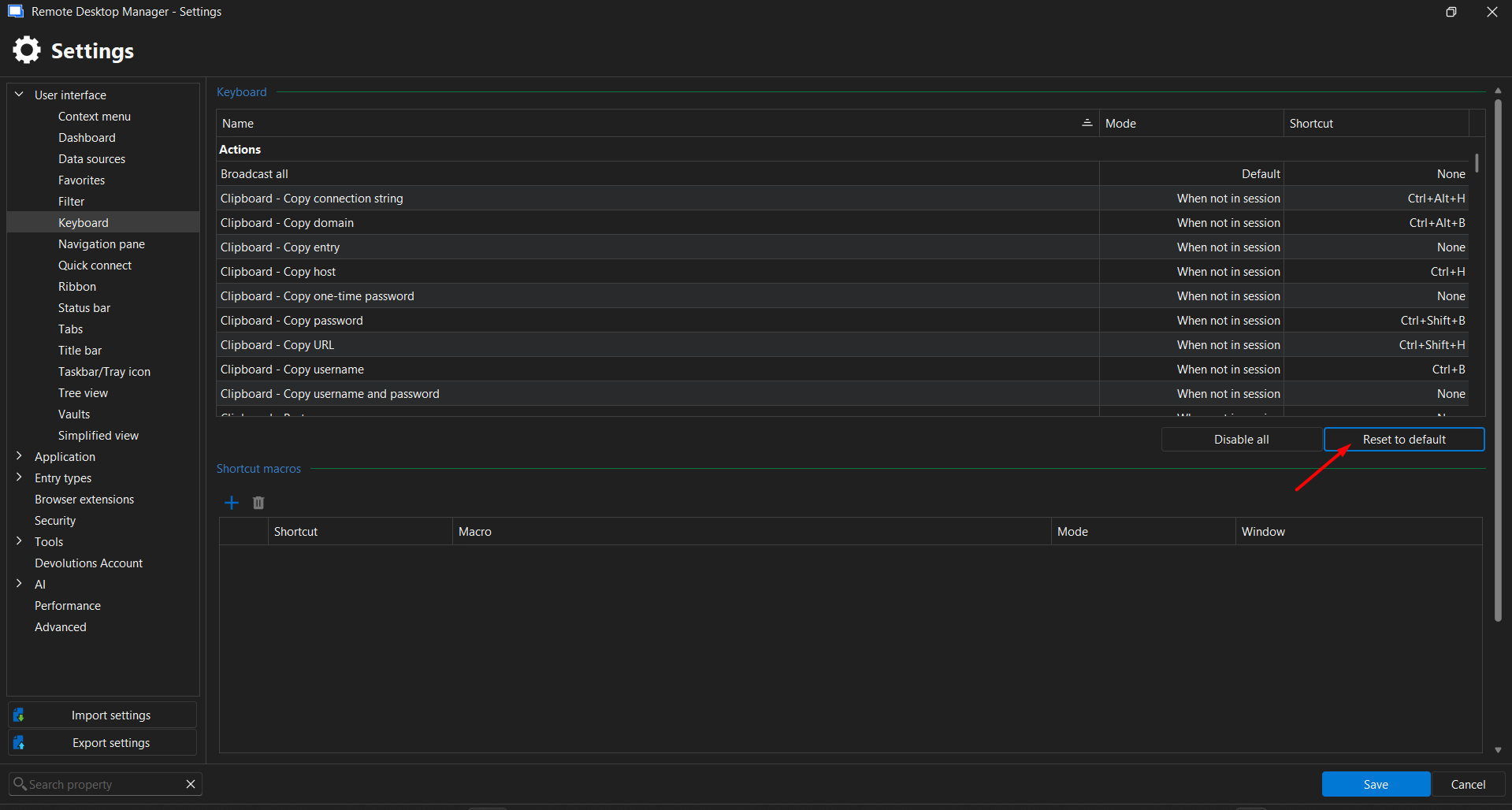
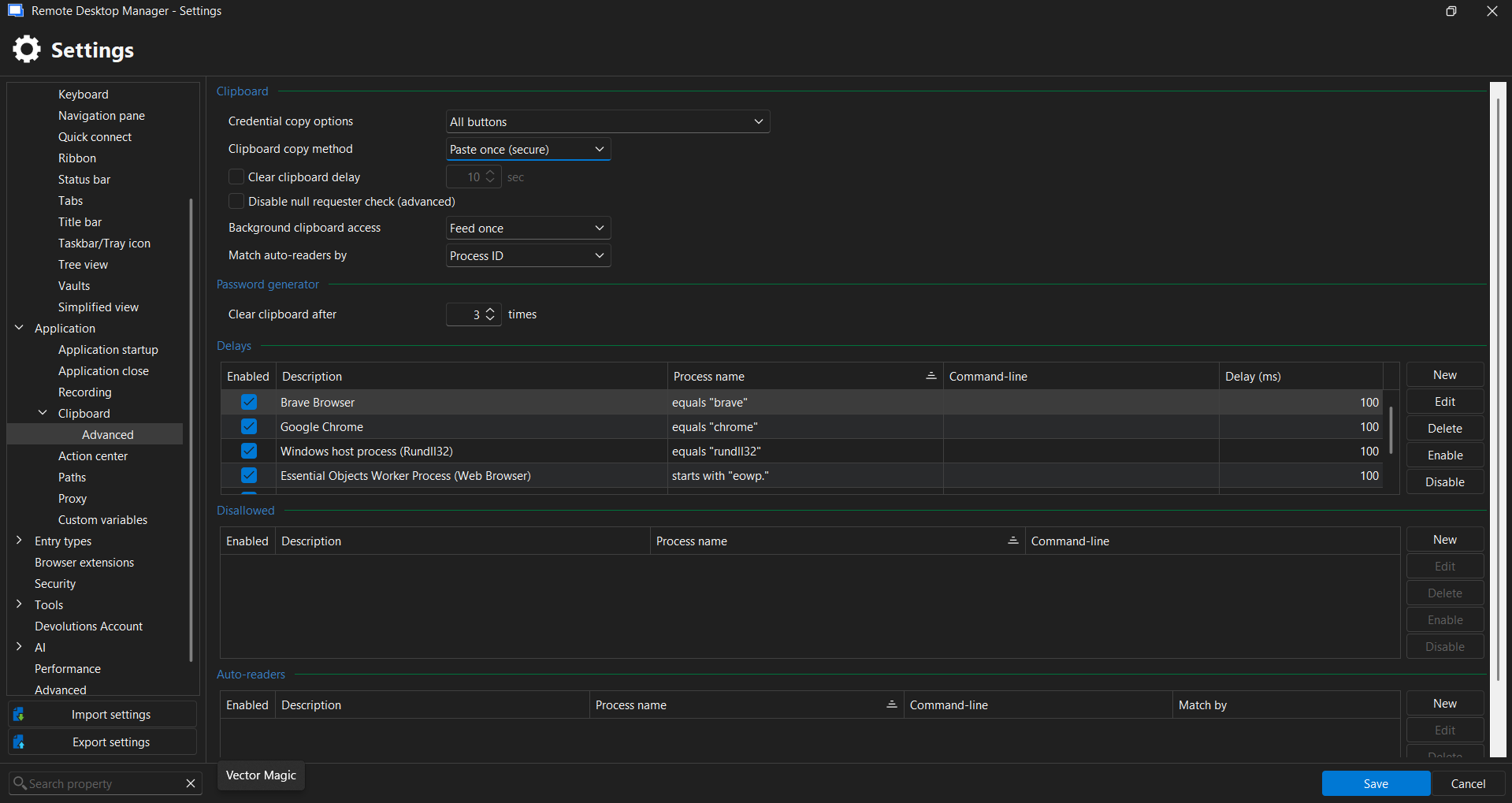
In the video, I show copying data via RDP access. I also tried using the right mouse button, but it doesn't work. On the other screen, I made a remote access using RustDesk; the copy and paste shortcuts work perfectly there.
Video: https://www.loom.com/share/df2683d2cdf14705b745efe20b7a2e24
a0358136-828d-485f-960c-a7403752fcc7.png
7a32aa49-2166-4633-8672-b0f8c4abc626.png
Hi @leomangueirati,
Thank you for the clarification.
Could you please try the following within the RDP session properties:
Local Resources > Keyboard > On the remote computer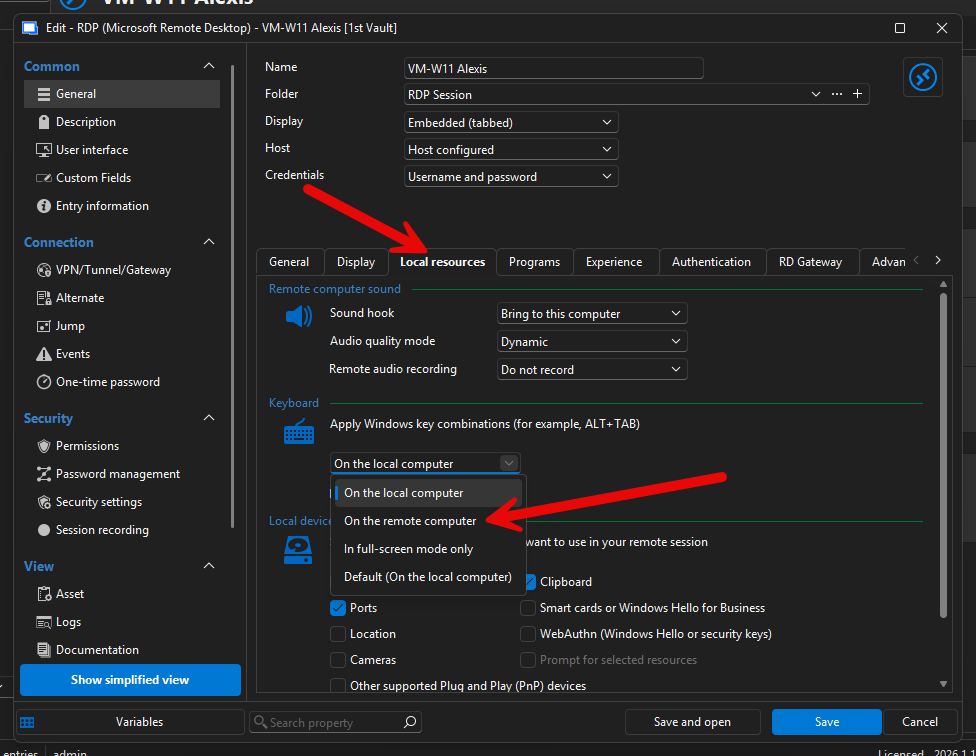
Also, please update to the latest version (2026.1.18.0) and check whether the behavior remains the same.
Please let us know if that resolves the issue.
Best regards,
Alexis Geller Peiro
7e744a43-2159-4678-9178-fd2b08fbbd9f.png