Embedded DVLS sign in with Entra ID not working (2026.1.9.5)
Embedded DVLS sign in with Entra ID not working (2026.1.9.5)

We've updated from 2026.1.8.7 to 2026.1.9.5 and the default embedded sing in window had to be disabled. We're using a zero trust conditional access policy where only compliant, joined devices can sign in. The embedded browser window does not share any device information when signing in, according to the sign in logs it looks like an unmanaged device. This feature works without any issues on our Windows devices.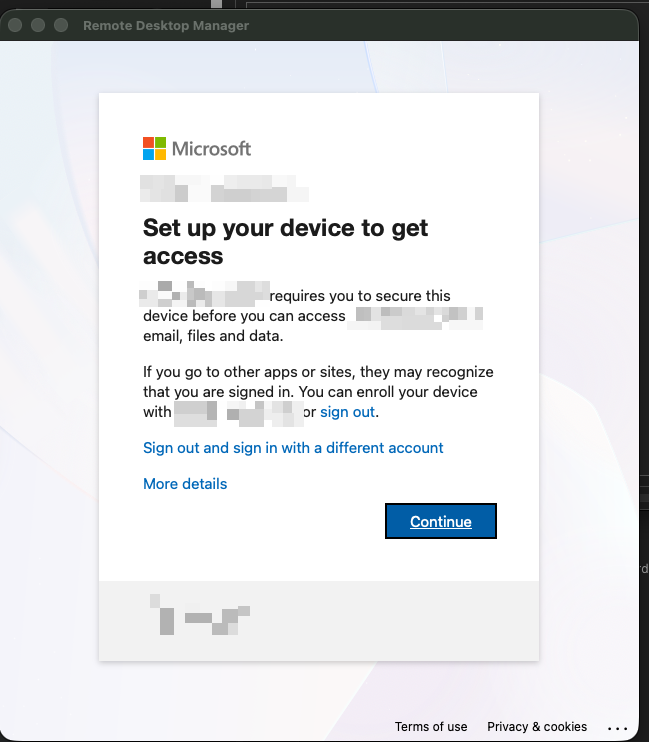
Best,
Janic :-)
fcc30f31-ad19-40e3-a3af-7e7ebdbf64e2.png
All Comments (1)
Hello Janic,
Thank you for reaching out to the Devolutions support team.
This is a known issue regarding the embedded authentication on RDM MacOS.
The workaround for now is to set the external authentication.
To do so, navigate to File -> Settings -> Advanced -> and uncheck the Use embedded browser for login.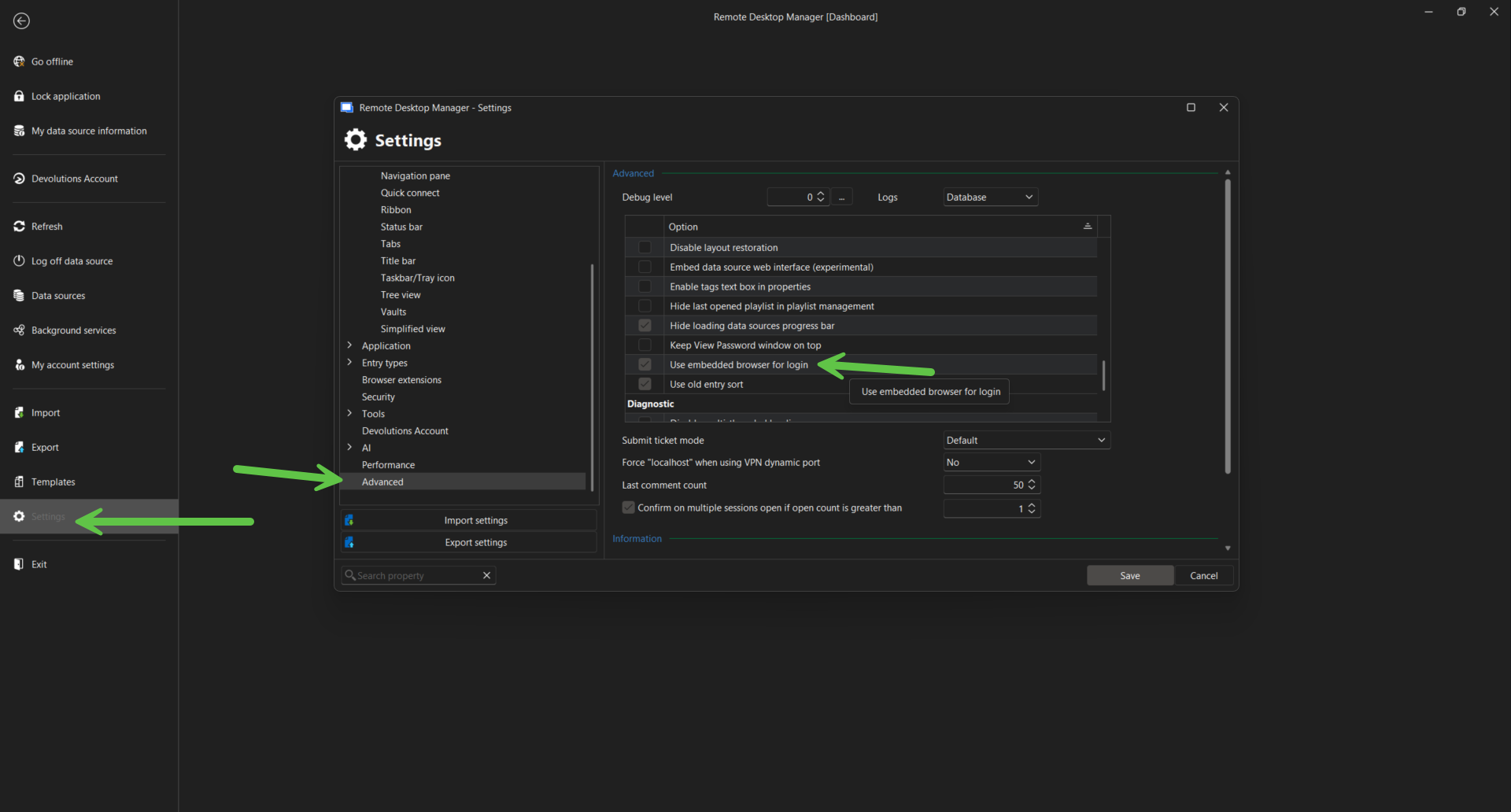
Best regards,
Patrick Ouimet
2026-03-24_11-35-23.png